Venta Theme - the first premium Hyvä-based theme for Adobe Commerce (Magento 2)
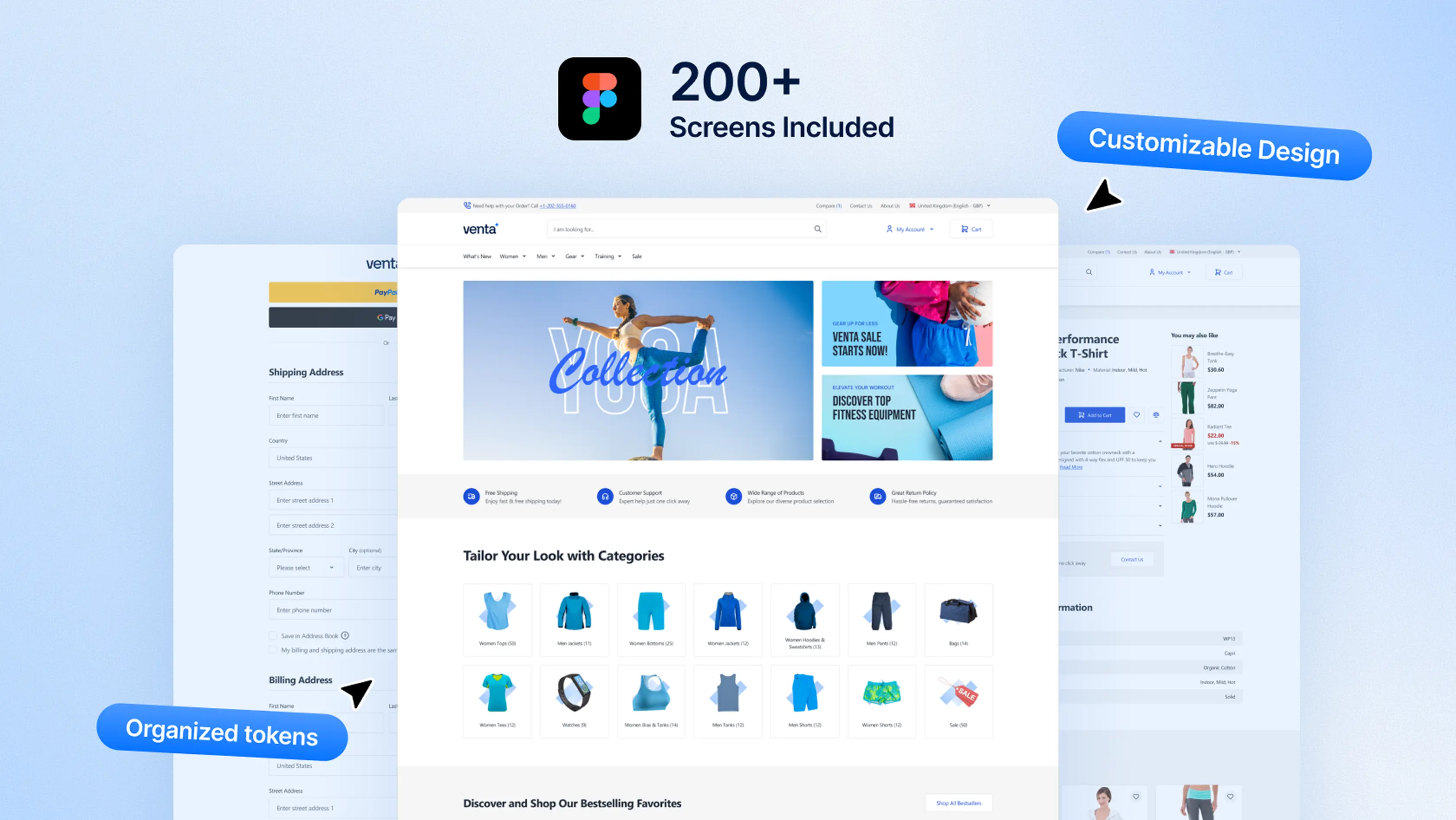
Venta Theme builds on Hyvä’s performance foundation and turns it into a complete premium storefront solution. It includes 200+ Figma views, SEO and GDPR compliance extensions, Out-of-Stock notifications, and ElasticSuite search out of the box. With conversion-focused UX patterns, production-ready layouts, and every core Magento page styled, Venta saves months of custom work and helps your store launch faster while scaling with your business.
ADA-compliant and accessible storefront patterns
Core Web Vitals passing by default
GDPR & privacy compliance for Magento Open Source, Adobe Commerce, and Adobe Commerce Cloud
Works with Hyvä Theme, Hyvä Checkout, Hyvä Commerce, and Hyvä Enterprise
Compatible with all Hyvä-ready extensions by default
Multi-store and multi-language support
Versioned releases with active updates and maintenance
Read More
Read Less
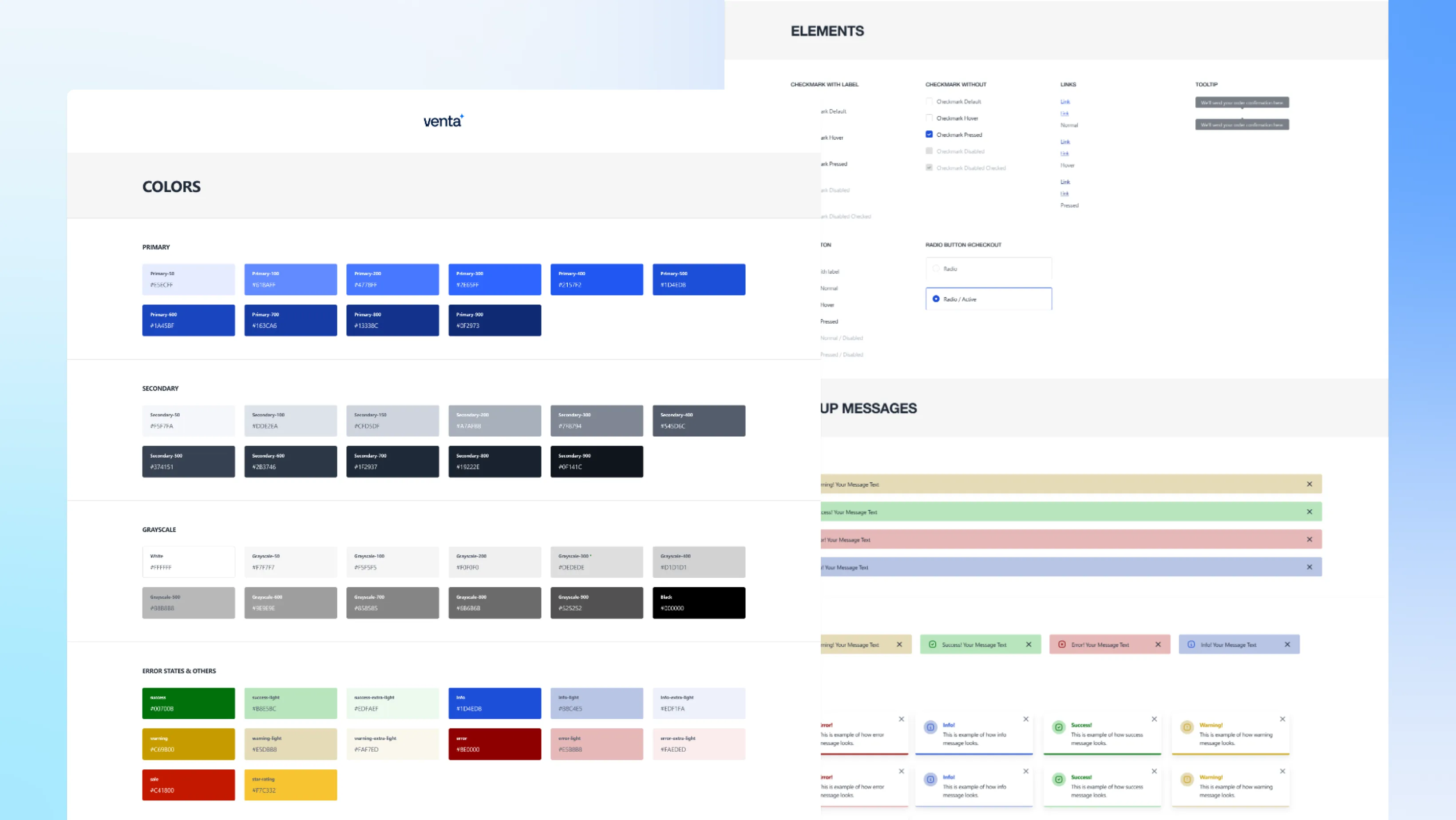
Design Kit
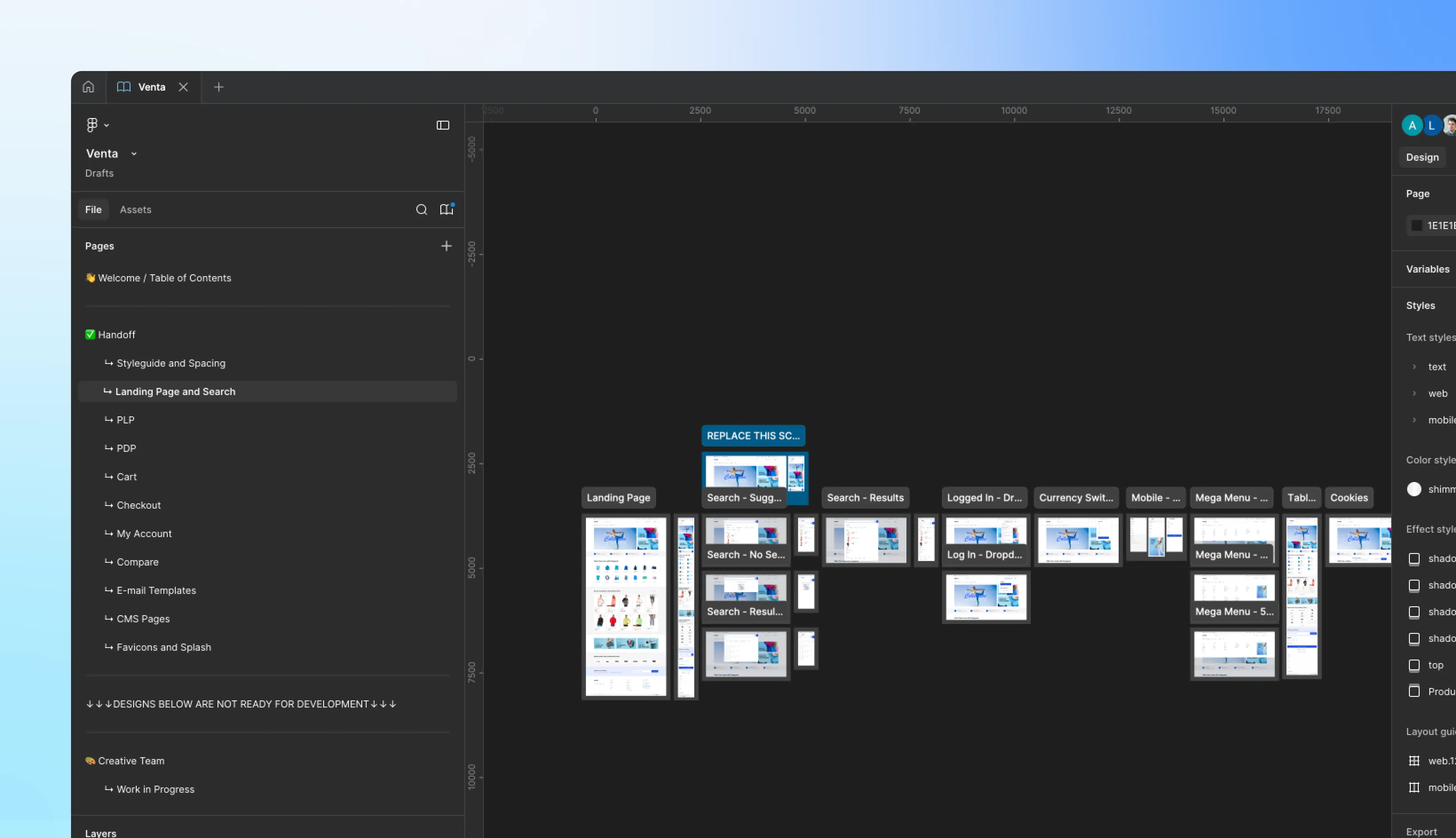
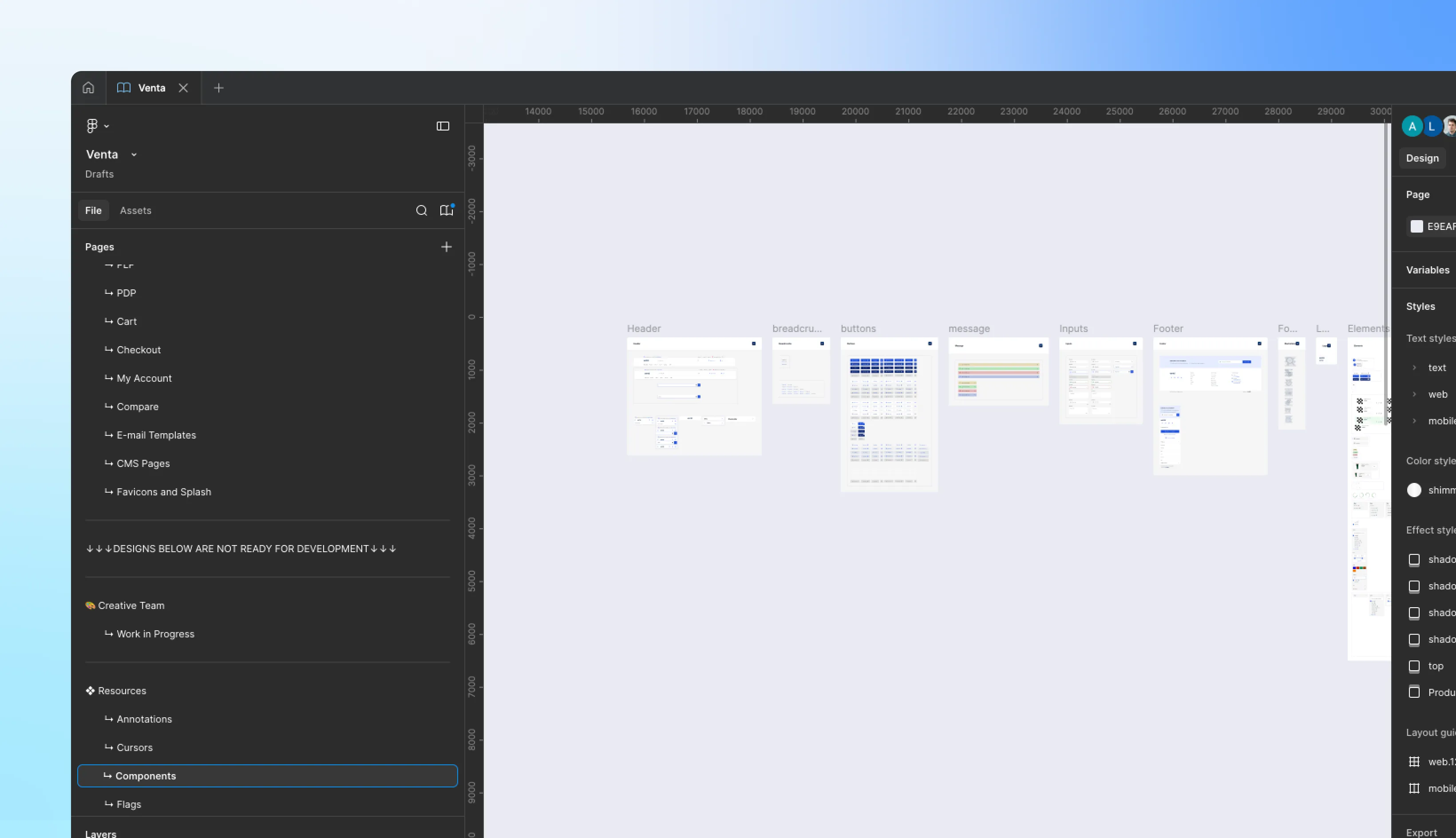
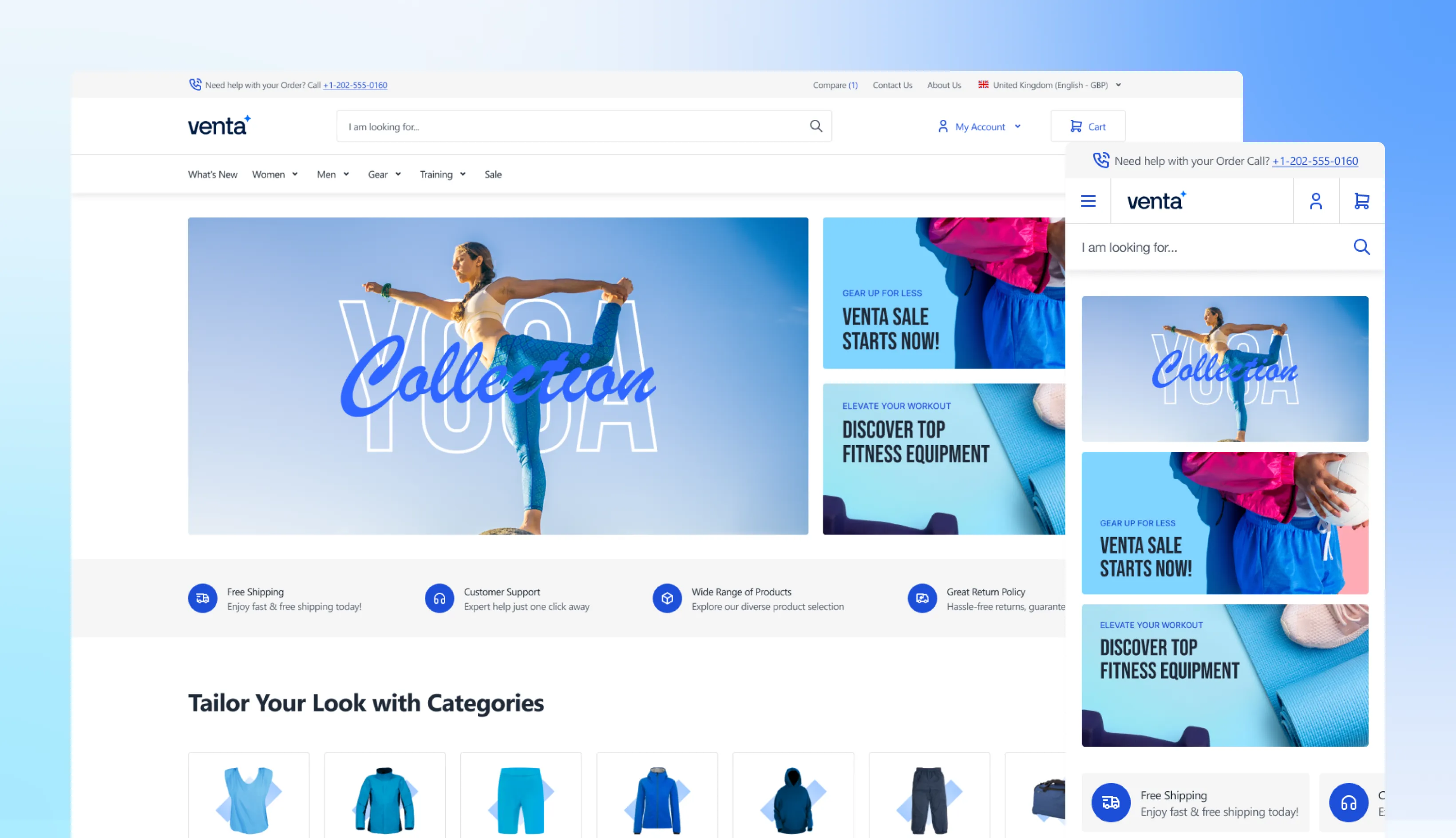
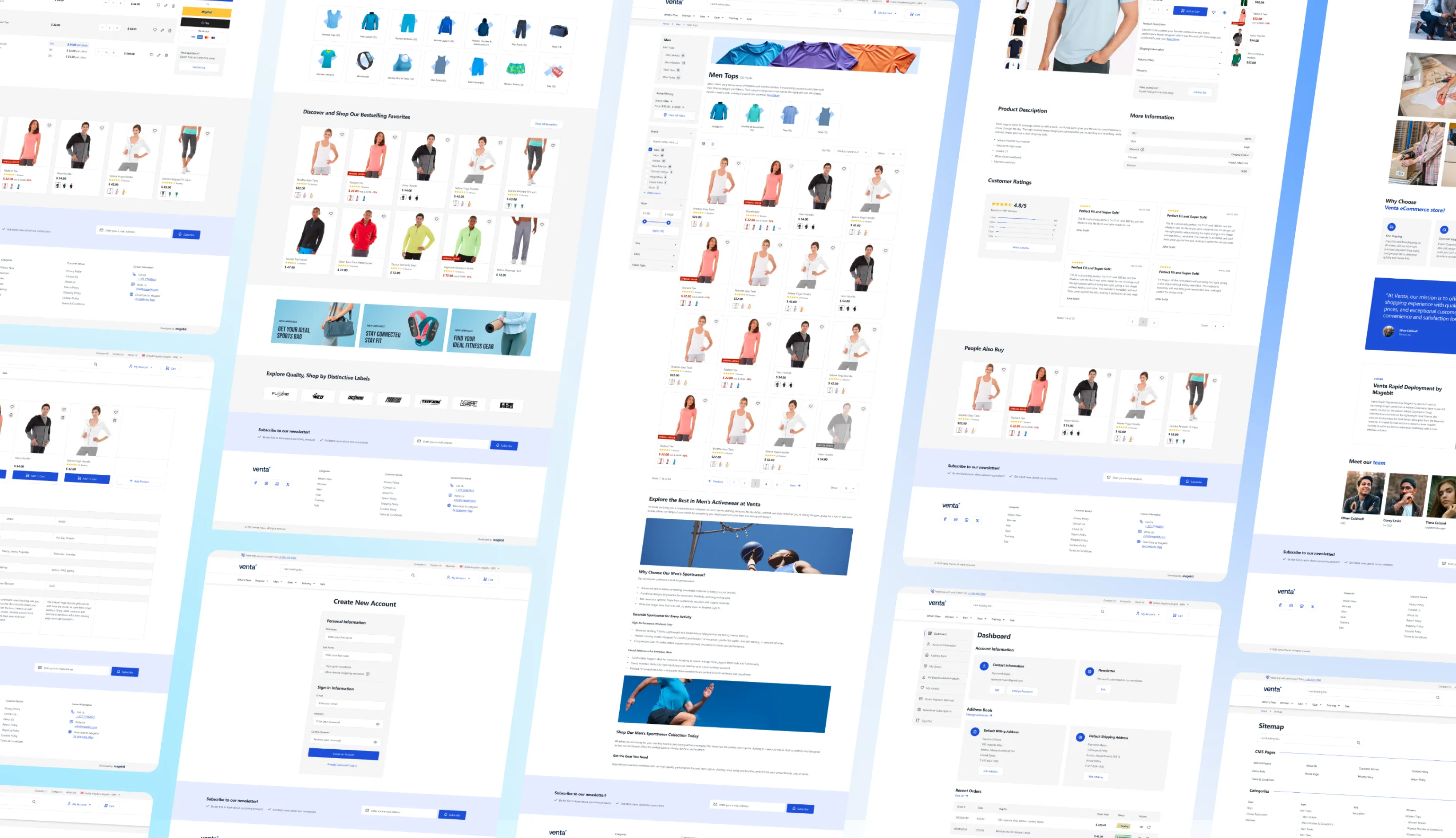
200+ Figma files with desktop & mobile views for every storefront page
Hyvä Ready
Fully compatible with the latest Hyvä Theme, Hyvä Checkout (One Step & Two Step), and Hyvä Commerce
Code Access
100% open source — no encryption, full developer access
Extensions
Venta SEO, Venta GDPR, Venta Tracking, and Venta Out-of-Stock Notifications
Scalability
Multi-store and multi-language support across Magento Open Source, Adobe Commerce, and Adobe Commerce Cloud
The Fastest Magento Theme We’ve Ever Used
Venta Theme completely changed our store experience. The speed improvement was immediate, and our Core Web Vitals jumped into the green for the first time. Highly recommended!
Julien Anquetil
Software Development Manager
Time Spent on Website
+80%
Returning Visitors
+30%
Click Through Rate
+36%
A fast, reliable solution we can count on
We truly enjoy working with Magebit and trust their expertise and guidance!
John Brazaitis
General Manager
Order Growth
+30%
Engagement Rate
+25%
Conversion Rate
+11%
Our long-term partner, always delivering
Magebit has been our partner for years. This project was another piece of cake for them — smooth and successful.
Sam Slater
Ecom Development & Web Operations Manager
Orders
+14.2%
Revenue
+14.32%
Traffic
+23%
The speed and experience we needed
Magebit’s Hyvä solution gave us the speed, design, and user experience we needed. They turned our concerns into confidence.
Manish Keshwani
Head of Sales & Business Development
B2B conversion rate (above industry average)
+2.1%
Longer session duration
422%
Pages per user
8.28
Discover What Makes Venta Shine
Design & Assets
Theme Structure & Core Extensions
Global elements
AJAX Enhancements
Home page
Category & Search
Product Detail Page (PDP)
Cart
Checkout
My Account
Admin Features
System & Informational Pages
Technical & Compatibility
Venta SEO
Venta GDPR
Venta Tracking
Venta Out OF Stock notifications
Design & Assets
Design & Assets
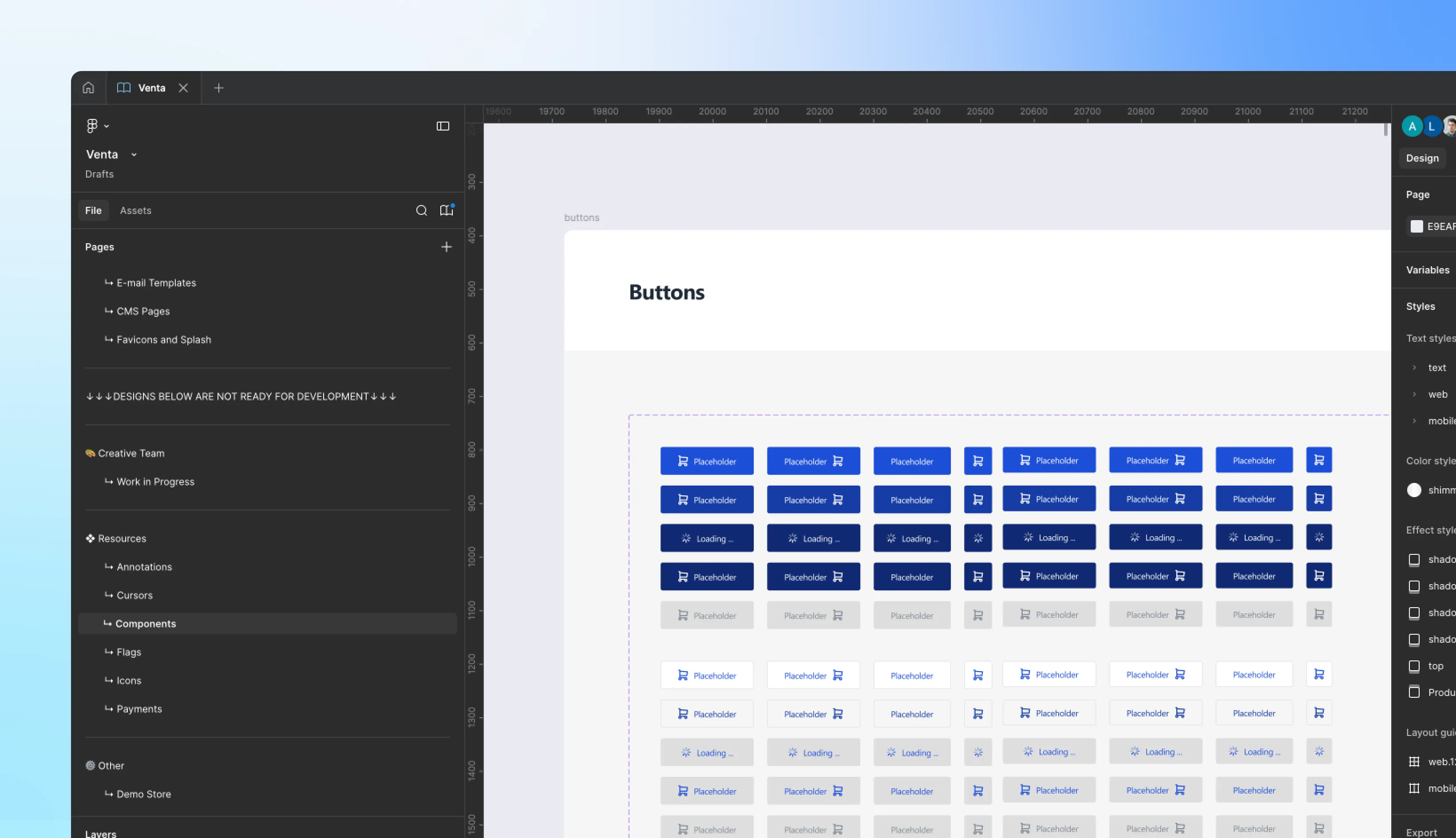
Venta Theme ships with a complete design system, not just code. You get a Figma kit with 200+ views, covering every core storefront page and edge case in both desktop and mobile. This gives your team a ready-to-use visual foundation, ensuring faster approvals, smoother development, and a consistent customer experience.
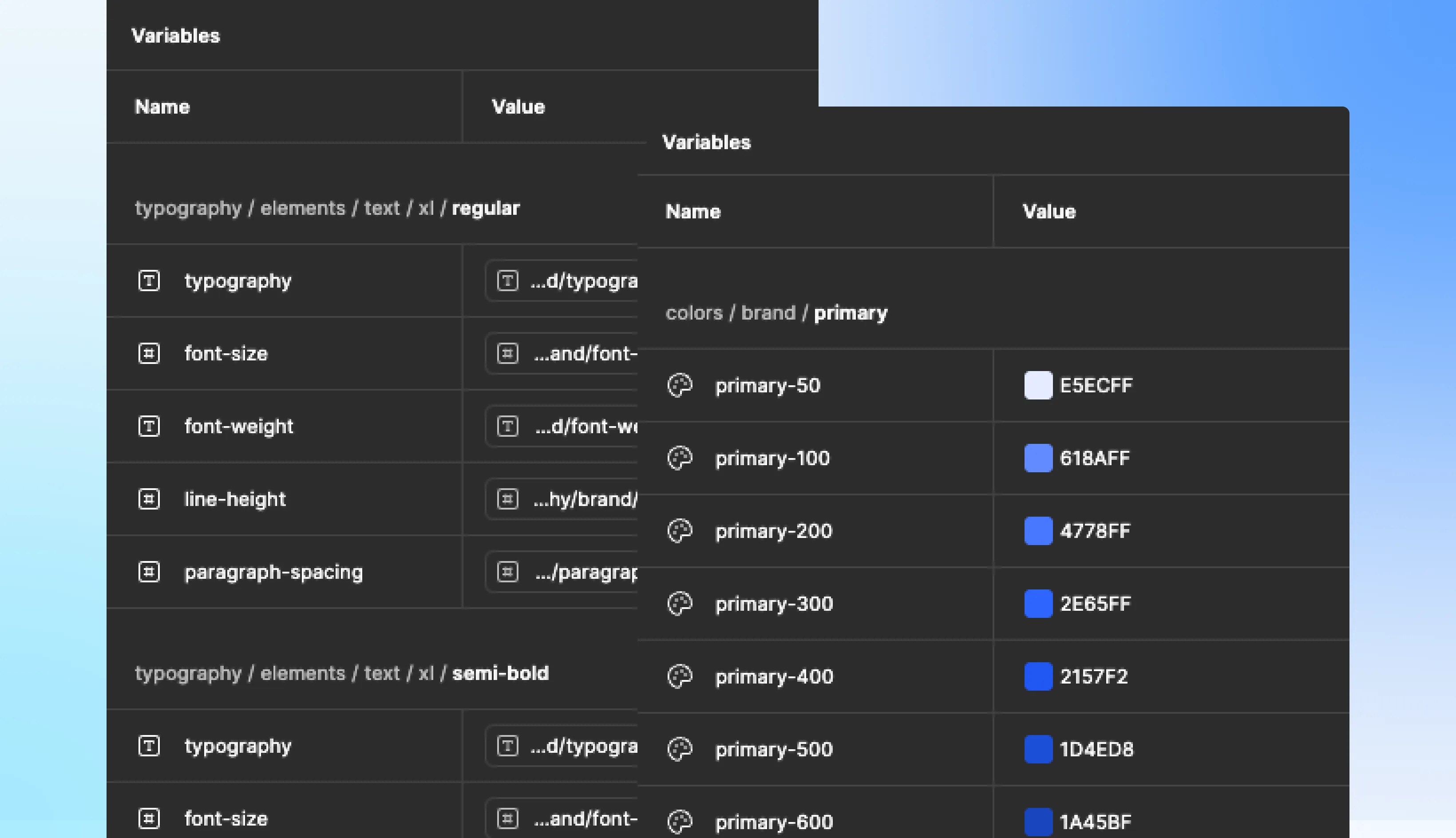
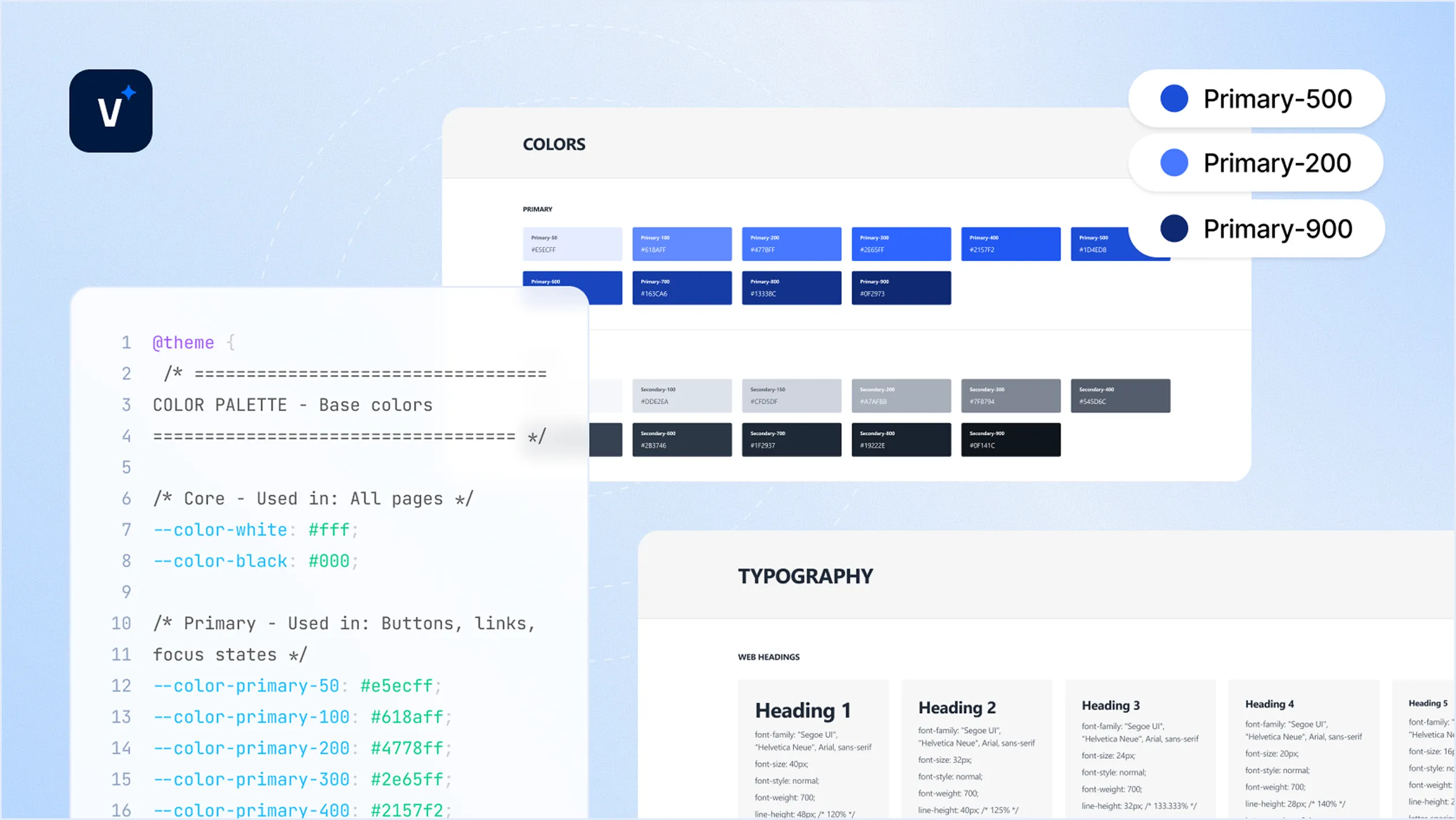
The assets are production-ready and can be customized to your brand with ease — colors, typography, imagery, and spacing are all defined through a scalable design system
Key configurations
Full design coverage
From homepage to checkout, account, and system pages
Desktop + mobile
Variations included
Organized design tokens
For easy brand customization
Dev-Ready Handoff
Developer-friendly specs and redlines in Figma
Saves months
Of design and front-end planning
Theme Structure & Core Extensions
Venta Theme is delivered as more than just a frontend skin — it's a complete package consisting of:
Theme layer — the storefront styling foundation.
Theme modules — functional modules that extend Magento the Hyvä way.
Core extensions — essential features bundled by default.
Bundled extensions:
Venta SEO Extension — advanced metadata and crawl management.
Venta GDPR Extension — privacy compliance with built-in consent handling.
Venta Out-of-Stock Notifications — capture intent and notify customers when products return.
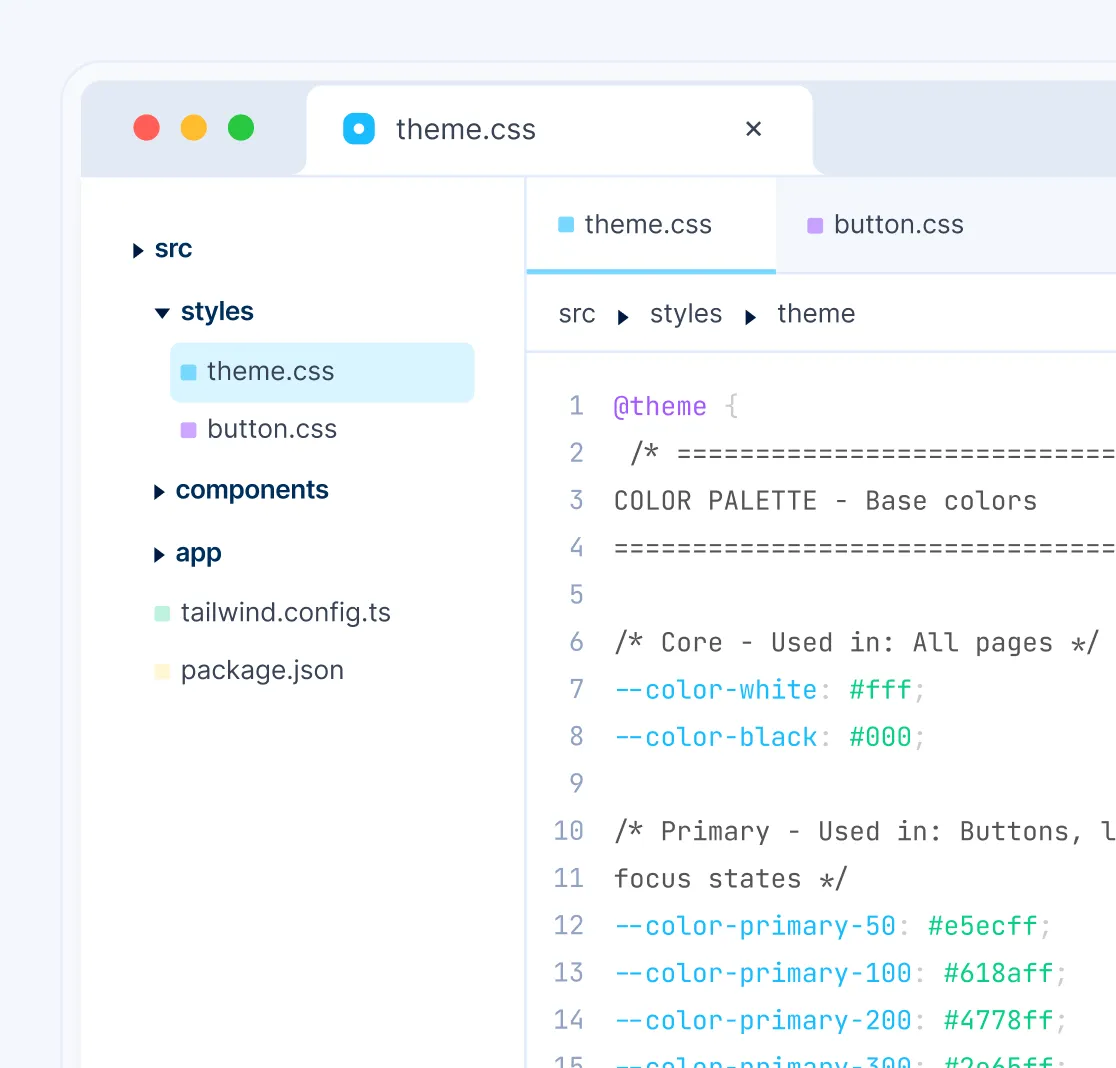
Tailwind-Powered Customization
Venta leverages Tailwind configs to minimize unnecessary overrides and reduce code bloat. Instead of duplicating CSS, you can configure design tokens in one place and apply them across the theme. This makes it easy to change:
Base colors
Border radius
Fonts and font sizes
Input fields and form elements
Global spacing and typography scales
Result
A theme that is lighter, faster, and easier to adapt to your brand’s style guide
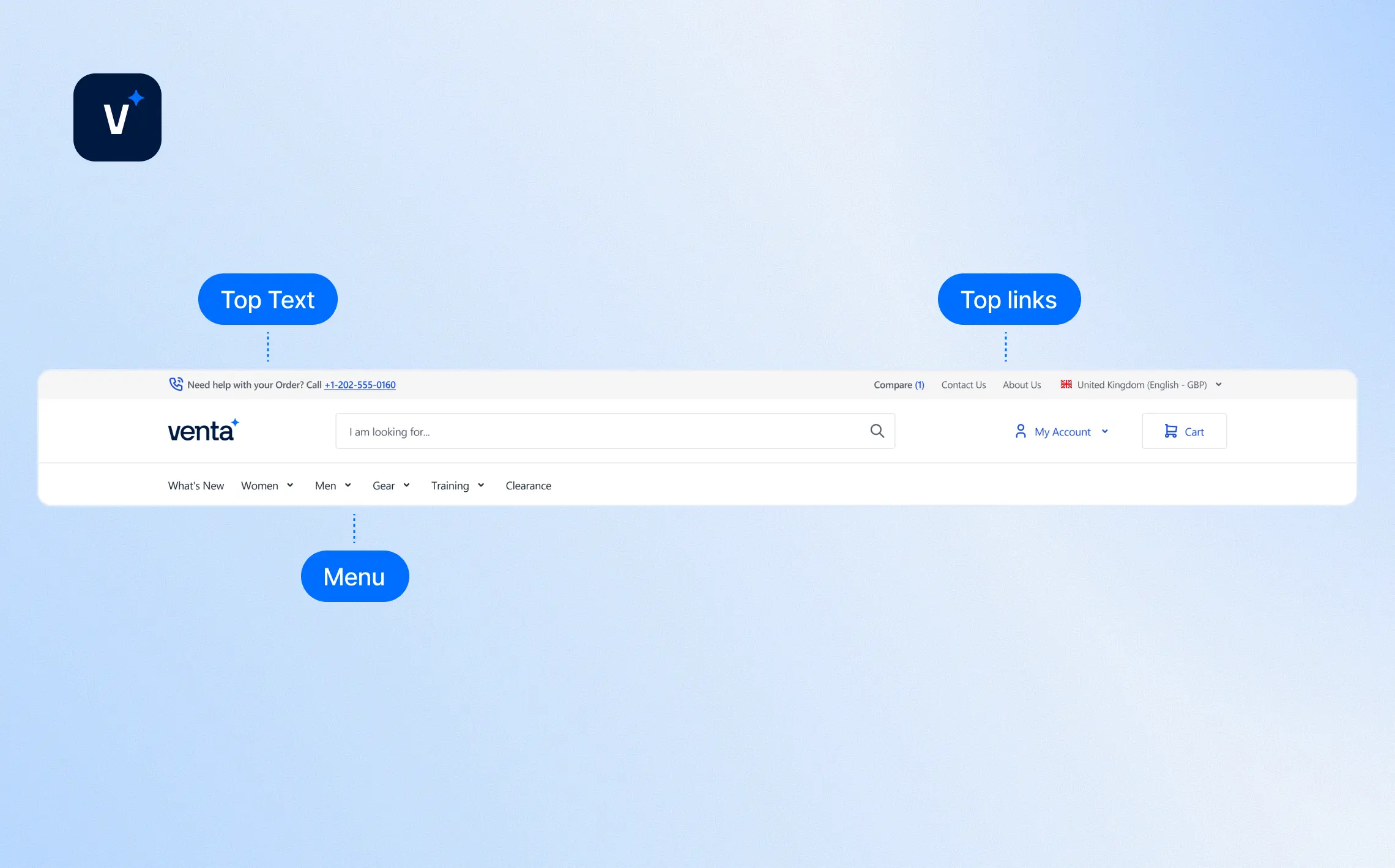
Venta’s header extends Magento defaults with more flexibility for merchants. It keeps the structure clean while adding configurability for navigation and promotions.
Configurable Features
Top text
Magento’s default welcome message (editable from admin)
Top links
Managed under Venta settings (no code needed)
Menu
Uses Magento’s default structure with added attributes for banners and extra links
Footer
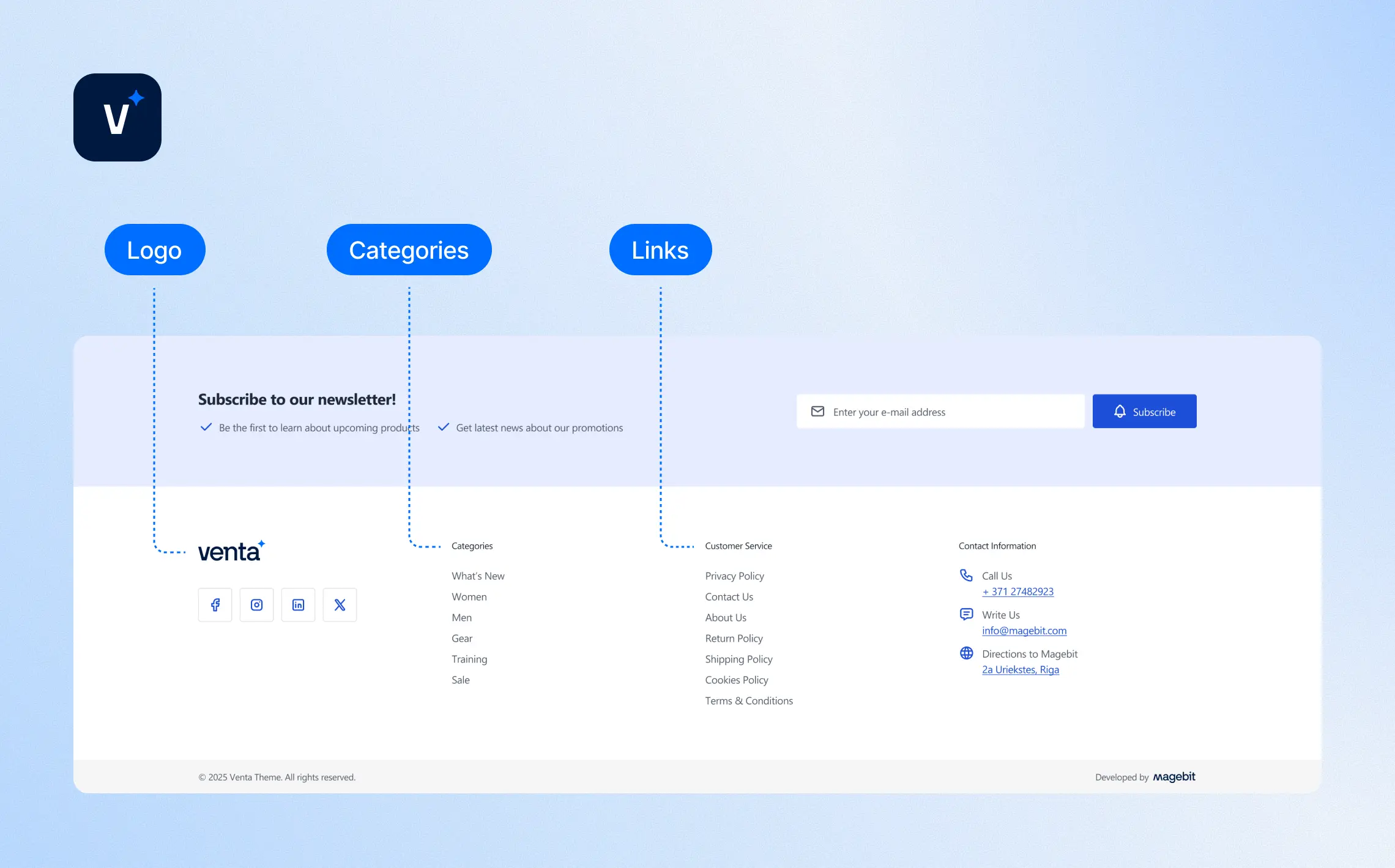
Venta’s footer is designed for flexibility, combining admin settings with CMS blocks for quick updates.
Configurable Features
Logo
Configured once in the admin panel and applied globally
Categories
Added via widgets inside the footer CMS block
Links
Managed with the dedicated footer links widget
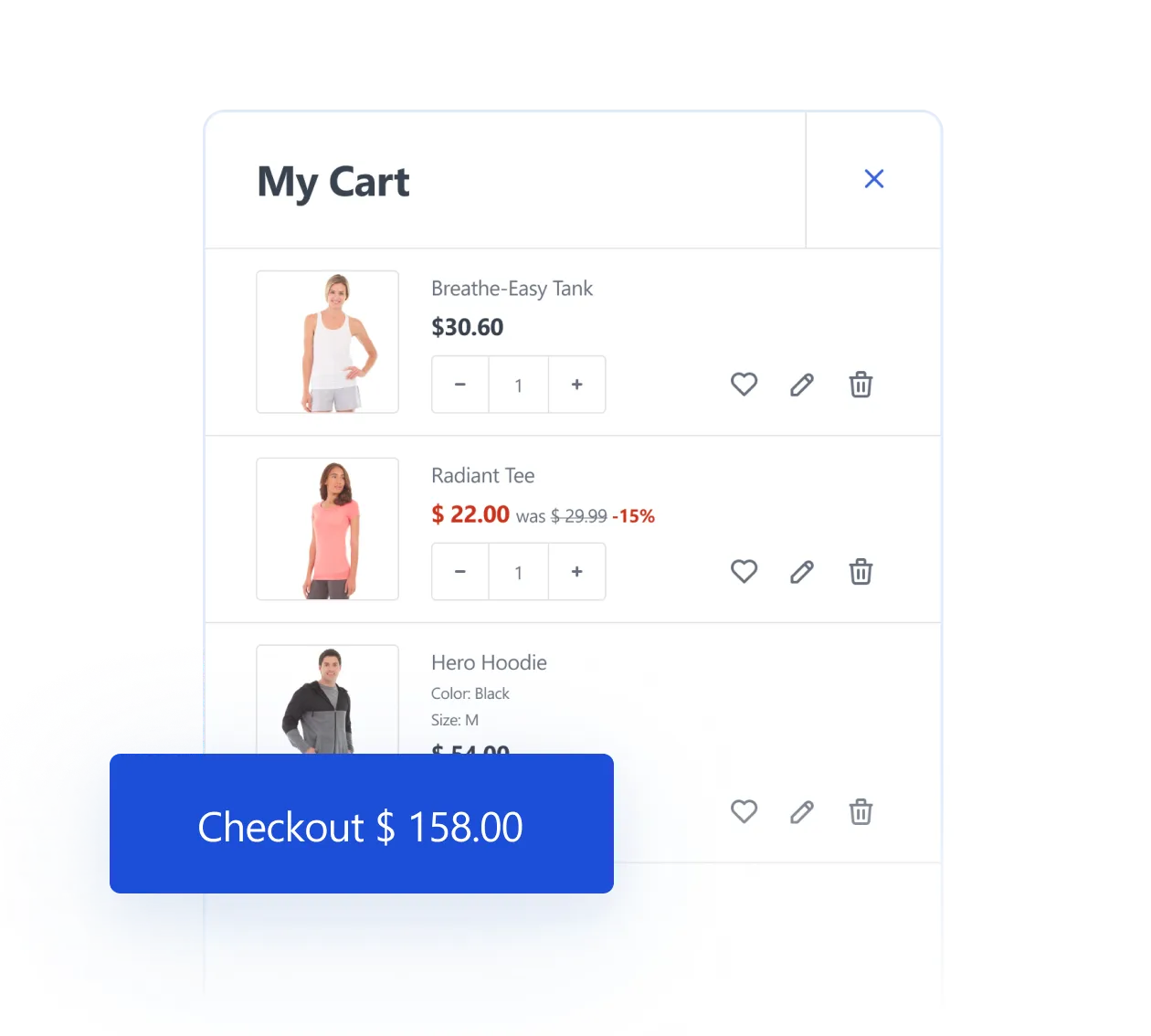
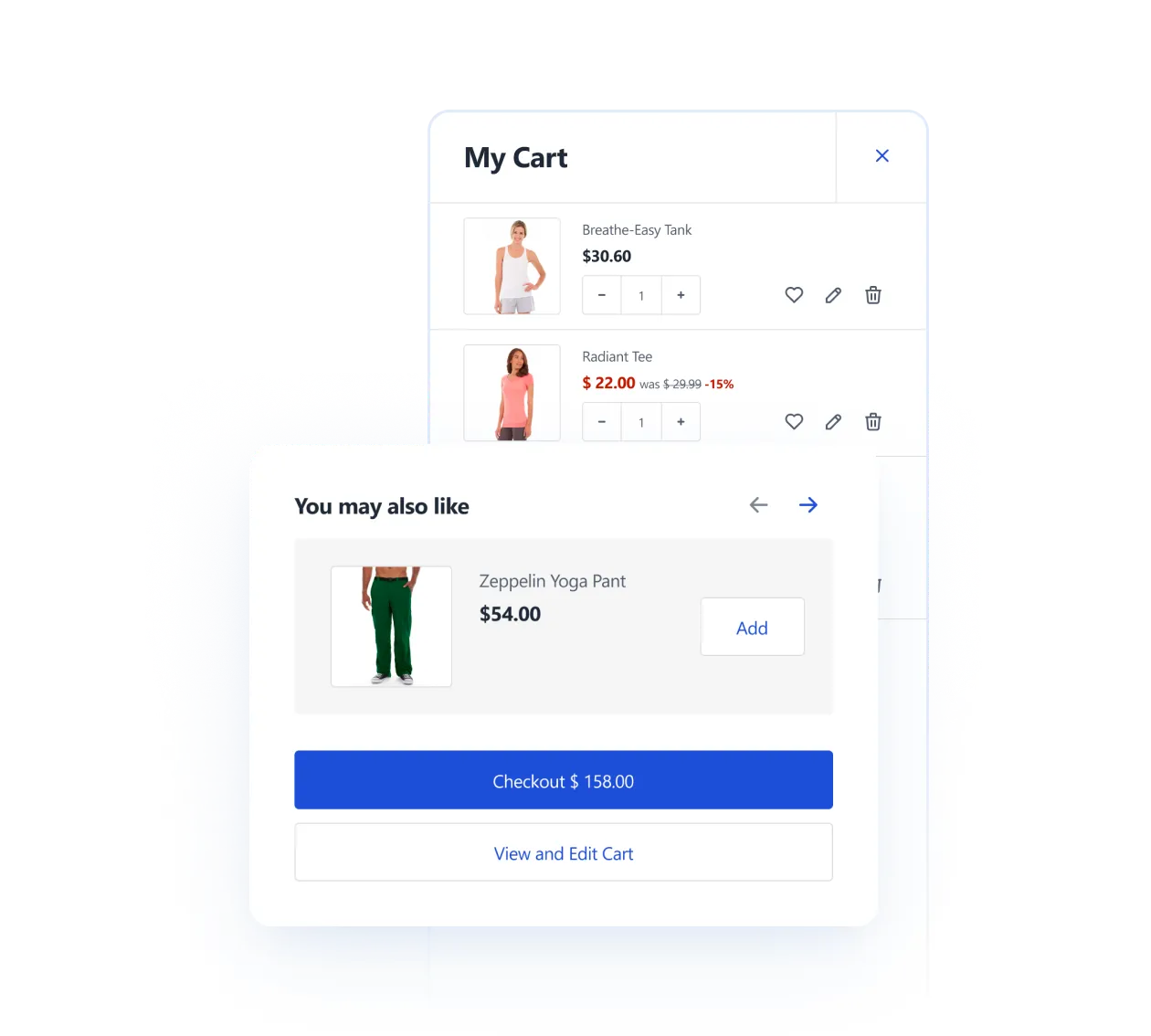
Mini-Cart
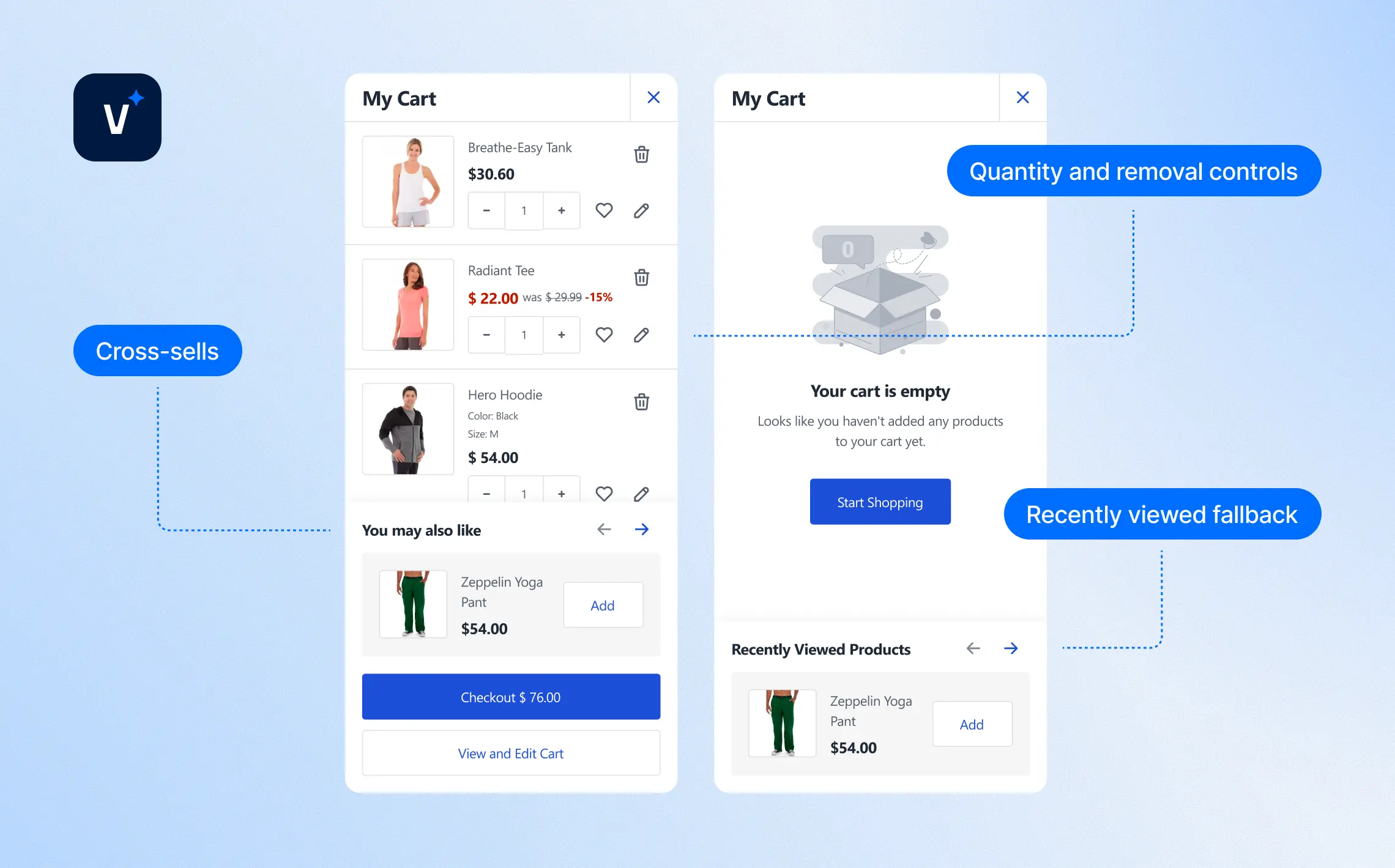
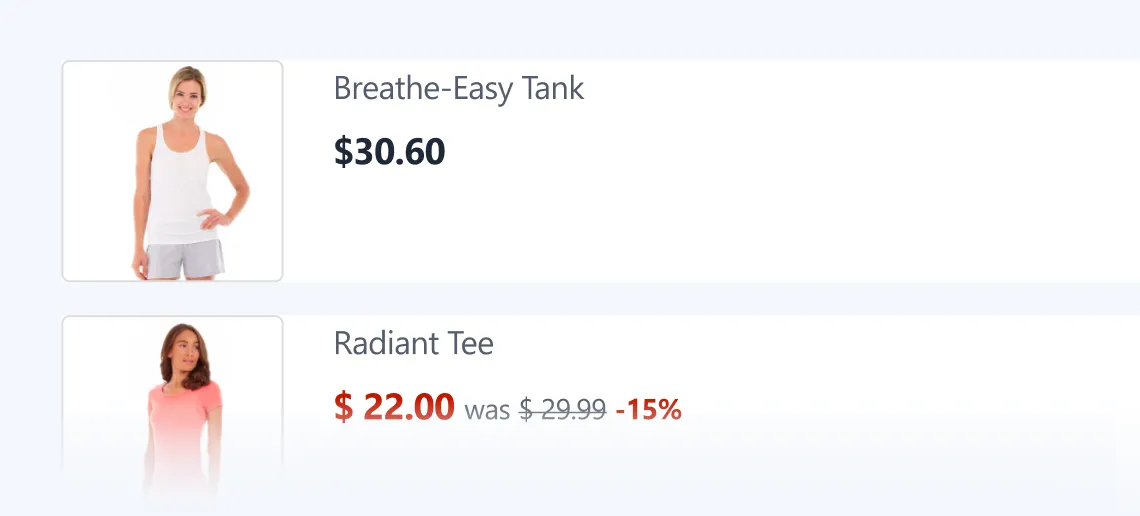
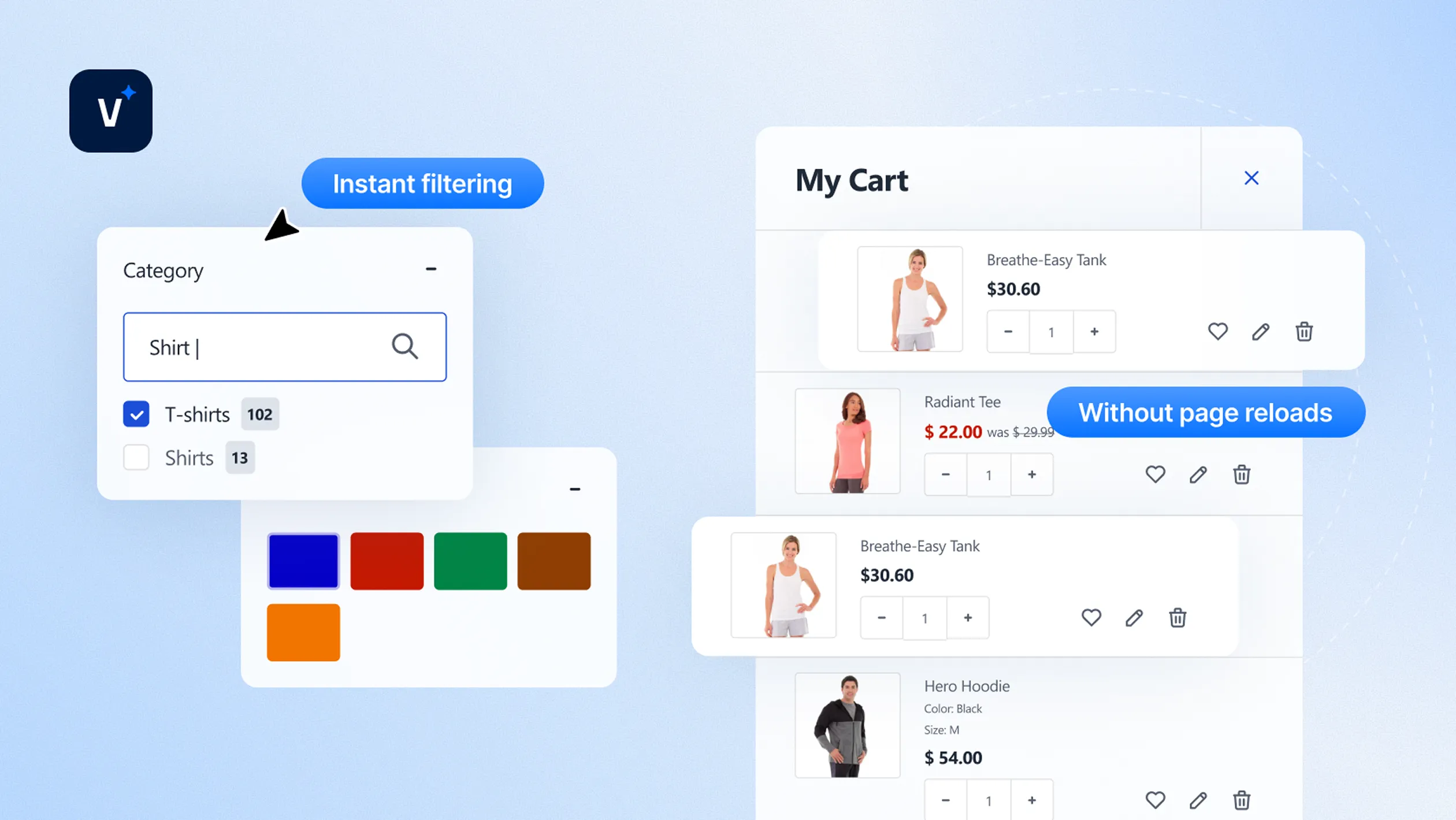
The mini-cart is AJAX-powered and optimized to drive conversions. It updates instantly, keeping the shopping flow smooth.
Configurable Features
Cross-sells
Configurable in Magento admin
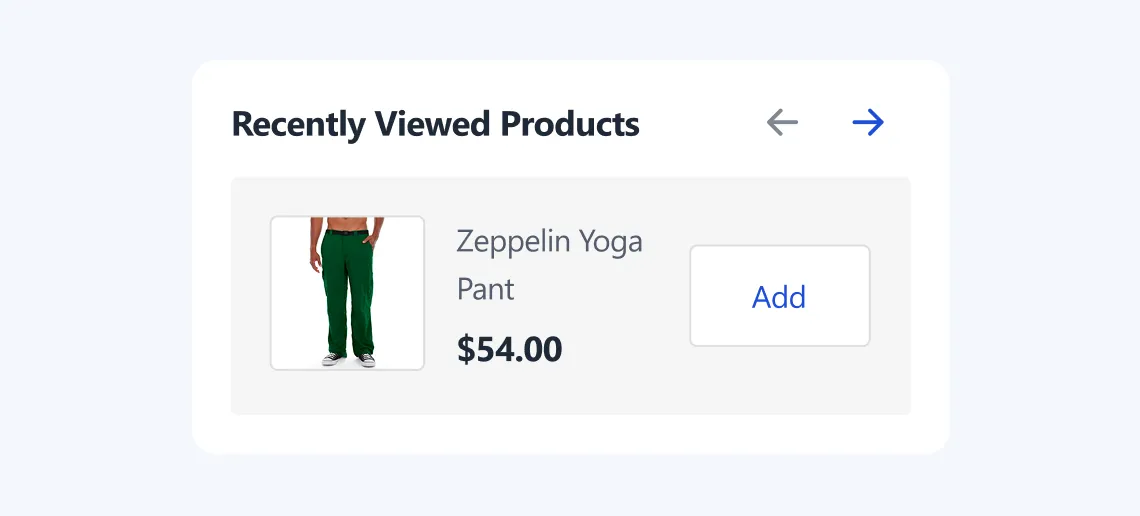
Recently viewed fallback
Shown when the cart is empty
Quantity and removal controls
fully editable in the mini-cart
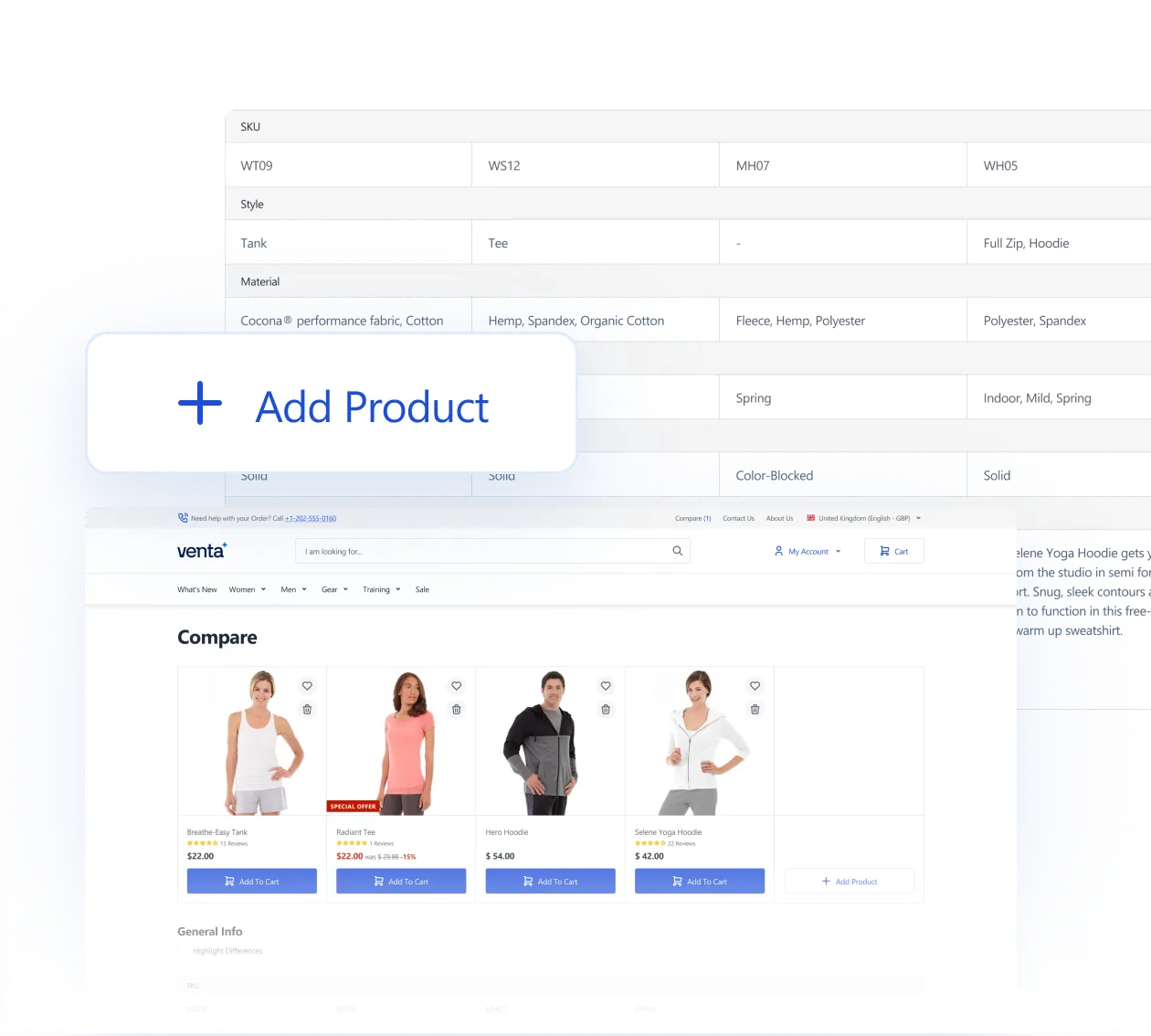
Compare
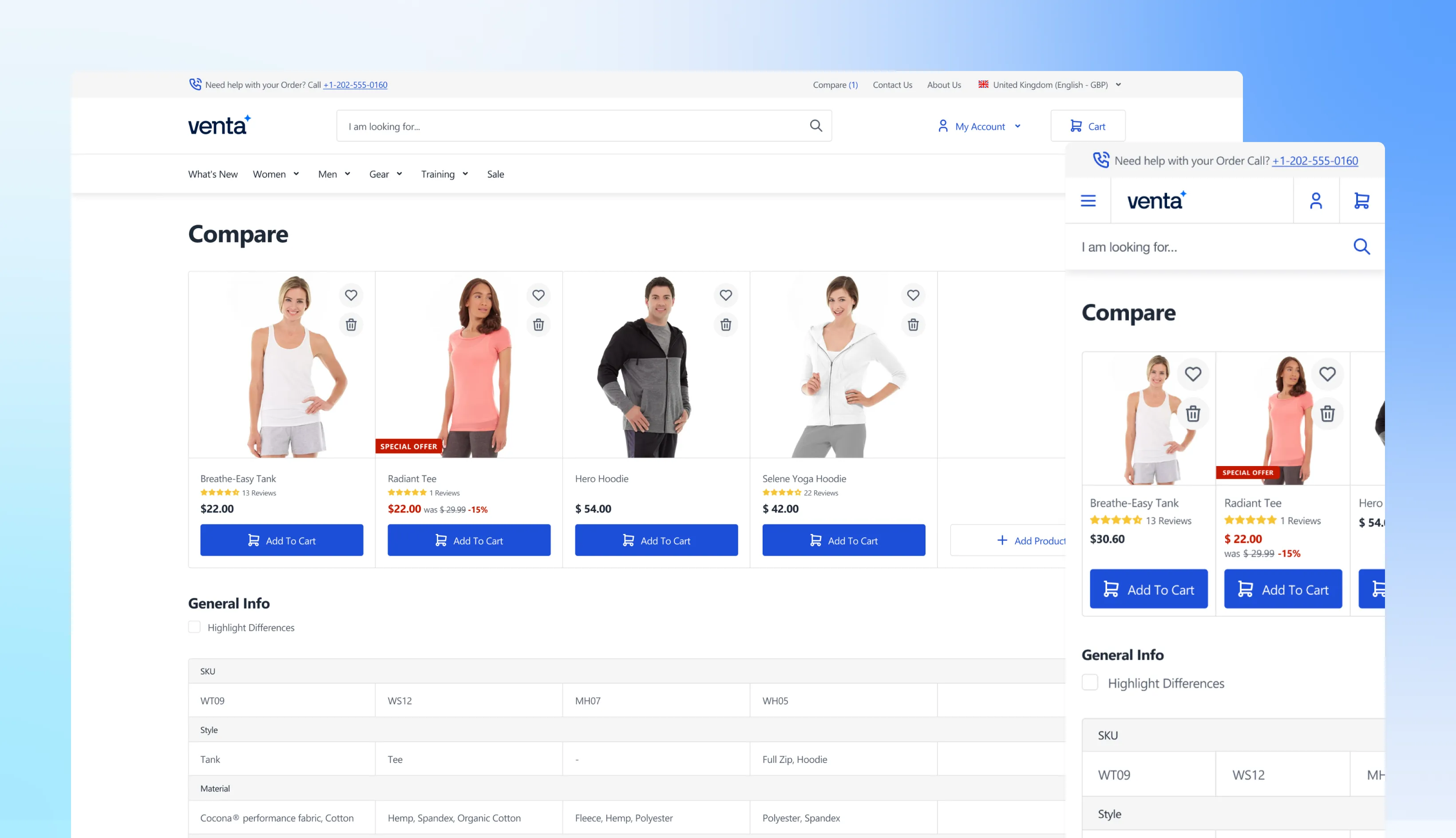
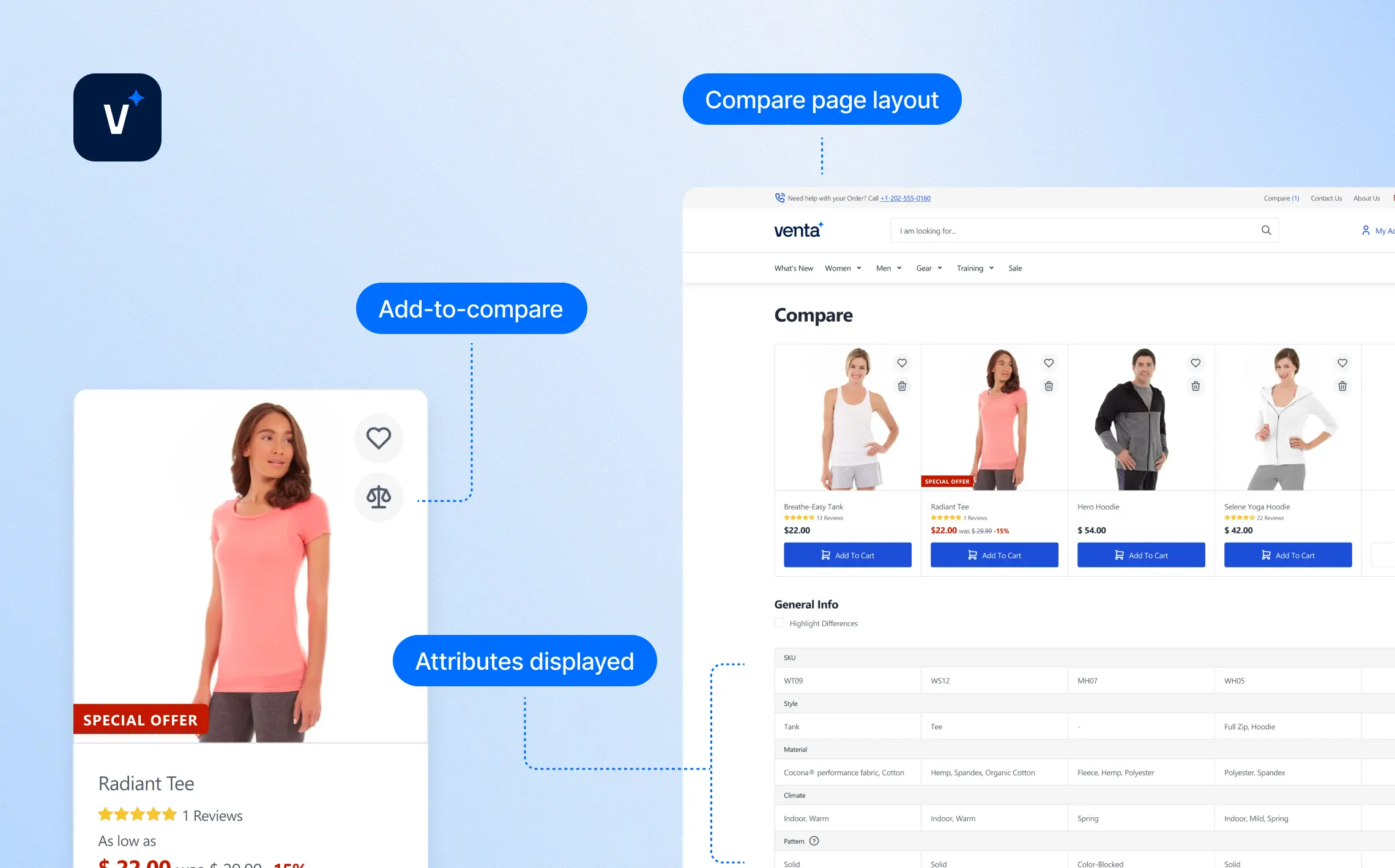
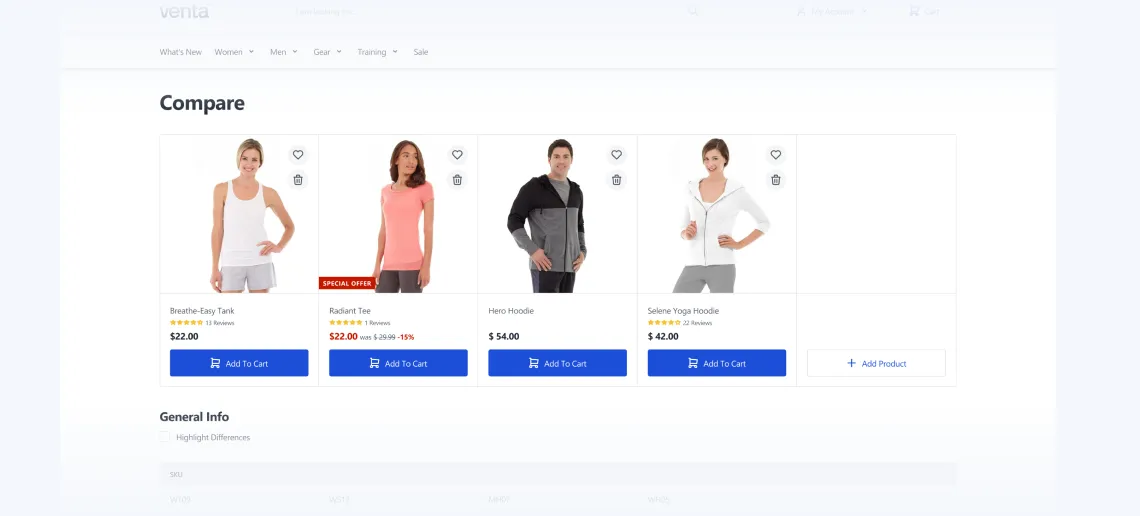
Venta improves Magento’s compare feature with a cleaner layout and instant interactions.
Configurable Features
Add-to-compare
AJAX-powered from category and PDP
Compare page layout
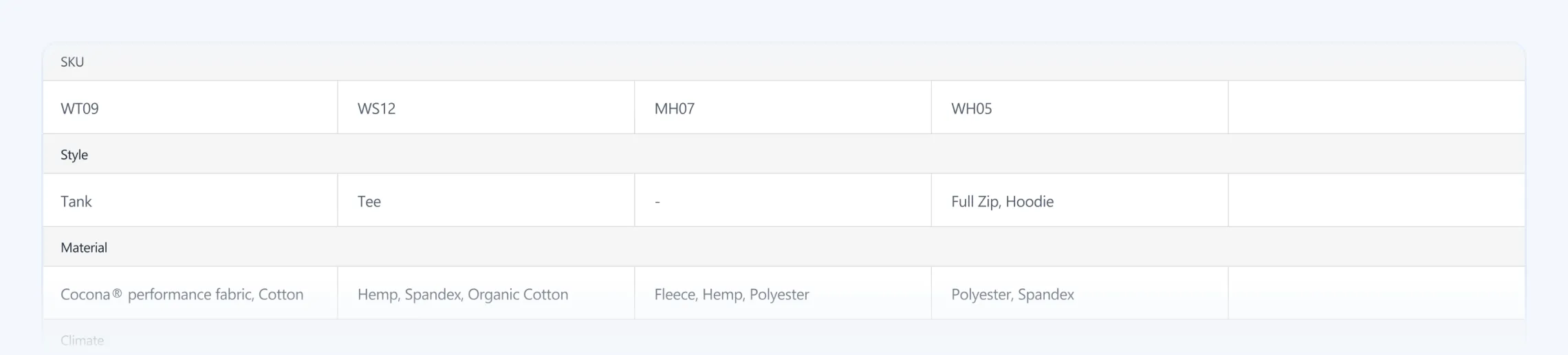
Redesigned for clarity and attribute scanning
Attributes displayed
Configurable in Magento admin
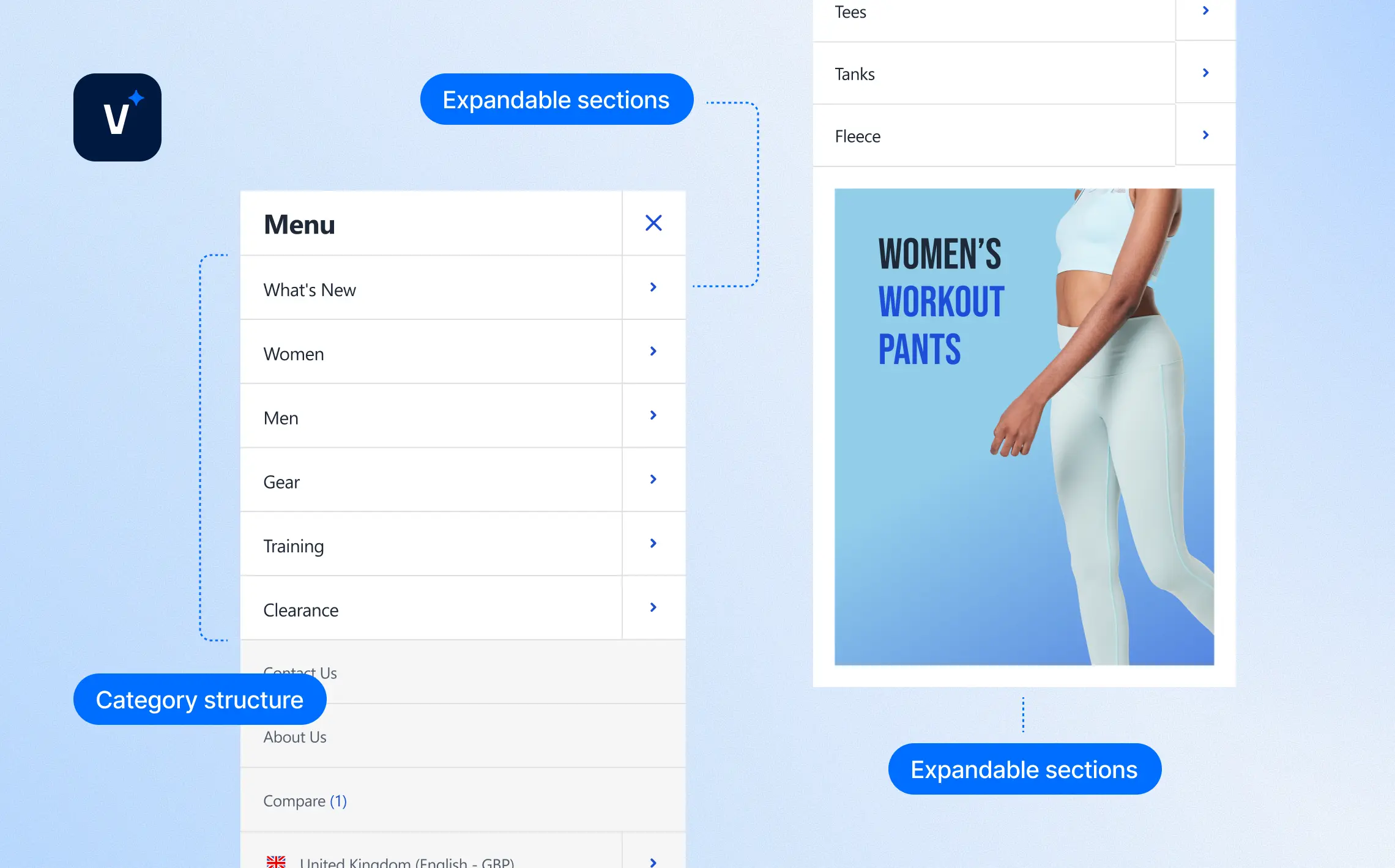
Mobile Navigation
Mobile navigation is built as a slide-in drawer optimized for smaller screens, balancing usability with merchandising.
Configurable Features
Category structure
Inherits Magento’s native menu
Promo banners
Can be added into mobile dropdowns
Expandable sections
For promotions or content blocks
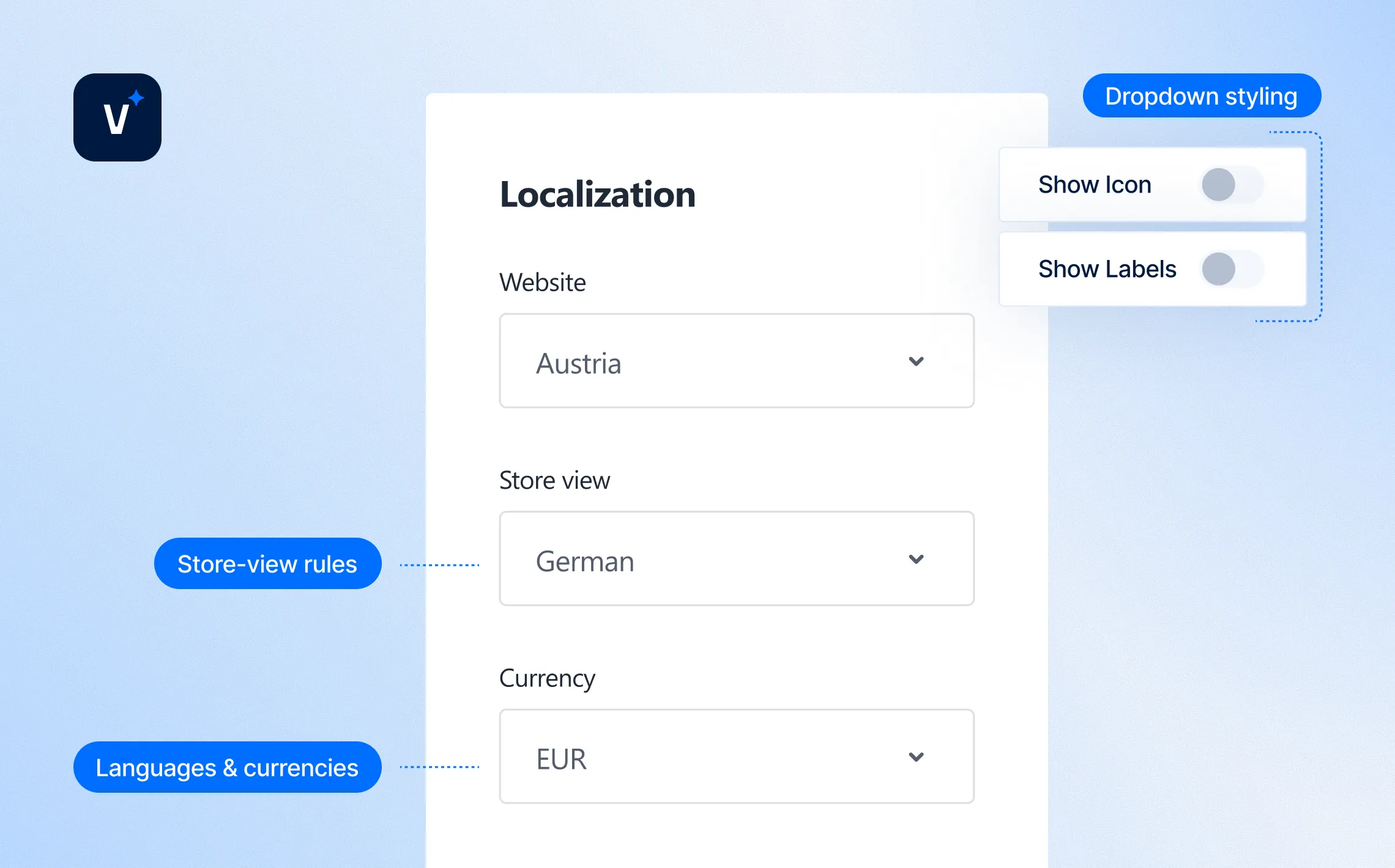
Localization
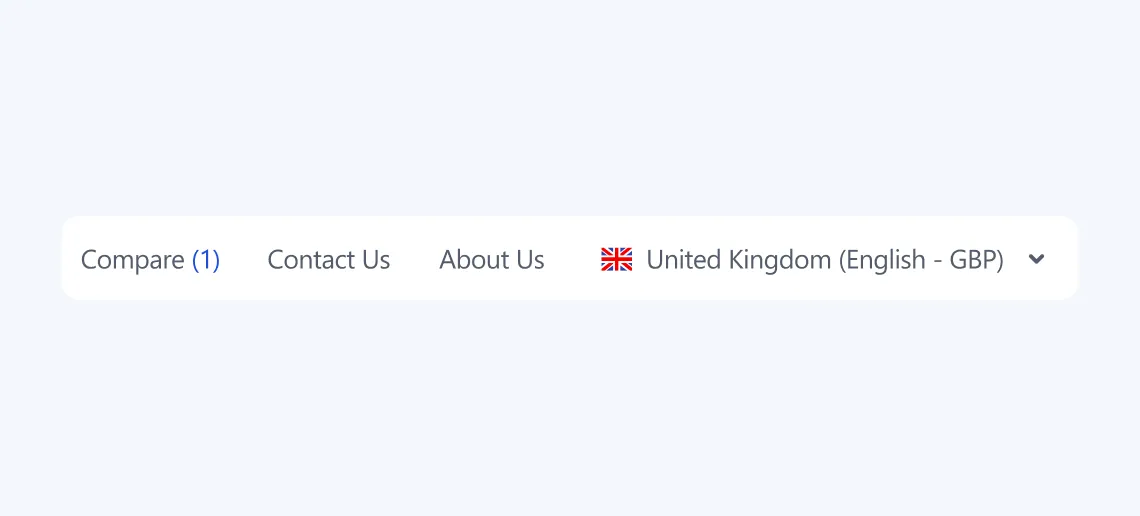
Venta simplifies switching between languages and currencies with a lightweight dropdown that avoids clutter.
Configurable Features
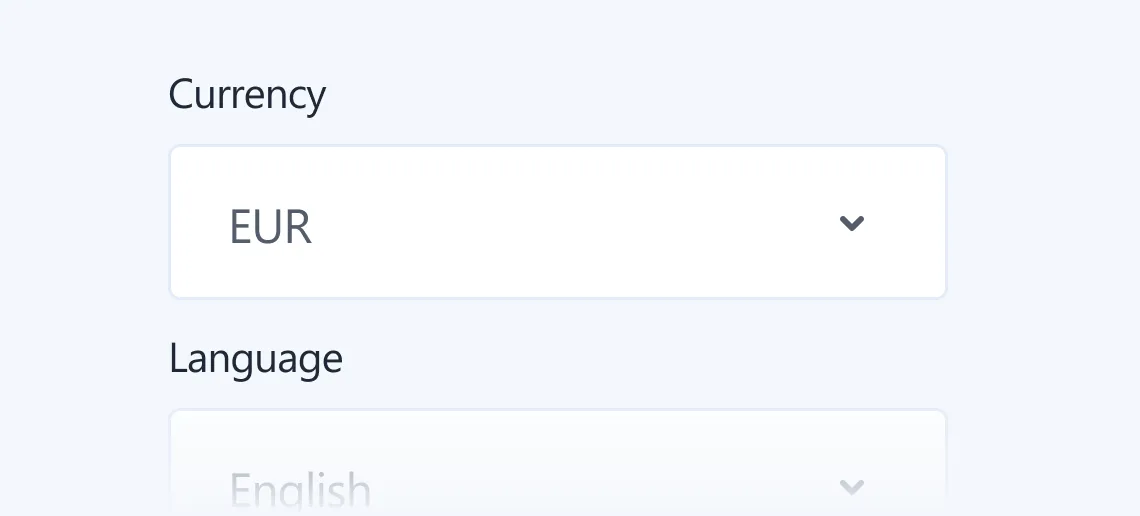
Languages & currencies
Configured via Magento admin
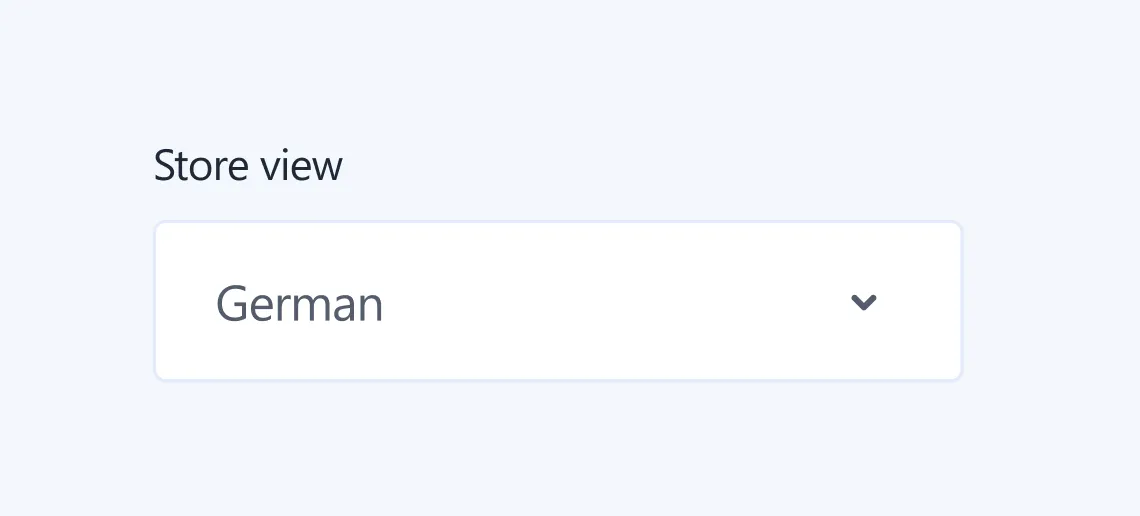
Store-view rules
Support for region-specific setups
Dropdown styling
Handled by Venta for clarity and ease of use
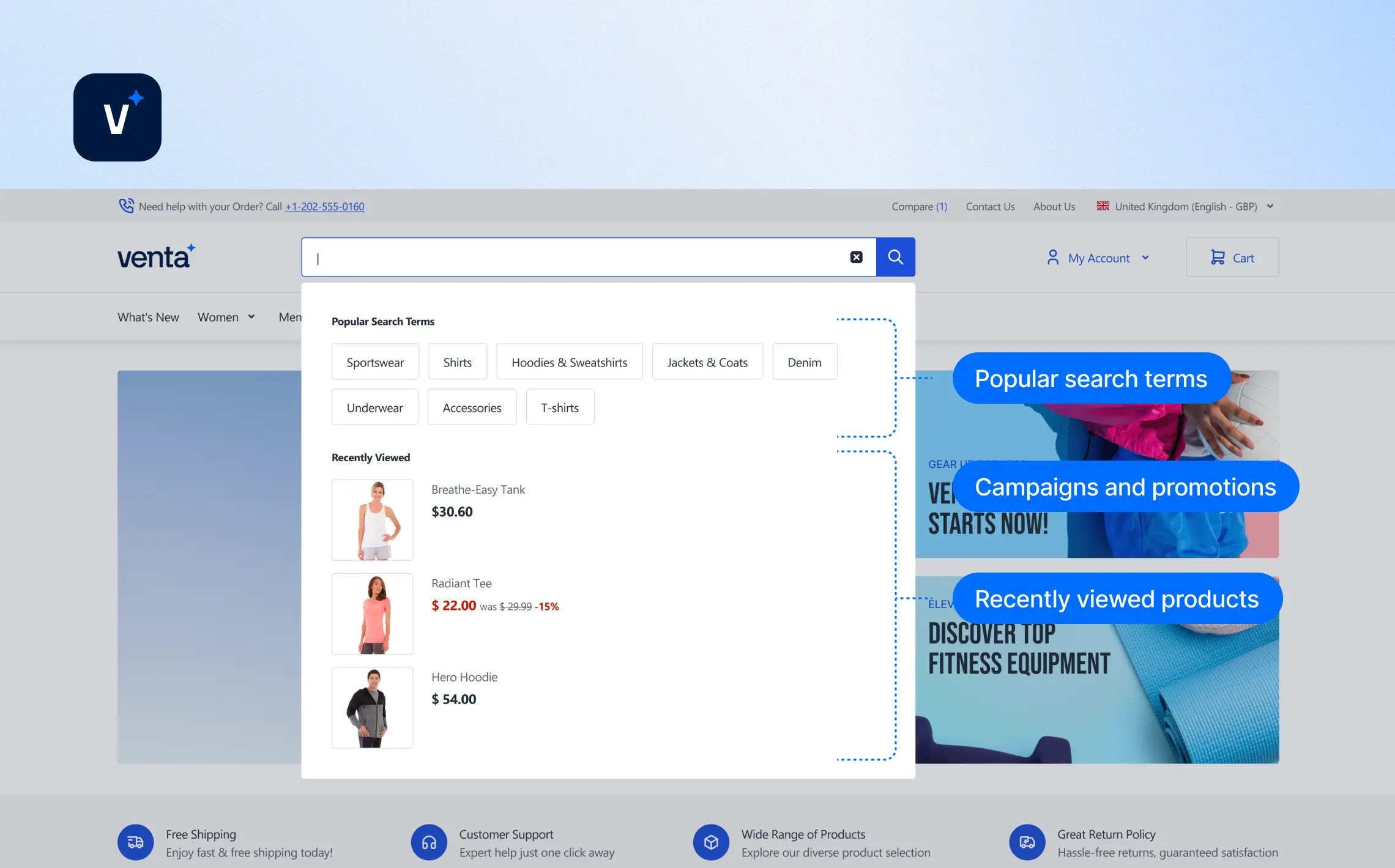
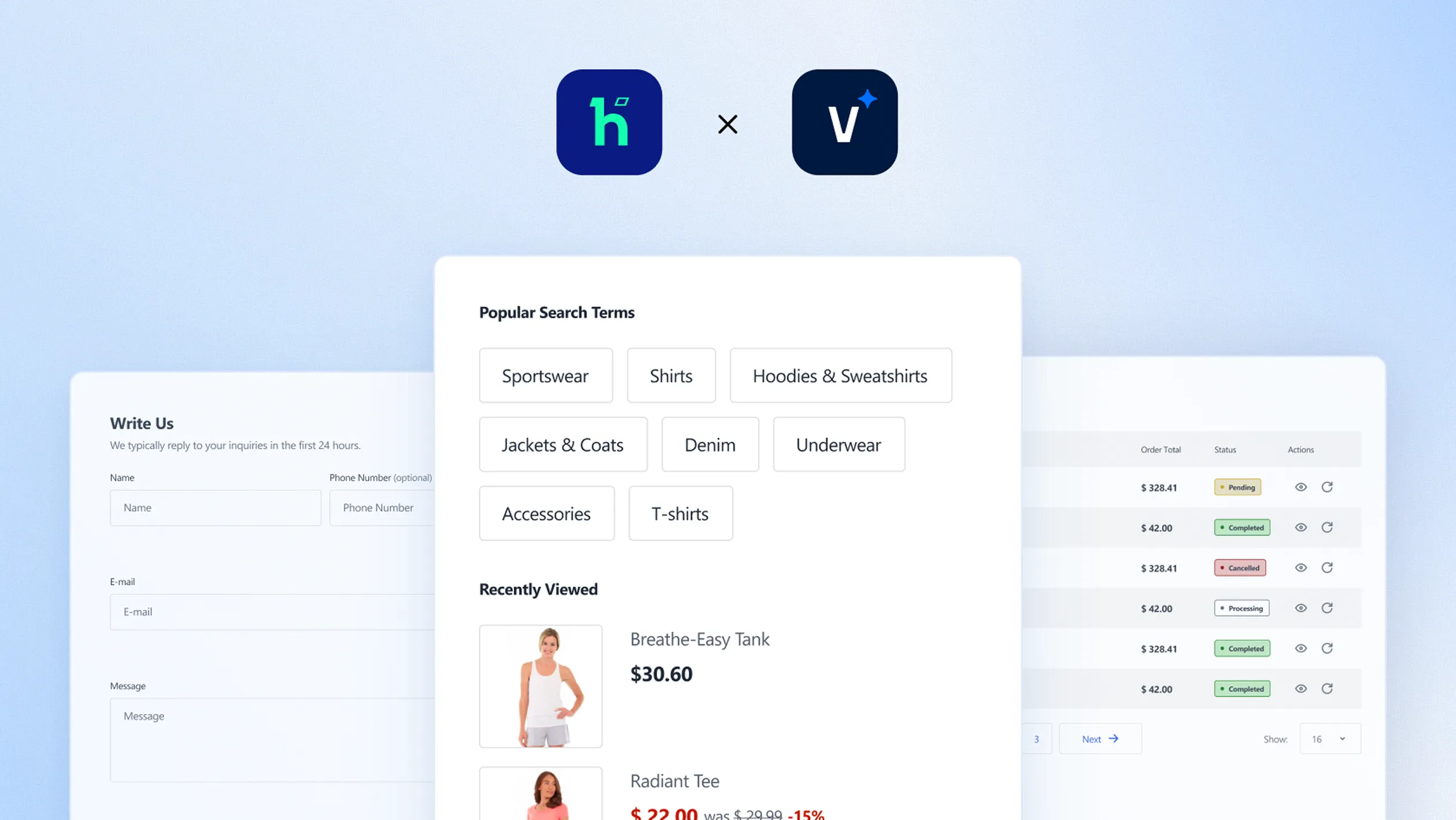
Pre-search
Venta introduces a curated pre-search panel that opens instantly when the customer clicks into the search bar. It helps merchants guide discovery before typing even begins.
Configurable Features
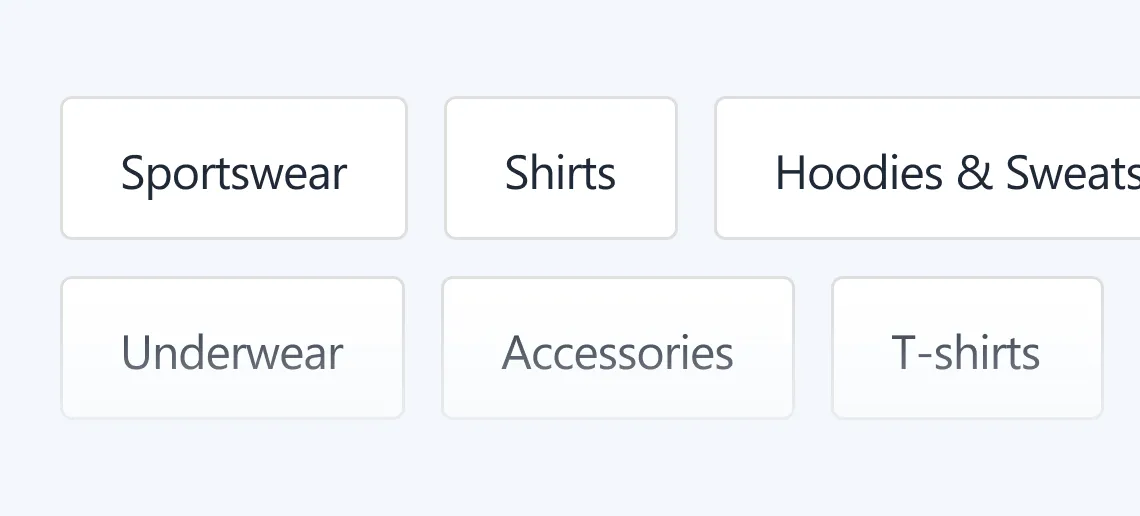
Popular search terms
Define directly in the admin panel
Campaigns and promotions
Highlight seasonal campaigns or promotions
Recently viewed products
Show recently viewed products inside the pre-search panel
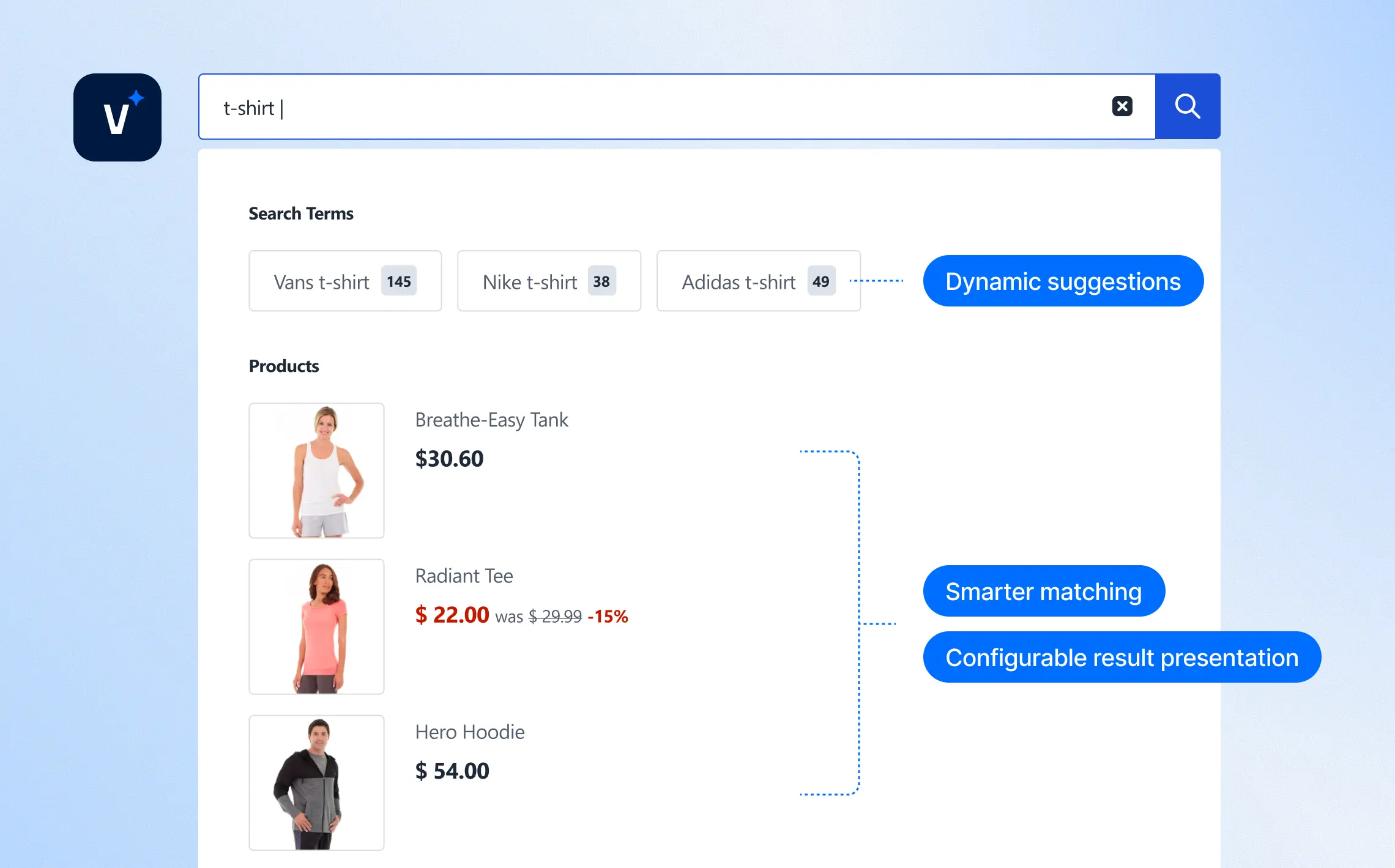
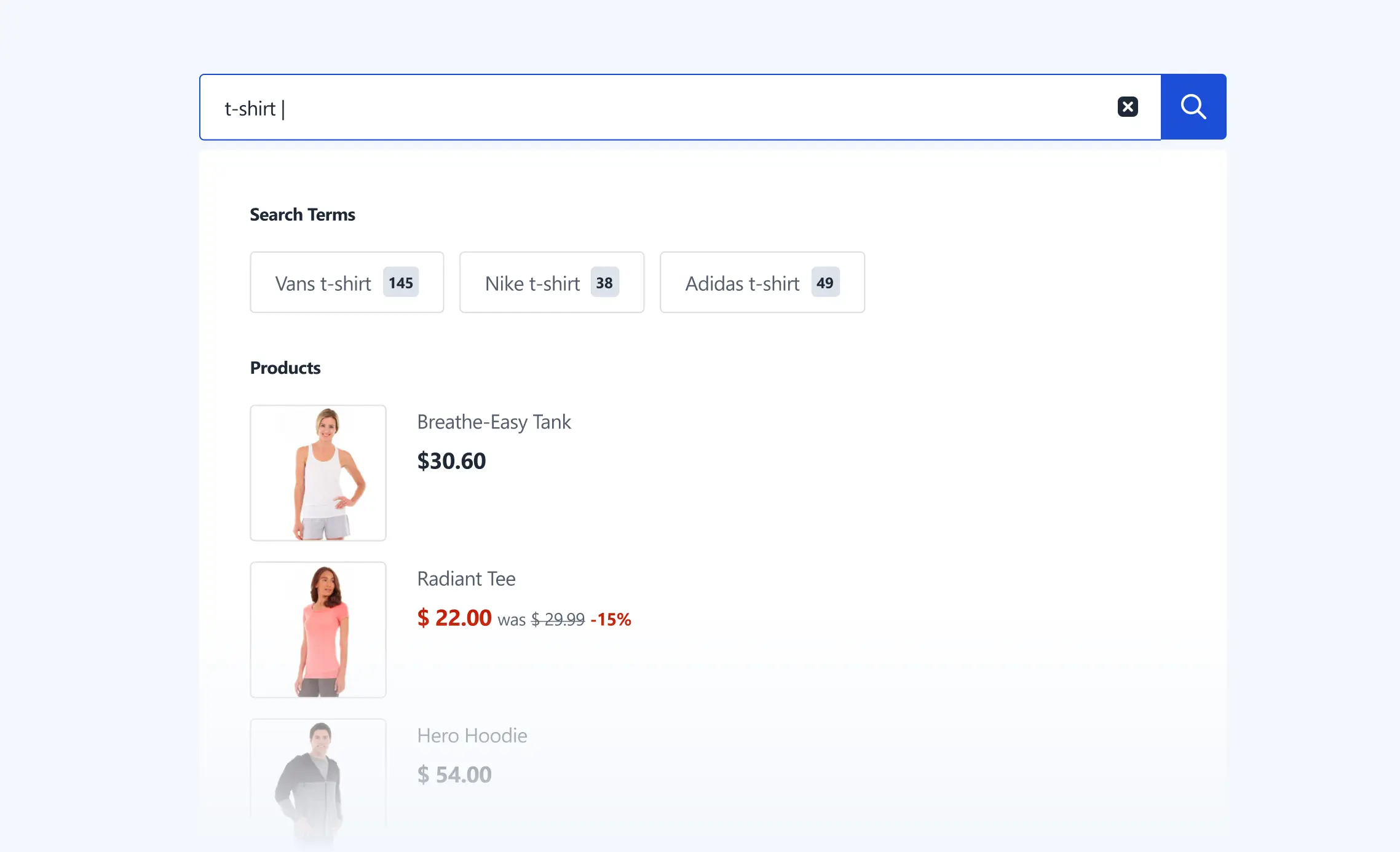
Search Autocomplete
Once a customer starts typing, ElasticSuite-powered autocomplete delivers fast and relevant suggestions. It ensures search becomes a conversion tool instead of a frustration point.
Configurable Features
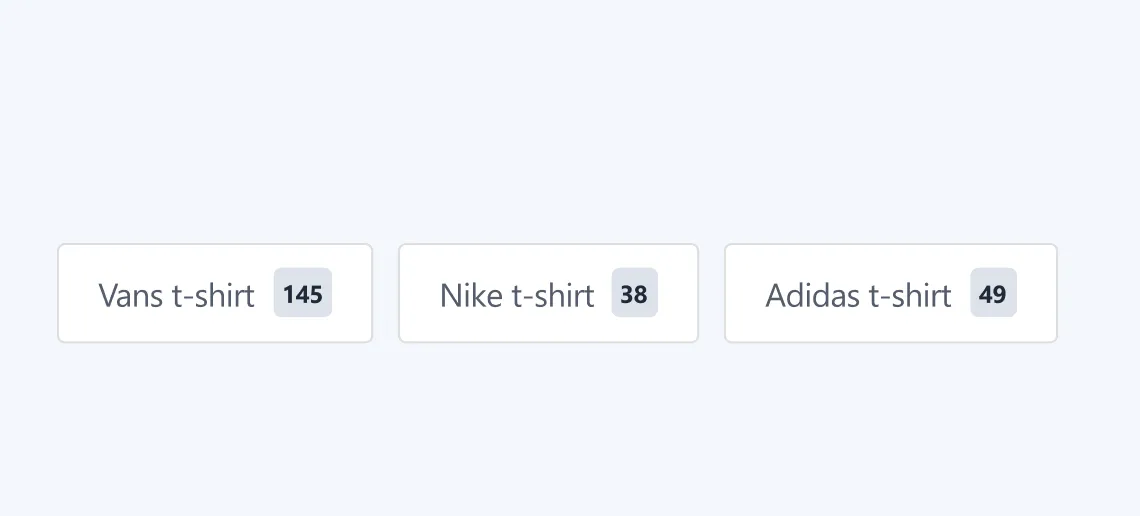
Dynamic suggestions
For products, categories, and content
Smarter matching
Typo-tolerance and smarter matching (via ElasticSuite)
Configurable result presentation
For clarity and engagement
My Account Menu
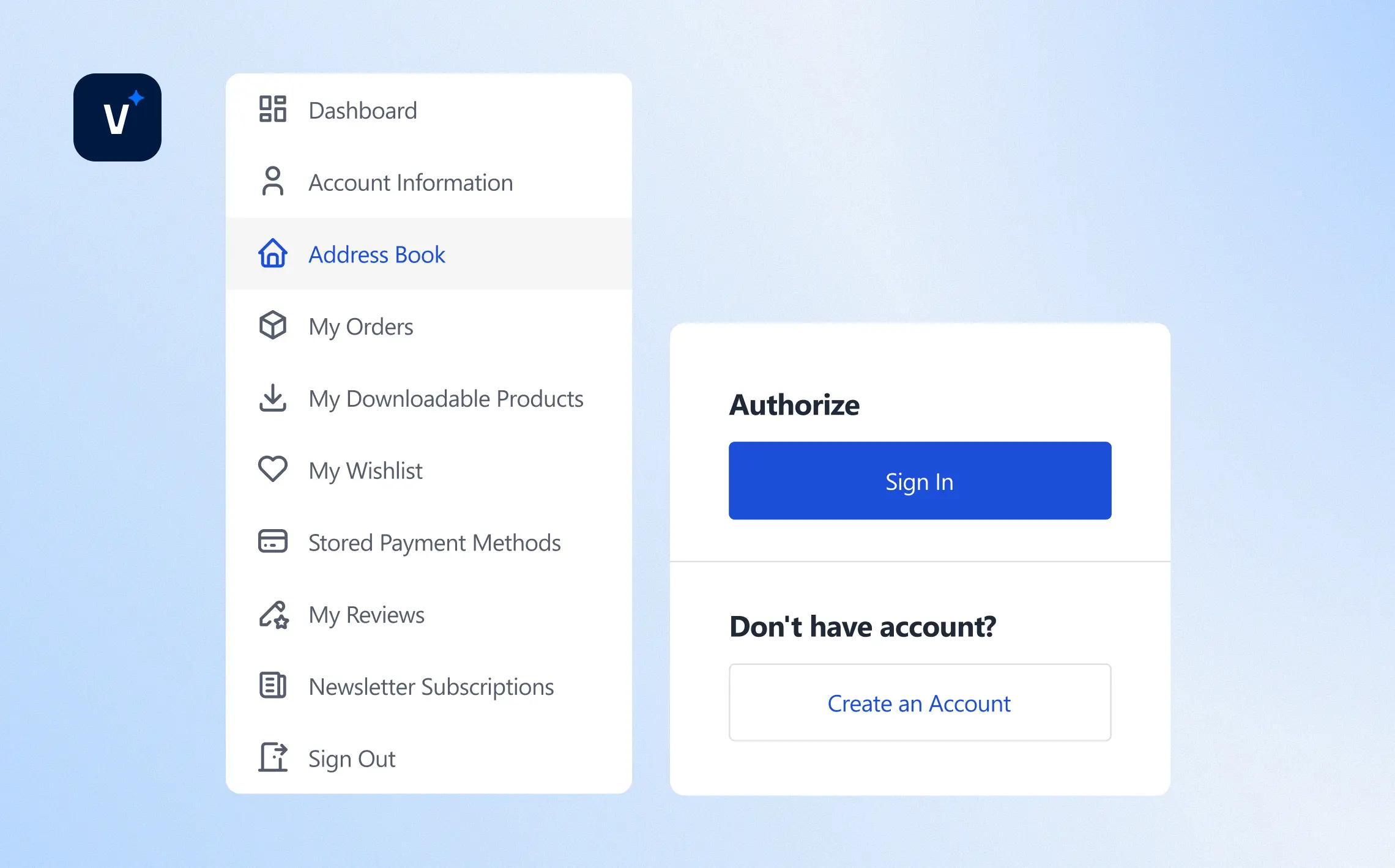
A focused account dropdown tied to the header icon. Logged-out users see exactly two links: “Login” and “Register.” Logged-in users see the full My Account menu (Orders, Addresses, Wishlist, Newsletters, etc.) for quick access — lightweight and consistent with Hyvä.
AJAX Enhancements
Venta Theme uses AJAX across core shopping flows to create a faster, smoother experience. With fewer page reloads, shoppers stay engaged and move through the journey with less friction — which supports higher conversions and average order value.
Included AJAX Enhancements
Add to Cart
Instantly adds products without page reloads
Mini-Cart
Updates in real time, shows cross-sells, and displays recently viewed products if empty
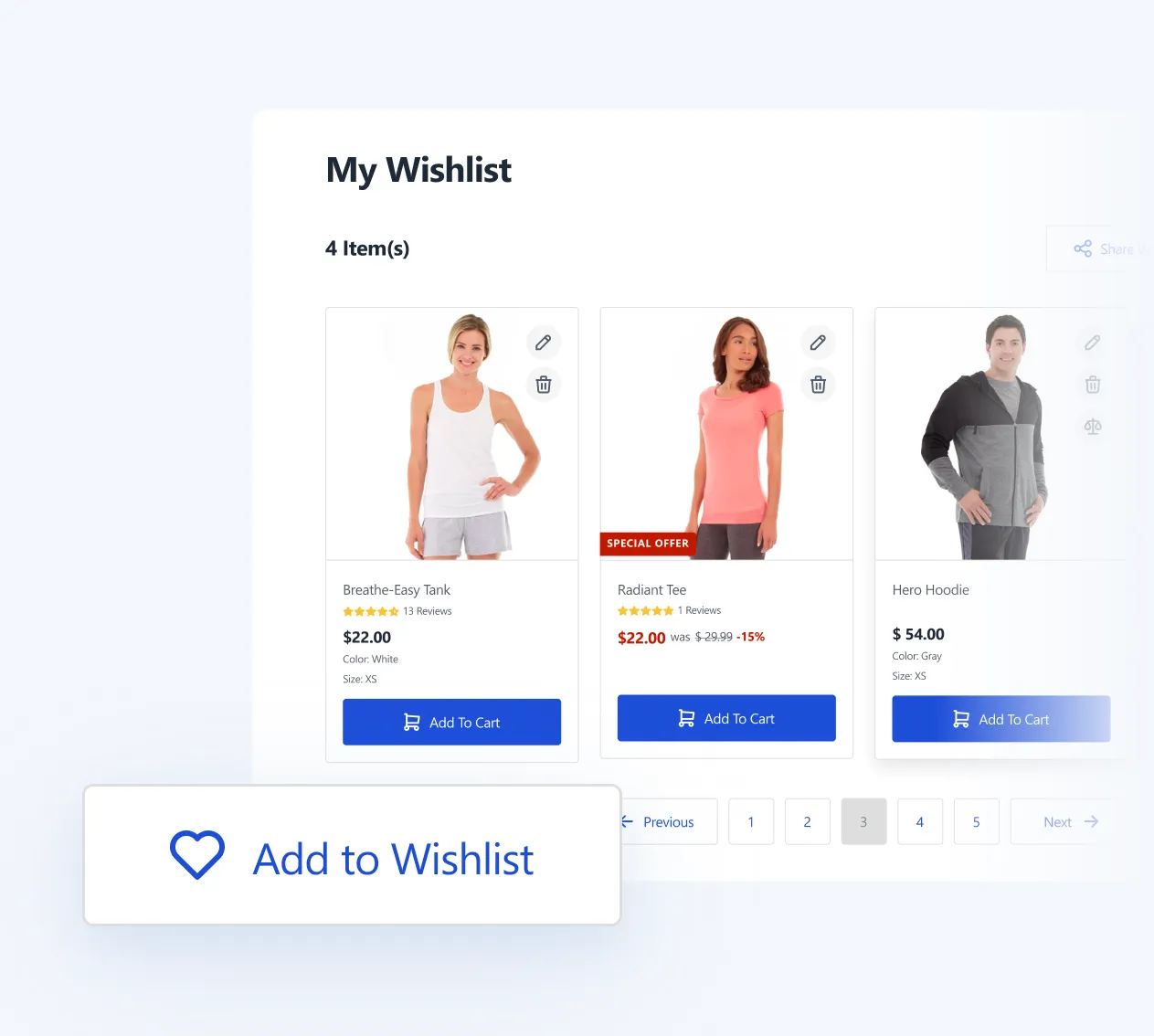
Add to Wishlist
Saves items instantly from PDP or category page
Add to Compare
Quick product comparison setup without reload
Filters
Layered navigation updates products instantly
Pagination
Switch pages without reload, or use infinite scroll for continuous browsing
Implementation
Built with Hyvä best practices for minimal JS
Fully compatible with Hyvä-compatible extensions
Tailwind tokens ensure styling consistency across all AJAX components
Key Benefits
Seamless Shopping
Keeps the shopping flow uninterrupted
Faster Browsing
Speeds up catalog exploration and cart building
Modern Experience
Feels modern and app-like for customers
Optimized Performance
Improves perceived site speed even on large catalogs
Homepage
Venta’s homepage is designed to be campaign-driven and conversion-focused. It ships with ready-to-use widgets so merchants can quickly build a dynamic storefront without heavy custom work.
Carousel or grid of logos for brand trust & navigation.
Implementation notes
Widgets configurable in Magento admin (no custom dev needed).
Lightweight markup, optimized for Hyvä performance.
Multi-store compatible — tailor homepage by region or brand.
Notable UX details
Responsive Widgets
All widgets are responsive and styled for desktop & mobile.
Tailwind-based styling
Colors, spacing, and typography adapt easily
Reusable Components
Widgets can be reordered and reused across campaigns.
Category & Search
Venta makes category browsing clearer and faster, with flexible layouts, a smarter sidebar, CRO-optimized layered navigation, rich product-card interactions, and an improved search results page that never dead-ends.
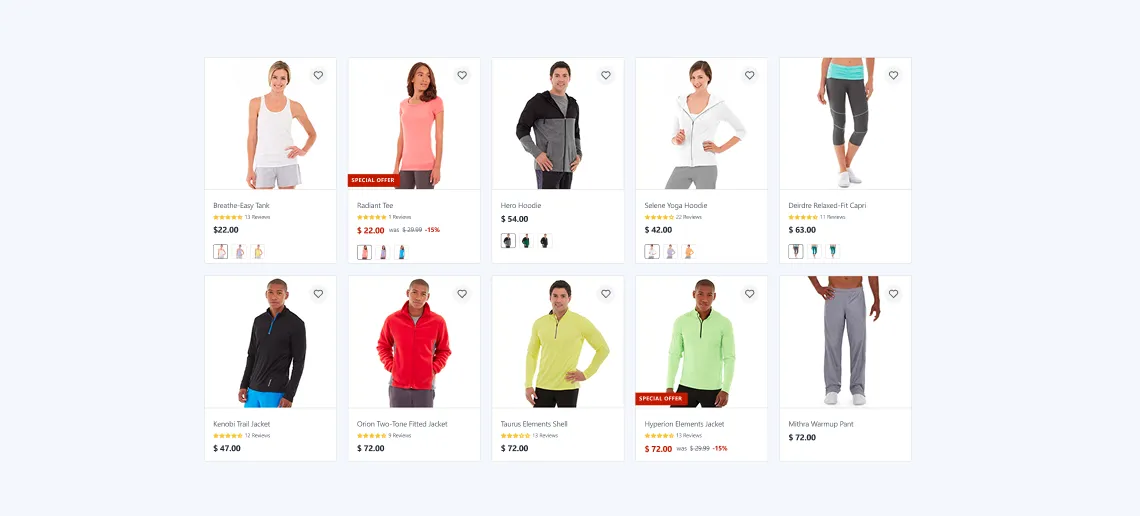
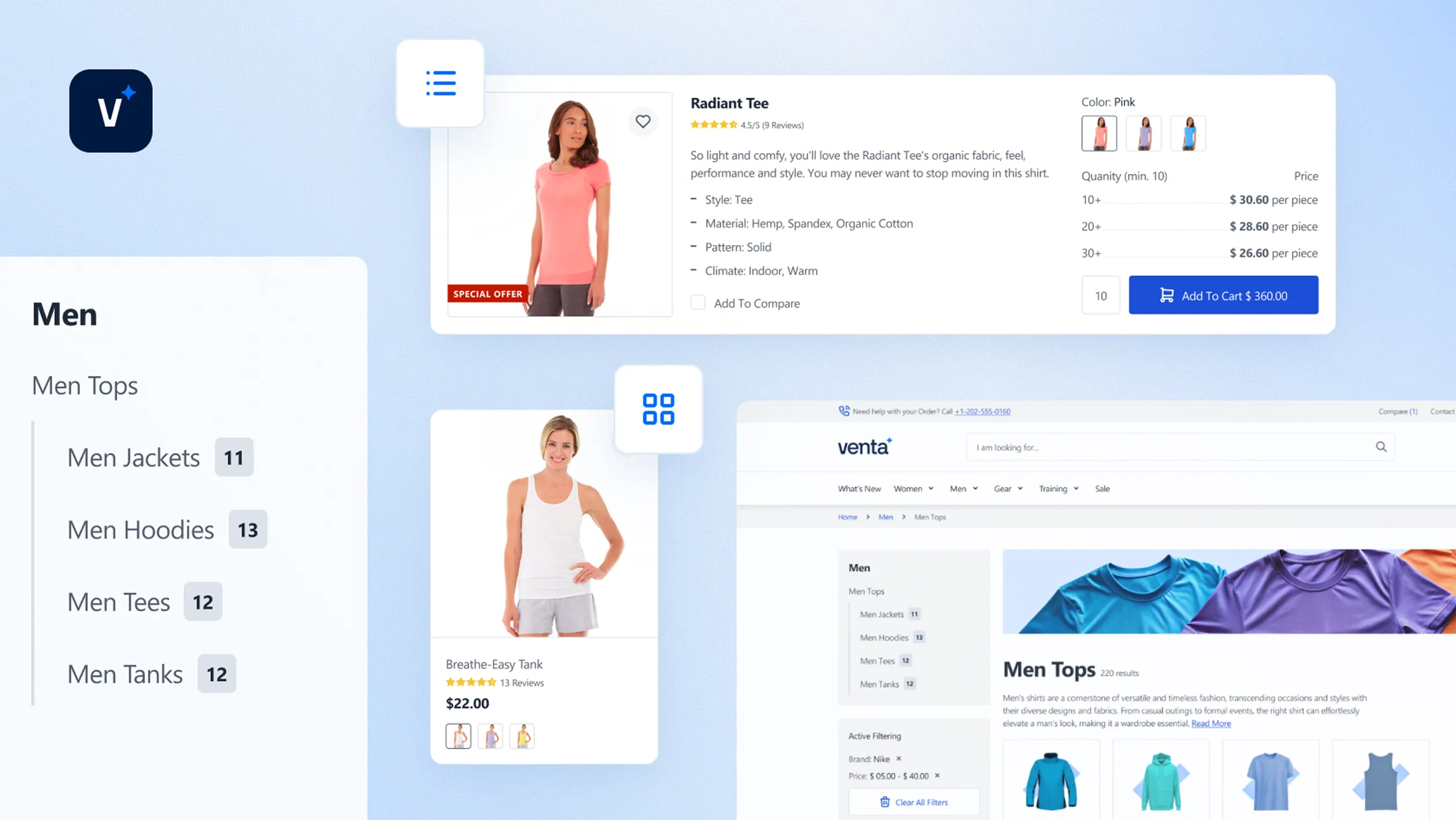
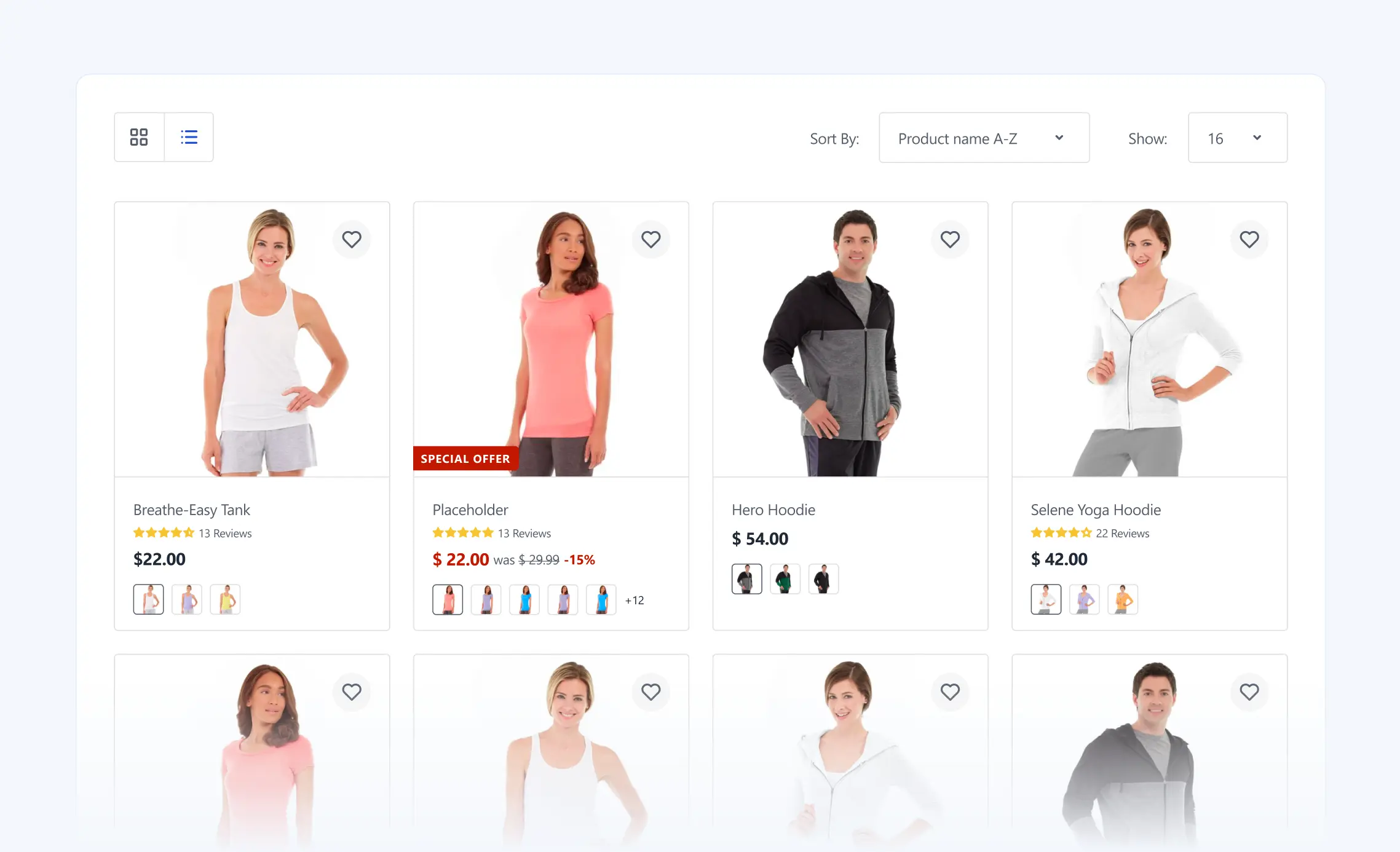
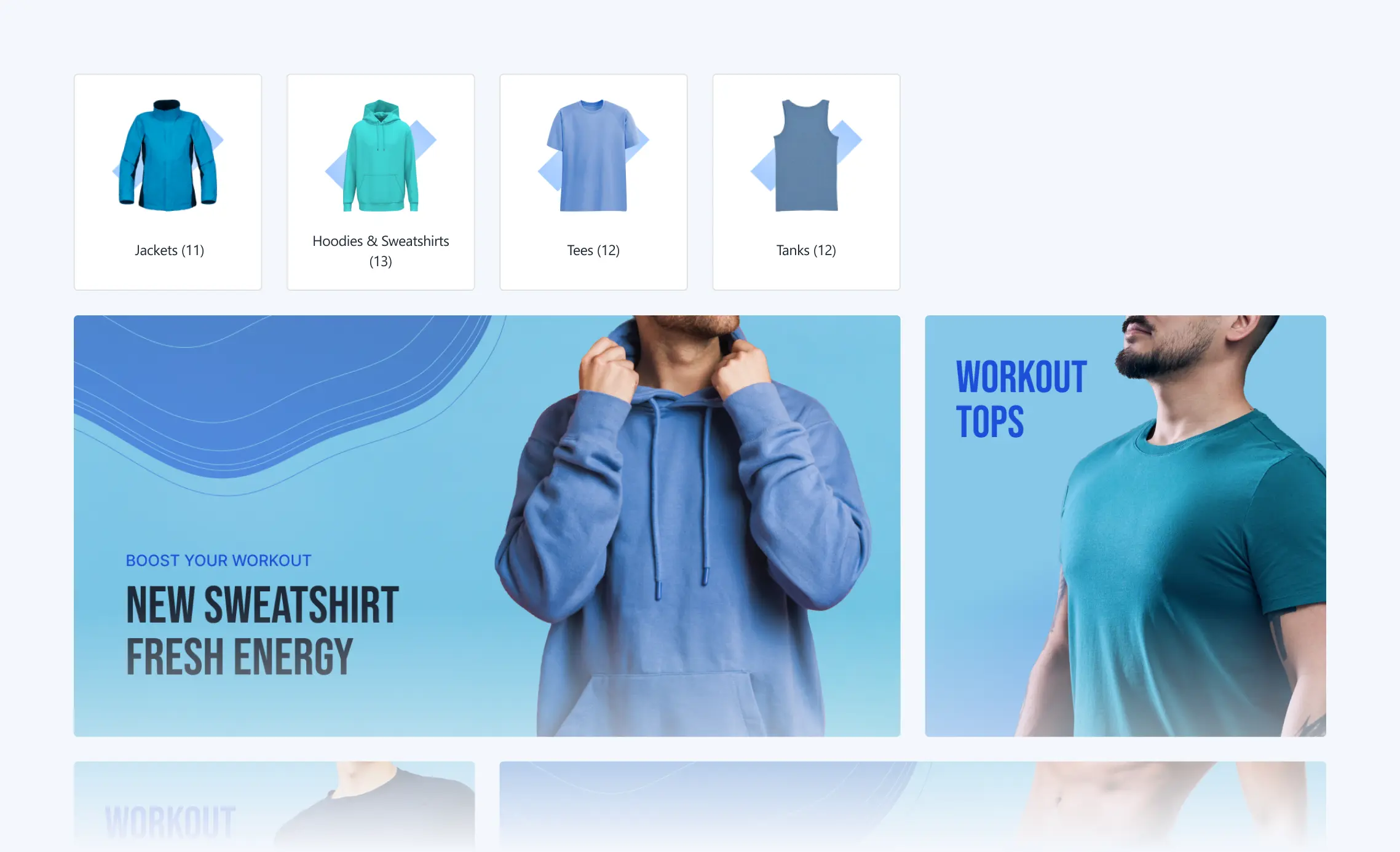
Venta supports both Grid and List views. Choose what the page shows by default — Products only, Sub-categories only, or Sub-categories + Products (not available in default Magento). Optional bottom SEO content helps rank without clutter.
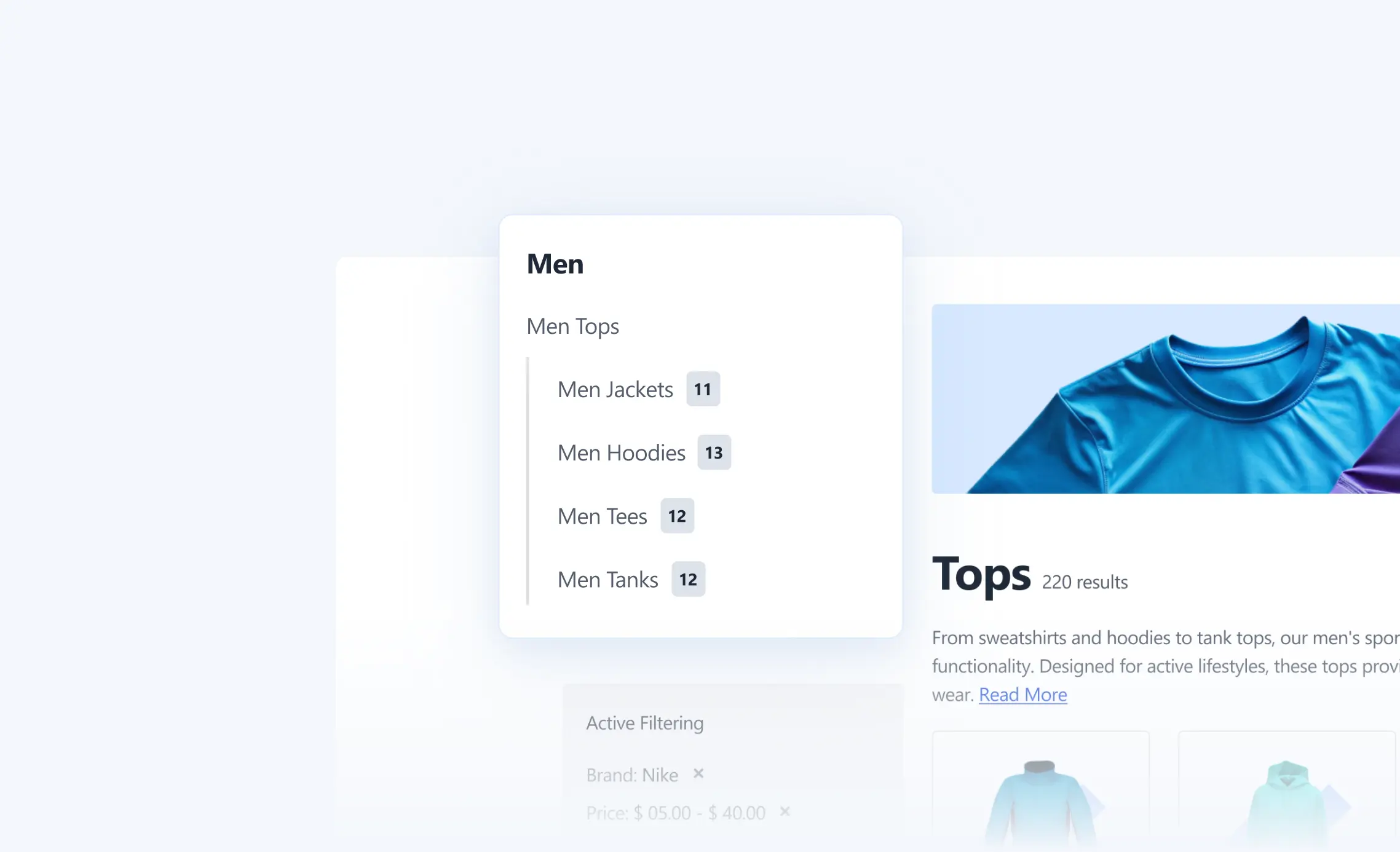
A redesigned sidebar category tree improves readability and depth handling versus Magento default. Works smoothly with layered navigation.
Key configurations
Improved category tree (sidebar)
Enable/Disable
Levels default
Expanded/Collapsed
Category thumbnails
Show/Hide
Layered Navigation (CRO-Optimized)
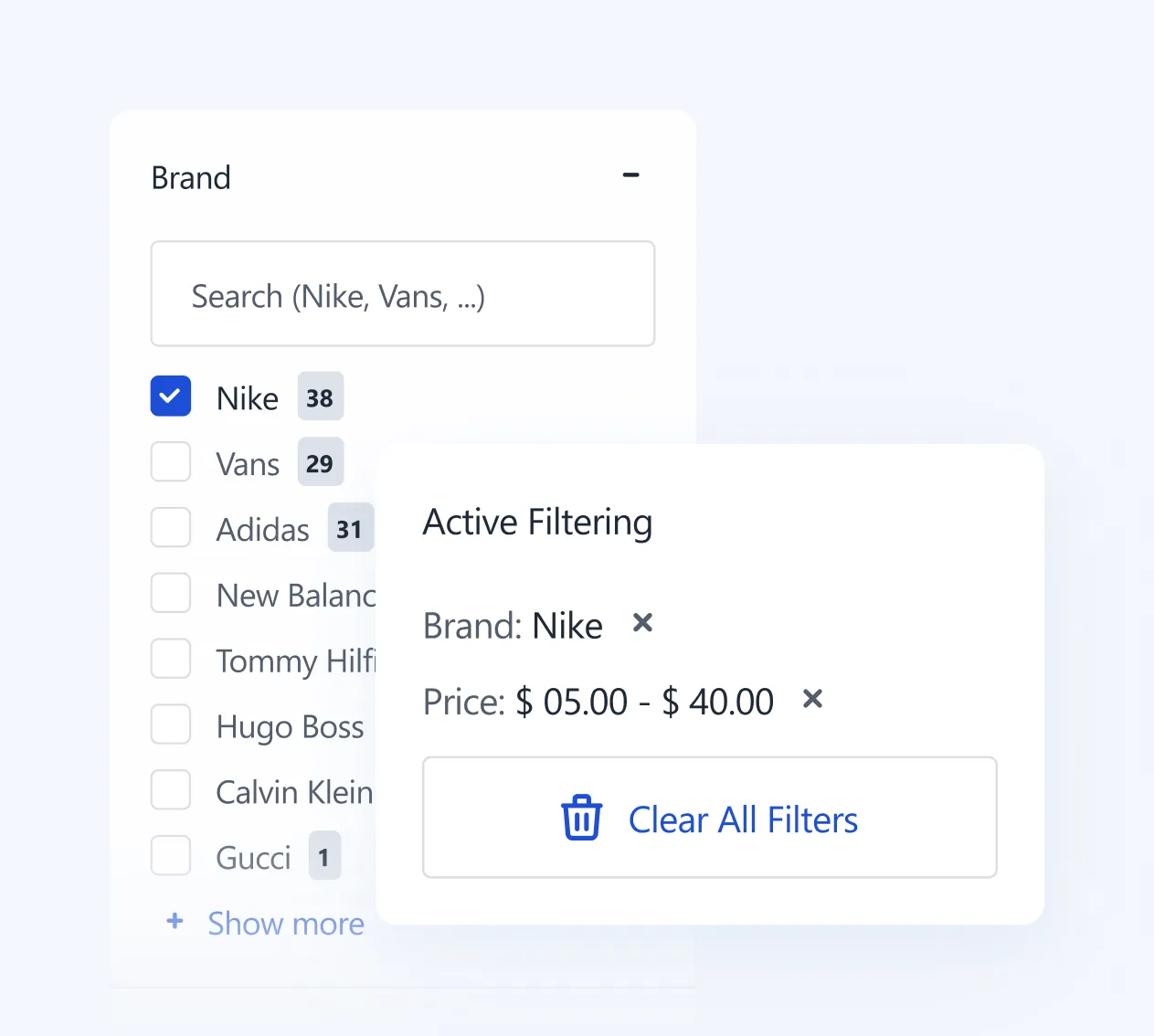
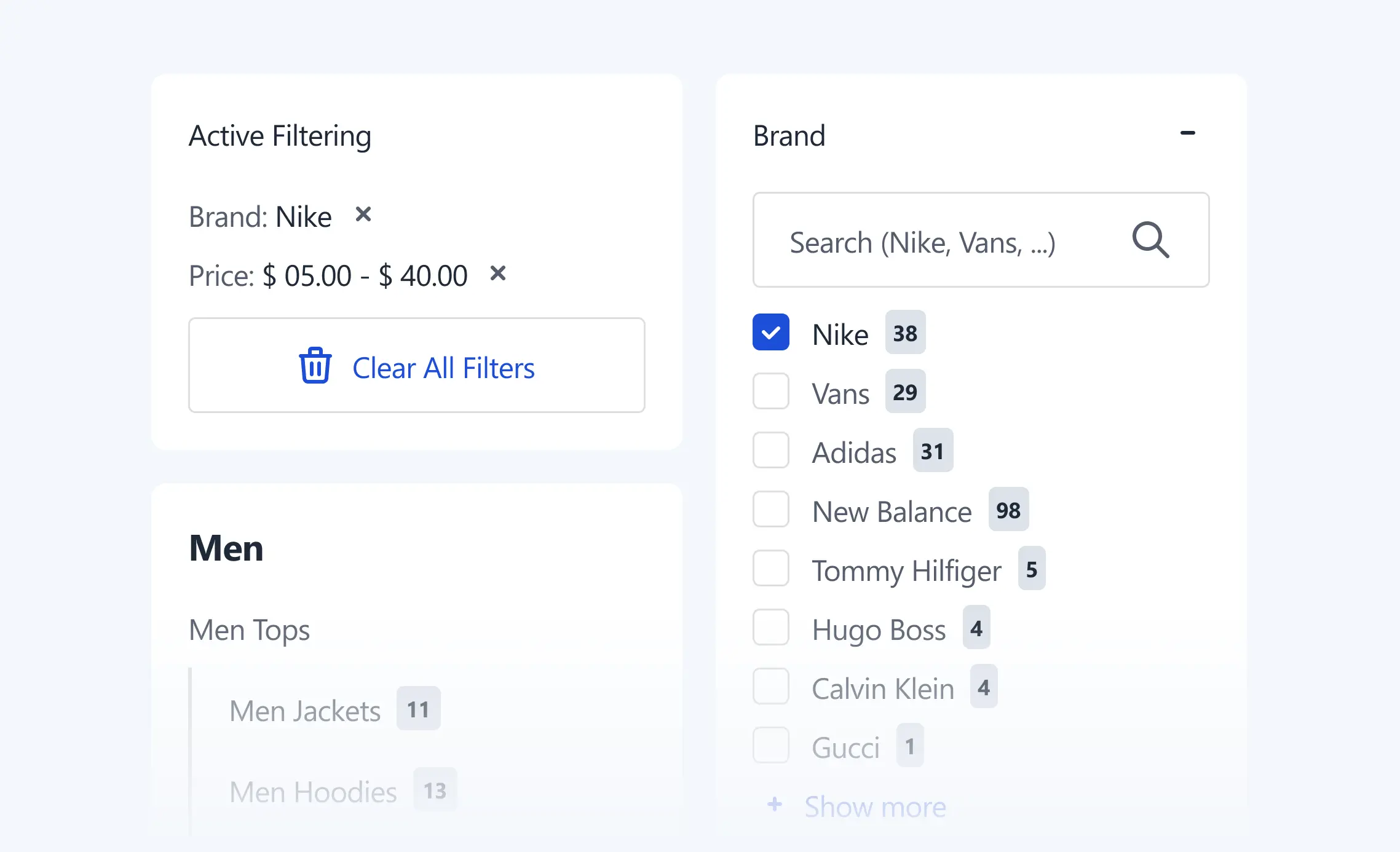
Instant AJAX updates, clear selected-filter chips, tidy collapsible groups, plus optional attribute descriptions to reduce confusion and increase applies-per-session.
Key configurations
AJAX filters
Enable/Disable
Multi-select per attribute
Enable & manage per attribute
Attribute descriptions
Enable & manage per attribute
Groups default
Collapsed/Expanded
Remove controls
Clear-all / per-filter
Product Card Interactions
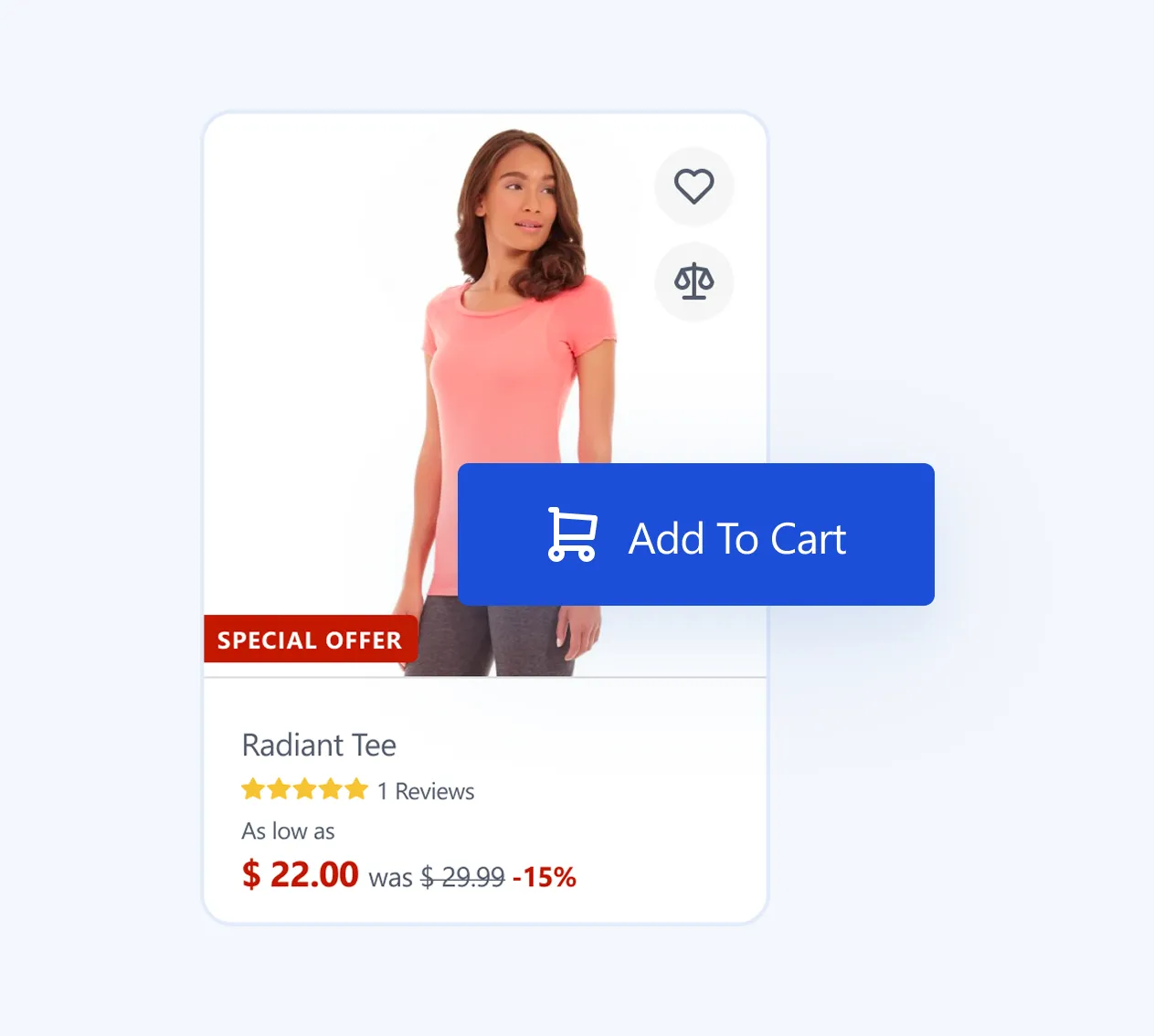
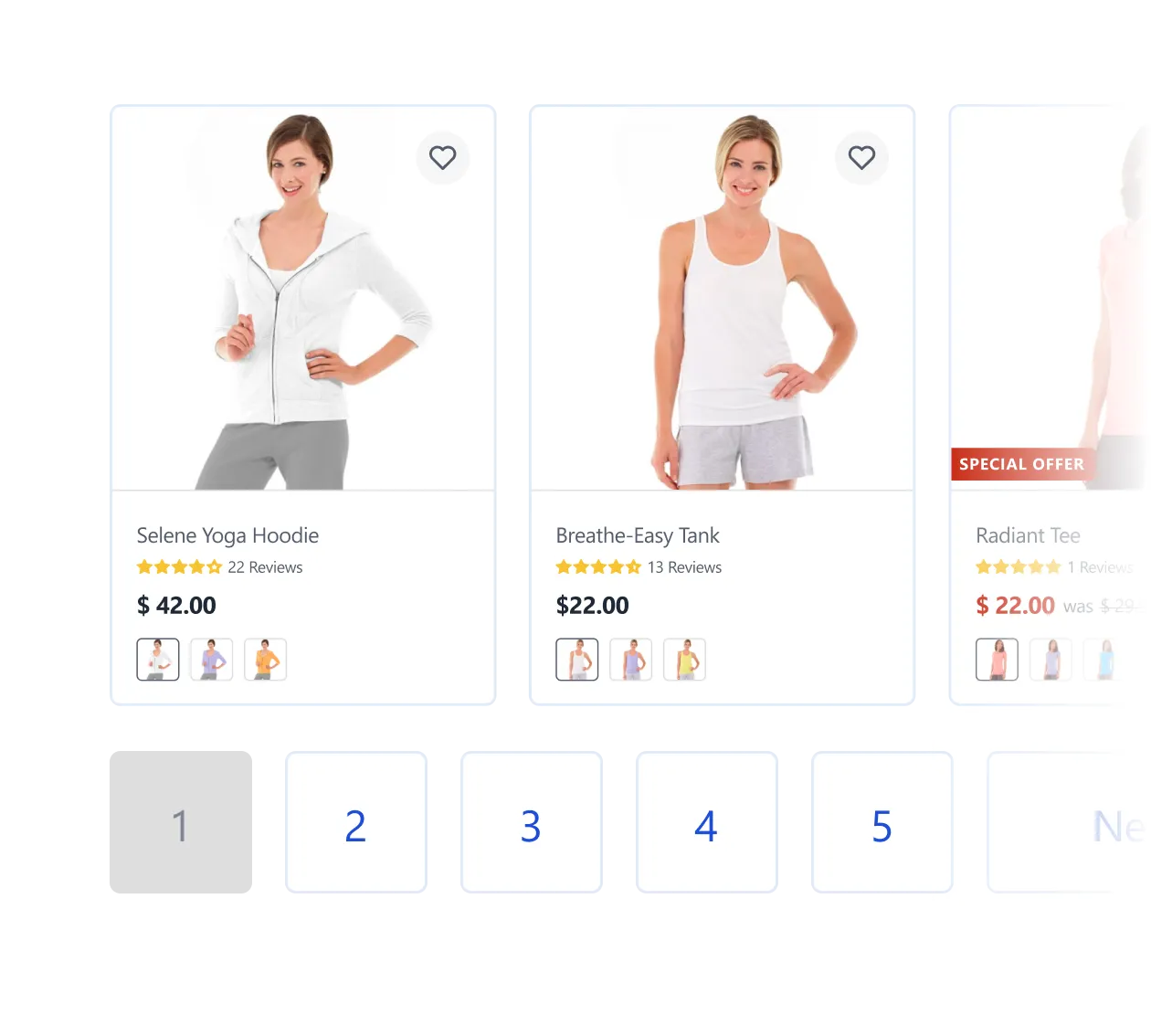
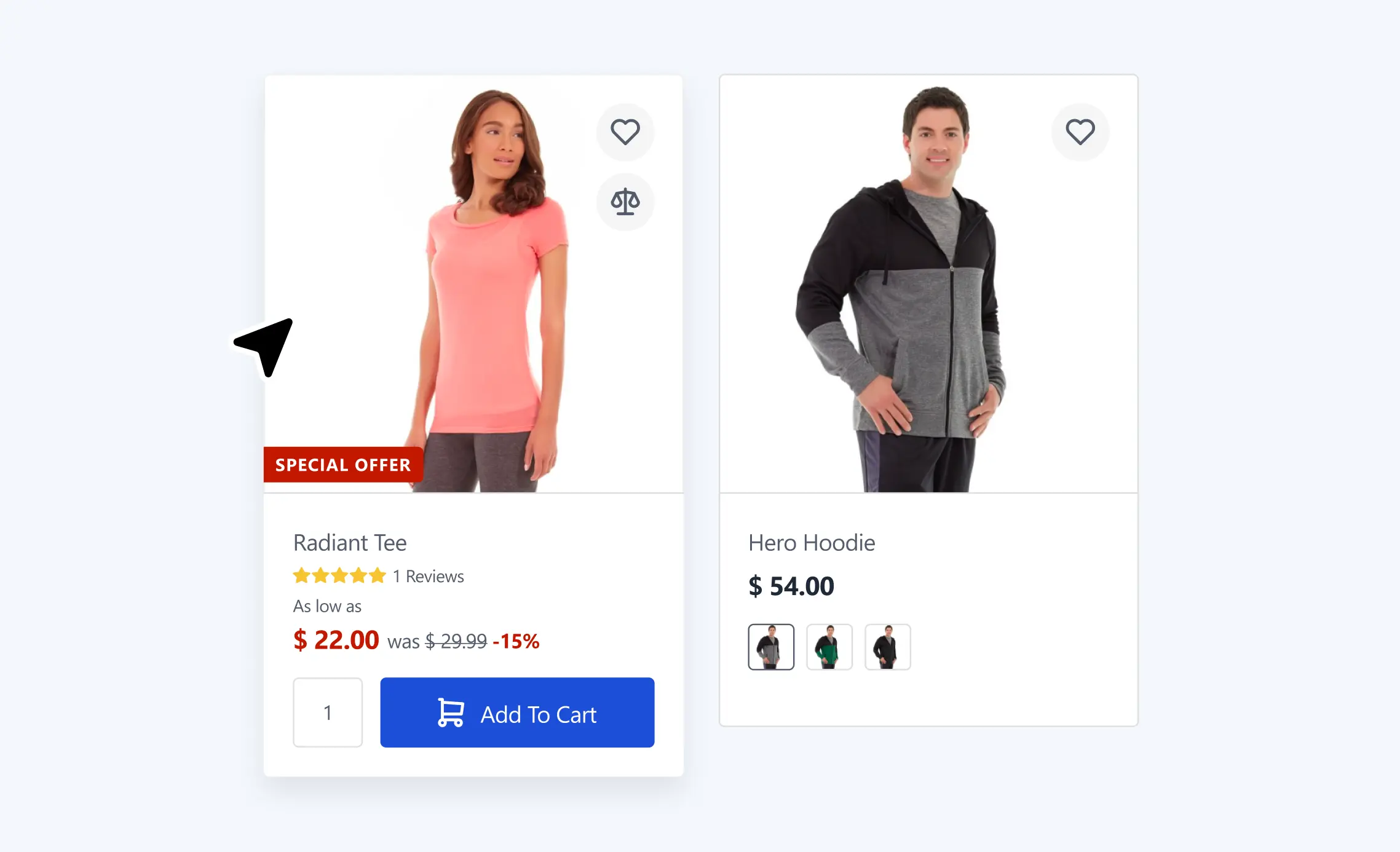
Snappy, informative cards: Hover image change, Configurable options on hover (show one or multiple attributes like color/size), Tier pricing visualization, plus quick actions.
Key configurations
Hover image swap
On/Off
Configurable options on hover
On/Off; choose one or multiple attributes (via attribute settings)
Tier pricing on card
Show/Hide
Quick actions (Wishlist/Compare)
Show/Hide
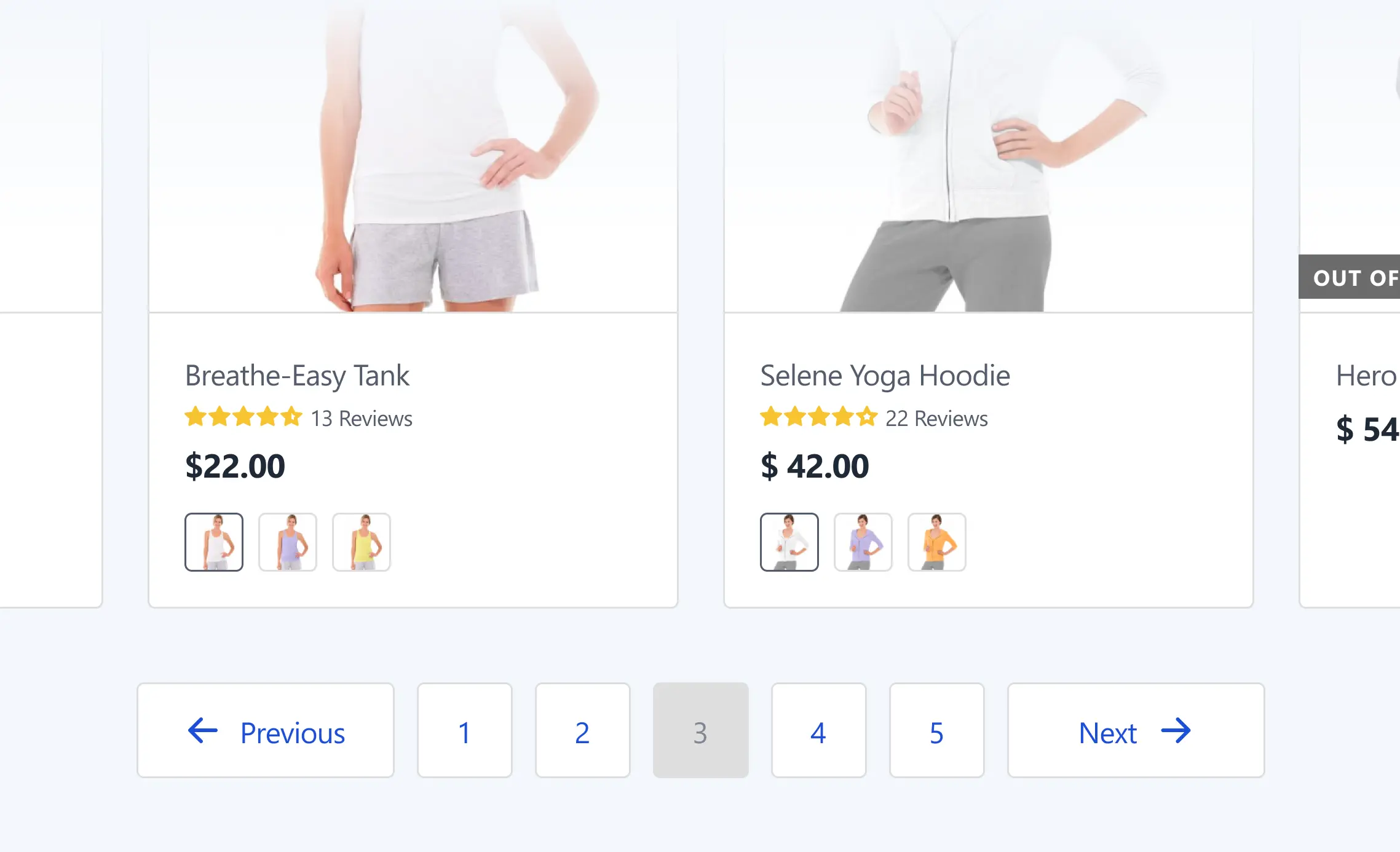
Pagination
Keep shoppers in flow with AJAX pagination or Infinite scroll where it fits.
Key configurations
Mode
AJAX numbered or Infinite scroll
Products per page
Values & defaults
Media & Banners
Guide discovery and run campaigns with category thumbnails and promo banner slots above or within the grid.
Key configurations
Category thumbnails
Show/Hide
Promo banners
Placement & visibility per category
Search Results Page (Improved)
The search results template mirrors category clarity: clean product grid/list, visible sort & filter controls, and selected-filter chips. Empty searches never dead-end — if a user submits with no query (or clears it), the page still returns results like trending products, popular categories, or bestsellers.
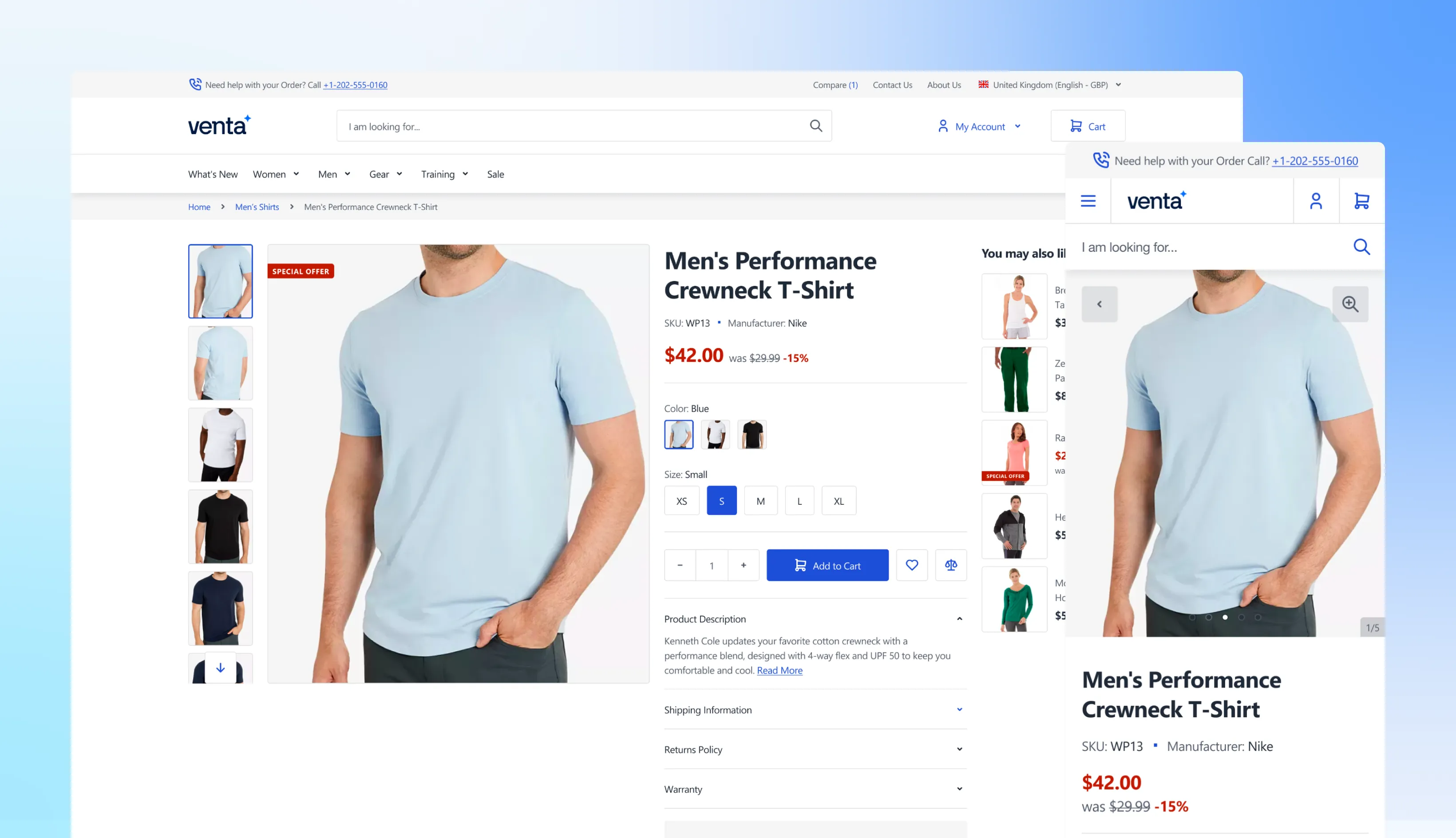
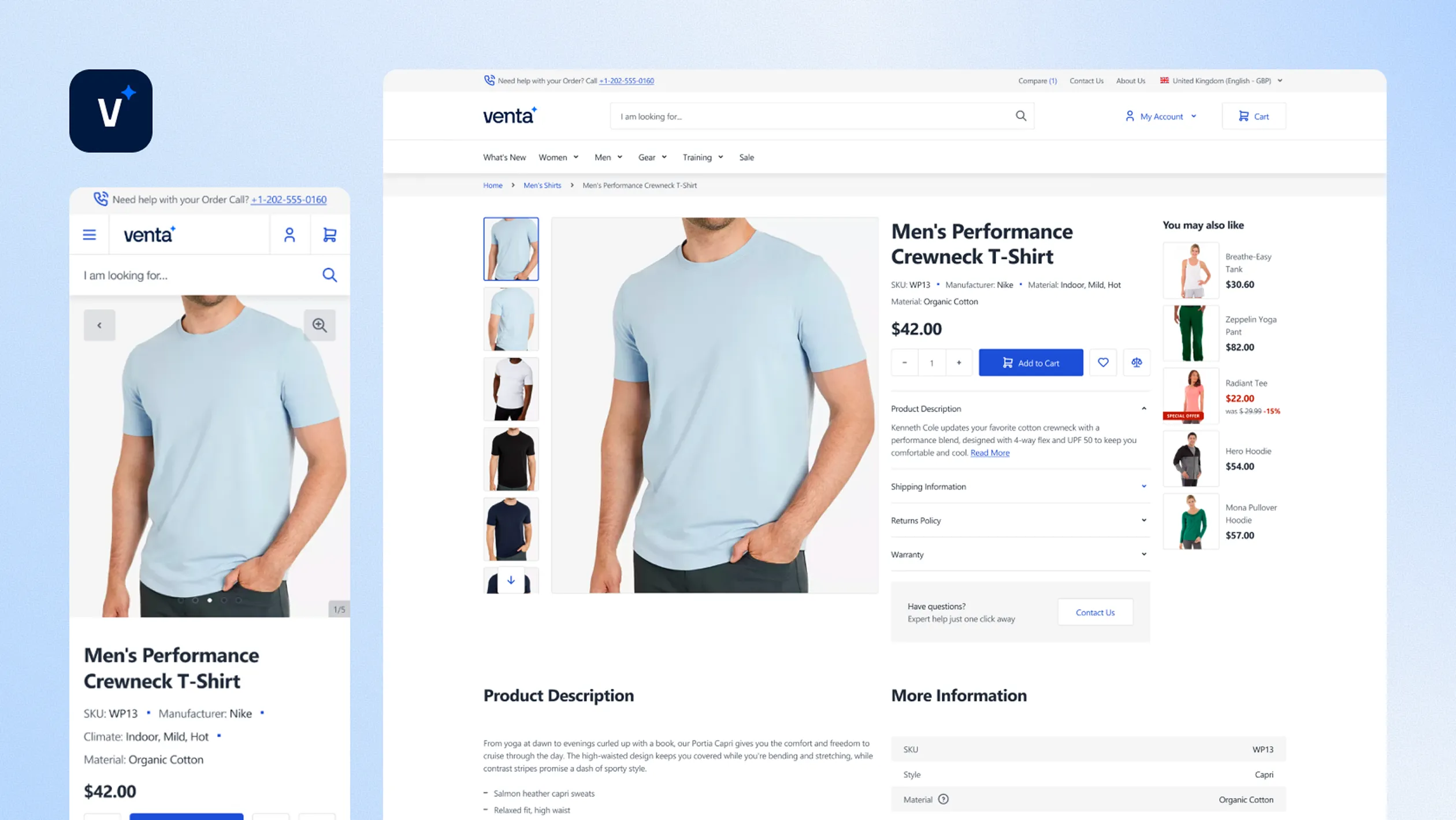
Venta’s Product Detail Page is built to reduce friction, keep the primary CTA visible, and help shoppers decide faster, especially on mobile. Key conversion features, like Sticky Add to Cart and image zoom, are configurable from the admin.
Sticky Add to Cart Bar
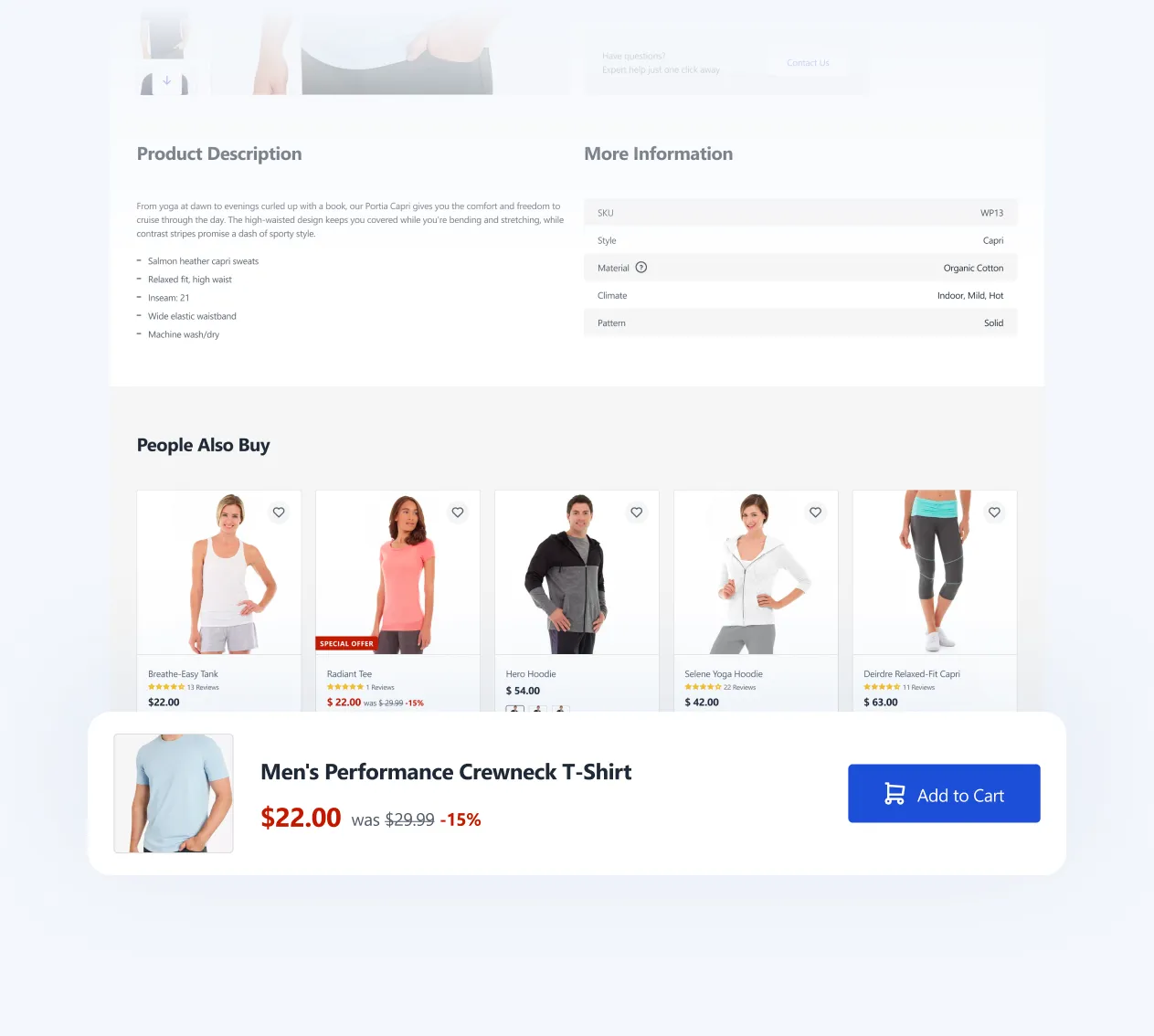
A persistent bottom bar appears once the main Add to Cart button is out of view, so shoppers can add to cart without scrolling back up. Works for Simple and Configurable products, syncs with the main form, includes product name, selected options, price, and CTA.
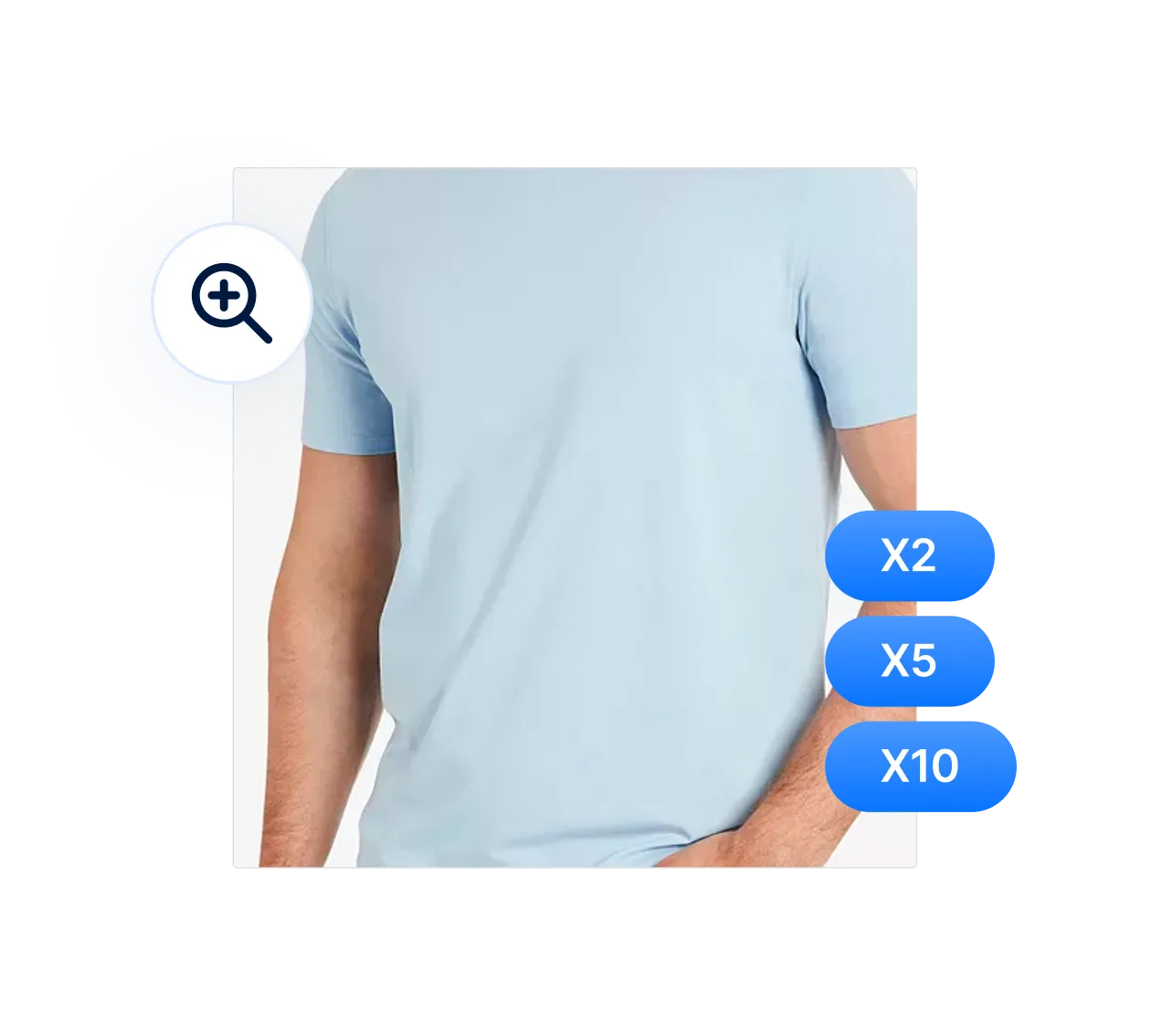
Product Image Zoom
Zoom is built-in and configurable, including maximum zoom level. This is especially useful for detail-heavy products where visuals drive confidence.
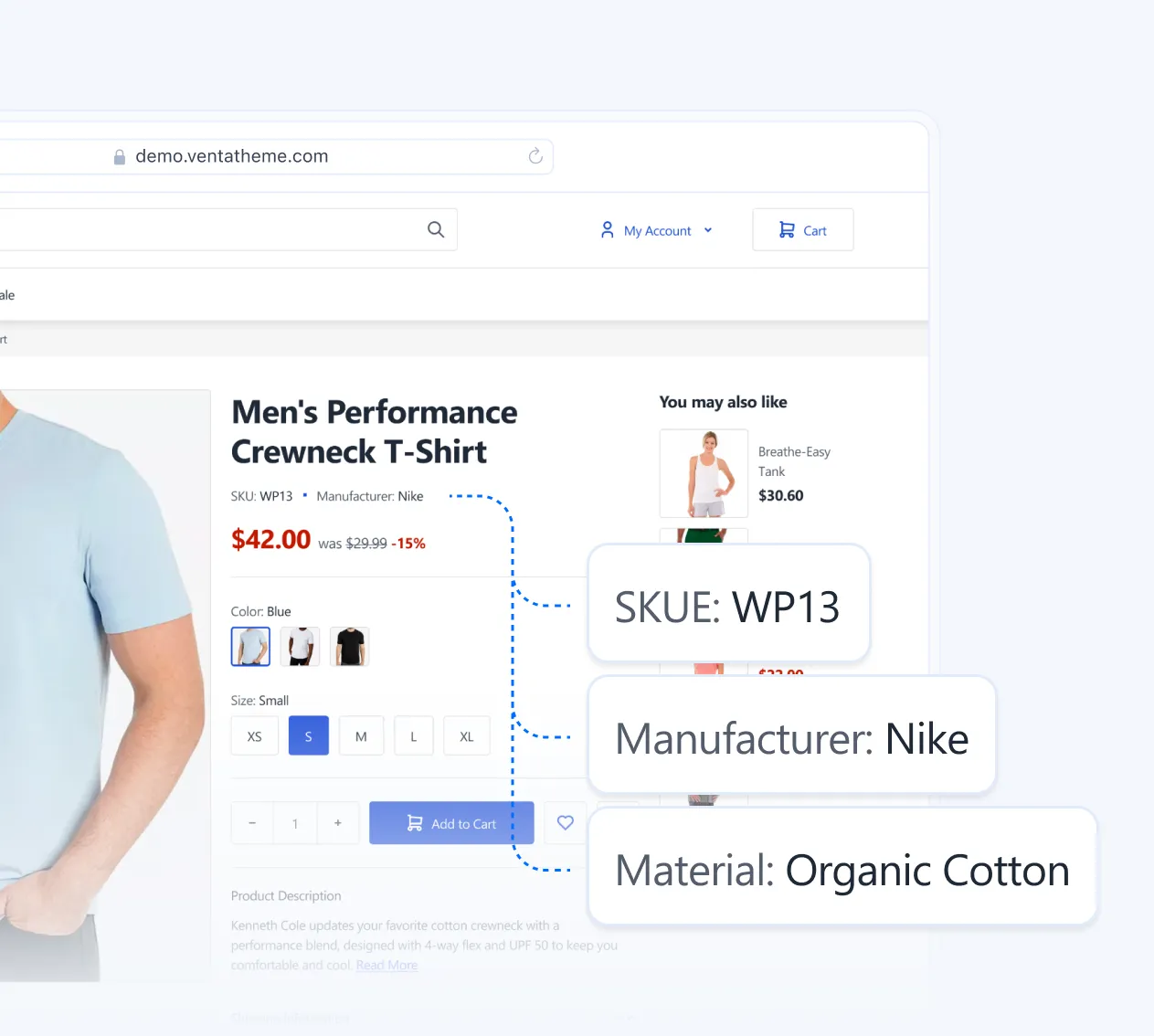
“Top” attributes under the product title
You can pin selected attributes directly under the product title, so customers instantly see the specs that matter most, like size, material, compatibility, warranty, shipping class.
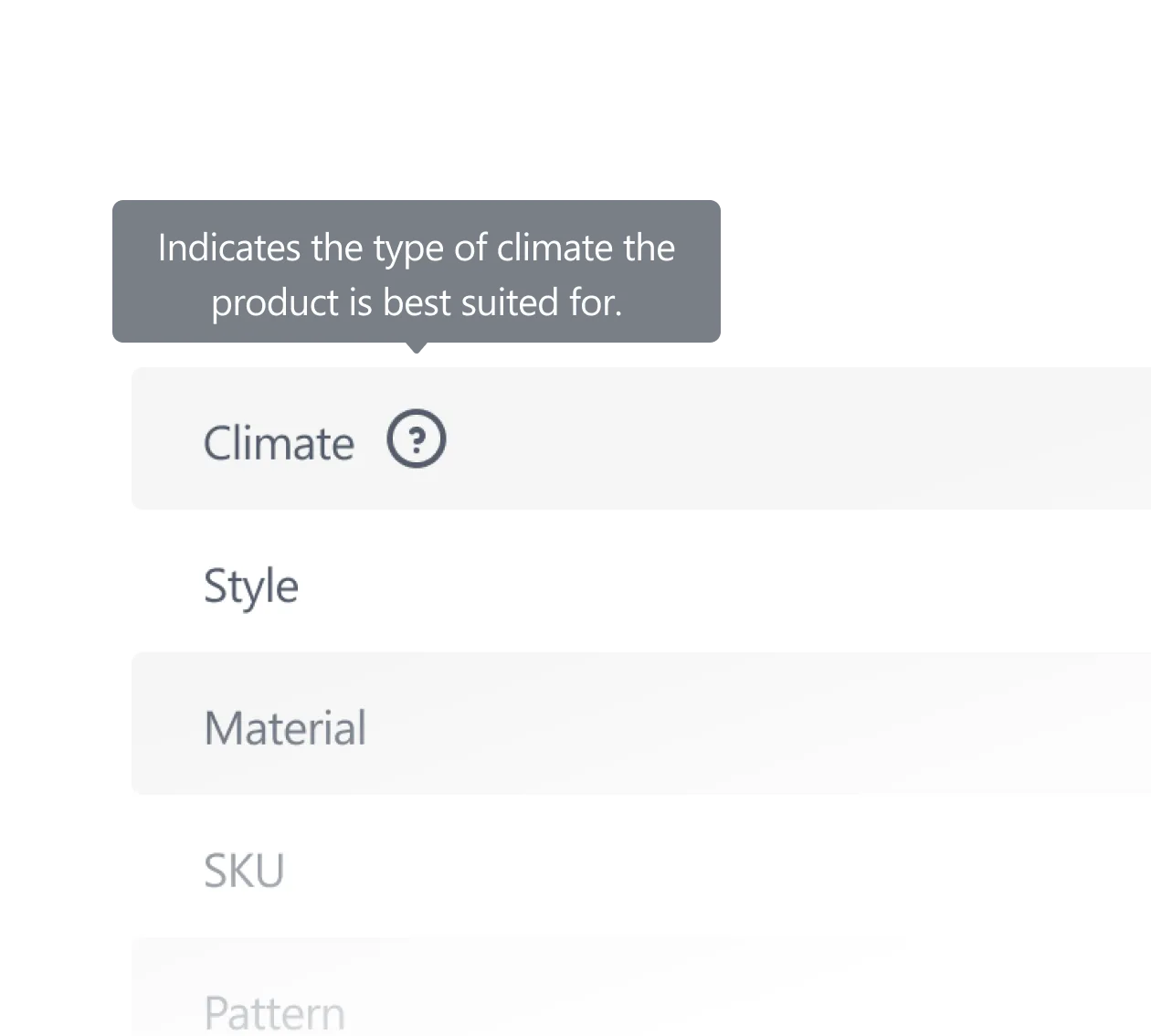
Attribute tooltips, short descriptions for clarity
Venta lets you add short descriptions for attributes, shown as tooltips in multiple locations. This helps explain what an attribute means, not just its label. Where to manage it: Manage Short Description in Product Attribute Configuration.
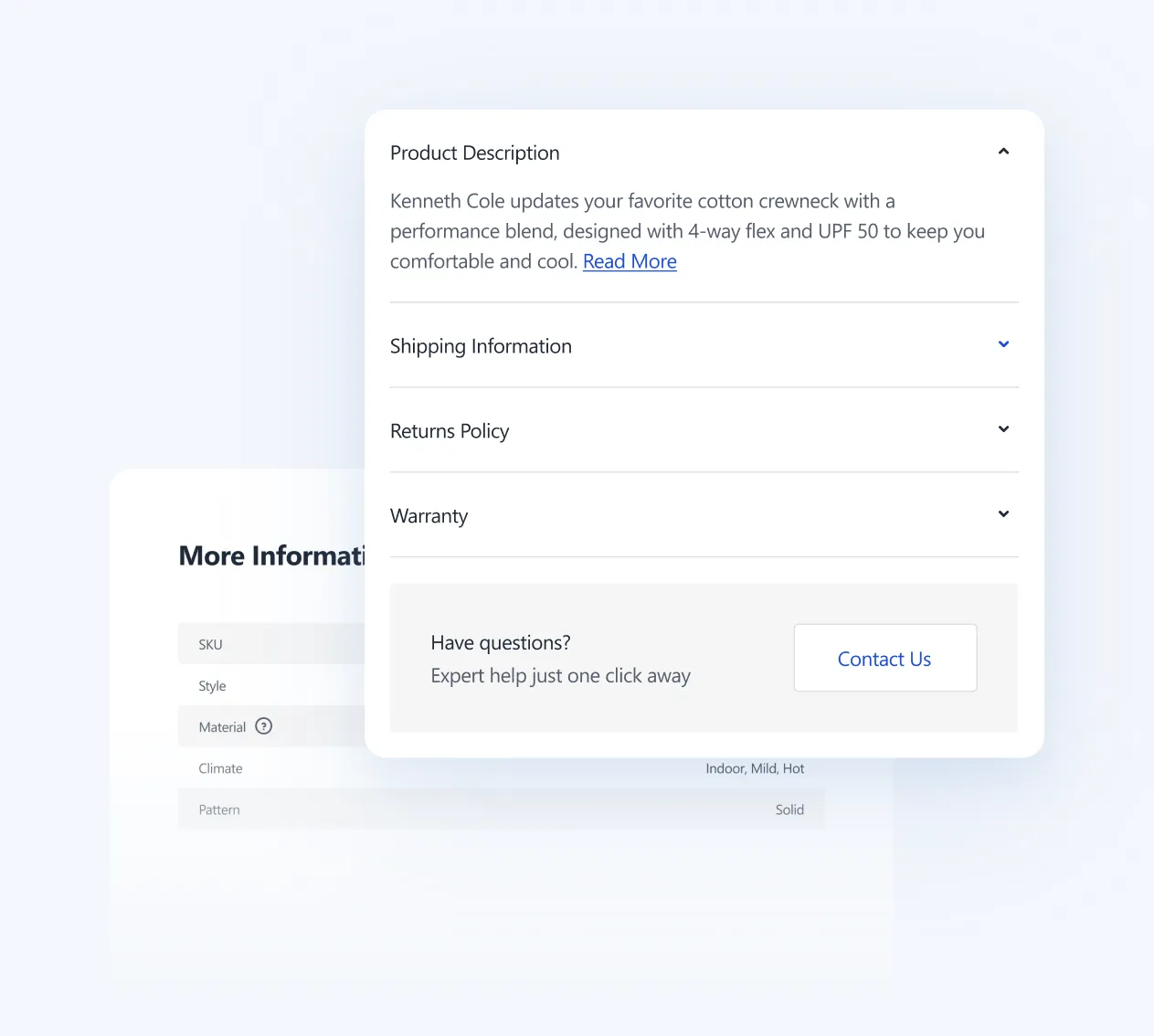
Product-level accordions and tabs
Attributes can be shown as tabs on the PDP alongside Description and Additional Info, great for “Specs”, “Materials”, “Care”, “Warranty”, “Shipping”. For richer content, Venta also adds a CMS Block attribute type, you can assign CMS blocks to products (even via mass action) and display them on the frontend, perfect for standardized content across many SKUs.
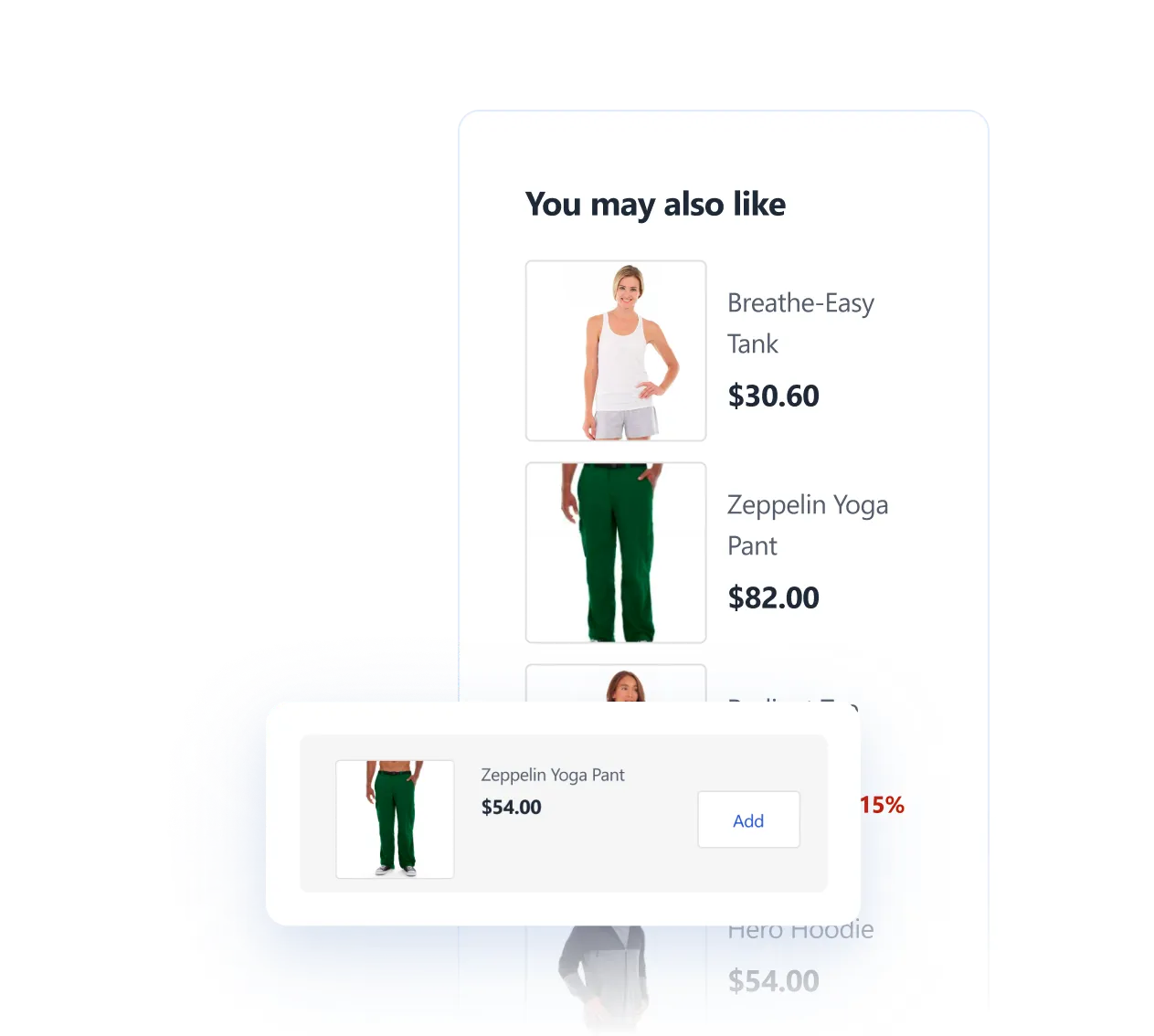
Upsells and cross-sells that stay clean
Venta supports cross-sells in the mini-cart, and includes an option to hide out-of-stock products in cross-sells, upsells, and related products, so recommendations do not look broken.
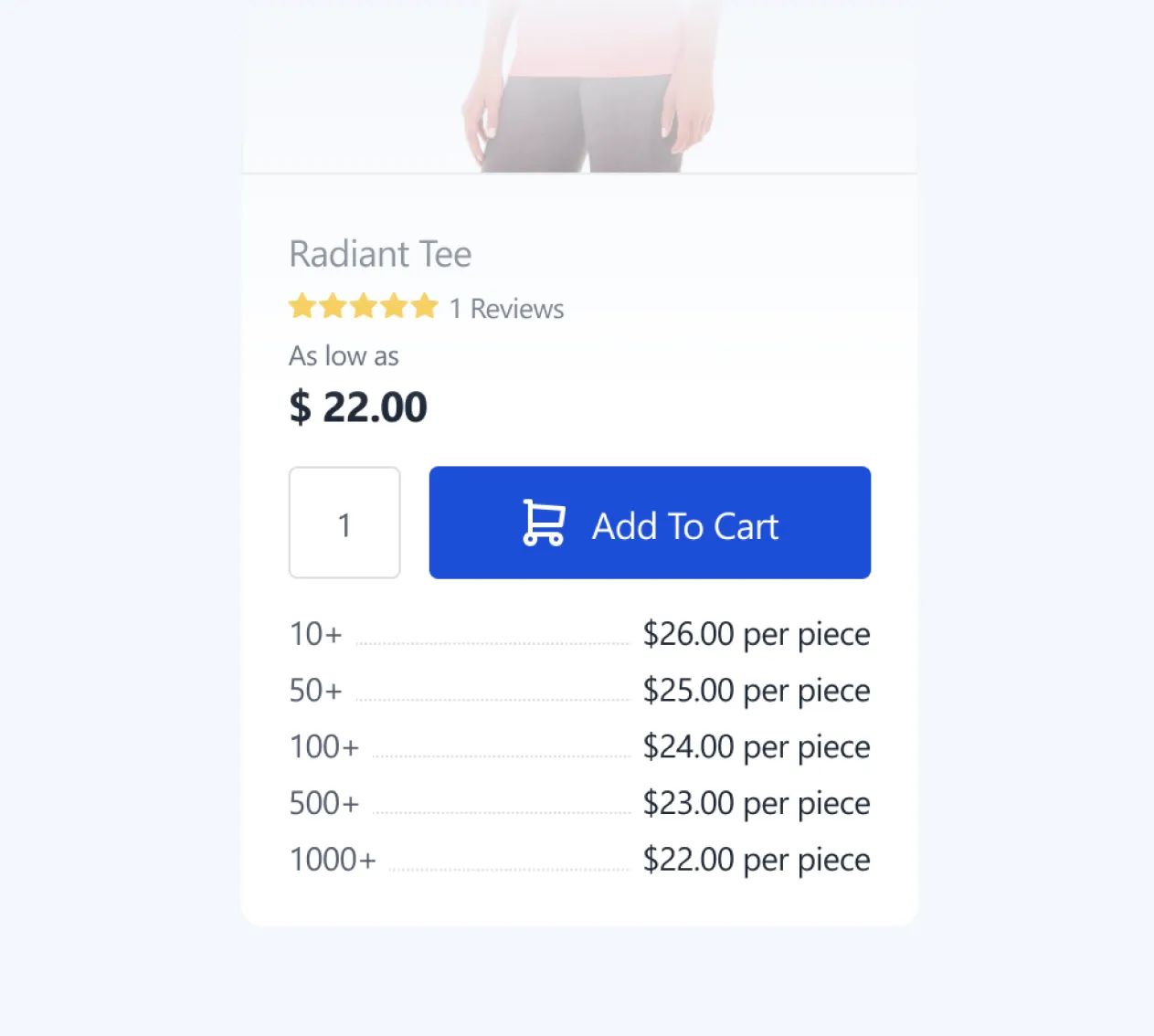
Tier pricing
Venta supports Magento tier pricing on the PDP, so volume discounts are clear for B2B and high-quantity purchasing flows.
Cart
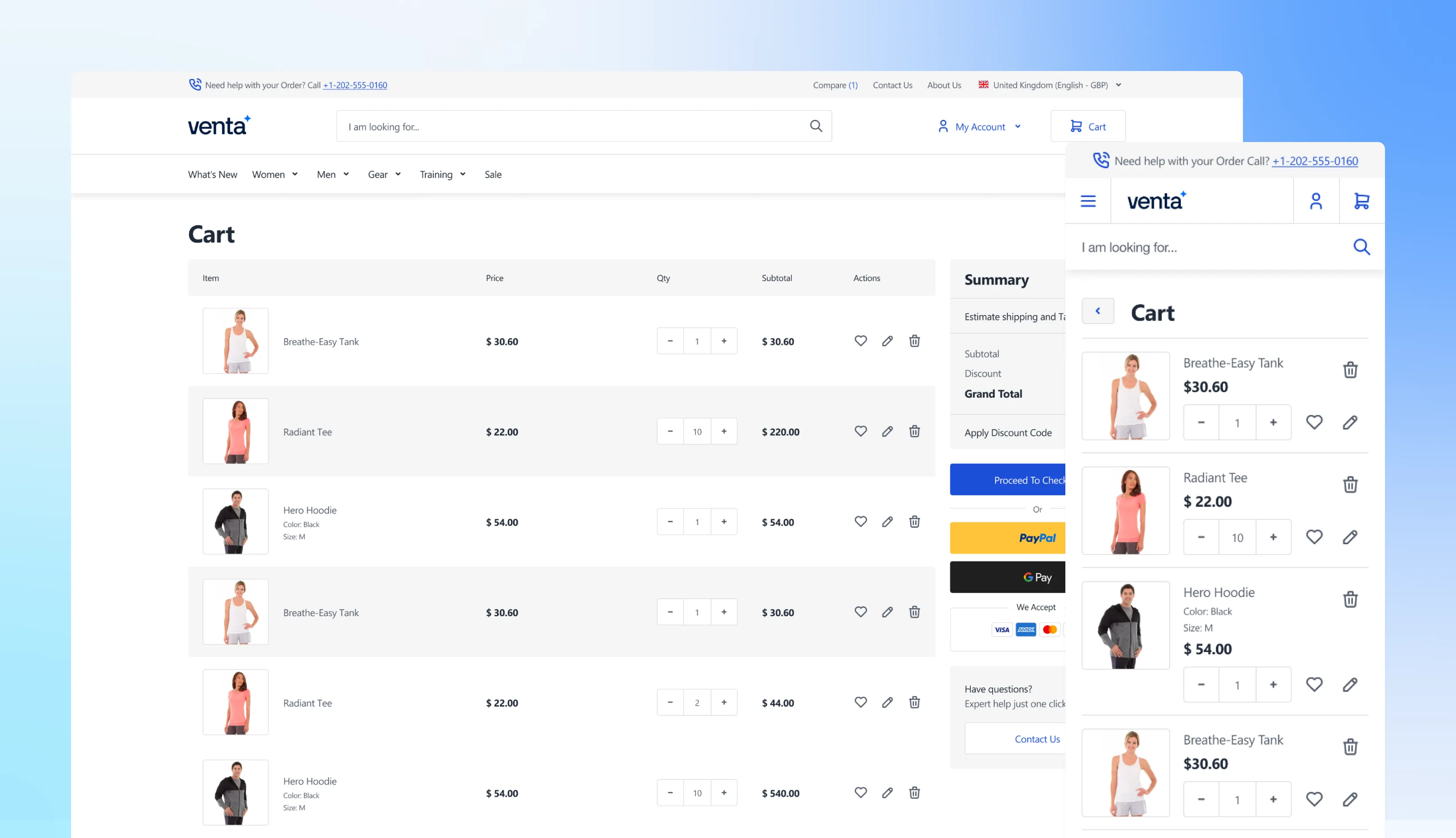
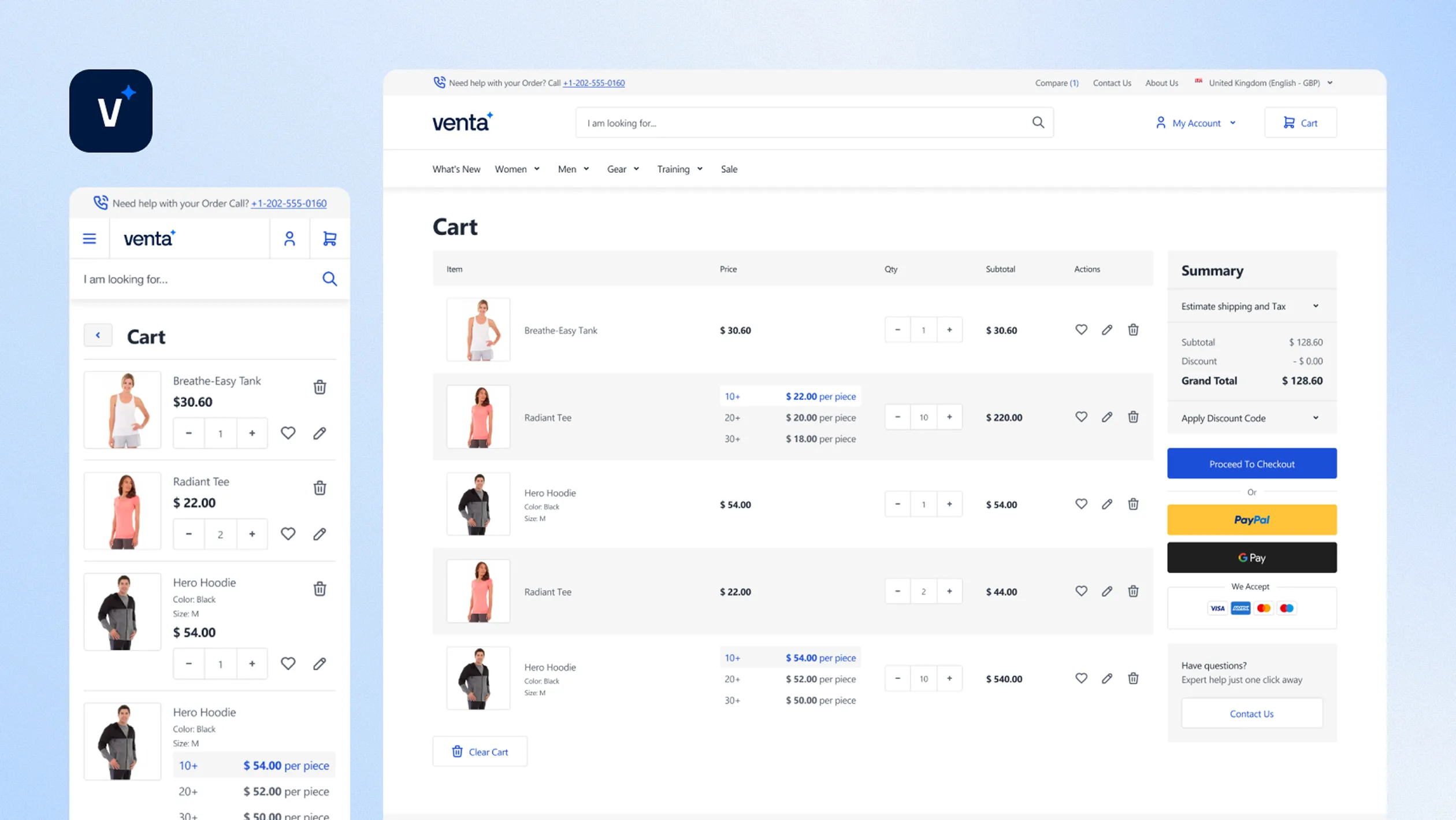
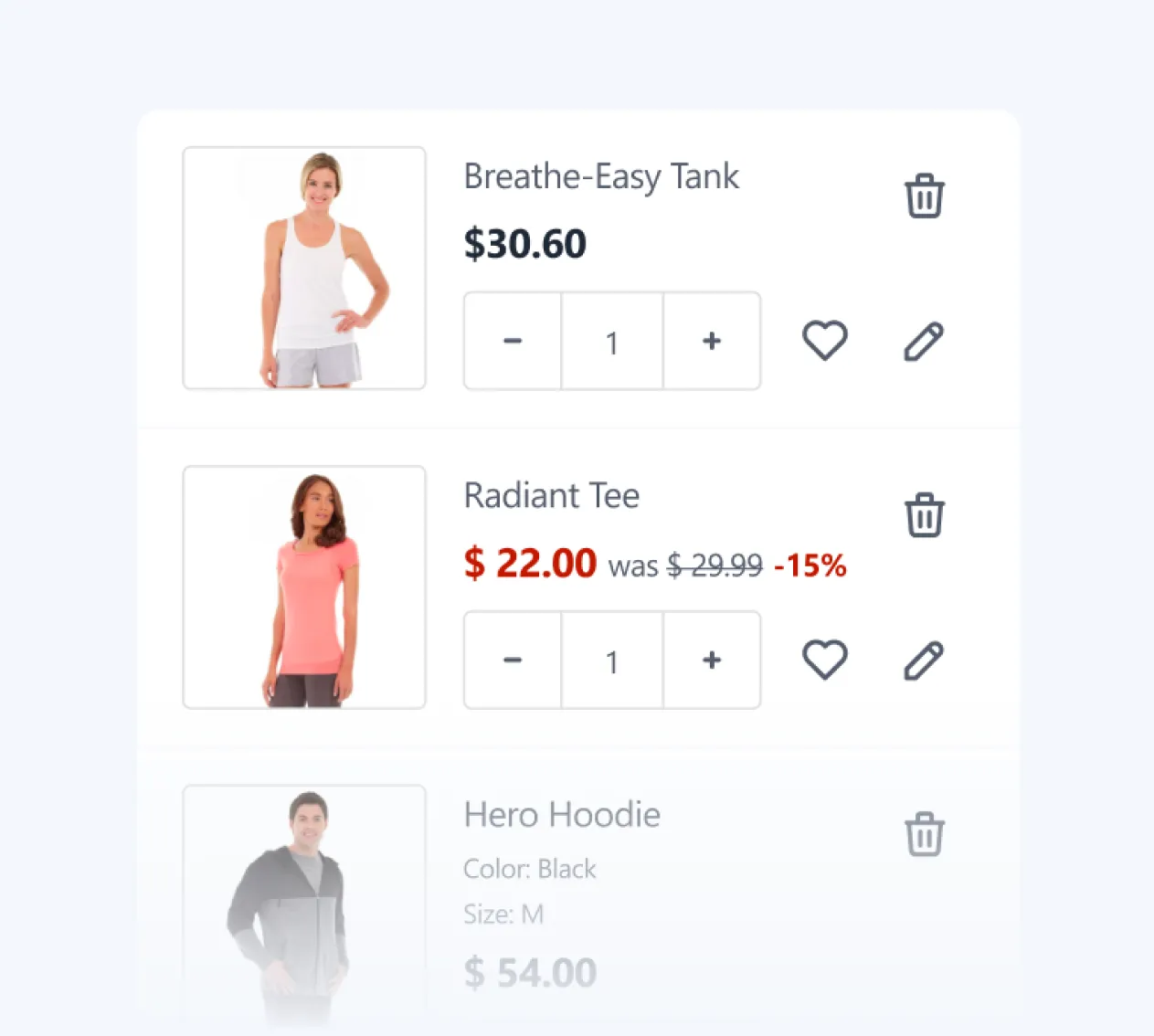
Venta’s cart keeps the default Hyvä “all items visible” layout, but makes it feel more polished and easier to scan, so customers can review the order fast and move to checkout with less friction.
AJAX cart updates (no page reloads)
Cart interactions stay smooth with AJAX enabled, including remove item and quantity updates, so totals refresh without full reloads.
Enable AJAX Cart Actions
Cross-sells (increase AOV)
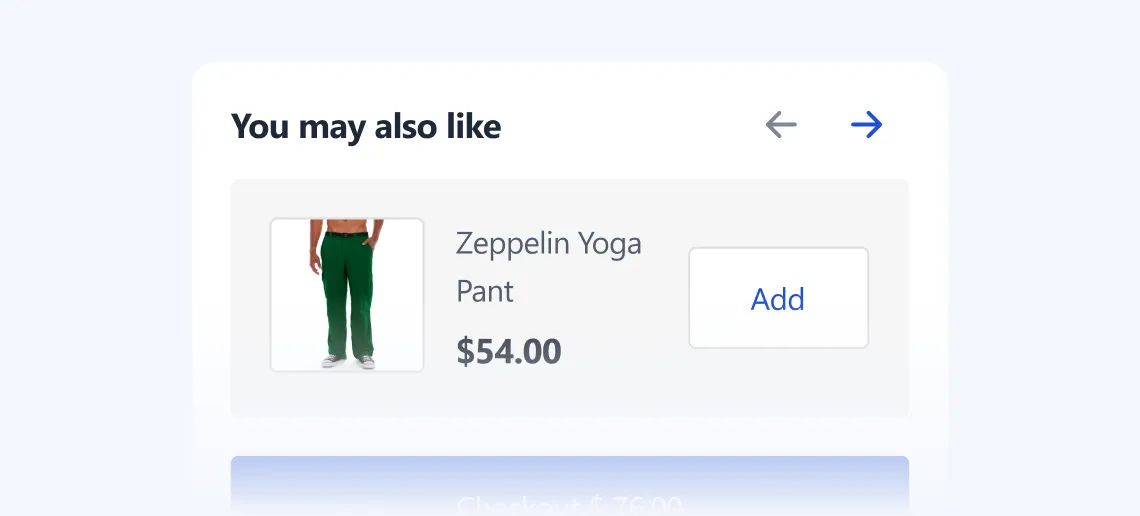
Add relevant products directly in the cart flow. Venta includes a configurable cross-sell slider in the mini-cart, so you can push extras at the right moment.
Minicart → Show Cross-sells Slider
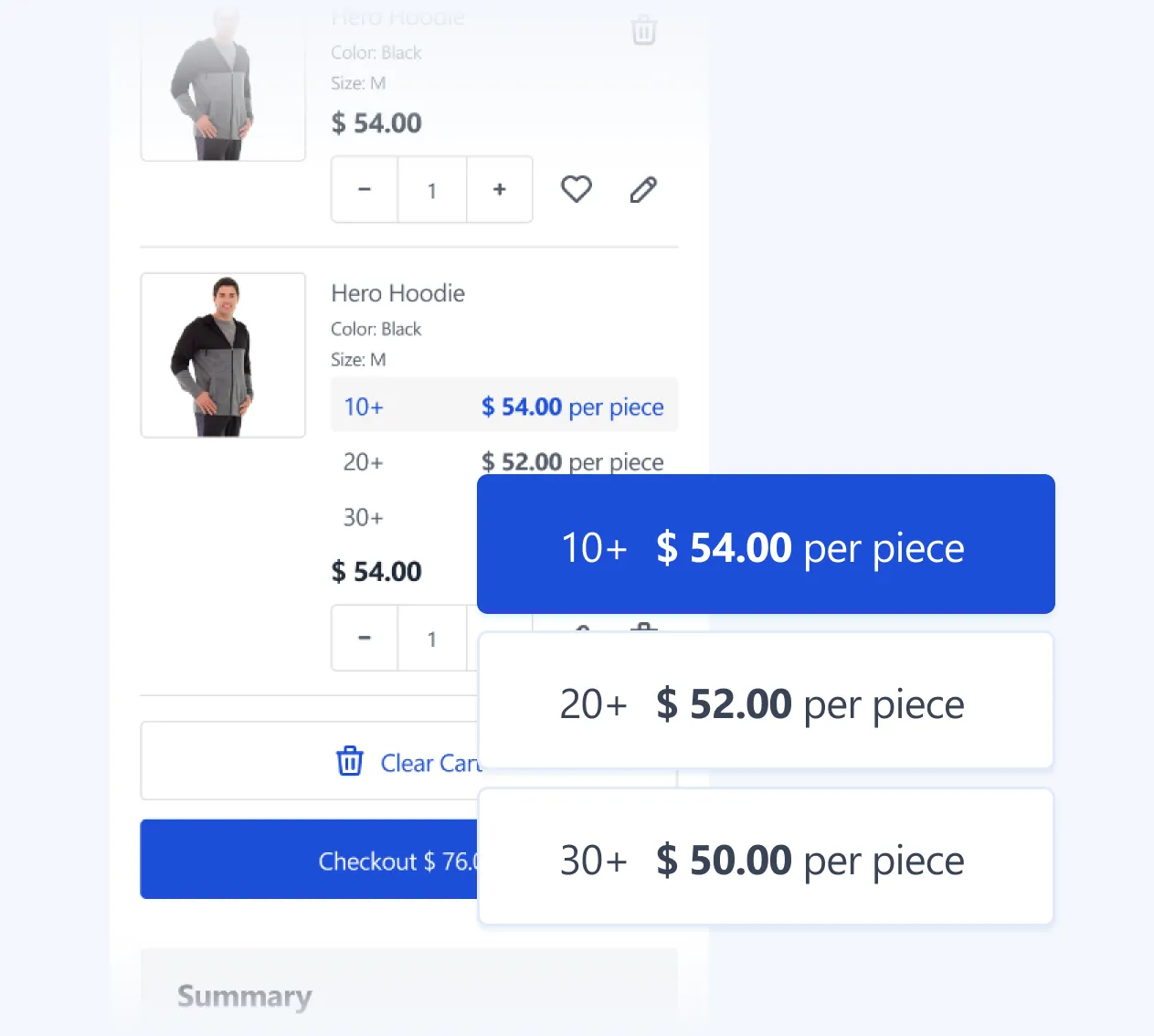
Tier pricing visibility
If you use tier pricing, the cart reflects volume pricing clearly, so customers understand why the price changes when they increase quantity.
Discount codes, fast apply experience
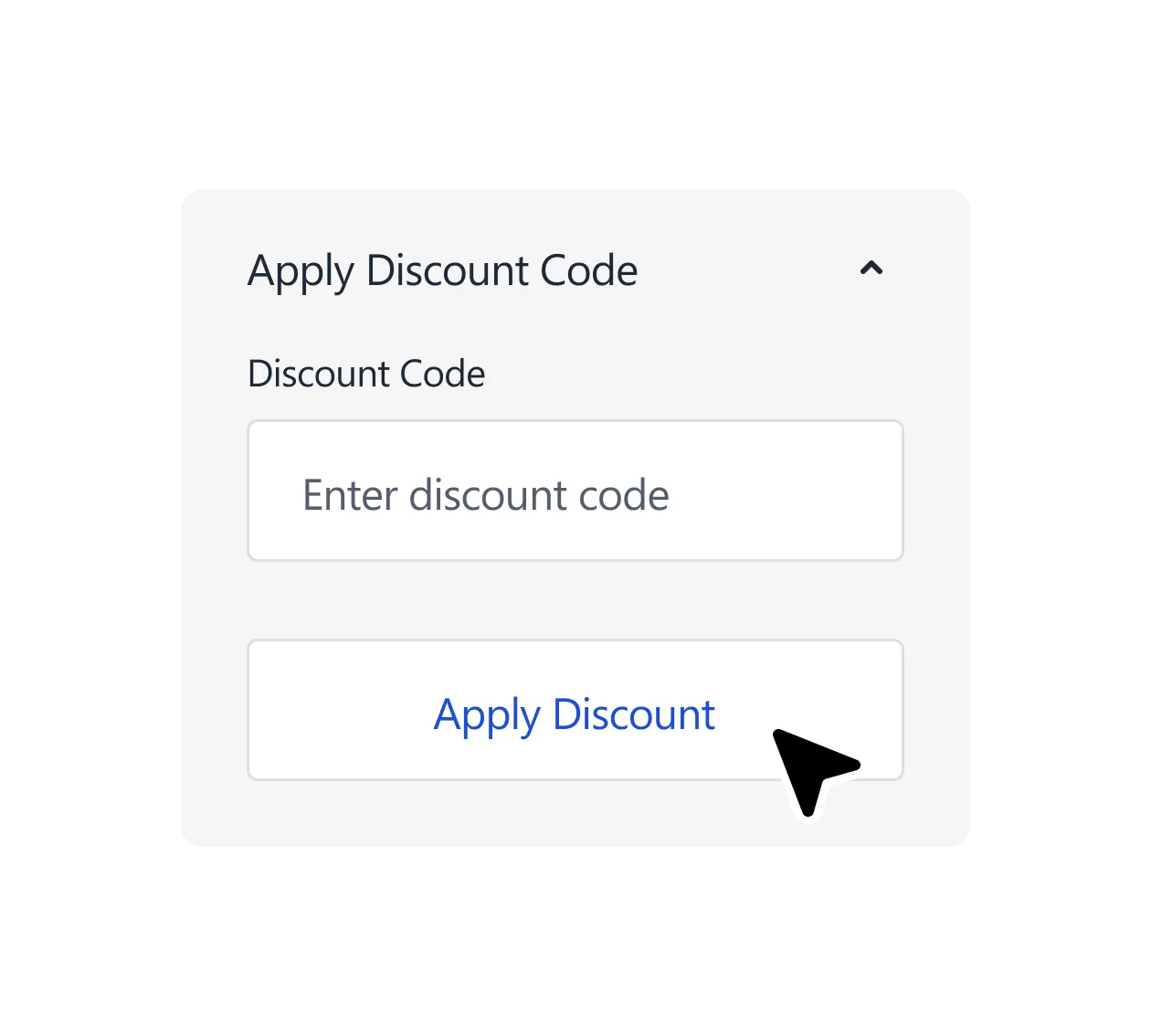
Customers can apply coupon codes directly in the cart, and with AJAX cart actions enabled the cart experience stays lightweight (quick feedback, updated totals, no “heavy” reload feeling).
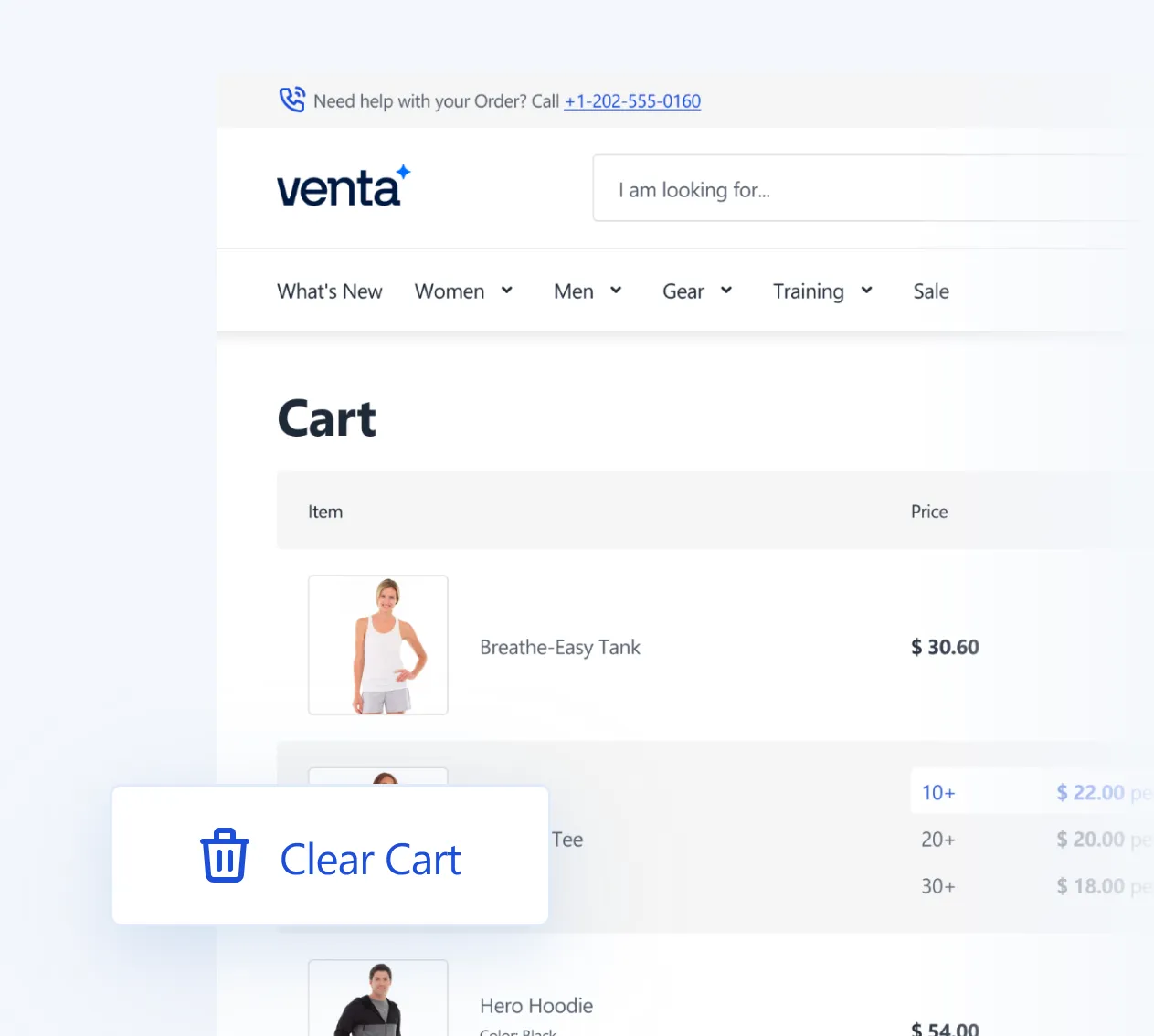
Clear Cart (one click reset)
A simple “Clear cart” option lets customers empty the cart in one action, useful for B2B buyers, quote-driven orders, or shoppers who want to restart.
Checkout
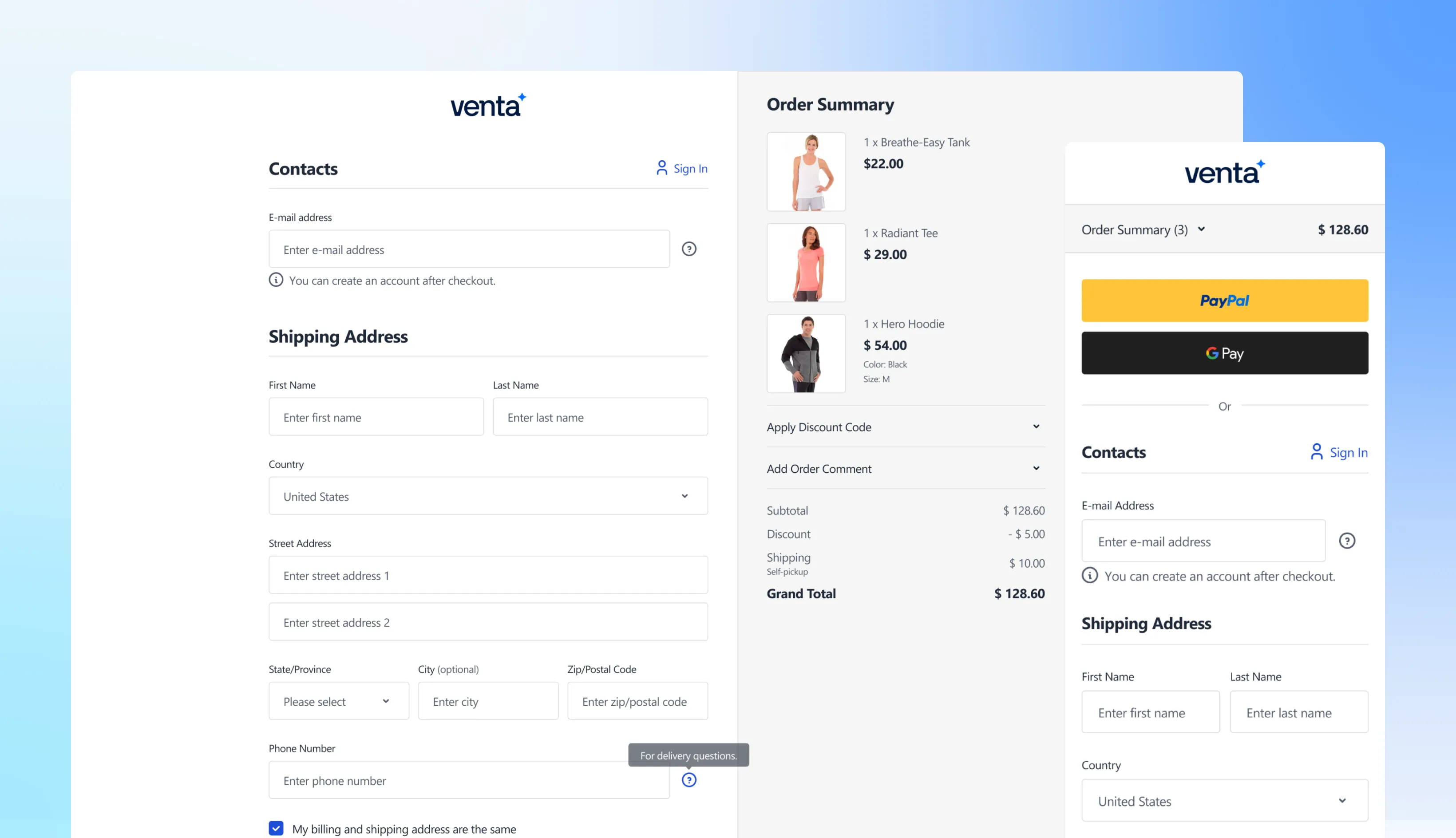
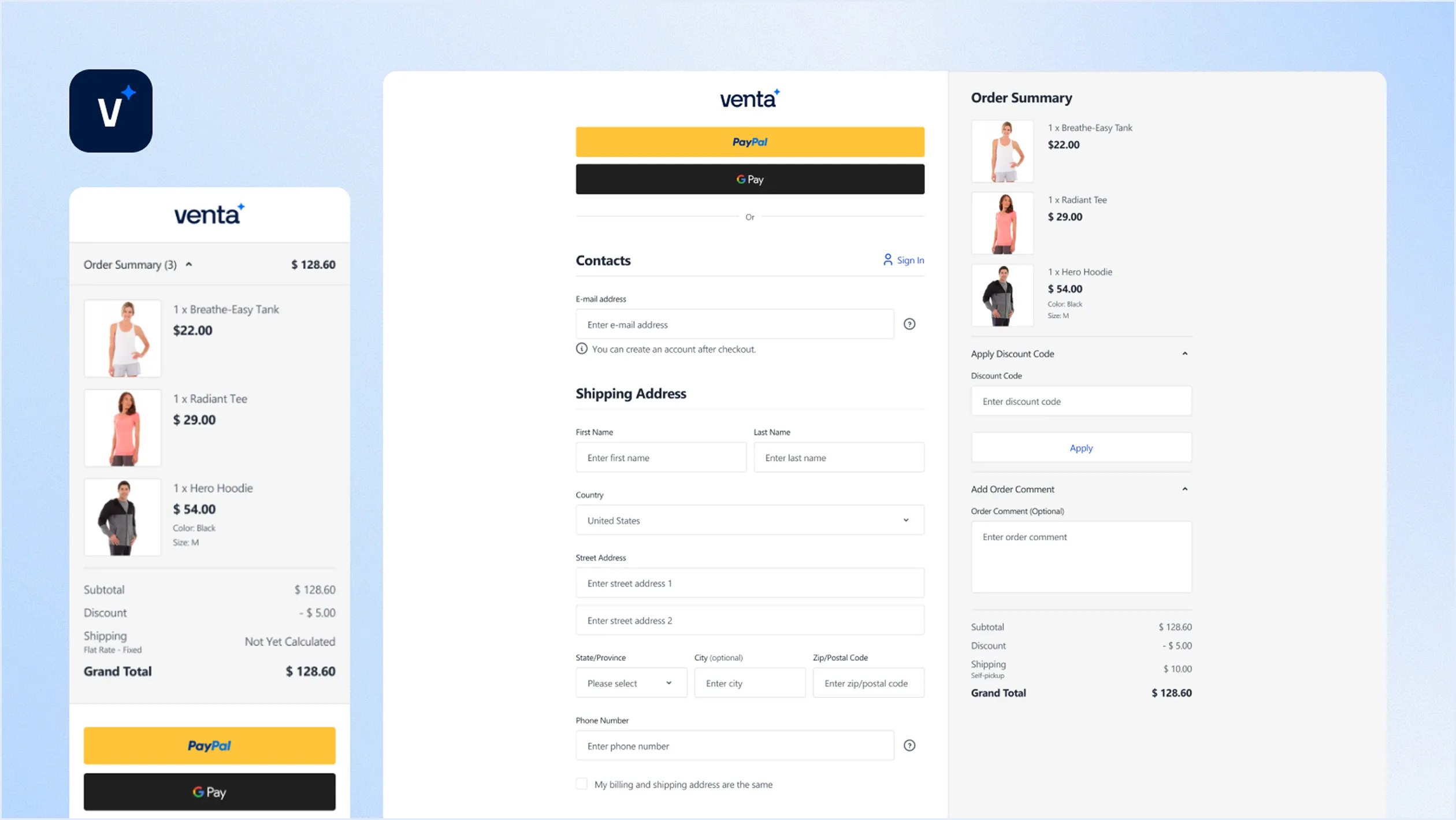
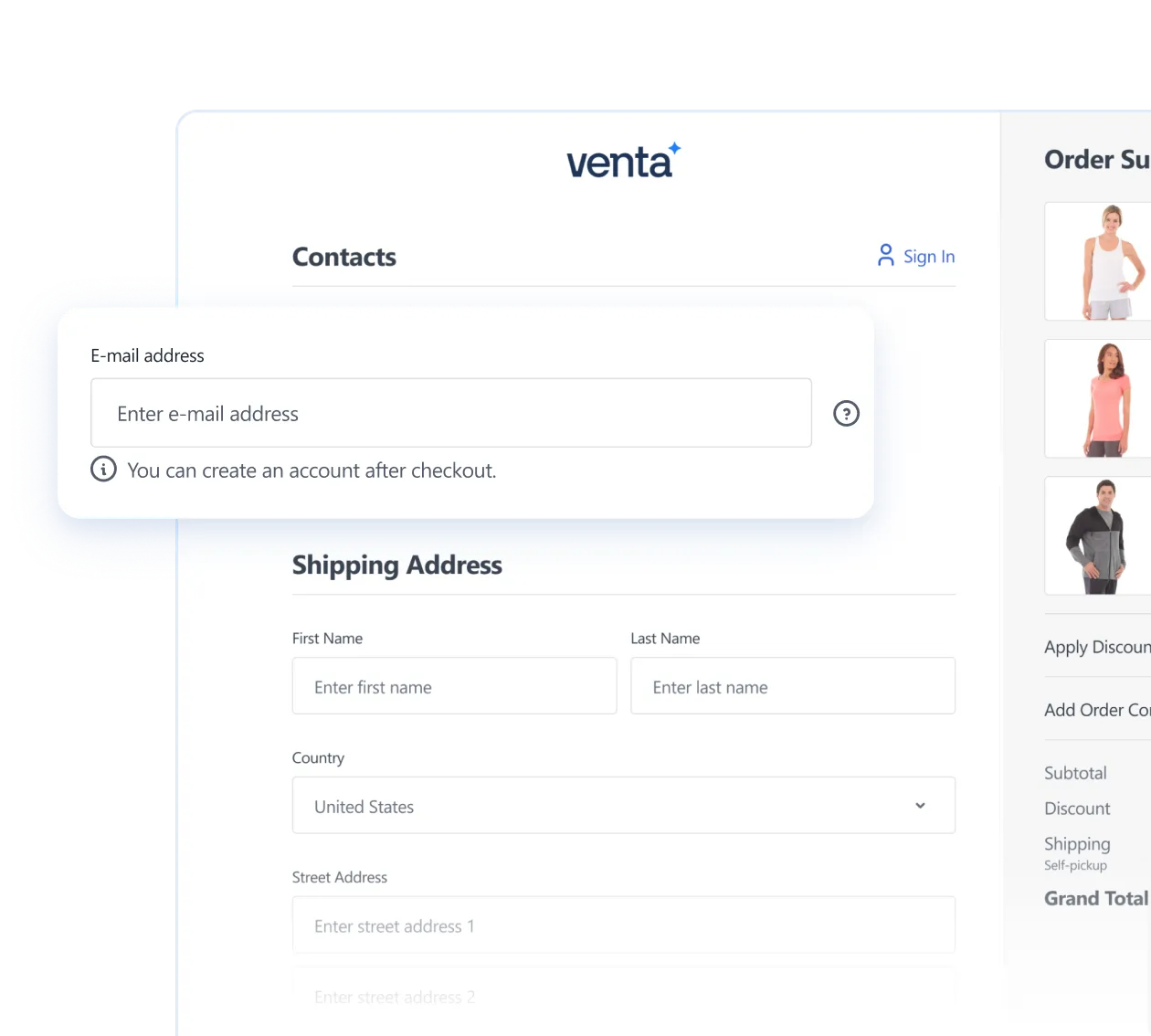
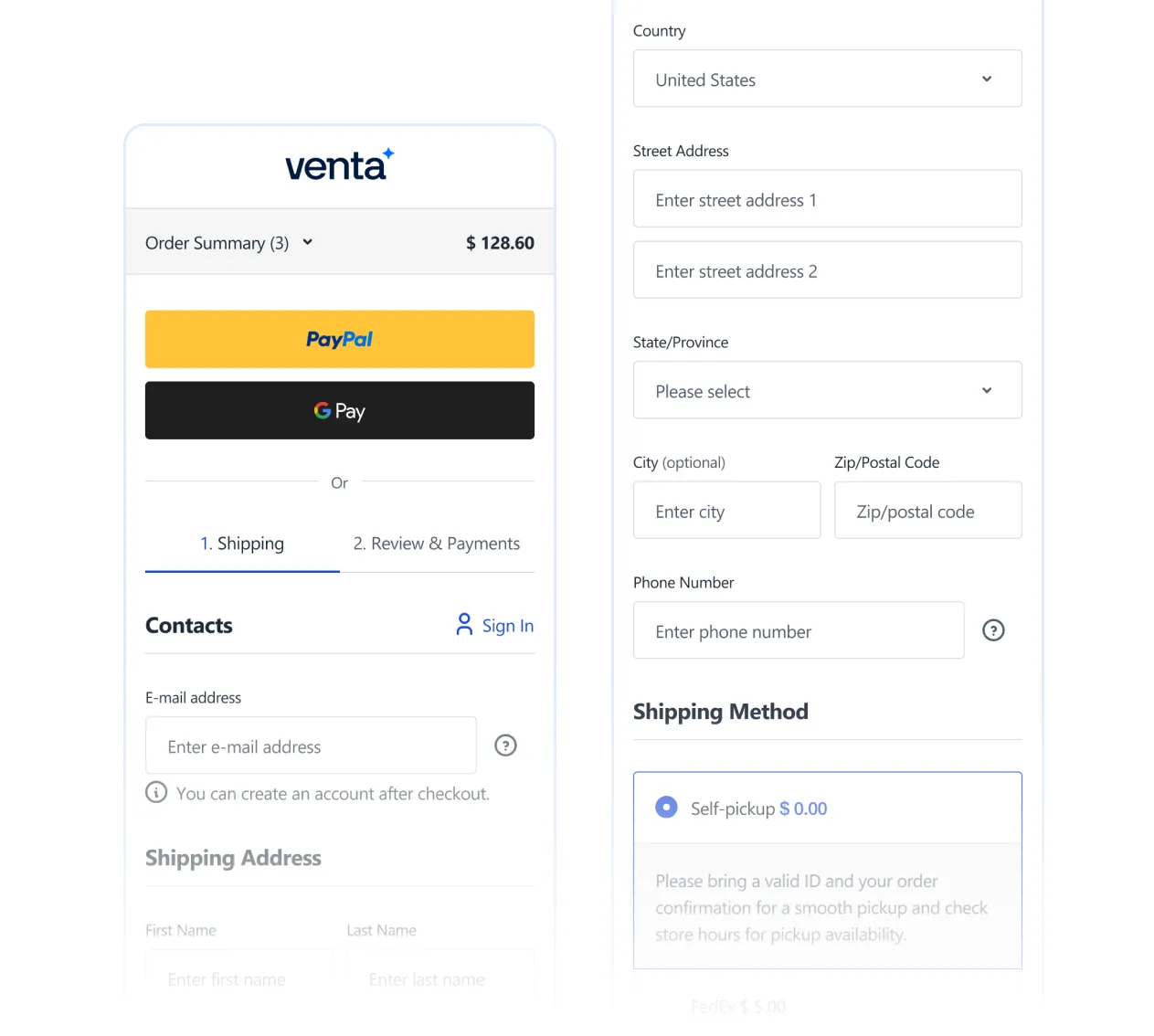
Venta keeps checkout clean and familiar, matching what shoppers are used to today, so they don’t have to “learn” your store at the most sensitive step. Under the hood it preserves Hyvä Checkout functionality, but adds Venta styling and layout options.
Checkout Page Included
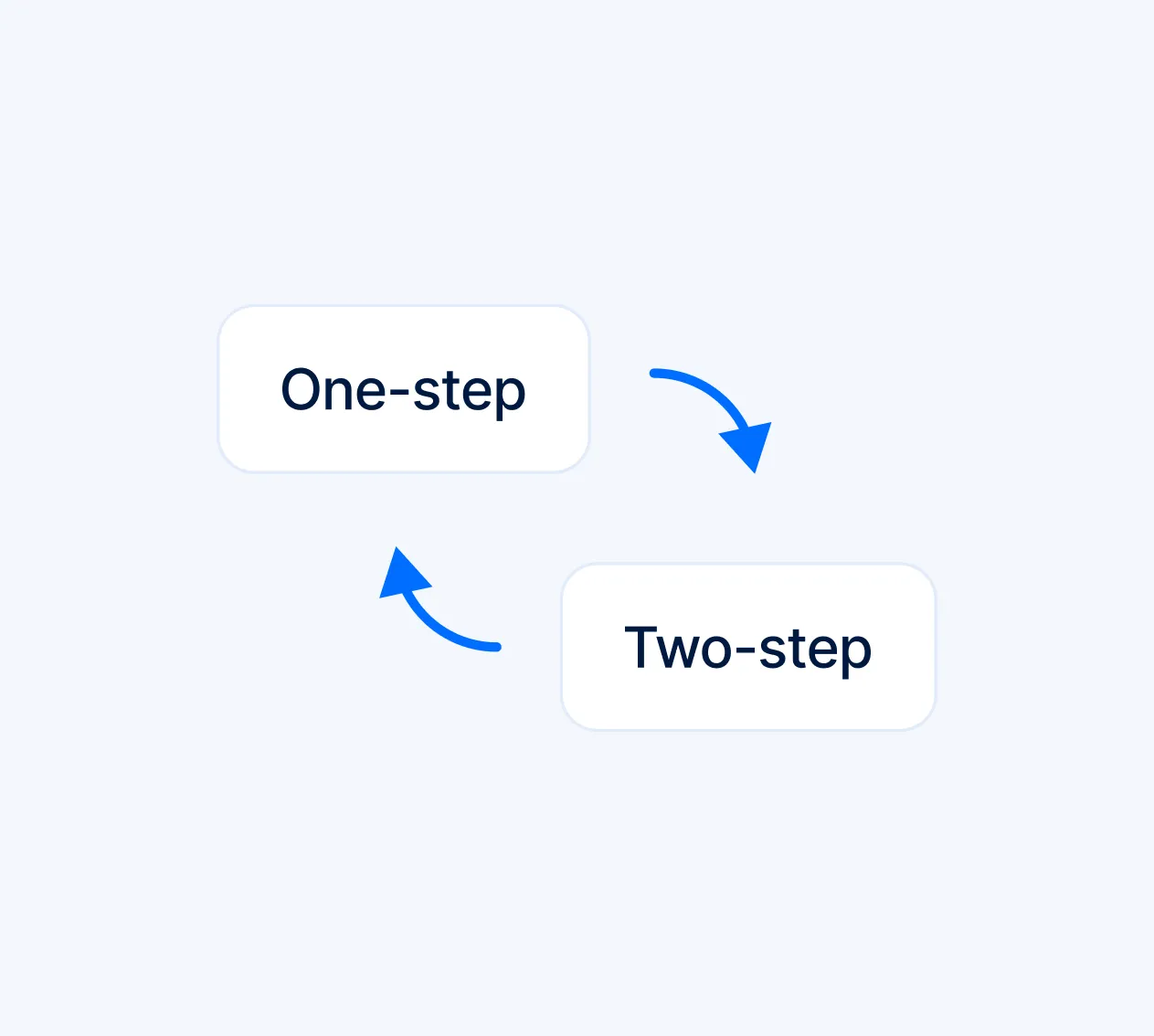
Choose your checkout flow, one-step or two-step
You can switch between Venta One Page (single-page layout) and Venta Default (more traditional flow), plus keep default Hyvä layouts as fallback options.
Stores → Configuration → Hyva Themes → Checkout
Guest checkout, or force login
Run Guest Checkout or require login, depending on your business model. If you want a cleaner flow (no login step at all), you can remove the login step via checkout config.
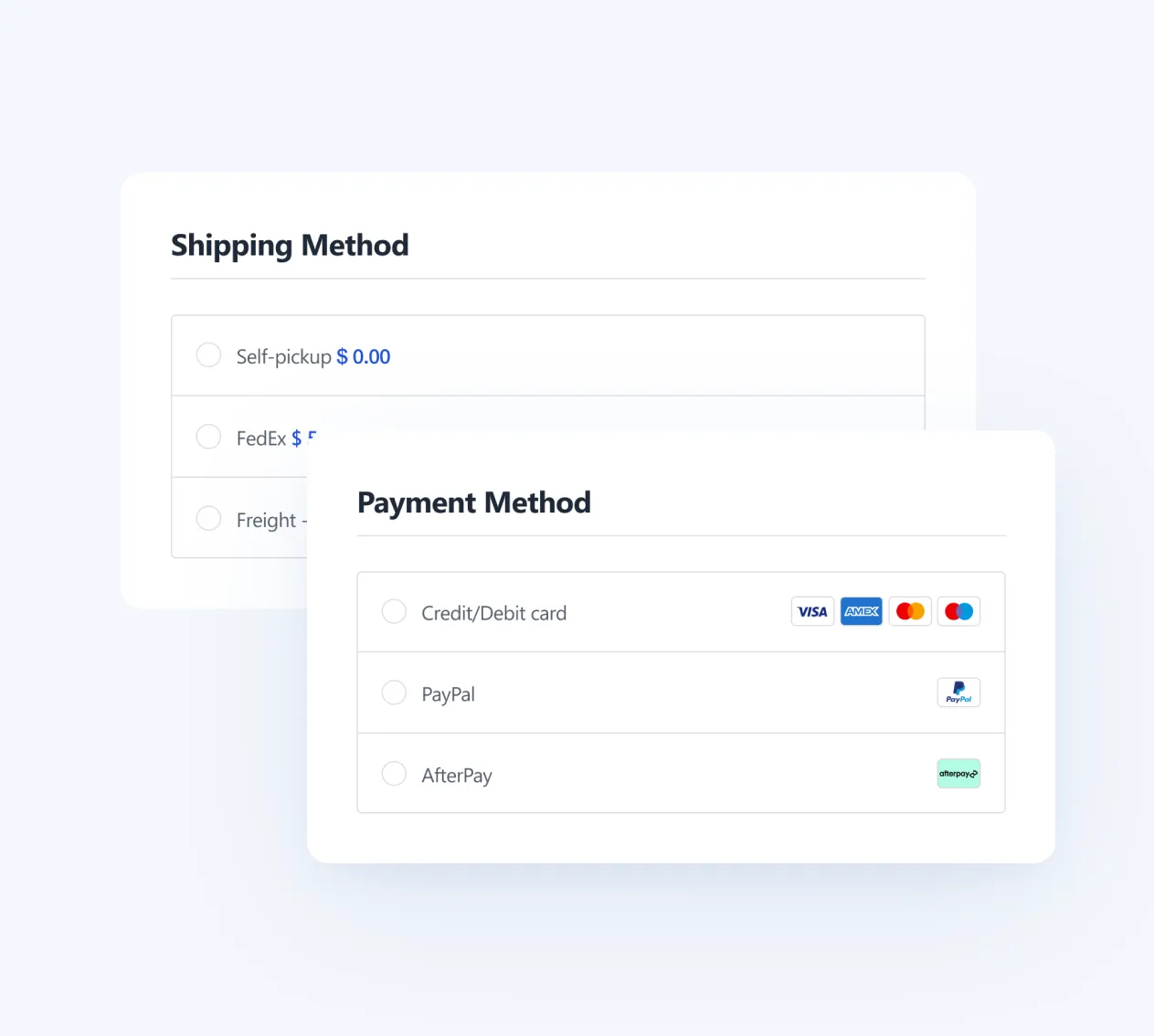
Clear shipping and payment choices
Reduces hesitation and support tickets, especially for new customers.
Delivery method descriptions — Customers understand speed, cut-offs, and conditions
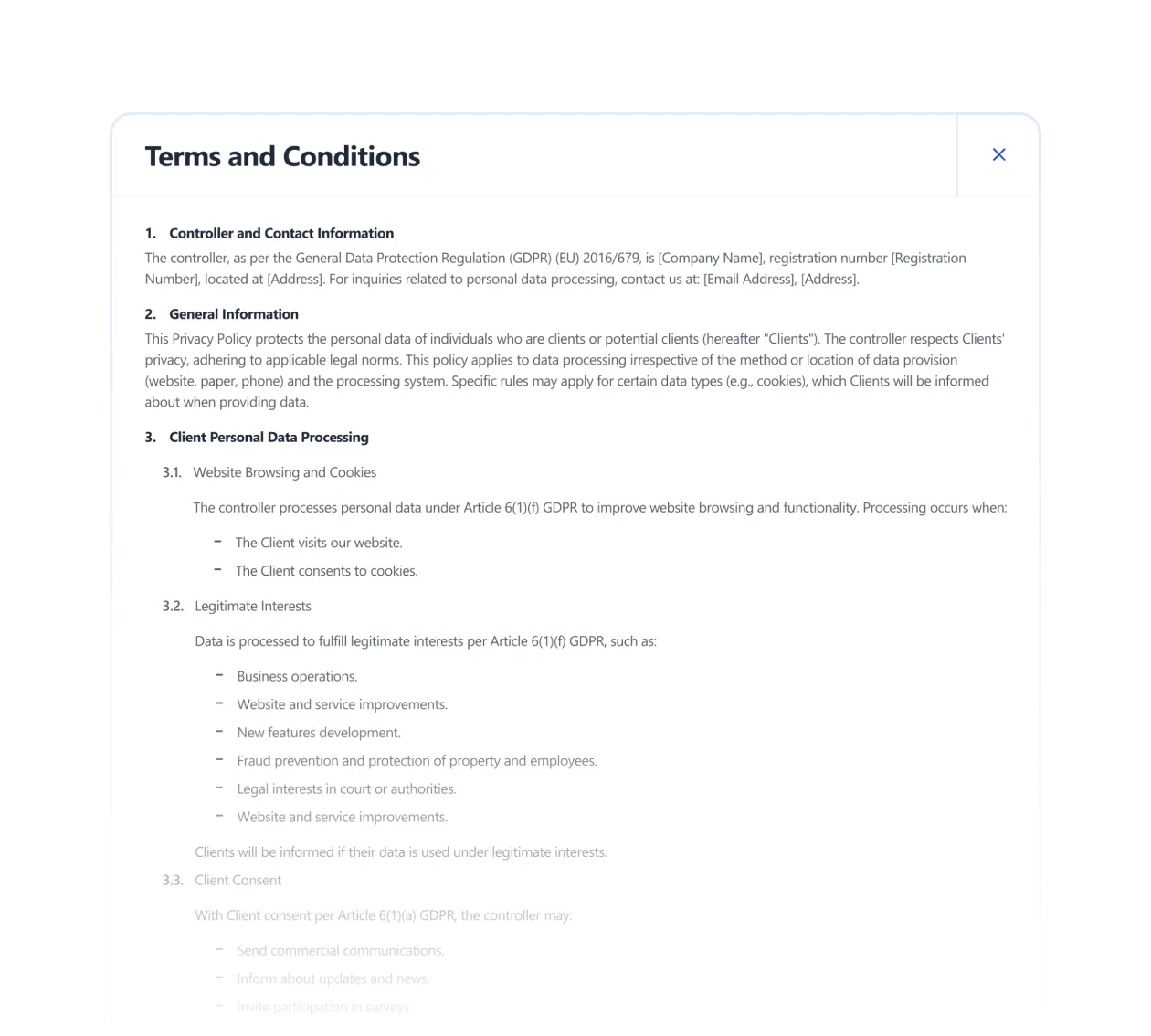
Built-in popups for Terms and Conditions, so customers never leave checkout, and can review policies without breaking flow.
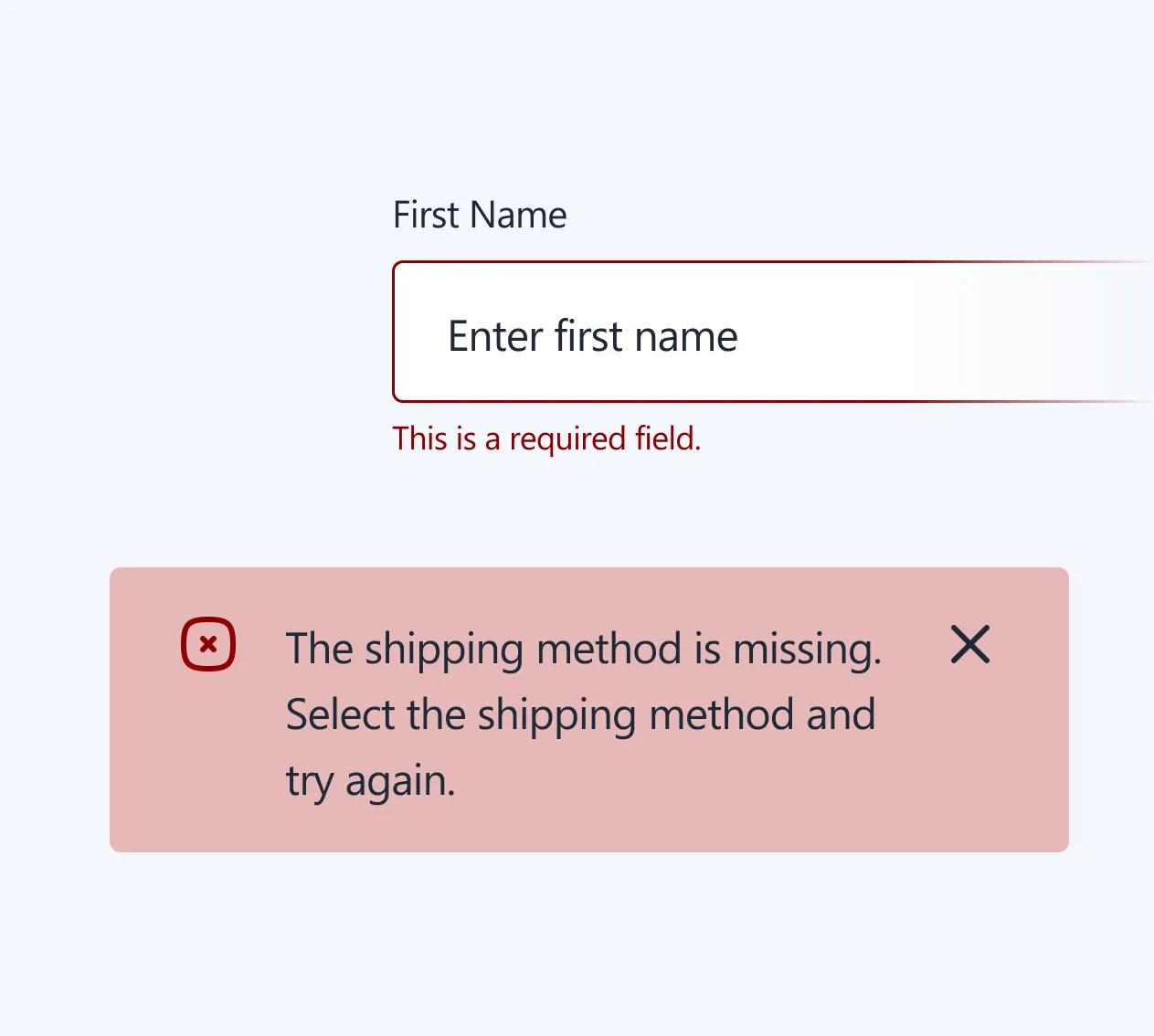
Enhanced form validation
Better validation and feedback during checkout, fewer “silent errors”, smoother completion rates.
Mobile-first UX
Checkout is designed to feel great on mobile, clean spacing, readable inputs, and friction-free taps.
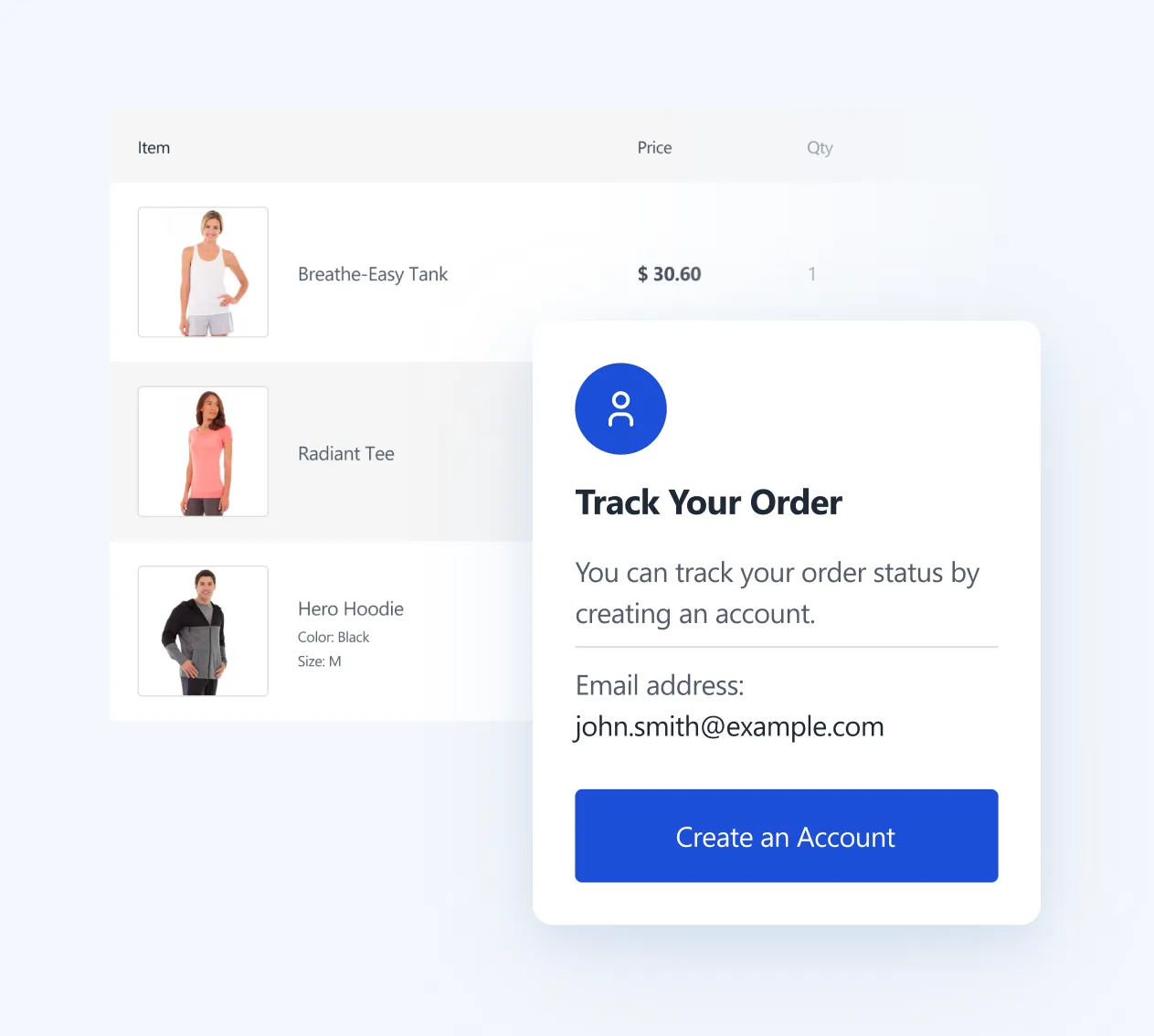
Enhanced success page
After purchase, customers get:
Order recap — Customers can instantly confirm what they bought
Create account prompt — Guests can save details and track orders
Post-purchase upsells — To increase AOV without disrupting checkout
My Account
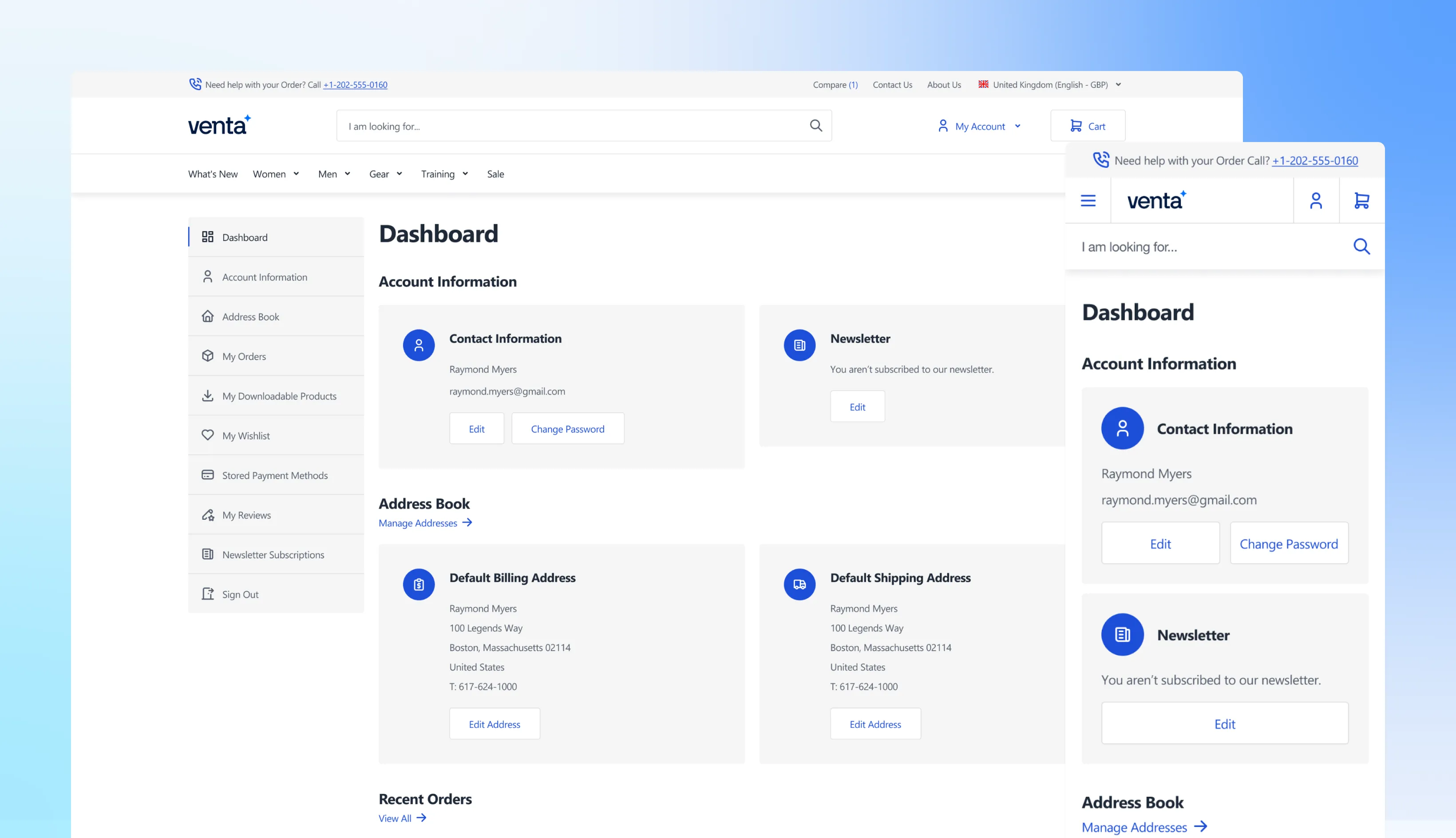
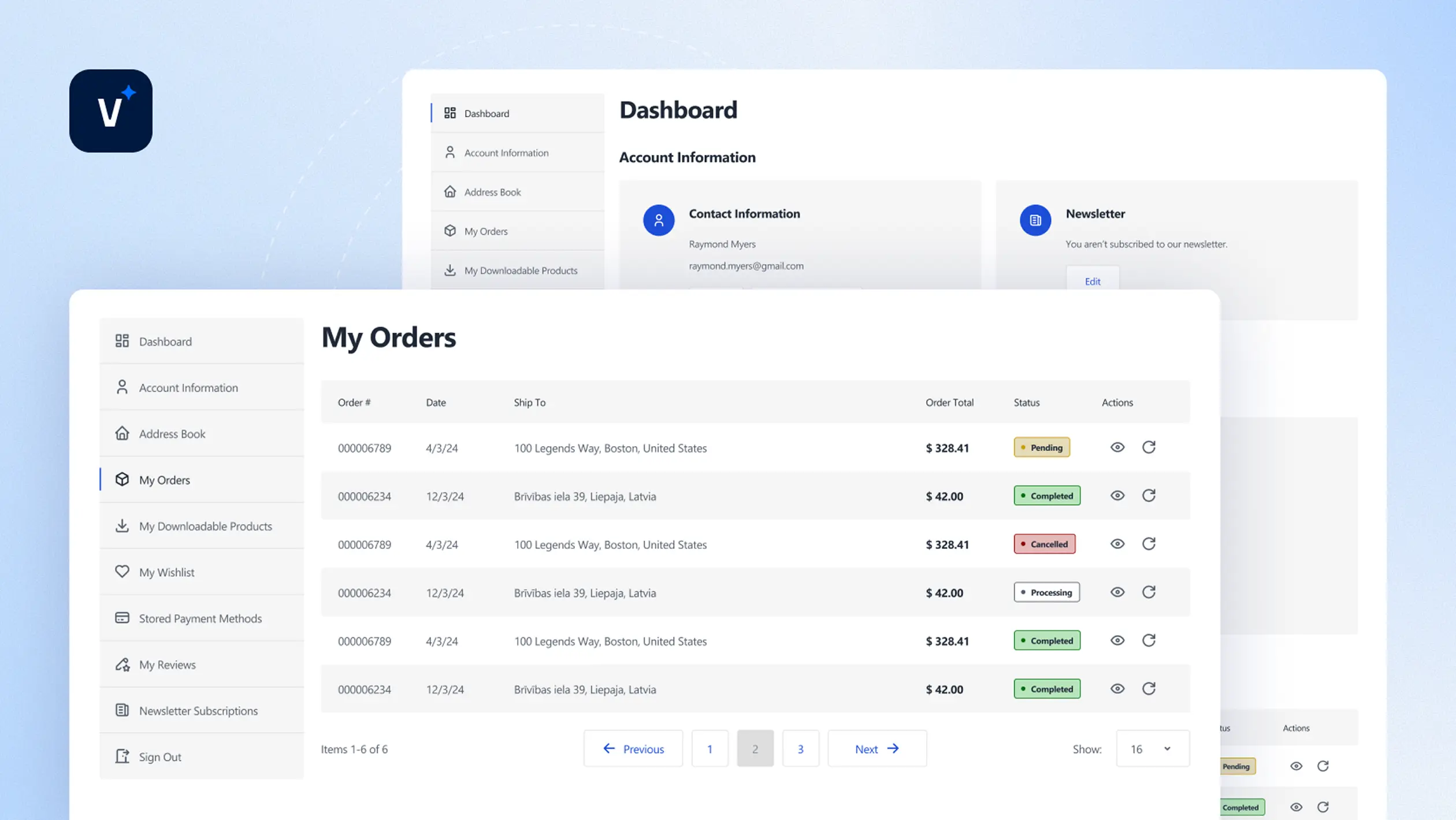
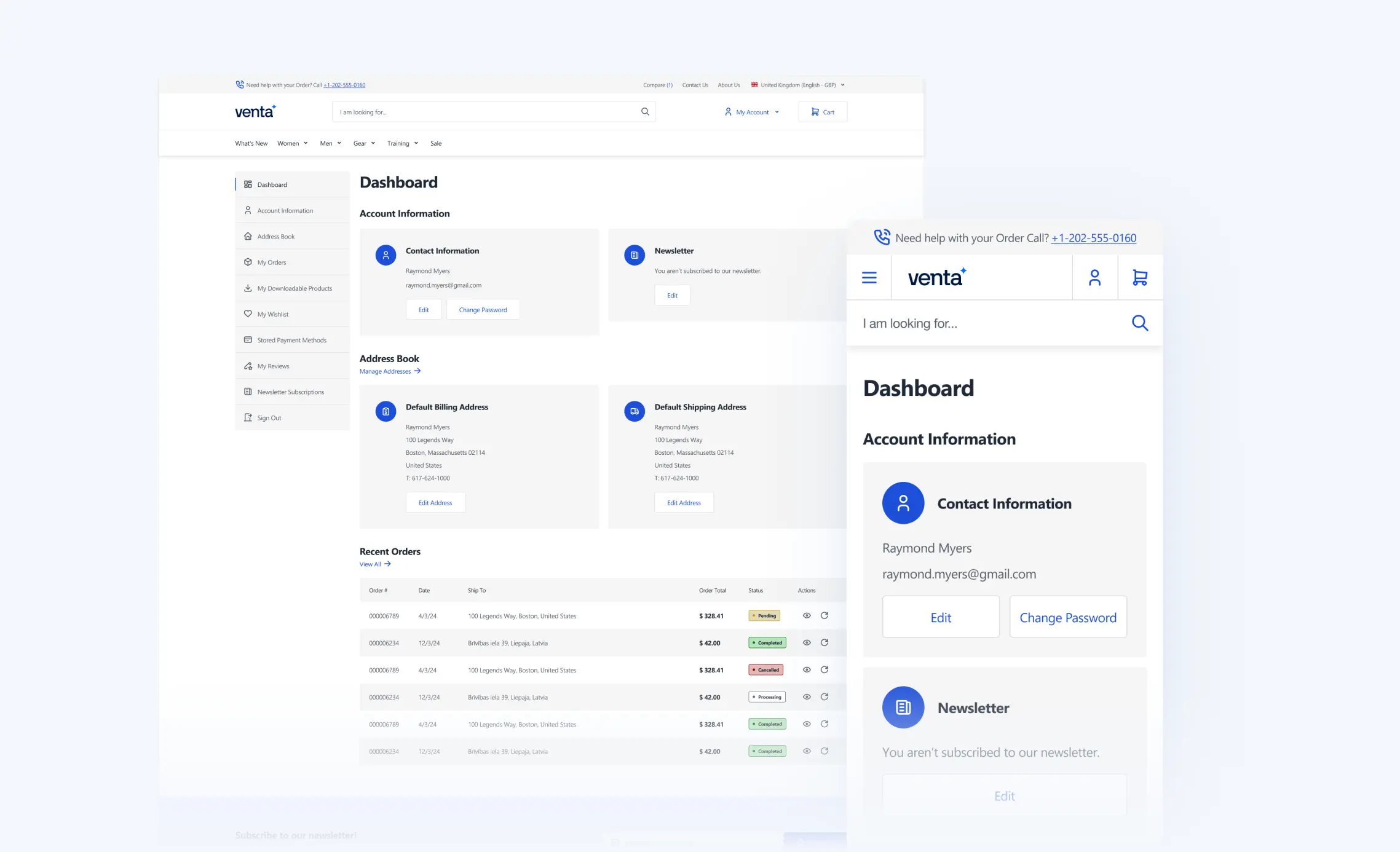
Venta reworks the entire My Account area to feel modern, consistent, and easy to use, not just “styled enough”. It’s part of Venta’s core UI/UX improvements across the store.
Fully redesigned account experience
Every major account screen is visually improved
Including login, registration, and the My Account area, so customers get a clean, consistent UI across the full journey.
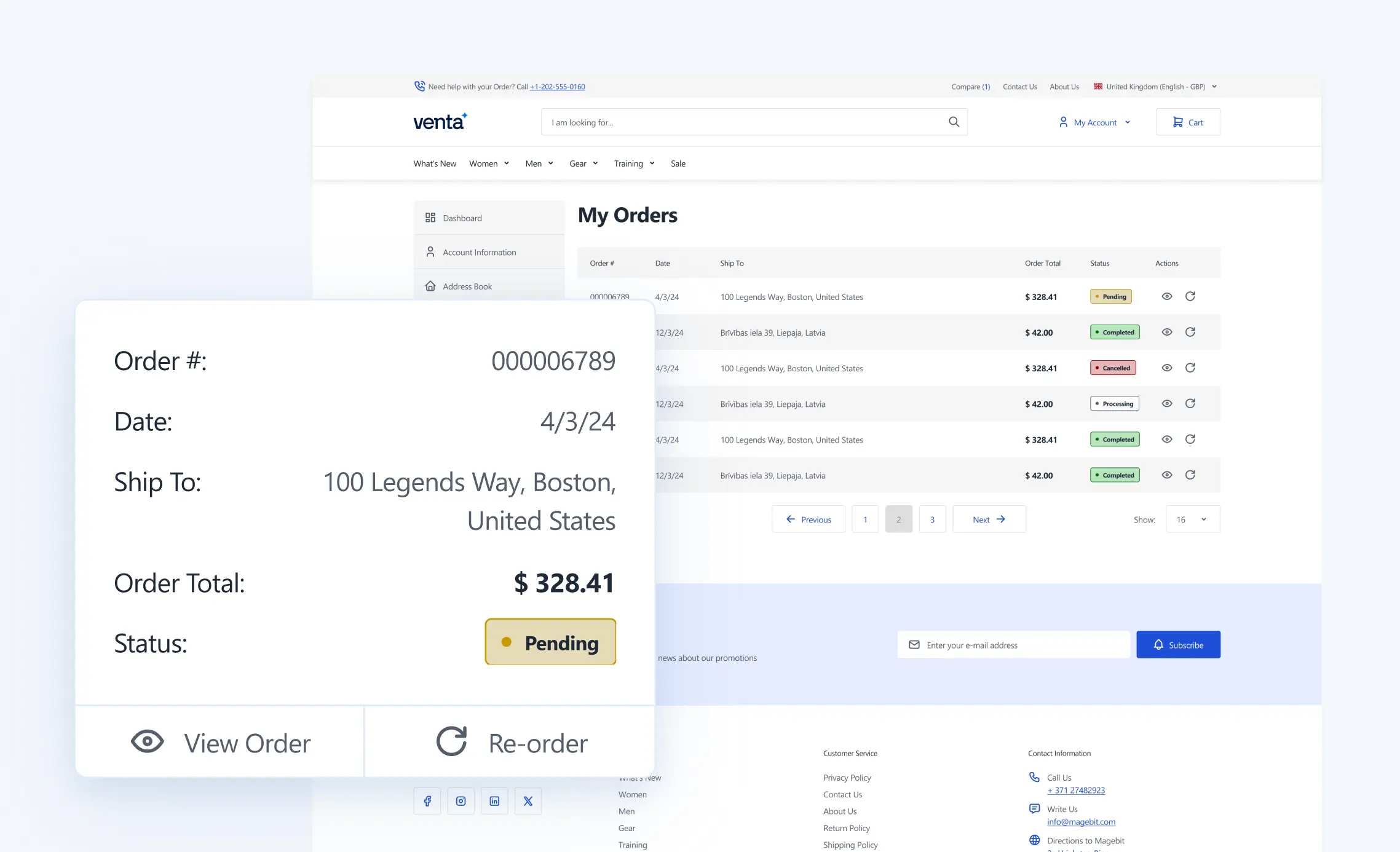
Orders become easier to scan
You can assign a custom “Status Color” per order status in admin, perfect for “Processing”, “Shipped”, “Delivered”, “Cancelled”, etc.
Result
A theme that is lighter, faster, and easier to adapt to your brand’s style guide
Reworked order details pages
Order detail views are laid out for faster reading and simpler actions, especially on mobile, so customers can quickly find the items, totals, shipping, and status.
Better dashboard UX
The dashboard is reworked to feel more helpful and less “default Magento”, clearer layout, better hierarchy, easier navigation.
Styled empty states
Even when a customer has no orders, no addresses, or no saved items, the empty states are designed to look intentional, so nothing feels unfinished or broken.
Admin Features
Everything you can manage without dev work
Below is the full list of Venta Theme admin-level controls (including the ones we mentioned under PDP, Cart, Checkout, My Account, etc.), grouped by area, with the config paths where they live.
Theme UI and Global Layout
Stores → Configuration → Magebit → Theme
Header Links (labels, URLs) — Shown in desktop header and mobile side menu
Footer Logo — Upload, alt text, width, height
Store Switcher — Enable, labels for website/store view/currency, website flags via ISO country codes
Category SEO Block — Page Builder content area for category SEO content
Hide Category Tree — Reduce nav clutter
Menu Banner Desktop/Mobile + Banner Path — Promo banners inside menu, with click destination
Checkout Styling Selector
Stores → Configuration → Hyva Themes → Checkout
Switch between one-step or two-step flow
CMS Page Navigation (Side Menu)
Content → Pages → Select any page
Show in CMS Page Navigation toggle — for Venta "CMS Page with Side Navigation" layout
My Account Order Status Labels (Color Coding)
Managed on order status level in admin
Status Color field for order statuses — Visual differentiation in UI
Transactional Emails, Branded Templates
Marketing → Communications → Email Templates
Venta header/footer templates available — Header (magebit/venta), Footer (magebit/venta)
Edit templates in Admin for typical changes — No code needed
System & Informational Pages
Venta does not stop at “core shopping pages”, it also ships with the pages customers hit every day around the buying journey, all styled consistently, with clean UX and no unfinished-looking states.
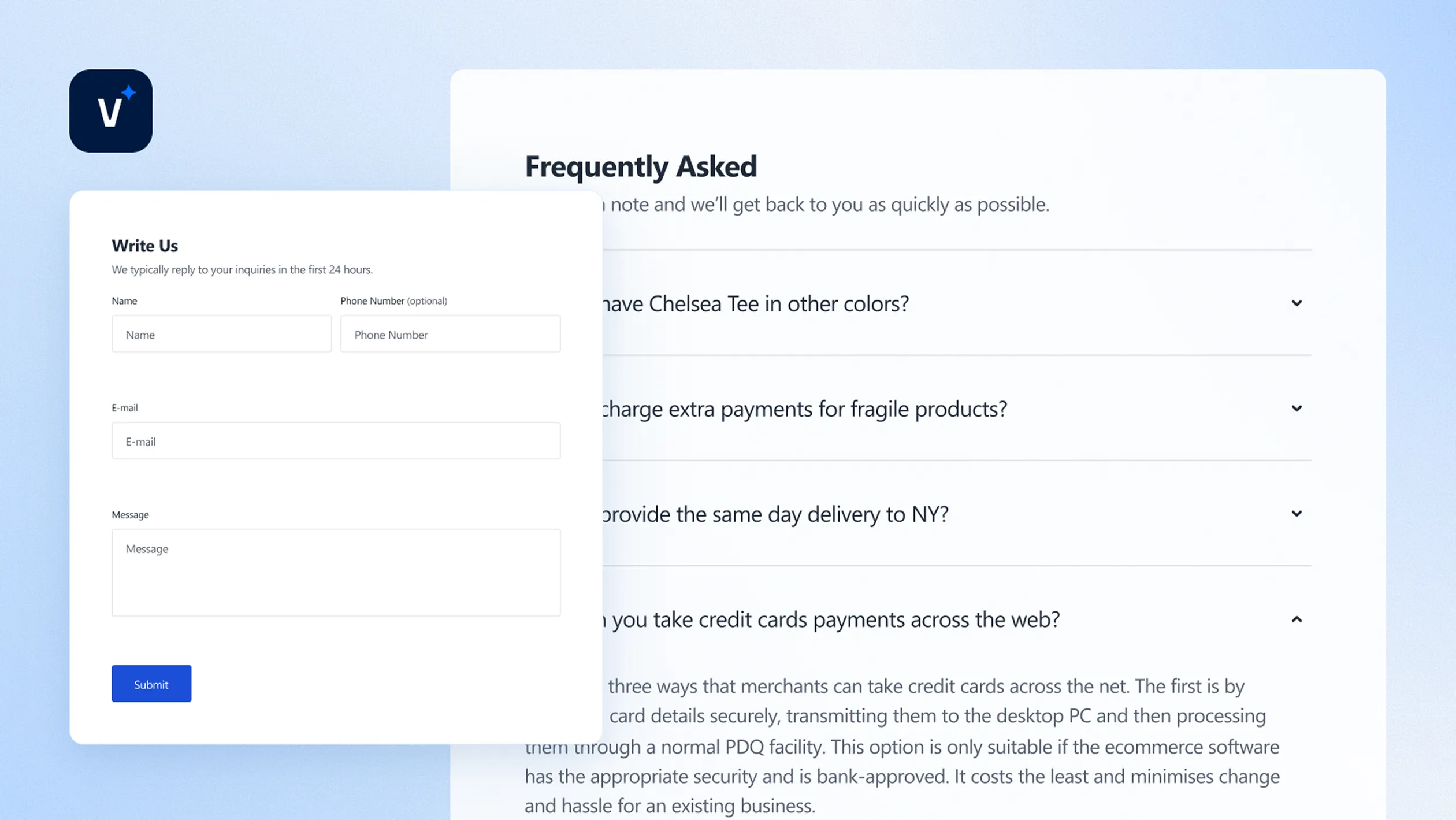
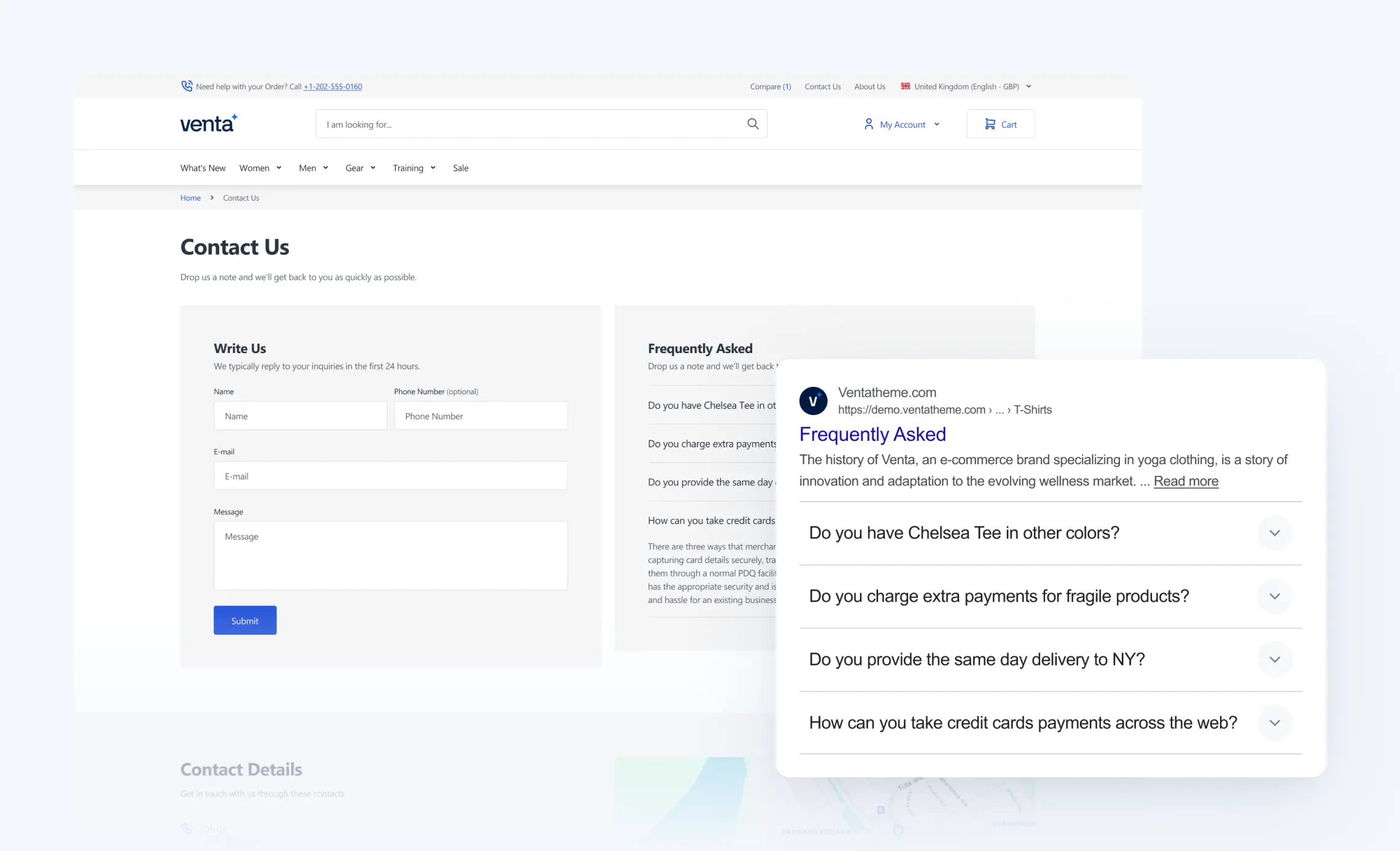
Contact Us page, ready out of the box
Venta includes a pre-built Contact Us page template with a clean form and space for the things customers actually need.
Includes:
Contact form with a modern layout
FAQ section, to reduce repetitive support questions
Address and contact info area (phone, email, business details)
About Us page template
A ready-to-use About Us template that fits the Venta design system, so you can launch faster and refine content over time without redesigning the page structure.
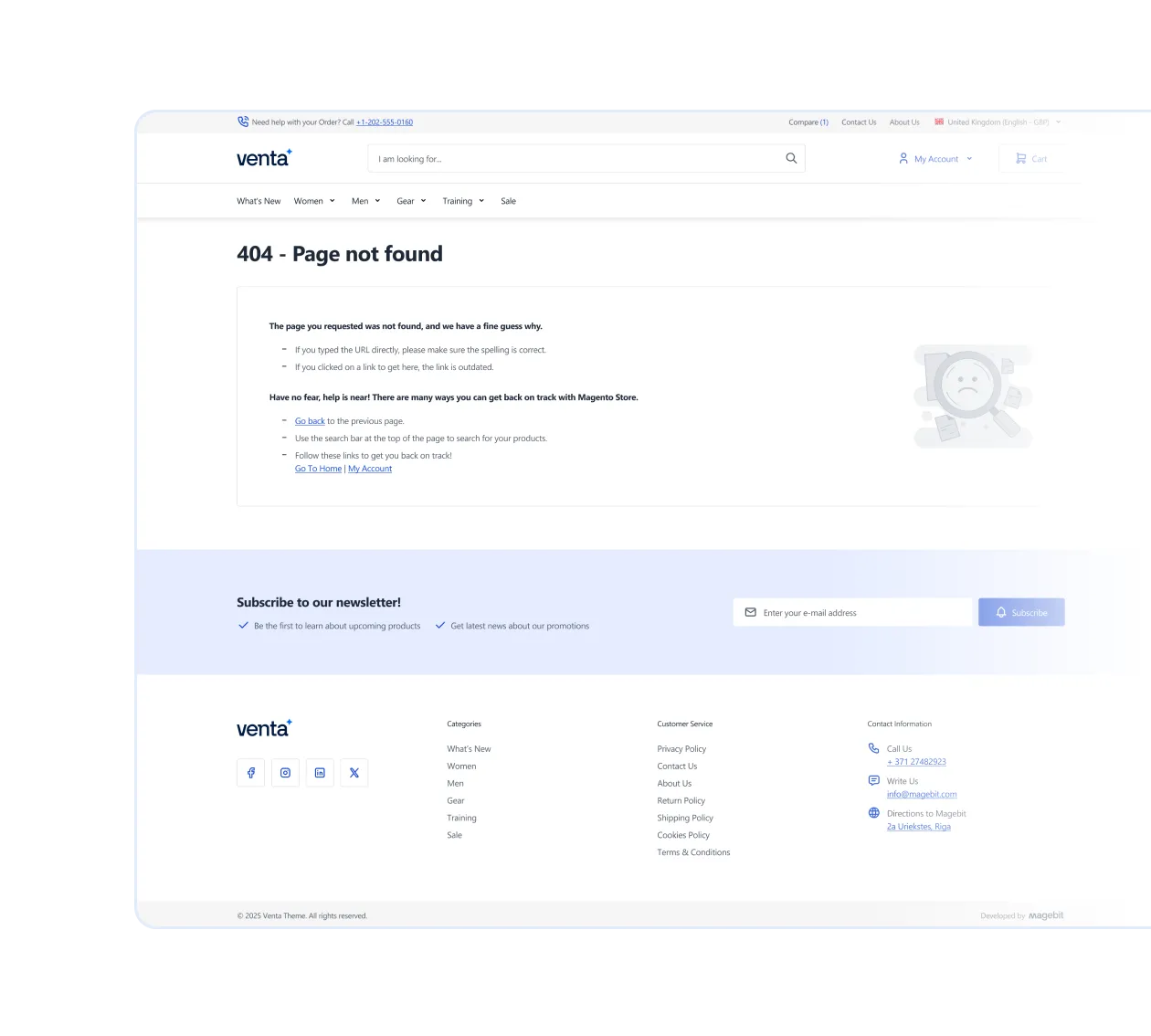
Modern 404 page
A styled 404 page that feels like part of the storefront, with clear navigation back to shopping instead of a dead-end experience.
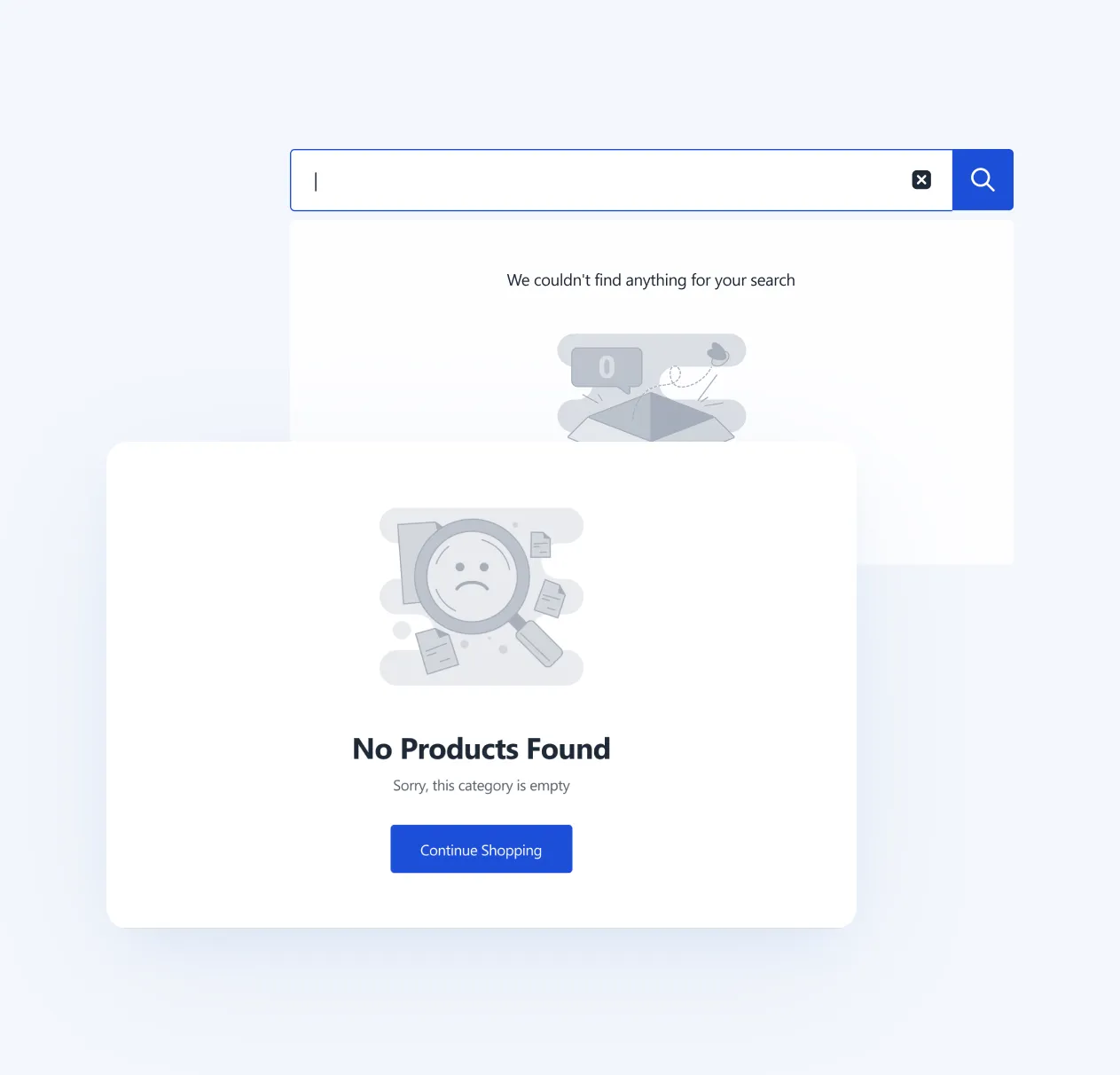
Fully styled empty states
Every “non-happy-path” page is designed and intentional, so customers never see default Magento-looking screens.
Examples:
Empty cart
Logged-out / account-required screens
Empty lists and sections (no orders, no addresses, no wishlist items)
Other system states across storefront
Technical and Compatibility
Venta is built on top of Hyvä, not beside it. Hyvä is the parent theme, and Venta extends it, keeping the architecture clean and aligned with Hyvä best practices.
Built as a Hyvä child theme
Venta uses Hyvä as the foundation and adds its own layout, components, and features by extending Hyvä, not rewriting it. This keeps upgrades and long-term maintenance simpler.
Tailwind-driven customization
Most styling changes are handled through Tailwind configuration, so you can make major visual changes, colors, typography, spacing, border radius, without rewriting templates or changing PHTML classes everywhere. The result is cleaner code and fewer fragile overrides.
Compatibility with Hyvä ecosystem
If an extension is compatible with Hyvä, it is compatible with Venta, because Venta follows the same Hyvä theme approach and standards.
Venta SEO Extension
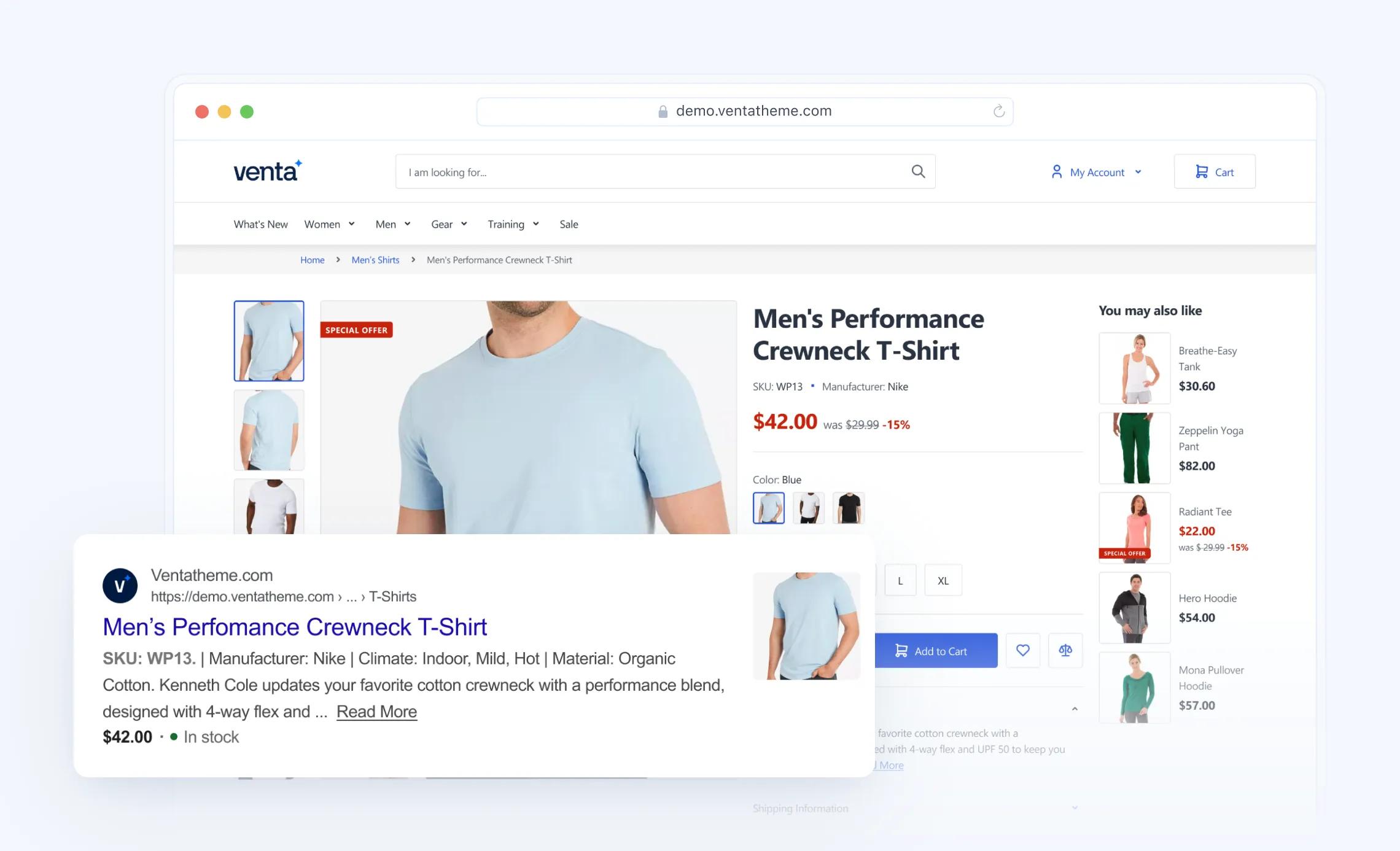
Venta ships with the Magebit SEO Extension, a practical SEO toolkit that covers the stuff teams typically patch together with multiple plugins, structured data, richer snippets, clean indexation signals, and better social sharing previews. It’s designed to improve discoverability without turning SEO into a dev-only task.
Breadcrumbs Snippet (always on, almost everywhere)
The extension automatically shows breadcrumbs on all pages except the main landing page, which helps users navigate and also provides structured breadcrumb data to search engines.
Why it matters
Clearer internal linking
Better crawl context
Potential breadcrumb-rich results
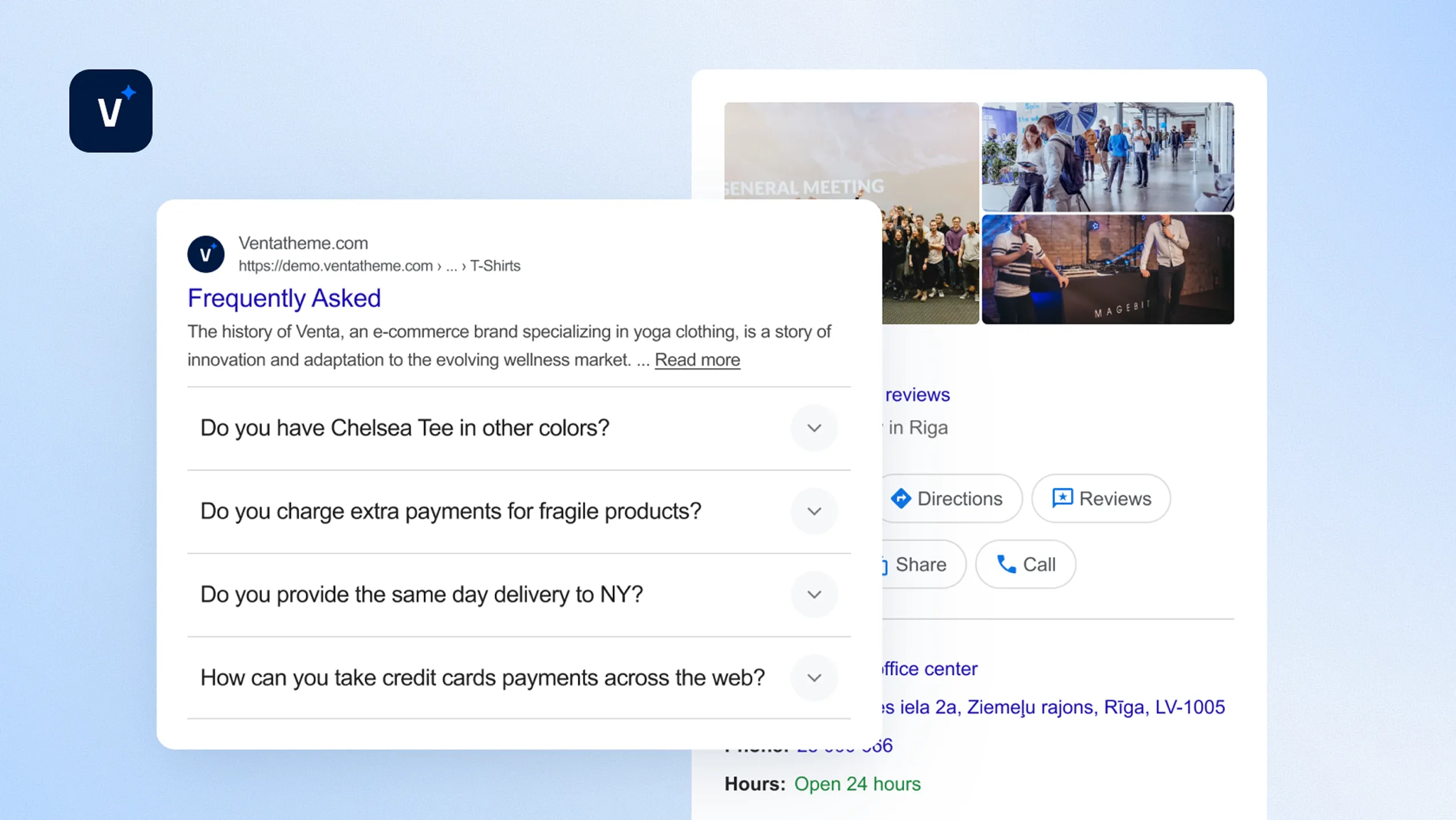
FAQ Snippet (visual FAQ + Google snippet)
Venta includes an FAQ block you can add with Page Builder, and it also outputs the structured FAQ schema so those questions can appear directly in Google results when relevant.
Add FAQ content via a widget in Page Builder, no custom templates needed
Validate it using Google’s Rich Result Tester
Why it matters
Richer SERP footprint
Better CTR
Fewer pre-purchase questions
Local Business Schema (for stores with physical presence)
Adds LocalBusiness structured data, so search engines can better understand and display your business details in local search contexts.
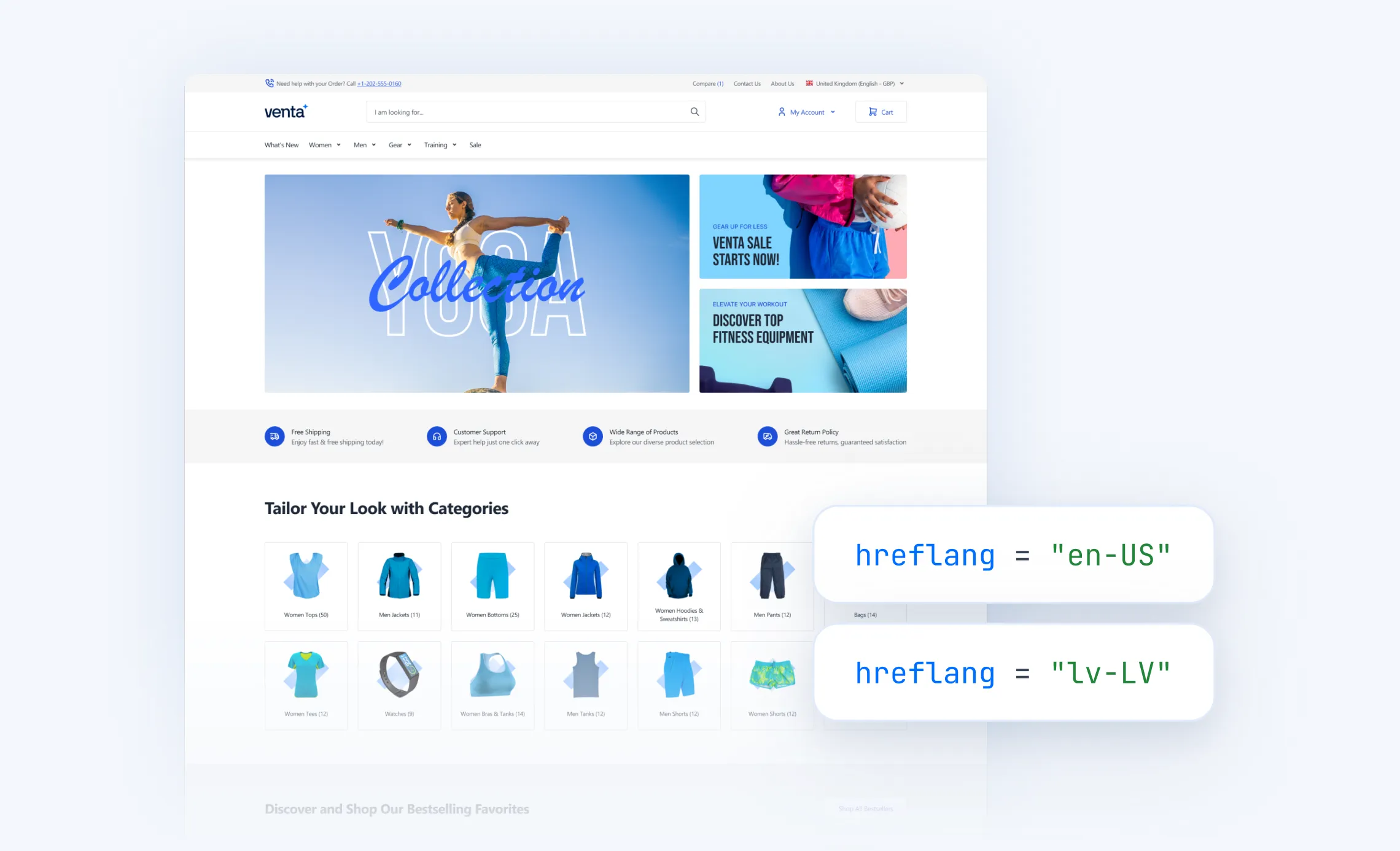
Hreflang support (multi-language / multi-region)
Adds hreflang tags to help search engines serve the correct language or regional version of a page.
Why it matters
Fewer wrong-country rankings
Better international SEO clarity
Clean indexation signals, less duplicate content
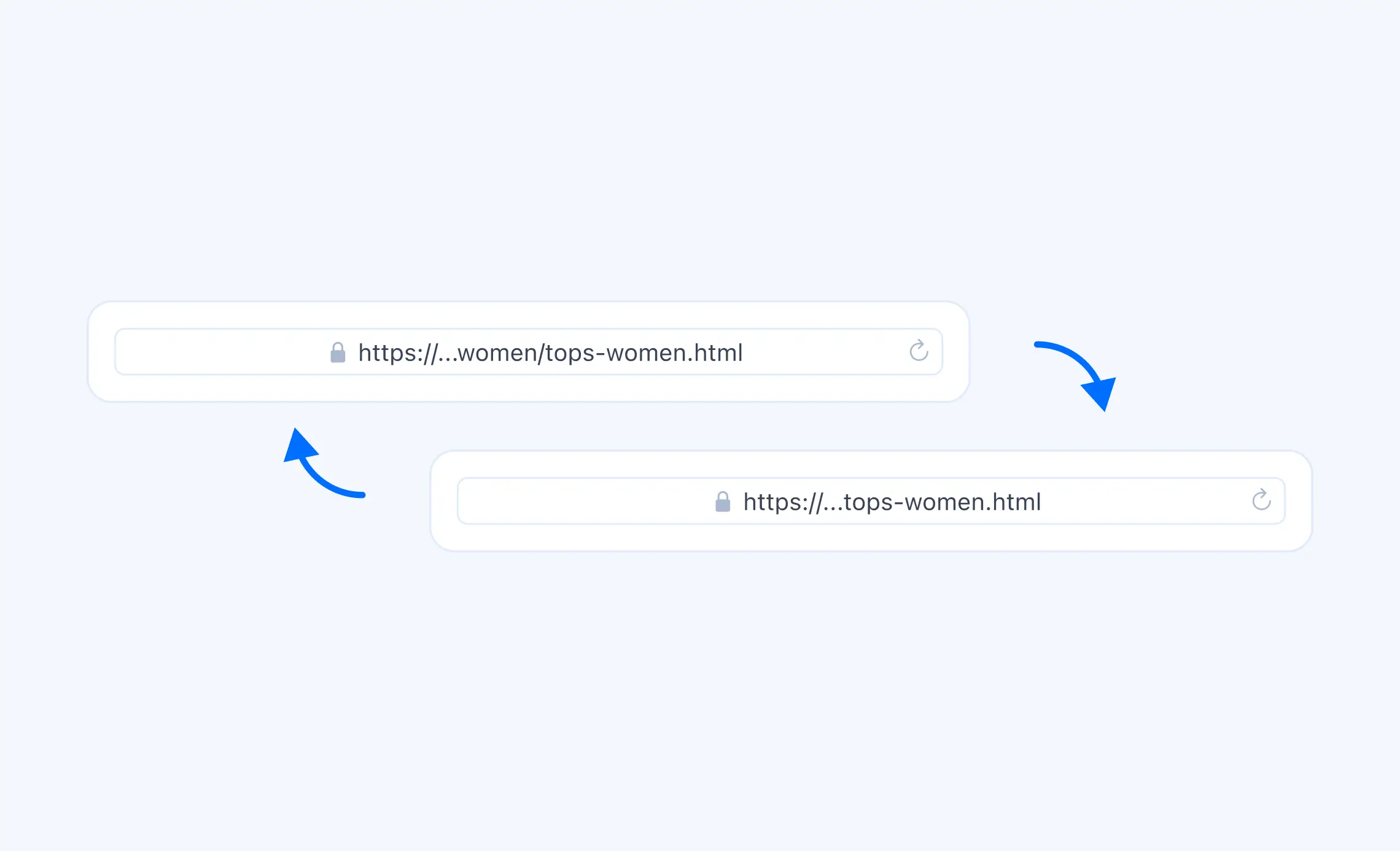
Canonical Tags (preferred page version)
Canonical tags reduce duplicate content issues and consolidate ranking signals to the “main” version of a page. The docs include quick verification steps (view source, find canonical).
Why it matters
Avoids wasted crawl budget and diluted rankings
Social sharing that actually looks good
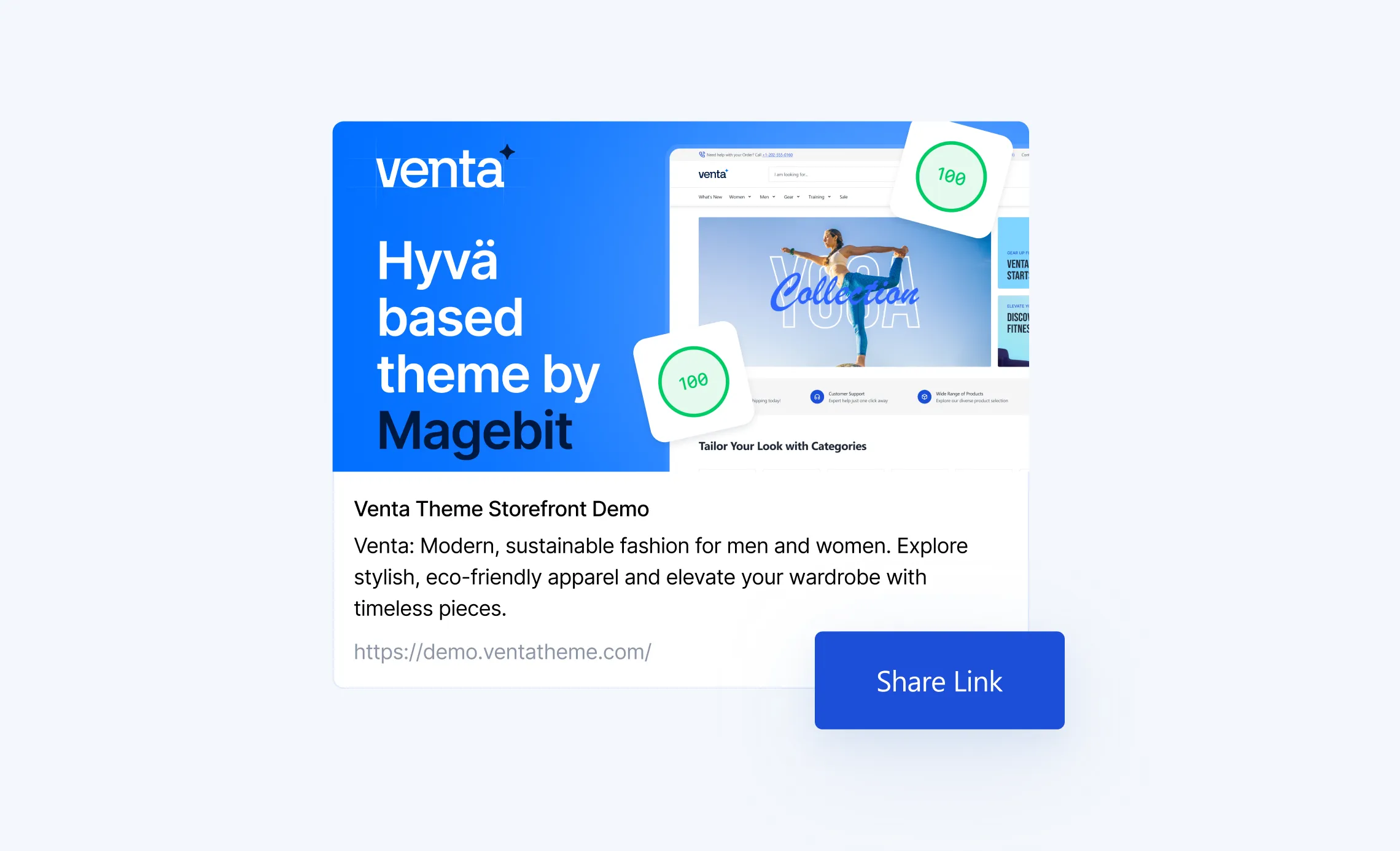
OG Tags + Twitter Cards (social media previews)
Adds and supports configuration of Open Graph and Twitter card metadata, so your pages look consistent when shared across Facebook, LinkedIn, X, etc. It also includes guidance for testing via OG validators and browser extensions.
Why it matters
Higher click-through from social, better brand consistency
Fewer “wrong image/title” shares
UX and polish that still impacts SEO indirectly
Apple Touch Icons (iOS bookmarks and home screen)
Defines Apple touch icons for a more “app-like” experience when users save the site on iPhone/iPad.
Why it matters
Brand polish
Trust
Better returning-user experience
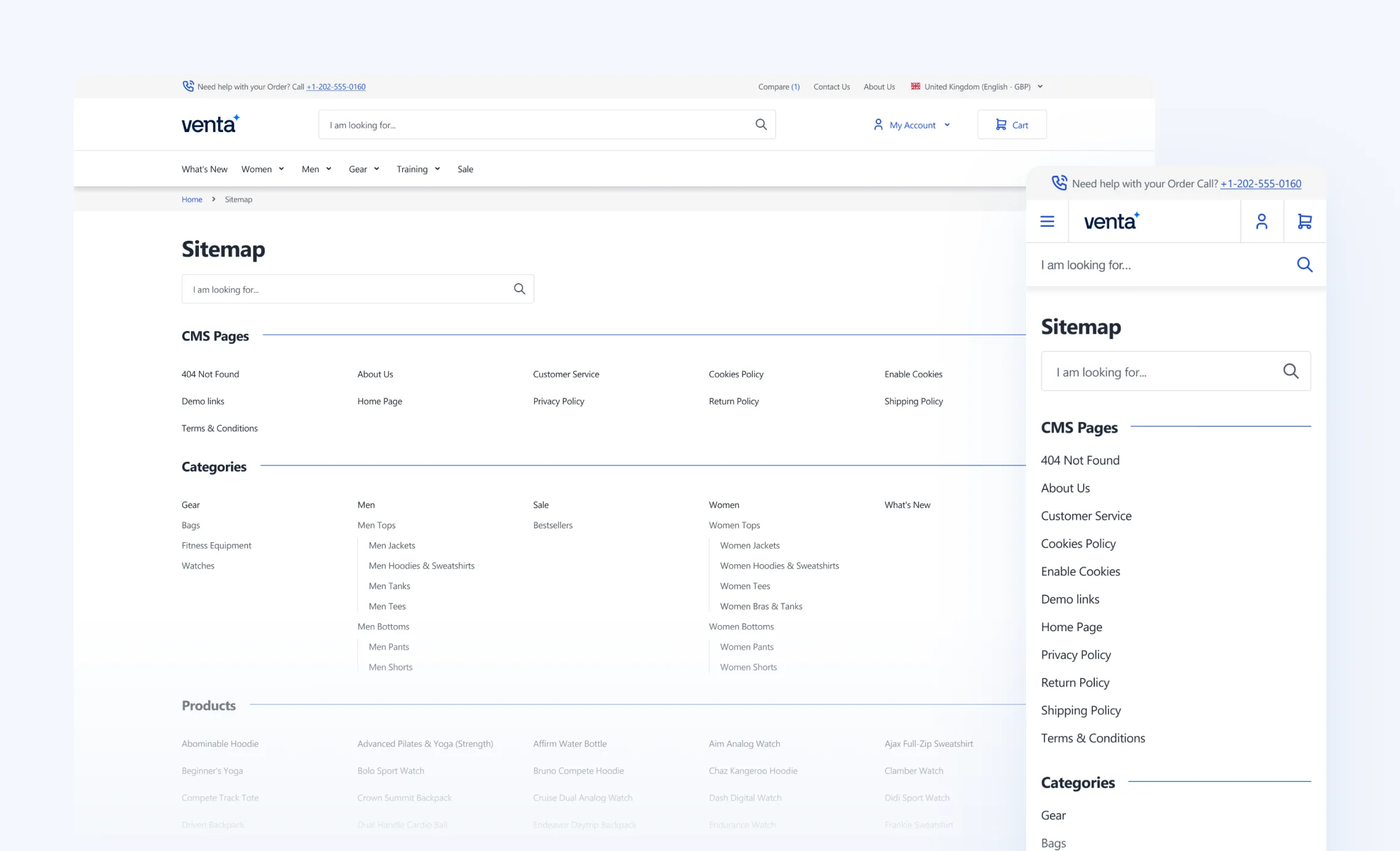
HTML Sitemap (human-friendly sitemap page)
Generates a clickable HTML sitemap at /sitemap when enabled, useful for users and internal linking structure. Docs also explain how to verify if it’s enabled.
Why it matters
Improves content discovery and internal linking especially on large catalogs
Venta GDPR Extension
Venta includes the Magebit GDPR Extension, a practical compliance toolkit built for real stores, not just a basic cookie banner. It helps you manage cookie consent properly, keep an audit trail, and give customers clear privacy controls, while staying consistent with the Venta, Hyvä storefront UX.
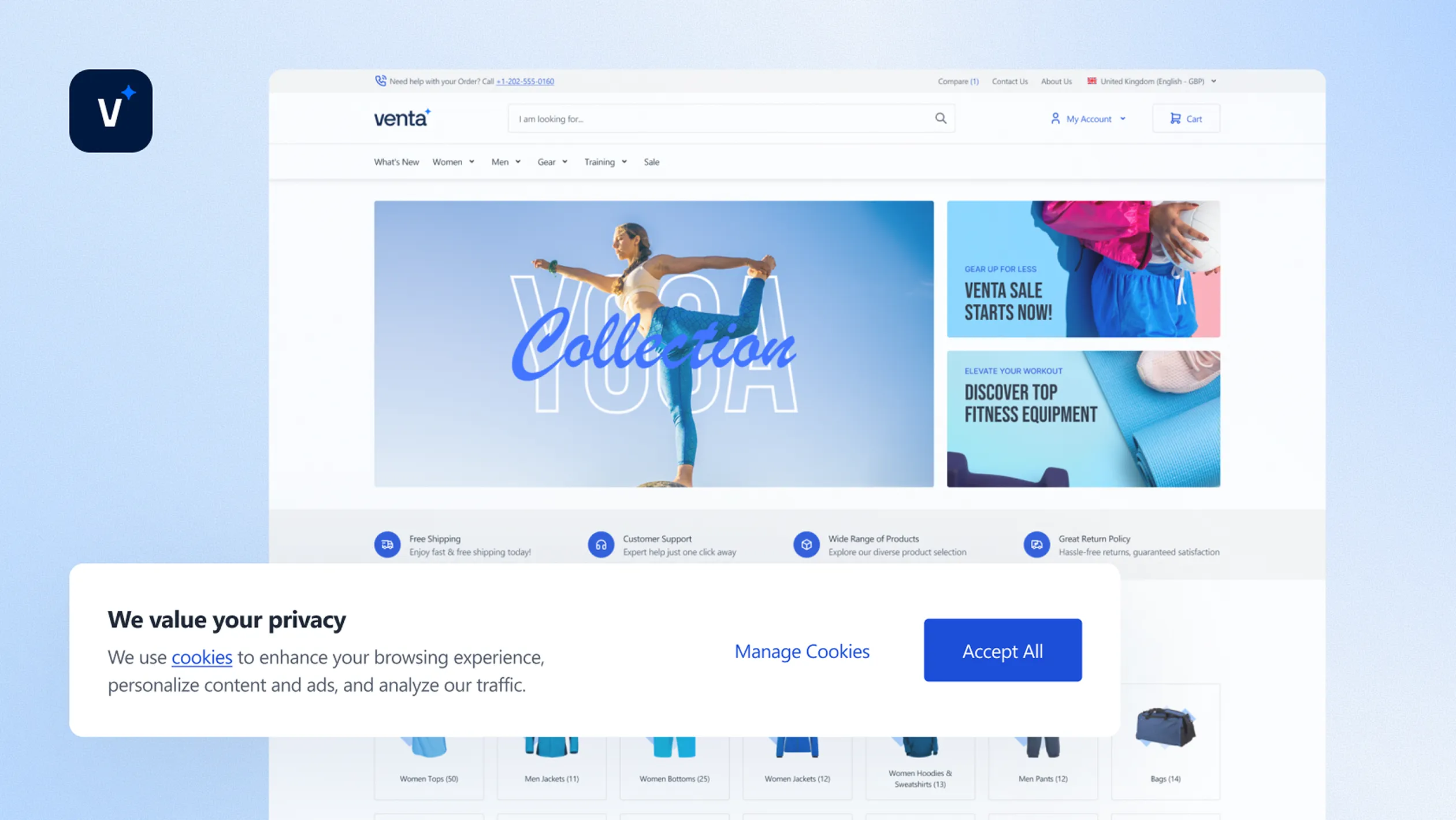
Cookie consent banner with real preference controls
The extension provides a configurable cookie bar with Accept, Decline, and Custom settings, so customers can manage consent by cookie group, instead of a single yes/no click. Preferences can be updated later using a storefront button, so shoppers stay in control without hunting for a hidden settings page.
What you can customize
Labels
Positioning
Styling to match your brand
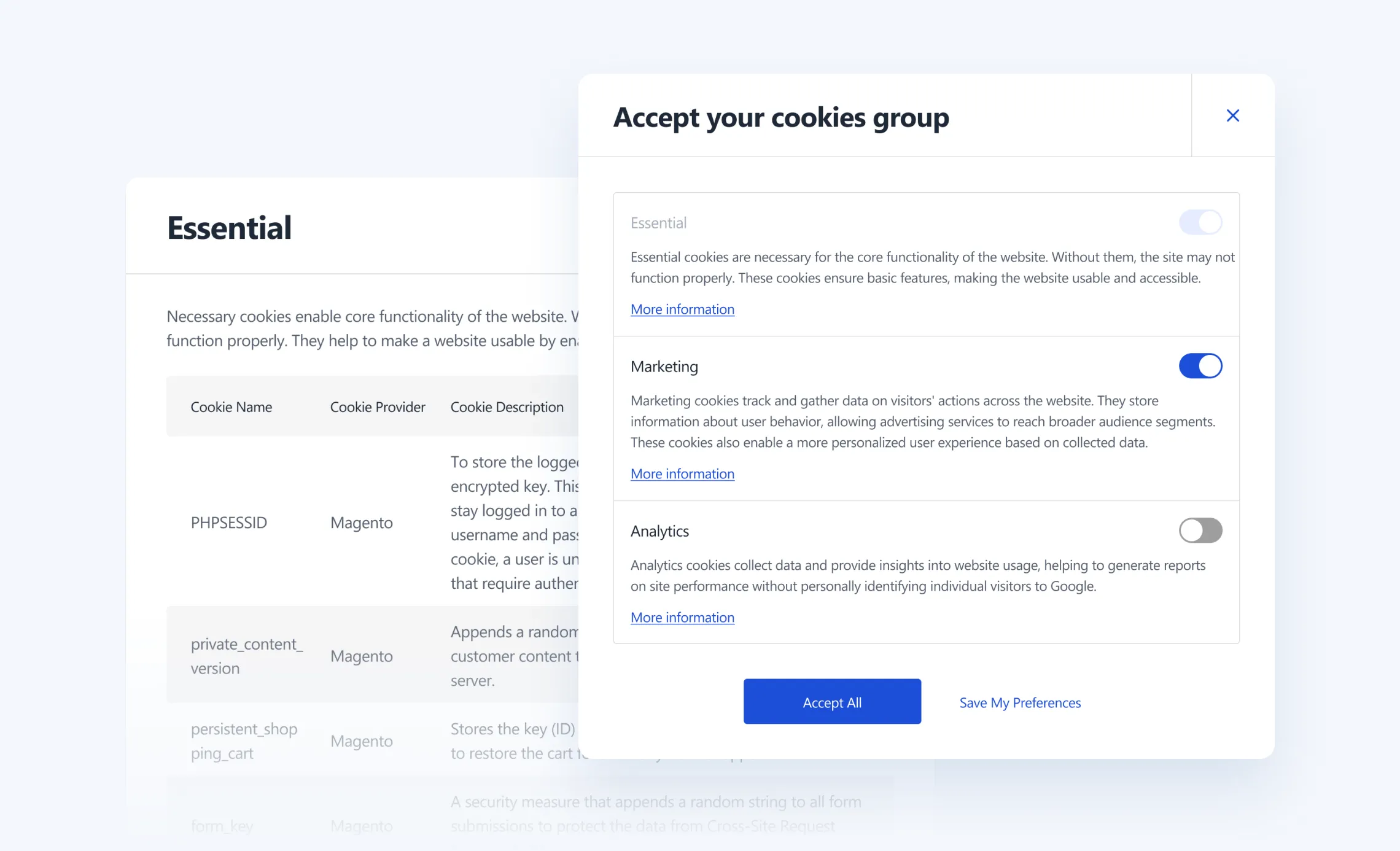
Cookie groups, clear structure and transparency
Cookies can be organized into groups (like Analytics, Marketing, Functional, Preference), each with its own description and cookie list. This makes consent easier to understand for customers and easier to manage internally.
Admin control
Manage cookies and cookie groups in dedicated admin grids.
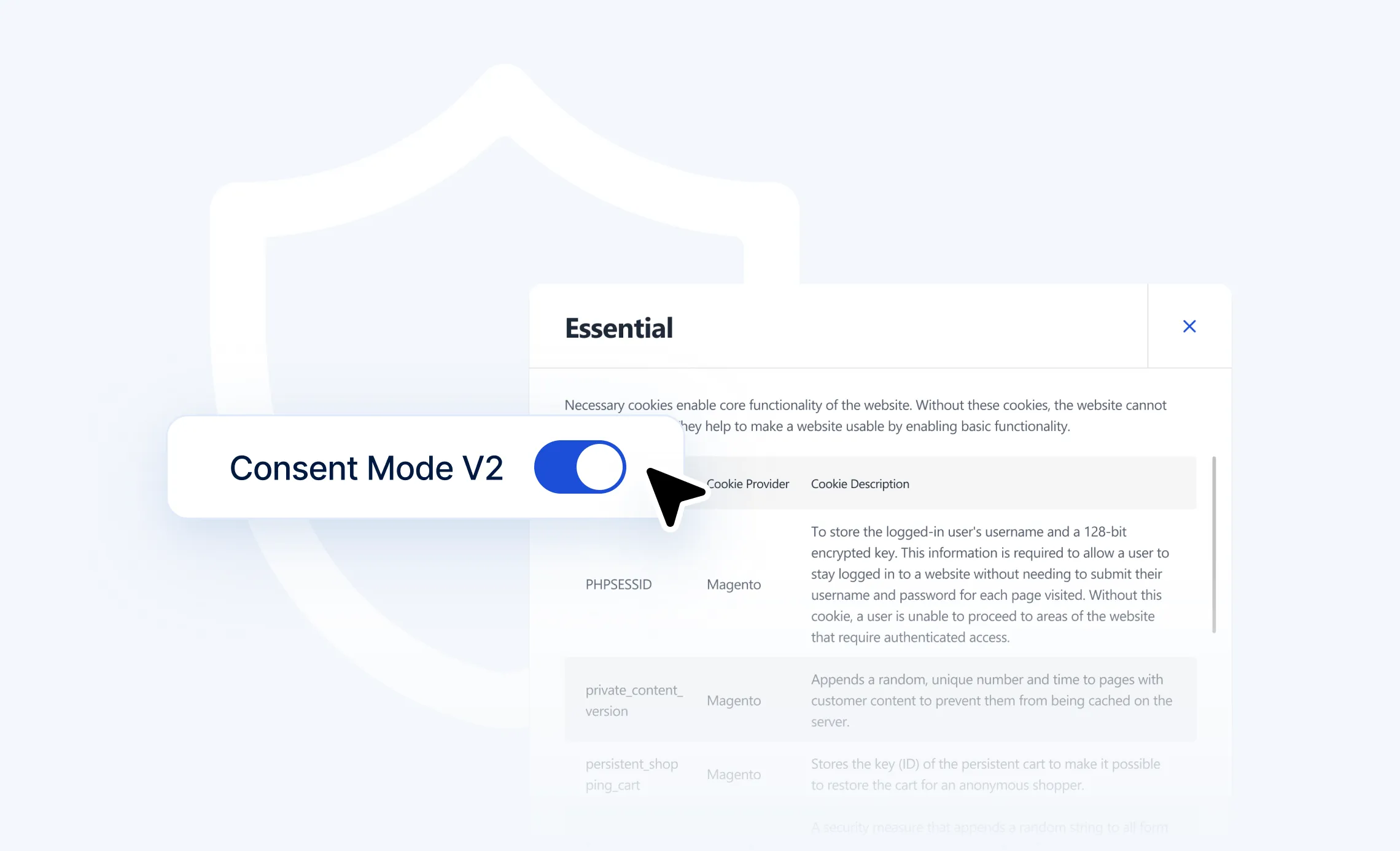
Consent Mode support, better privacy defaults
The extension includes Consent Mode V2 configuration, designed to control the default state for Google services and adjust tracking behavior based on the user’s consent choices. This is important for stores that rely on analytics and marketing tools but still want to keep privacy handling clean.
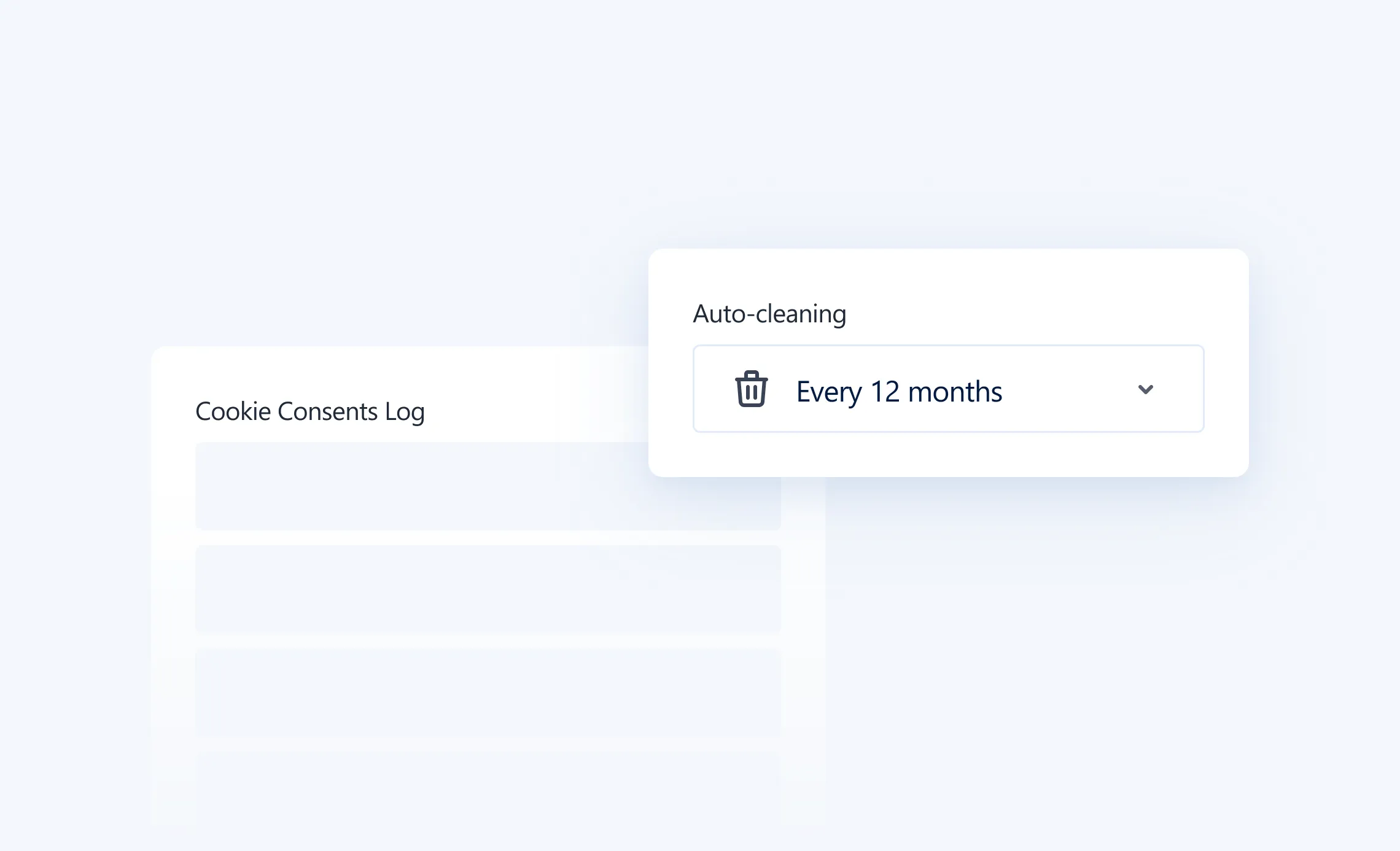
Consent logging, audit trail, and retention controls
Every consent decision can be stored in a Cookie Consents Log, including consent status, date, and technical data required for compliance auditing. You can also configure retention and auto-cleaning intervals to avoid keeping consent logs longer than needed.
Admin access
Magebit GDPR → Cookie Consents Log
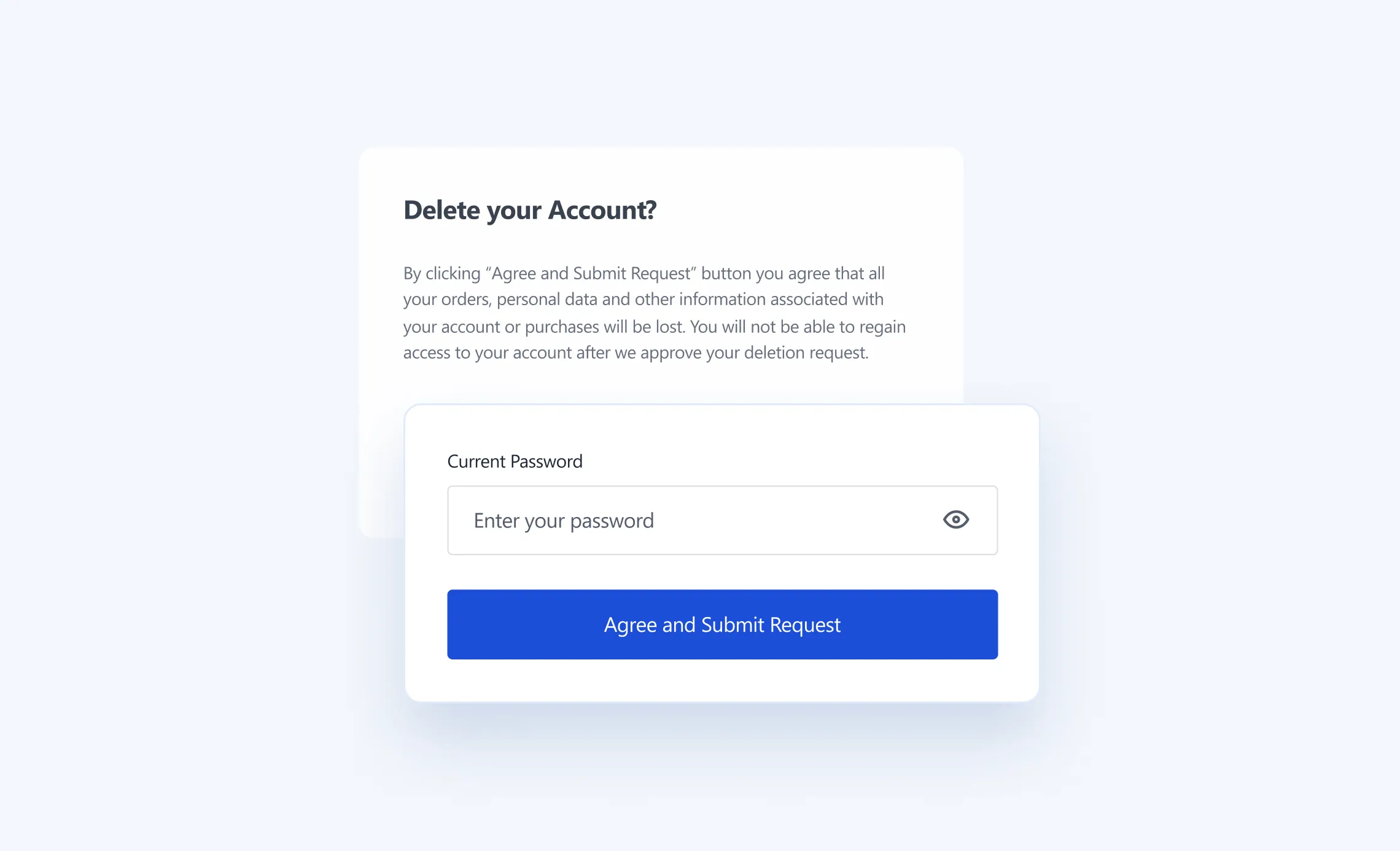
Account deletion requests
Customers can request account deletion directly from their account area, with clear messaging about timeline, confirmation, and cancellation options. This supports common GDPR expectations around user data control.
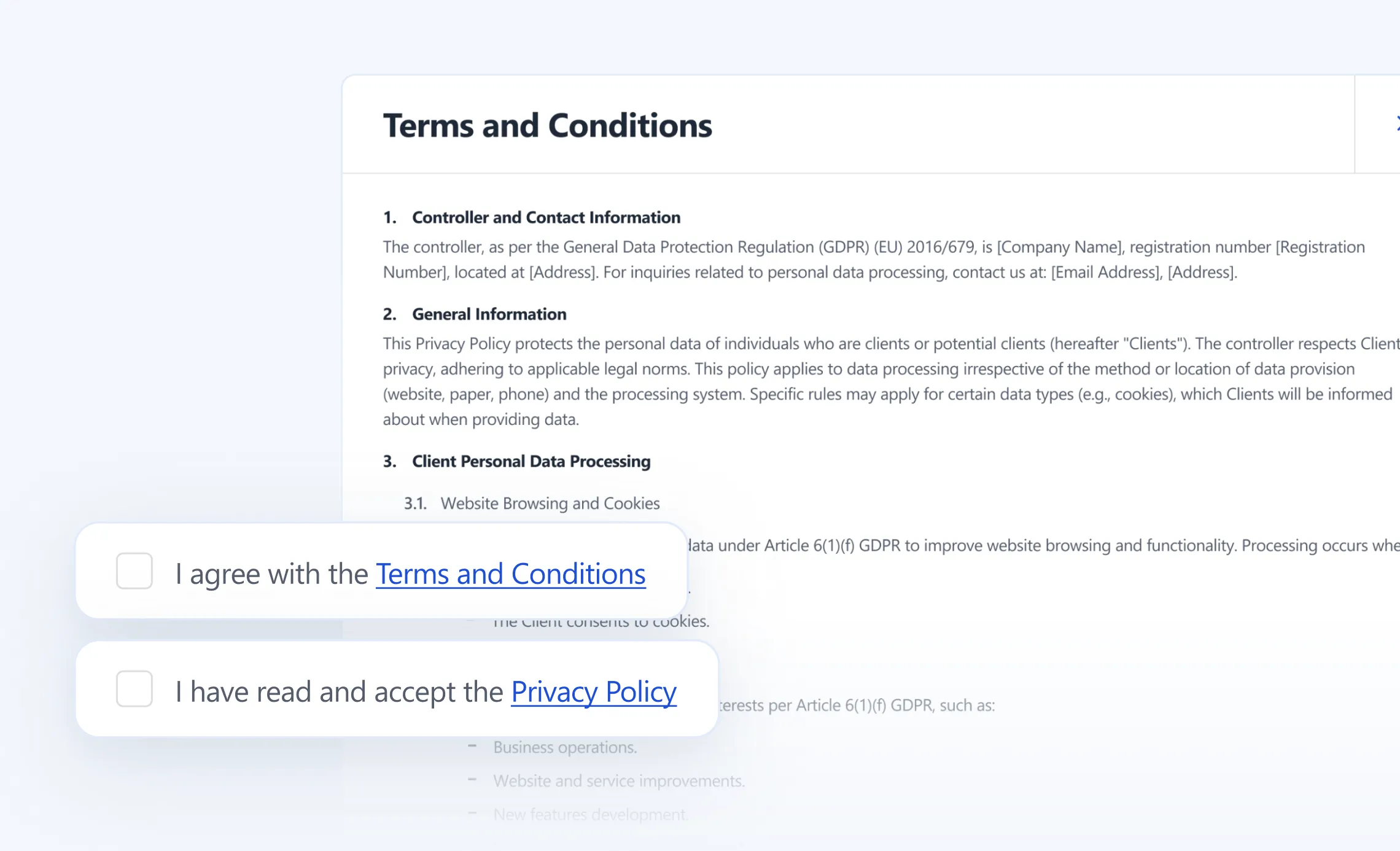
Terms and Conditions checkbox on account creation
If needed, you can add a required checkbox during account creation, ensuring users explicitly agree to your terms as part of the signup flow.
Where it’s managed
Main configuration
Stores → Settings → Configuration → Magebit
Cookies
Magebit GDPR → Cookies
Cookie groups
Magebit GDPR → Cookie Groups
Consent audit log
Magebit GDPR → Cookie Consents Log
Venta Tracking
Venta includes the Magebit Tracking Extension, built to make analytics more accurate, faster, and more resilient than classic “just drop a bunch of pixels in the browser” setups. The core idea is server-side tagging, so you collect first-party data, reduce script load in the browser, and keep tracking working even when ad blockers or browser privacy rules get in the way.
Why it matters for merchants
If your tracking is off, you end up making decisions based on incomplete data, campaigns mis-attribute conversions, and you waste budget. The Tracking Extension is designed to solve the common problems: data loss from blockers, buggy events, broken Google Ads attribution, and performance hit from too many client-side scripts.
Key capabilities
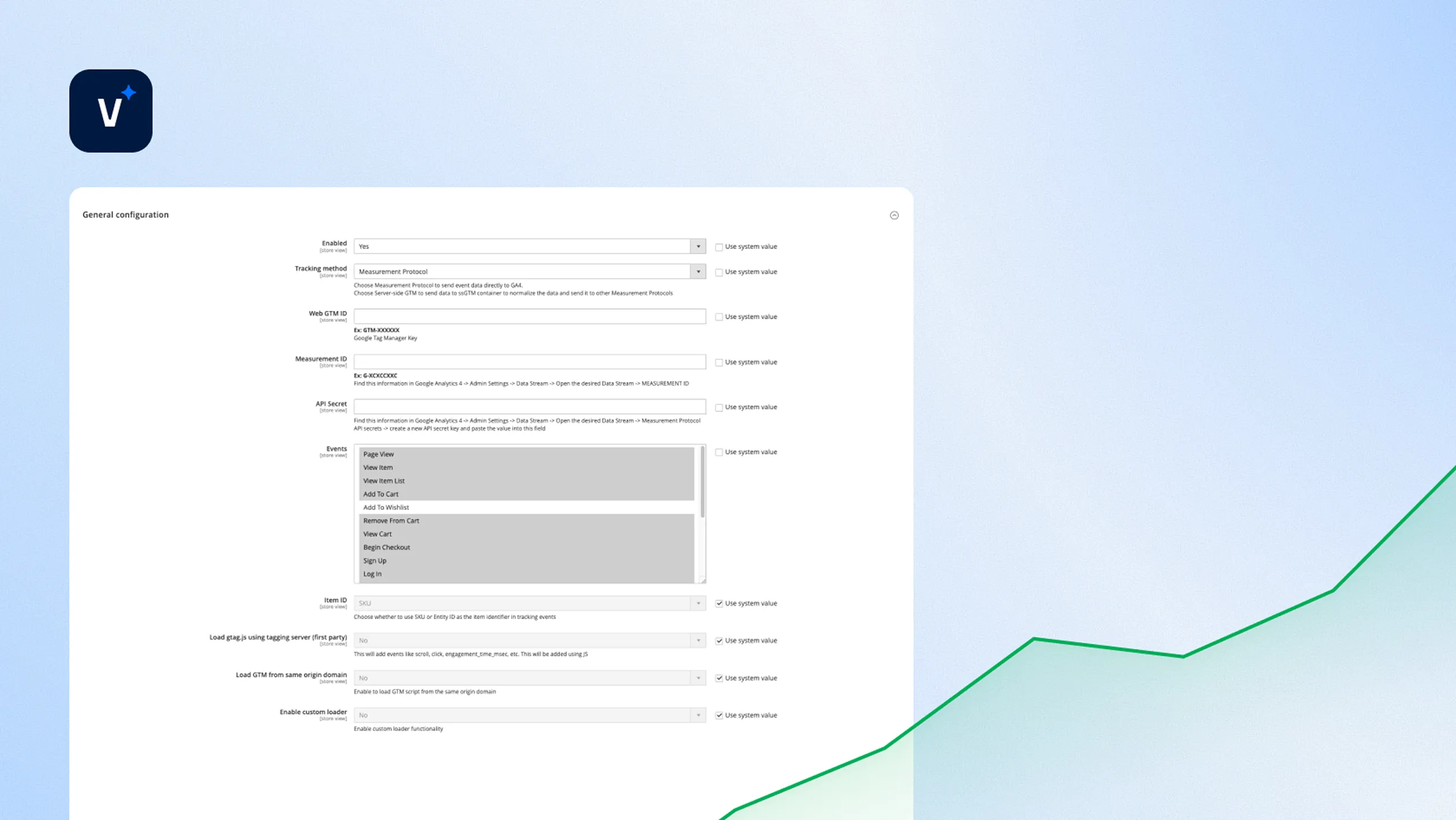
Server-side tagging for better accuracy and performance
Storefront performance benefits — Fewer browser scripts, tracking handled on the server
Higher tracking reliability — First-party collection is harder to block, and typical server-side accuracy is noted as ~70–90%, with projects reaching 90%+ depending on setup
Two implementation routes, pick what matches the client needs
Measurement Protocol (GA4 direct)
Best when the client only needs GA4 event tracking.
Fastest setup, sends data directly to GA4 without loading gtm.js.
Limitations
You can’t reuse the same events for other platforms (Meta, Twitter), and Enhanced Conversions, Google Ads improvements do not apply in this mode.
Server-side GTM
Recommended for serious marketing stacks
Events are sent to a server-side GTM endpoint, then distributed to GA4 and other measurement protocols, including Google Ads use cases.
Core Web Vitals tracking, plus user engagement signals
You can enable tracking for Core Web Vitals metrics, including CLS, LCP, INP, and optionally user engagement events, so you see performance and behavior together.
Enhanced Conversions support
When using the server-side GTM route, you can enable Enhanced Conversions and send them through the dataLayer for improved ads tracking accuracy.
Including an extended testing guide, plus GTM preview workflow.
Setup notes
Hosting option for server-side GTM
Docs describe using Stape as a practical way to host server-side GTM, including plan considerations for production traffic.
What you actually configure
In Magento you select the tracking method, enter GTM key, choose events, optionally enable CWV and engagement events, enable first-party loading for gtag.js, set the server-side GTM endpoint, configure conversion events in DataLayer, then flush cache.
CSP considerations
If the tagging server is not under the same domain, you may need to allow it via CSP rules, the docs reference using a CSP approach or a dedicated helper extension.
Venta Out-of-Stock Notifications
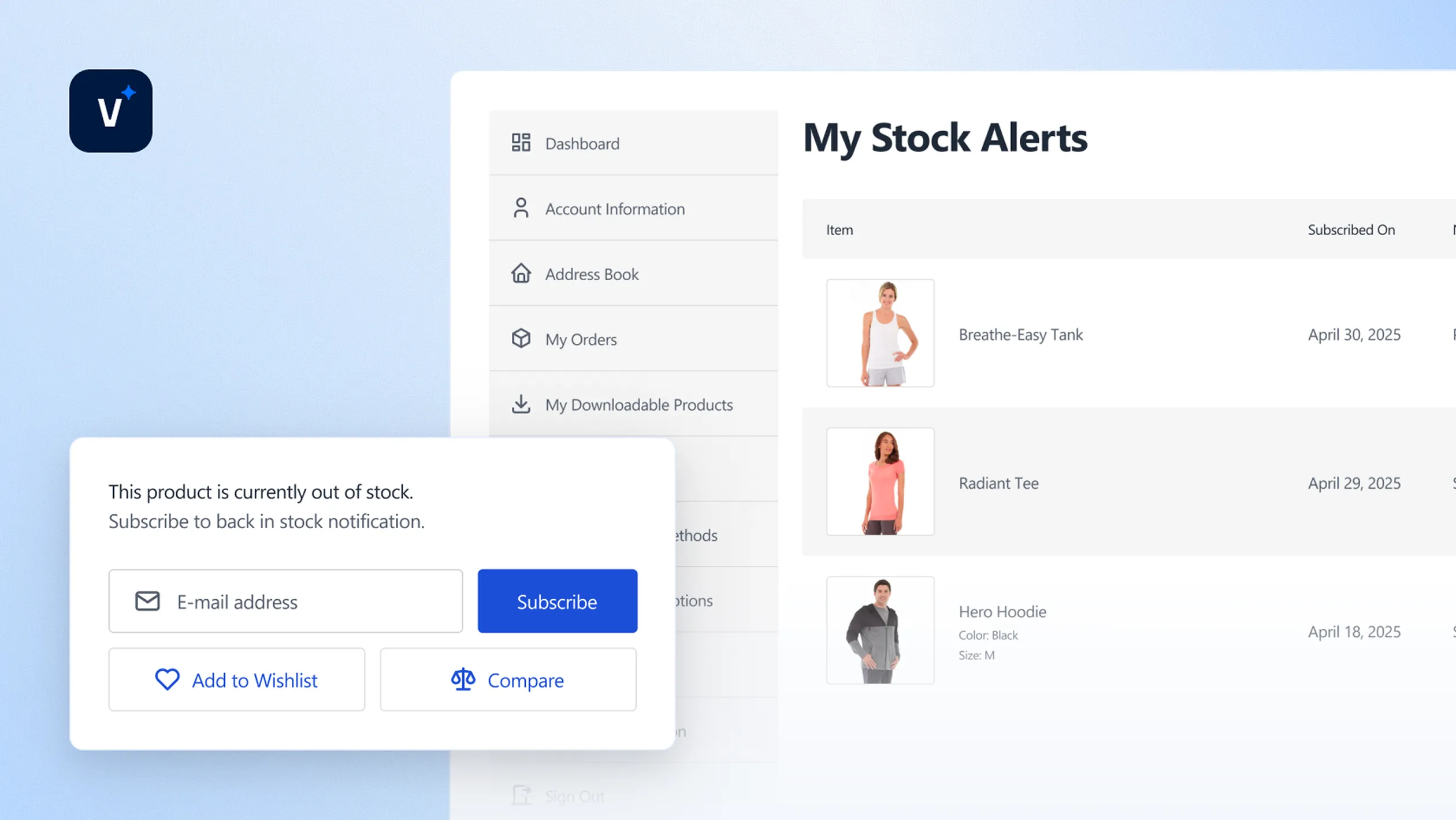
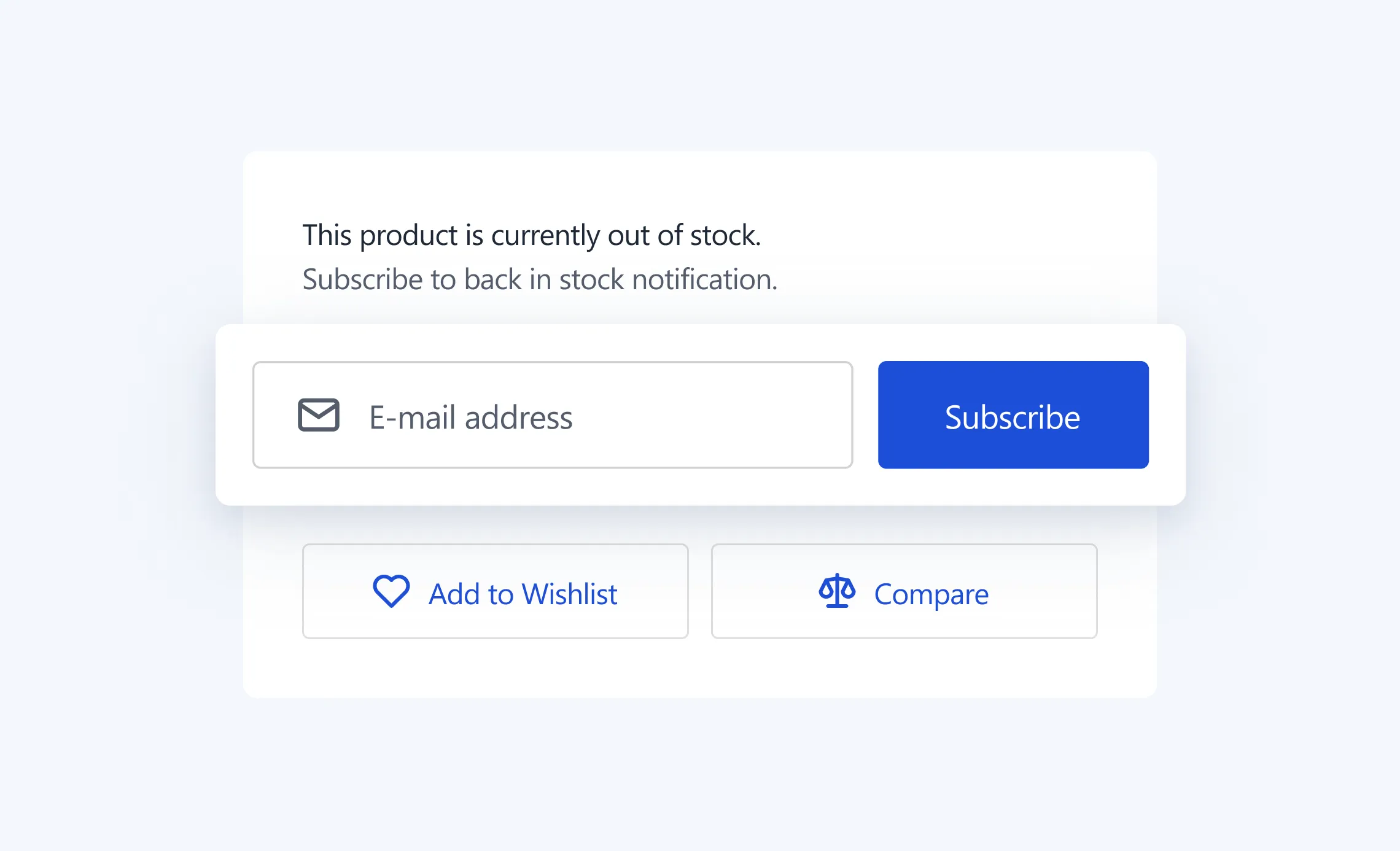
Out-of-stock products are usually dead ends. Venta turns them into future revenue by letting shoppers subscribe to back-in-stock alerts right from the PDP and PLP, then automatically emailing them when the product is available again. It supports both guests and logged-in customers, and it is built on Magento’s native Product Alerts, but with a Venta, Hyvä-optimised UX using Tailwind CSS and AlpineJS.
What customers see on the storefront
Product Detail Page, fast subscribe flow
Guests get a simple email field with validation and a Subscribe button
Logged-in customers get one-click Subscribe and Unsubscribe
Simple + configurable products supported, including variant-level subscription when a specific configurable option is selected.
Works with Venta’s sticky bar, so mobile users can hit “Notify me” even after scrolling, then it guides them back to the subscription form.
Product Listing Pages, capture demand earlier
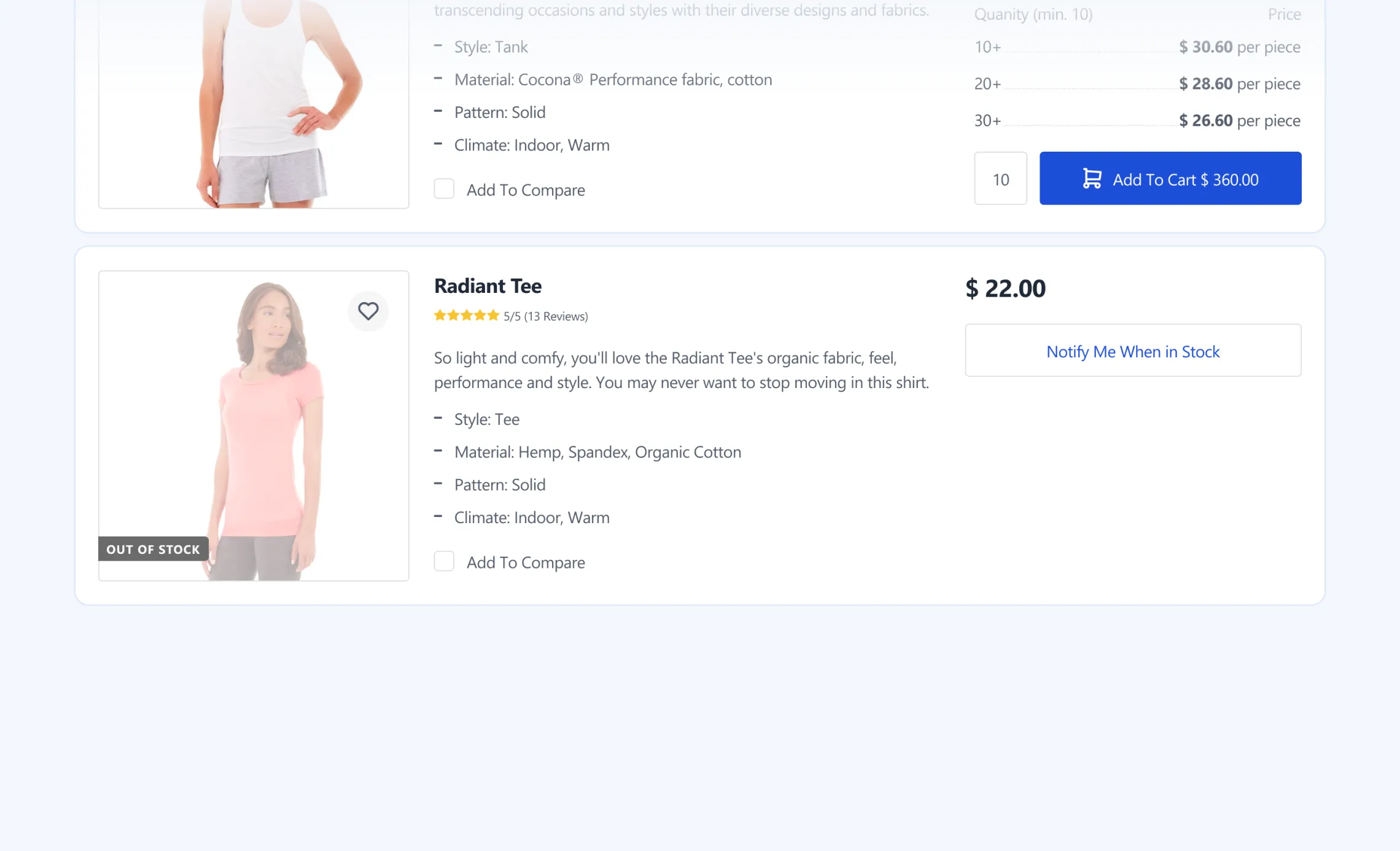
Out-of-stock products get a visual overlay plus a Notify Me button, instead of a passive “Out of stock” label.
Logged-in users can subscribe and unsubscribe via AJAX, without page refresh.
Guests are directed to PDP to subscribe, where they submit their email.
My Account, manage subscriptions
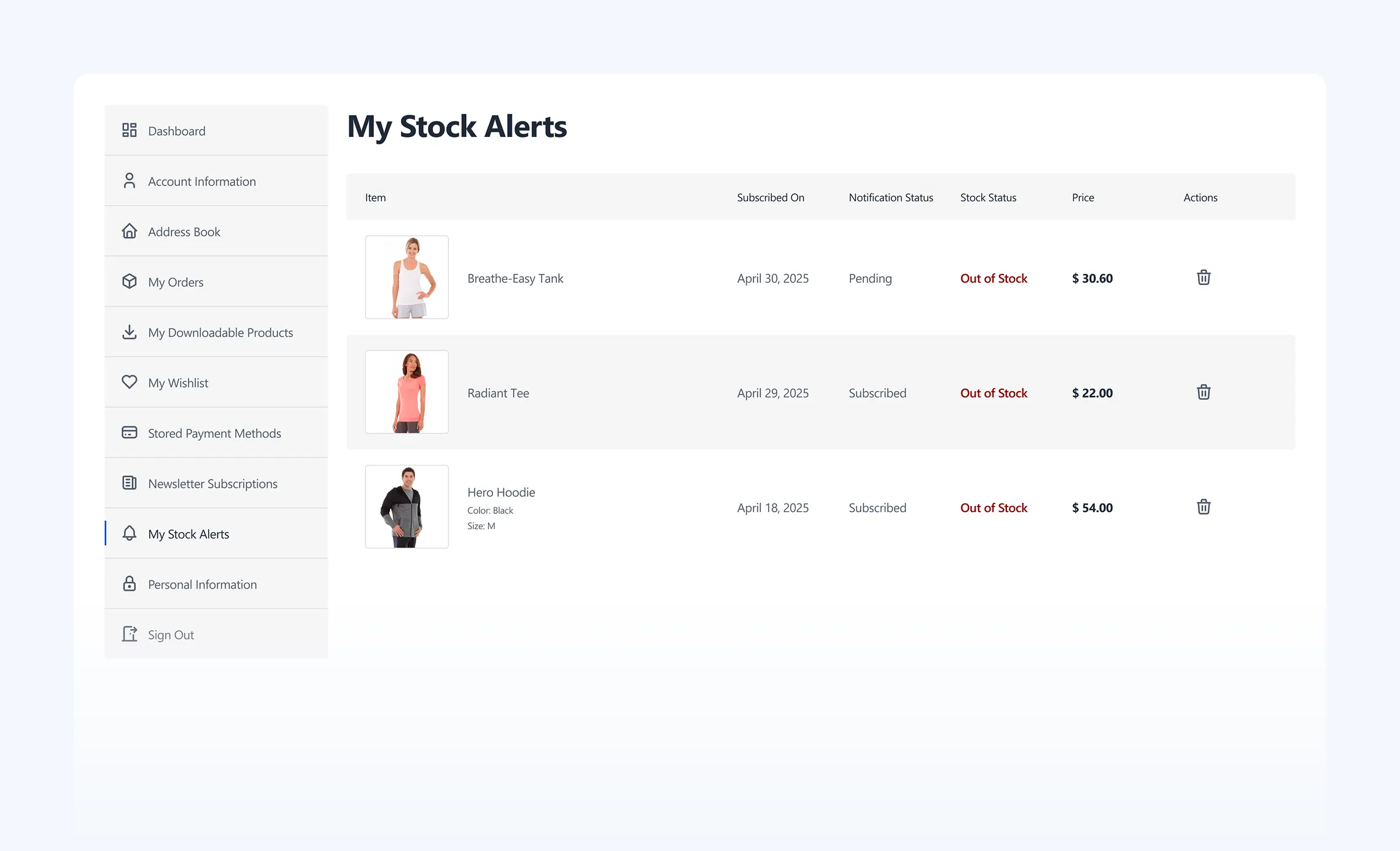
Customers get a dedicated My Stock Alerts section where they see all active subscriptions, including variant details, and can unsubscribe per product.
Email notifications that do not annoy customers
Emails are triggered automatically when subscribed products come back in stock.
Multiple products can be grouped into a single email, reducing spam and keeping the message clean.
Emails include product info, images, and links back to the product page.
Unsubscribe links are included for guests and logged-in customers, including an option to unsubscribe from all alerts.
You can set reminder frequency options, like send only once, daily, weekly, biweekly, monthly.
Merchant and admin controls
Configuration
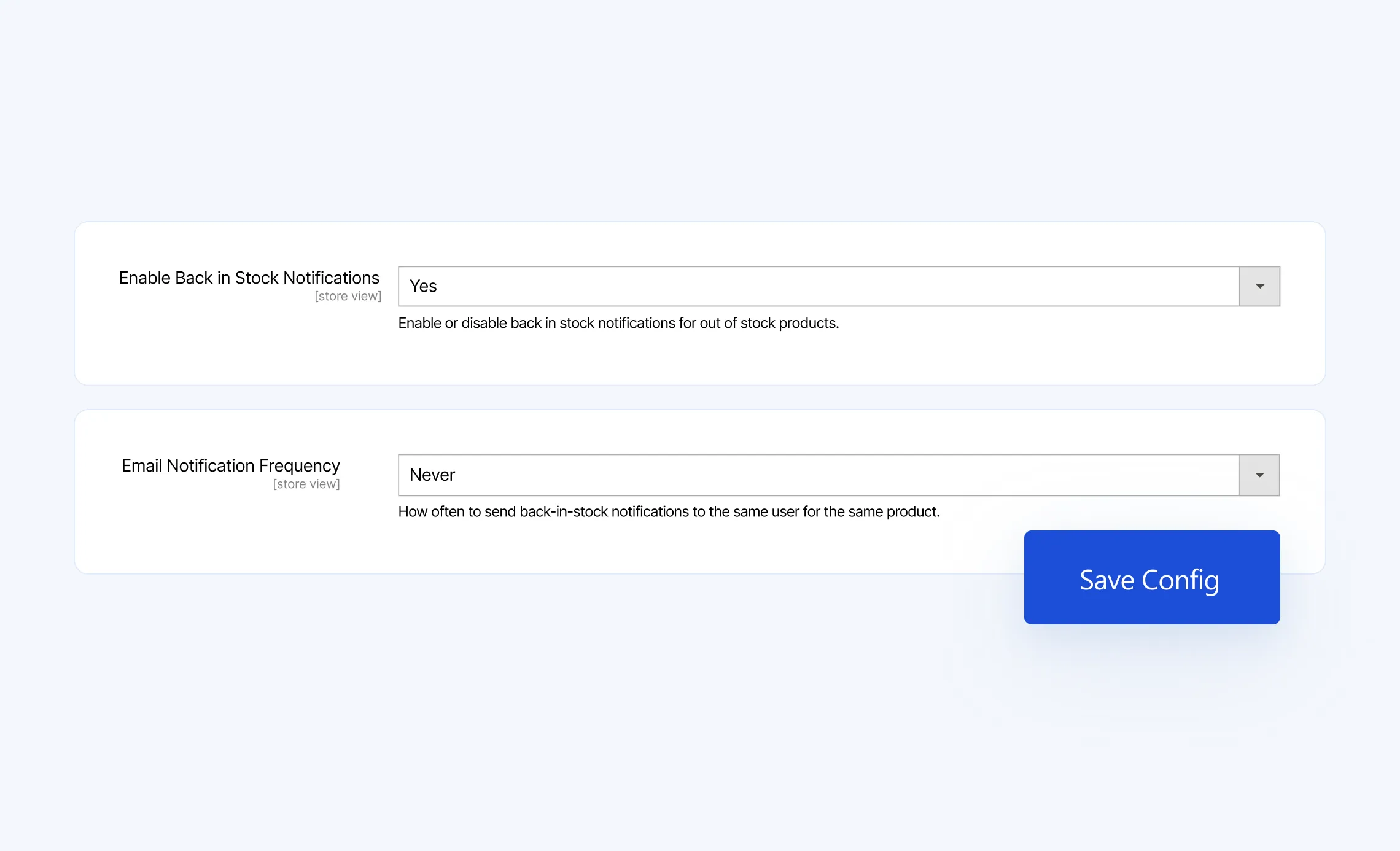
Stores → Configuration → Magebit → Out Of Stock Notifications
Notifications
Enable Back in Stock Notifications
Set Email Notification Frequency, Never, Daily, Weekly, Biweekly, Monthly
Admin dashboards for visibility and cleanup
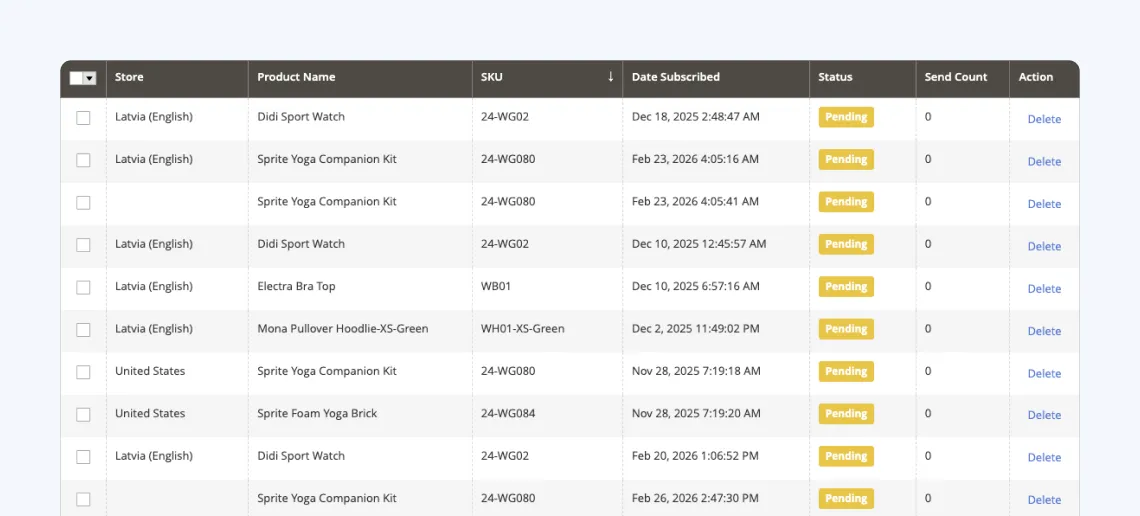
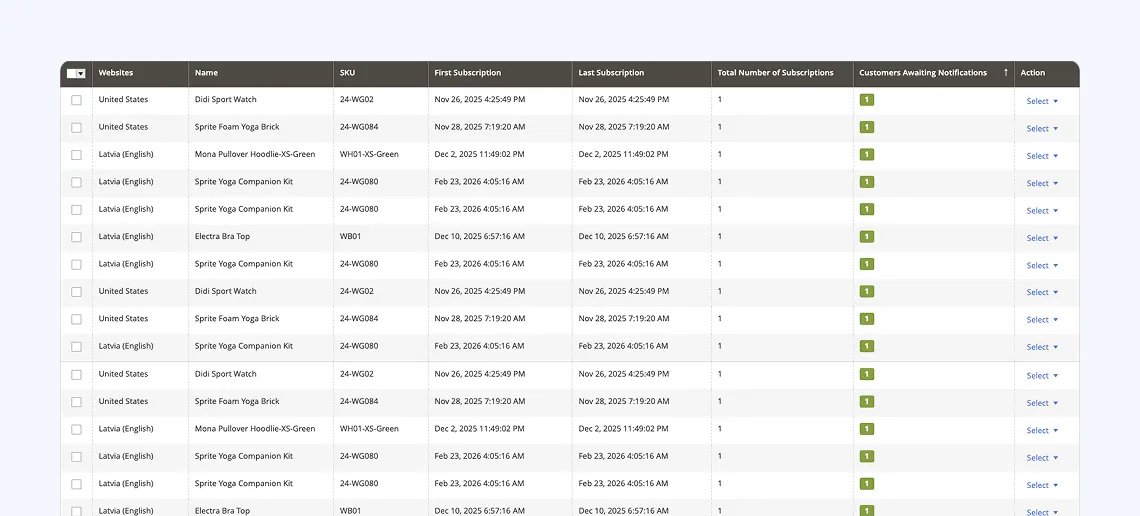
Marketing → Venta Stock Alerts
You get two grids
Products Stock Alerts
Shows which products have demand and how many active subscriptions, plus actions like send notifications manually or delete subscriptions
Out of Stock Subscriptions
A detailed list of individual subscriptions with mass delete actions
Business benefits
Recover lost sales
Turn stockouts into queued demand
Better customer experience
Shoppers do not need to keep checking the site
Lightweight and scalable
Built with Tailwind and AlpineJS, emails use asynchronous processing so it handles high volume.
Demand insight for buying and replenishment
Subscription counts highlight high-demand products and variants
Lower support load
Fewer “when is it back” questions
Join the Businesses Already Using Venta Theme
Faster site, stronger conversions
+14%
Conversion rate (week-over-week)
+3.8%
More total orders
+42%
SEO-driven orders
From phone orders to online growth
+12%
MoM conversion rate & order value
+18%
Traffic growth
+300
New online leads for custom services
Record-breaking sales powered by Hyvä
+14%
Revenue
+46%
Returning customers
+23%
Traffic
From slow UX to competitive advantage
+42%
SEO-driven orders
+14%
Revenue
17.41%
Conversion rate (previously 15%)
Faster performance for a premium shopping experience
No. Venta is built on top of Hyvä. You still use Hyvä as the frontend foundation, and Venta adds premium UX, design assets, and bundled extensions.
What makes Venta different from other Magento/Adobe Commerce themes?
Other themes are usually Luma-based, slow, or not Hyvä-compatible. Venta is the first premium Hyvä-based theme, optimized for Core Web Vitals, and comes with 200+ Figma files, SEO, GDPR, and Out-of-Stock extensions.
What’s included in the Figma kit?
Over 200 desktop and mobile views covering every core storefront page and state — giving your designers and developers a complete reference for build and customization.
Does Venta come with support and updates?
Yes. A license includes versioned releases and active updates. Extended support options are available depending on your package.
Can I customize Venta to match my brand?
Absolutely. Venta is designed as a flexible starting point. You can adjust colors, fonts, layouts, and components to fit your brand.
Will Venta slow down my site?
No. Venta is built on Hyvä’s lightweight frontend and optimized for performance. In fact, most merchants see speed and UX improvements compared to default Magento themes.
Do I need to buy Hyvä separately?
Yes. Hyvä Theme and Hyvä Checkout licenses are separate purchases. Venta is a premium add-on layer that enhances them.
Is the code encrypted or obfuscated?
No. Venta is 100% open source. Your developers have full access to all code.
Does Venta work with all Hyvä-compatible extensions?
Yes. Venta is fully compatible with the Hyvä ecosystem, including Hyvä Theme, Hyvä Checkout, Hyvä Commerce, and Hyvä Enterprise.
Can I use Venta with Magento Open Source and Adobe Commerce Cloud?
Yes. Venta works with Magento Open Source, Adobe Commerce (on-premise), and Adobe Commerce Cloud.
Version v1.7.2.1
1.7.2.1
September 8, 2026
Added
.cms-rich-text shares the [data-content-type='html'] text, list and table styling for CMS content that is not a Page Builder content type (web/tailwind/components/content.css)
> [!WARNING]
> Before upgrading Venta Theme on your own, read **[Updating to Venta Theme 1.7.2](https://docs.ventatheme.com/getting-started/updating-to-1.7.2.html)**.
Added
hyva-themes/commerce composer suggest entry in the theme composer.json
Added boxtwentytwo/module-cloudflare-turnstile as a suggested package
Added an override of the Turnstile script loader that gates on the configured type rather than the saved site key (BoxTwentyTwo_CloudflareTurnstile::hyva/js/script_loader.phtml)
Changed
The header no longer loads the quote — the unused Cart\Items view model is gone from Magento_Theme/templates/html/header.phtml
Changed the Google reCAPTCHA script loader to load only when a form uses a Google captcha type (Magento_ReCaptchaFrontendUi::js/script_loader.phtml)
Changed both captcha script loaders to track their own load state instead of window.grecaptcha, which Turnstile's compat mode also defines
Moved the captcha field out of the newsletter input row so an invisible widget no longer adds a gap (Magento_Newsletter/templates/subscribe.phtml)
Product tab e2e test titles updated to the demo store set (Returns, Warranty, Delivery, Payment Methods) in element-identifiers.json
Updated hyva-themes/magento2-hyva-checkout from 1.3.12 to 1.3.13 in root and theme composer.json
Removed
Removed unused .shimmer-shine-sm styles from shimmer.css
Fixed
Fixed PDP gallery video cover to fill the gallery container, cropped to the image slides' aspect ratio
Fixed the footer copyright bar drifting left when no captcha disclosure is rendered (Magento_Theme/templates/html/footer.phtml)
Removed the horizontal padding PageBuilder row appearances add inside CMS page content under the standard page main container
Fixed the cart drawer bfcache handler binding, replacing the Alpine 2 x-spread with x-bind in cart-drawer.phtml
Added pageshow state resets to the customer menu, authentication popup, and messages components so pages restored from bfcache do not show stale state
Added a pageshow reset for the mobile menu stores in menu.js so a page restored from bfcache does not keep the menu open with body scroll locked
Added a global bfcache guard in bfcache.js that re-syncs customer section data on every restore and reloads restored private pages (Safari keeps them in bfcache despite no-store)
Fixed PLP list mode swatch rows ignoring the attribute swatch limits, so list mode now shows the configured number of swatches with the \"+N\" overflow link in Magento_Swatches/templates/product/listing/renderer.phtml
Fixed PLP list mode swatch sizing and spacing to match the design: 44px swatches with 8px gaps on mobile, 20px between swatch attributes, no top margin on the swatch column, and the swatch border now sits inside the design's inset so five swatches fit one row on desktop
Fixed shimmer loading placeholders disappearing when prefers-reduced-motion is enabled
Fixed the product review form reading back its reCAPTCHA token under the account creation form id, which showed a false \"token element is missing\" error when reCAPTCHA was disabled for reviews (Magento_Review/templates/form.phtml)
Fixed overlays not blocking background scrolling on touch devices, where the overflow: hidden body lock is ignored, by freezing the body at its scroll offset while locked (Magento_Theme/templates/page/js/body-locker-init.phtml, web/tailwind/theme/layout.css)
Fixed the page jumping back to the top when the mobile menu was closed, caused by returning focus to the menu toggle without preventScroll (web/tailwind/js/bundle/menu.js)
Fixed mobile menu subcategory panels cutting off items with no way to scroll when a category has more children than the drawer fits (Magento_Theme/templates/html/header/topmenu.phtml)
> [!WARNING]
> Before upgrading Venta Theme on your own, read **[Updating to Venta Theme 1.7.1](https://docs.ventatheme.com/getting-started/updating-to-1.7.1.html)**.
Added
The selected sort order, direction and items-per-page are saved in the product_list_toolbar_preferences localStorage entry on toolbar change in Magento_Catalog/templates/product/list/js/init-toolbar-js.phtml
Stored sort/limit preferences are applied to category page URLs before first paint by Magento_Catalog/templates/product/list/js/toolbar-preferences-js.phtml in ; explicit product_list_order/product_list_limit URL parameters take precedence, and categories with the \"Static block only\" display mode are skipped
Preferences are written directly to window.localStorage, matching the storage the pre-paint restore scripts read
Added Playwright coverage for gallery image loading, the fullscreen dialog, the hero reveal and the sticky bar fallback (web/playwright/tests/gallery-*.spec.ts)
cms_image_hero, cms_image_banner, cms_image_tile and cms_image_inline image roles (with _mobile variants) for the CMS responsive image feature (etc/view.xml)
Added a placeholder image on the order success page and order view for items whose product no longer exists
Added the reCAPTCHA legal notice above the copyright bar in the footer (Magento_Theme/templates/html/footer.phtml)
Added cartHeartIconClass and cartHeartFilledClass getters for the cart button's scoped hover group (Magento_Catalog/templates/product/list/js/wishlist.phtml)
Changed
Grid/list view switching on the product list is now a client-side CSS class toggle with no page reload, AJAX request or URL change, in Magento_Catalog/templates/product/list/toolbar/viewmode.phtml and Magento_Catalog/templates/product/list/js/init-toolbar-js.phtml
The selected view mode is saved in the product_list_toolbar_preferences localStorage entry and restored before first paint by Magento_Catalog::product/list/js/view-mode-restore.phtml, rendered inside the products wrapper on the category and search product lists
List view is styled by the new mode-list Tailwind variant in web/tailwind/base/custom-variants.css, active under the wrapper's products-list class, with the overrides inline as mode-list: utilities in the card templates; web/tailwind/components/product.css keeps only the list price styling, scoped by products-grid-card, and matches the legacy list card layout
The grid card renders the list-only regions (mobile name header, short description, attribute list, compare checkbox, list add-to-cart/wishlist rows) inside wrappers hidden in grid mode and shown via mode-list:contents, in Magento_Catalog/templates/product/list/item-grid.phtml; the regions render only when the product list passes the show_description flag (mode switchable or list default), so widgets, carousels and grid-only stores keep the lean grid card
The list quantity input and the card compare checkbox ids carry a render salt so a product rendered more than once per page keeps unique DOM ids, in Magento_Catalog/templates/product/list/quantity.phtml, item-grid.phtml and the wishlist qty lookup in js/wishlist.phtml
The tier-price visibility and mobile action rows use CSP-safe Alpine components from the new Magento_Catalog/templates/product/list/js/product-card-actions.phtml; js/compare.phtml gains an onPrivateContentLoaded handler
The listing swatch renderer drops the is_list_mode flag, always renders all options (kept in the DOM under the grid visibility classes) and one legend, revealed in list mode via mode-list: utilities, in Magento_Swatches/templates/product/listing/renderer.phtml and Magento_Swatches/templates/product/swatch-item.phtml
Magento_Catalog/templates/product/list.phtml always renders the grid card, so every List Mode configuration gets the list layout and the legacy Magento_Catalog::product/list/item-list.phtml card is retained but no longer rendered
The view switcher and the client-side toggle are gated on the new products-mode-switchable wrapper class, so stores configured with a single view mode keep their configured layout, in Magento_Catalog/templates/product/list/toolbar/viewmode.phtml, .../js/init-toolbar-js.phtml and .../js/view-mode-restore.phtml
The Switch_from_grid_to_list_view Playwright test now asserts the wrapper class toggle and unchanged URL instead of the product_list_mode URL parameter, in web/playwright/tests/poms/frontend/category.page.ts
Changed the PDP gallery to render slides, thumbs and the fullscreen dialog through the image resizer with width descriptors and sizes (Magento_Catalog/templates/product/view/gallery.phtml)
Split the gallery template into , thumb-rail and fullscreen-dialog partials (Magento_Catalog/templates/product/view/gallery/)
Resized the gallery image roles for the measured slots and added a tablet band to the fullscreen role (etc/view.xml)
Moved the selected address to the first slot of the Checkout address list so exactly two addresses stay visible after selection (Hyva_Checkout/templates/default/checkout/address-view/address-list/grid.phtml)
Changed the wishlist heart class bindings on the cart Move to Wish List and shared wishlist buttons to CSP-safe component getters (Magento_Wishlist/templates/php-cart/item/renderer/actions/move_to_wishlist.phtml, Magento_Wishlist/templates/shared-add-to-button.phtml)
Removed
Removed the per-form reCAPTCHA legal notice from the login, login popup, registration, forgot password, account edit, newsletter, contact, coupon and product review forms
Removed the shared recaptcha_legal_notice block (Magento_ReCaptchaFrontendUi/layout/default.xml)
Fixed
The compare checkbox label spacing on product cards without a form root (out of stock, grouped, bundle) matches the saleable cards, in web/tailwind/theme/checkbox.css
Simple tier prices broke on products loaded by infinite scroll: the per-product inline component script never executes in appended markup, so initTierPricesInCatalog is now a page-wide component taking the product config as argument, in Magento_Catalog/templates/product/list/price/tier_prices.phtml and js/product-card-actions.phtml
Fixed the hero image waiting for the JavaScript reveal before painting (Magento_Catalog/templates/product/view/gallery.phtml)
Fixed single-image galleries not reserving their height and shifting the page on load (Magento_Catalog/templates/product/view/gallery/picture.phtml)
Fixed the lightbox serving the tablet rendition on desktop and sizing itself by viewport height (Magento_Catalog/templates/product/view/gallery/fullscreen-dialog.phtml)
Fixed WebKit preloading the hidden thumbnail strip below the lg breakpoint (Magento_Catalog/templates/product/view/gallery/thumbs.phtml)
Fixed the placeholder image showing instead of the product image for configurable items on the order success page and order view
Fixed the parent product image showing instead of the selected variant image for configurable items on the wishlist and shared wishlist pages
Fixed the wish list button treating every variant of a configurable as one item, which showed it as saved for variants that were not and removed the wrong item on click
Fixed the wish list button on the product page saving the configurable instead of the selected variant when the button sits outside the add to cart form
Fixed checkout form field tooltips overflowing the New Address modal — bubbles wrap and anchor to their icon per field type and viewport (Hyva_Checkout/templates/default/form/field/html/tooltip.phtml)
Fixed missing spacing above the Out of Stock button on the mobile wishlist item in Magento_Wishlist/templates/item/column/cart.phtml
Fixed the sticky bar backdrop not blocking background touch scrolling on iOS Safari, which ignores the overflow: hidden body lock (web/tailwind/components/ui.css)
Fixed subcategory tile images on category pages rendering at their full source size on desktop, by restoring the category_logo image entry to the Magebit_VentaTheme block in venta/etc/view.xml that was dropped in MHP-922
Fixed the header My Account divider not spanning the full row height below lg — the button's top-0.5 left-0.5 offsets are now desktop-only (Magento_Customer/templates/header/customer-menu.phtml)
Fixed non-.btn buttons showing the default cursor instead of a pointer on hover site-wide (web/tailwind/base/fallback.css)
Fixed the Print Order button wrapping to two lines on mobile on the Order View page (Magento_Sales/templates/order/info/buttons.phtml)
Fixed the Reorder button wrapping onto a row of its own at tablet widths on the Order View page (Magento_Sales/templates/order/info/buttons.phtml)
Fixed the gap above the terms checkbox on Checkout, now 32px below lg and 48px from lg (Hyva_Checkout/templates/default/section/terms/terms-wrapper.phtml)
Fixed the gap between the terms checkbox and the Place Order button on Checkout, now 16px below lg and 24px from lg (web/tailwind/theme/checkout.css)
Fixed the gap between the Place Order button and the Back to Shipping link on Checkout, now 16px below lg and 24px from lg (Hyva_Checkout/templates/default/navigation.phtml)
> [!WARNING]
> Before upgrading Venta Theme on your own, read **[Updating to Venta Theme 1.7.0.1](https://docs.ventatheme.com/getting-started/updating-to-1.7.0.1.html)**.
Added
Added generate-browser-jit npm script in web/tailwind producing tailwind.browser-jit.css for the in-browser Tailwind v4 CMS compiler
Changed
Updated hyva-themes/magento2-cms-tailwind-jit requirement to ^2.0 in composer.json, with suggest entries for the server-side bridge and recompile packages
Removed
Removed dead etc/cms-tailwind-jit-theme-config.json pointing to a non-existent browser JIT config
Fixed
Fixed the header cart items-count badge top-right corner radius to match the design — 2px via the new --radius-badge token (Magento_Theme/templates/html/header.phtml, web/tailwind/theme.css)
Fixed the Contact Us form subtitle duplicating the page header copy — it now reads "We typically reply to your inquiries in the first 24 hours." (Magento_Contact/templates/form.phtml, i18n/en_US.csv, i18n/lv_LV.csv)
> [!WARNING]
> Before upgrading Venta Theme on your own, read **[Updating to Venta Theme 1.7.0](https://docs.ventatheme.com/getting-started/updating-to-1.7.0.html)**.
Added
Added product.info.tabs layout block on the Product page (Magento_Catalog/layout/catalog_product_view.xml)
Added global CMS block tabs on the Product page after the attribute tabs
Added Playwright coverage for Product page tabs (web/playwright/tests/product.spec.ts)
Added "Before Customer Ratings" and "After Customer Ratings" widget containers around the reviews section on the Product page
Added the "Product Additional Info" widget container label to product.info.additional on the Product page
view.xml image definitions for the image grid, image/text, team member and quote widgets (etc/view.xml)
Added client-side product-page breadcrumb rendering with HTML entity decoding of labels in Magento_Catalog/templates/product/view/breadcrumbs.phtml
initConfigurableSwatchOptions PLP listing component in the bundle - responsive-media image swap, attribute limits with a +N overflow chip, and the listing-configurable-selection-changed event that drives back-in-stock (web/tailwind/js/bundle/swatch-options.js)
Image-type swatch options use the image-reveal shimmer placeholder so they no longer show blank/broken frames while loading (Magento_Swatches/templates/product/swatch-item.phtml)
Server-rendered out-of-stock swatch state: all-combination OOS options carry data-oos (and disabled without back-in-stock) in the initial HTML; client bindings update it per selection (Magento_Swatches/templates/product/swatch-item.phtml, web/tailwind/js/bundle/configurable-options.js)
reflectOption, optionIsDisabled, getOptionLabel, selectedOptions and applyCheckedState members for the PHP-rendered configurable options (web/tailwind/js/bundle/configurable-options.js)
Cross-form sync now also updates select[name^=super_attribute] elements (web/tailwind/js/bundle/configurable-options.js)
swatch_thumb image size 90×90 (etc/view.xml)
Swatch hover tooltip present but disabled by default (suppressed on touch devices); enable with Magento_Swatches view.xml tooltip_enabled = 1 (Magento_Swatches/templates/product/tooltip.phtml, product.swatch.tooltip blocks in the two swatch layouts, gated hooks in swatch-item.phtml / view/renderer.phtml / listing/renderer.phtml, tooltip members in web/tailwind/js/bundle/swatch-options.js)
Gallery prev/next arrows present but disabled by default; enable with Magento_Catalog view.xml gallery/nav = end, start or center (Magento_Catalog/templates/product/view/gallery.phtml)
product_swatch_image_large/_medium/_small image roles and the base Magento media image roles trimmed from the theme (etc/view.xml)
gallery/loop, gallery/caption and gallery/nav view.xml toggles; all off by default, including when a child theme's view.xml omits them (etc/view.xml, Magento_Catalog/templates/product/view/gallery.phtml)
Changed
Moved the attribute tab loop from product-info.phtml into product/view/tabs/attribute-tabs.phtml
Converted the Product page tab accordion to a CSP-safe initProductTab Alpine component
Moved the product.info.extrahint container to directly below the price on the Product page
Updated image_widget_mobile resize dimensions to 310x162 in view.xml
Upgraded hyva-themes/magento2-default-theme from 1.4.6 to 1.5.2 and pinned hyva-themes/magento2-theme-module to 1.5.2 in the monorepo and in the theme package requirements (composer.json, app/design/frontend/Magebit/venta/composer.json)
All overlays and dialog ::backdrops use the new --color-backdrop token via bg-backdrop/backdrop:bg-backdrop (web/tailwind/theme.css, web/tailwind/components/ui.css, Hyva_Theme/templates/modal/modal-container.phtml, Hyva_Checkout dialog templates, Magento_Theme/templates/page/js/plugins/ajax-cart.phtml)
.backdrop uses min-h-svh instead of h-svh so inset-0 stretches fixed overlays to the full dynamic viewport (web/tailwind/components/ui.css)
PDP configurable swatches are PHP-rendered (Magento_Swatches/templates/product/swatch-item.phtml, view/renderer.phtml, web/tailwind/components/swatches.css)
PLP card swatches are PHP-rendered from the shared .swatch-option radio model, present in the initial HTML; grid cards keep the compact card styling while list rows render PDP-style swatches (48px, 44px on mobile) with attribute labels and the full option set, keyed into the block cache per display mode (Magento_Swatches/templates/product/listing/renderer.phtml, Magento_Swatches/templates/product/swatch-item.phtml, Magento_Catalog/templates/product/list/item-list.phtml, Magento_Swatches/layout/catalog_list_item.xml)
Swatch styling is utility-first in the templates; card text swatches and the +N overflow indicator render as plain text, image tiles are filled edge-to-edge, PDP text options are 48px (Magento_Swatches/templates/product/swatch-item.phtml, web/tailwind/components/swatches.css)
Swatch and configurable JS moved to the bundle (web/tailwind/js/bundle/swatch-options.js); phtml JS templates emit config only
Product gallery is PHP-rendered with a native dialog lightbox (no backdrop) navigable by keyboard, touch swipe and tap zones; variant image changes show a blurred low-quality preview from the cached swatch thumb, the thumbnail rail persists on single-image products via data-force-pager, the track scrollbar is hidden on always-visible-scrollbar platforms, and fullscreen thumbnails are 106x122 on desktop / 60x70 on mobile (Magento_Catalog/templates/product/view/gallery.phtml, web/tailwind/js/bundle/snap-slider.js, web/tailwind/components/ui.css, web/tailwind/theme.css)
Updated snap-slider plugin to the Hyva 1.5.2 version (v2.2.3) with loop and force-pager modifiers and index-based navigation; the bundle exposes window.SnapSlider for the vendor PageBuilder DOM widgets (web/tailwind/js/bundle/snap-slider.js, web/tailwind/components/content.css)
Set gallery_switch_strategy to append and gallery loop/caption to 0 (etc/view.xml)
Updated Tailwind CSS from v4.1 to v4.3 and @hyva-themes/hyva-modules to 1.4 (web/tailwind/package.json)
Replaced the contact form heading wrapper with a <legend>, added autocomplete on telephone and comment fields, and the telephone input uses type="tel" (Magento_Contact/templates/form.phtml)
Product form renders enctype="multipart/form-data" only when a file-type custom option exists (Magento_Catalog/templates/product/view/product-form.phtml)
PLP add-to-wishlist collects selected options from the product's own form instead of document-wide (Magento_Catalog/templates/product/list/js/wishlist.phtml)
Playwright e2e page objects adapted to Venta markup and currency-agnostic price parsing; an idempotent @setup data spec repairs coupon rules and restores salable stock (web/playwright)
Deprecated
Legacy modal container markup (x-bind="overlay" / x-bind="popupContainer"); it keeps working through a compatibility layer that will be removed once all Venta extensions migrate to the native dialog markup (web/tailwind/js/bundle/modal-legacy-compat.js)
Removed
Removed unused variables from Magento_Catalog/templates/product/view/product-info.phtml
Legacy hyva.modal overlay implementation (web/tailwind/js/bundle/modal.js); all modals use the theme-module 1.5.1 native dialog system (Hyva_Theme/templates/modal/*, page/js/modal.phtml, Hyva_Checkout magewire/evaluation dialogs)
Magento_Catalog/templates/product/view/gallery-slider-image.phtml and its layout block (thumbnails render inline in the gallery pager)
Magento_Swatches/templates/product/js/swatch-options.phtml (logic moved to the bundle)
Fixed out-of-stock products appearing with an active Add button in the mini-cart Recently Viewed slider
Fixed extra whitespace above columns.top widget content on Category pages
Fixed the Product page buy-button row overflowing on mobile when widgets are added to product.info.additional.actions
Fixed duplicate BreadcrumbList structured data by skipping theme JSON-LD when the Magebit SEO schema is active in Magento_Theme/templates/html/breadcrumbs.phtml and Magento_Catalog/templates/product/view/breadcrumbs.phtml
Fixed product-page BreadcrumbList JSON-LD to use the product canonical category in Magento_Catalog/templates/product/view/breadcrumbs.phtml
Fixed product-page layout shift by reserving breadcrumb bar height before client-side rendering in Magento_Catalog/templates/product/view/breadcrumbs.phtml
Kept the selected shipping address visible when the checkout address list collapses; previously selecting an address revealed by "Show All" (the 3rd or later) re-hid it, in Hyva_Checkout/templates/default/checkout/address-view/address-list/grid.phtml and Hyva_Checkout/templates/default/page/js/api/v1/alpinejs/address-view/address-list.phtml
Fixed the checkout "Show All" address toggle requiring two clicks by deriving its expanded state and label from the grid instead of a stored flag that a Livewire re-render could desync, in Hyva_Checkout/templates/default/page/js/api/v1/alpinejs/shipping/method-activate.phtml
Preselect URLs (?color=&size=) render the checked swatches, selected labels and out-of-stock notify state server-side, removing the hydration layout shift (Magento_Swatches/templates/product/view/renderer.phtml, Magento_Swatches/templates/product/swatch-item.phtml, Magento_Catalog/templates/product/view/addtocart.phtml, product-info.phtml, addtocompare.phtml, addtowishlist.phtml)
Login, register, forgot-password and account-edit forms no longer submit twice on rapid double-click (Magento_Customer/templates/form/login.phtml, register.phtml, forgotpassword.phtml, edit.phtml)
Popular search term links on the search results page were dead due to an unregistered Alpine component (Magento_AdvancedSearch/templates/search_data.phtml)
Product attribute accordion on the PDP did not toggle under the CSP Alpine build; inline x-data/@click/:class expressions replaced with the registered attributeAccordion component (Magento_Catalog/templates/product/view/product-info.phtml)
Header account menu could stay in guest state when the deferred component missed the initial private-content-loaded dispatch; it now seeds from the persisted section data with the dispatcher's version and expiry validation (Magento_Customer/templates/header/customer-menu.phtml)
Fixed the compare page wishlist heart never rendering the filled state (a static hidden class that the CSP-safe string class binding cannot remove)
Fixed the compare page stock alert toast replaying on the next page load by reloading customer sections after the compare list DOM swap, which keeps the rebuilt notify links on the AJAX path
Fixed discount percent wrapping onto a new line in the order success page items table by widening the price column
Increased subtotal column left padding in the order success page items table to align with the order totals below
> [!WARNING]
> Before upgrading Venta Theme on your own, read **[Updating to Venta Theme 1.6.4](https://docs.ventatheme.com/getting-started/updating-to-1.6.4.html)**.
Added
Added preload functionality for links
Added preload functionality for header logo
Added rendering bundle product options in cart
Added rendering bundle product options in wishlist
Added additional order info container for further extensions of template for order view in customer dashboard
Sized (view.xml) thumbnails on the cart, order view, checkout success, shared wishlist and My Reviews product images instead of the full-size original (Magento_Checkout/templates/php-cart/item/default.phtml, Magento_Sales/templates/order/items/renderer/default.phtml, Magento_Checkout/templates/success/order/items/renderer/default.phtml, Magento_Wishlist/templates/shared.phtml, Magento_Review/templates/customer/list.phtml)
customer_review_list_thumbnail_mobile image role (80×80) for the My Reviews list (etc/view.xml)
Added agreement popup links to the checkout footer in Hyva_Checkout/templates/default/page/footer/agreement-links.phtml
Added ventaCheckoutFooterAgreements Alpine component in Hyva_Checkout/templates/default/page/js/api/v1/alpinejs/footer-agreements.phtml
Added a Private Person / Legal Person user type switcher and conditional company, VAT, company registration number and personal ID fields to the My Account address form (Magento_Customer/templates/address/edit.phtml)
Added tablet/mobile banner image sizes (banner_widget_big_tablet/_mobile, banner_widget_small_top_tablet/_mobile, banner_widget_small_bottom_tablet/_mobile) under a Magebit_VentaTheme module block in etc/view.xml
Added a category_logo_mobile 52x52 image size in etc/view.xml
Added mobile drill-down for menu levels 4+, fetched per branch from magebit/menu/slice as memoized depth-two slices (Magento_Theme/templates/html/header/topmenu.phtml)
Added three admin widget containers (header.menu.desktop.widgets, header.menu.dropdown.widgets, header.menu.mobile.widgets) in Magento_Theme/layout/default.xml
Added translations for the PayPal Express redirect notice (i18n/en_US.csv, i18n/lv_LV.csv, i18n/nl_NL.csv)
Preload hint for the category top banner image via <link rel="preload" as="image" imagesrcset> in <head>
Changed
Product card main image now renders a responsive <picture> (WebP/retina) in grid, list, wishlist and compare (Magento_Catalog/templates/product/list/image.phtml)
Product card images serve per-breakpoint sizes — grid 169×169 on 360–390px / 288×288 elsewhere, list 136×136 below 768px / 304×304 above with fluid max-width:100%;height:auto (Magento_Catalog/templates/product/list/image.phtml, etc/view.xml)
PDP "You may also like" (related), "People Also Buy" (upsell) and compare images serve per-breakpoint sizes — related 164/288/108, upsell 164/288, compare 164/195/307 by viewport (Magento_Catalog/templates/product/slider/product-slider.phtml, linked/vertical/container.phtml, etc/view.xml)
Product-card image breakpoints and sizes are defined in etc/view.xml (<vars> breakpoints + image roles) and read via the Breakpoint view model, so a child theme overrides them from its own view.xml (ViewModel/Breakpoint.php, ViewModel/Product/CardImageBreakpoints.php)
Product card lifestyle/hover image renders a responsive <picture> matching the main image's sources (Magento_Catalog/templates/product/list/image.phtml)
Selecting a swatch swaps the card image to the variation's responsive sources, fetched and cached per card (Magento_Swatches/templates/product/js/init-configurable-swatch-options.phtml)
Product-list widget cards pinned to a fixed width in the mobile horizontal slider (view/frontend/templates/widget/product_list_widget.phtml)
Replaced inline <script> blocks with registerInlineScript() nonce calls across the cart page templates in Magento_Checkout/templates/php-cart/ (coupon.phtml, shipping.phtml, totals.phtml, form.phtml)
Rewrote inline Alpine.js expressions (function-call x-data, object-literal/ternary/logical bindings, method-call x-for, literal-argument event handlers, :selected comparisons, x-model) as registered Alpine.data components on the cart page, using getter properties (incl. precomputed x-for arrays) and no-paren method references (required by the Alpine CSP build)
Replaced inline <script> blocks with registerInlineScript() nonce calls across the Customer & Account templates in Magento_Customer/templates/ (incl. account/authentication-popup.phtml, form/register/agreements.phtml, account/link/authorization.phtml)
Rewrote inline Alpine.js expressions (object-literal x-data, ternaries, event-handler mutations, literal-argument handlers, x-model) as registered Alpine.data components across the same Customer & Account templates, using getter properties for bindings and no-paren method references for event handlers (required by the Alpine CSP build)
Registered inline scripts on Catalog and Product templates (product listing and product view) for CSP restrict-mode compatibility
Migrated Catalog and Product inline Alpine.js components to the CSP-safe Alpine build: registered Alpine.data components, getter-based bindings, no-paren event handlers, and data attributes for per-product values
Made the mini-cart recently-viewed slider scripts CSP compliant (Magento_Theme/templates/mini-cart/slider/js/slider-init.phtml, mini-cart/slider/recently-viewed/recently-renderer.phtml)
Made the AJAX add-to-cart and toolbar pager scripts CSP compliant (Magento_Theme/templates/page/js/plugins/ajax-cart.phtml, js/toolbar/init-pager-js.phtml)
Made the wishlist page, sharing form and wishlist link scripts CSP compliant (Magento_Wishlist/templates/view.phtml, sharing.phtml, sortable-item/link.phtml)
Made the advanced-search data template CSP compliant (Magento_AdvancedSearch/templates/search_data.phtml)
Made the header, top header and mega menu navigation CSP compliant (Magento_Theme/templates/html/header.phtml, header/top-header.phtml, header/menu/hamburger.phtml, header/topmenu.phtml)
Made the store switcher CSP compliant (html/switcher/form.phtml, page/js/store-switcher-init.phtml)
Made the contact form CSP compliant (Magento_Contact/templates/form.phtml)
Made the review form and rating summary CSP compliant (Magento_Review/templates/form.phtml, helper/summary.phtml)
Made the login-as-customer shopping assistance CSP compliant (Magento_LoginAsCustomerAssistance/templates/shopping-assistance.phtml)
Made the negotiable quote cart link CSP compliant (Magento_NegotiableQuote/templates/checkout/cart/link.phtml)
Changed checkout footer custom links CMS block to be toggleable via the Enable Custom Footer Links setting in Hyva_Checkout/layout/hyva_checkout_venta.xml
Changed Hyva_Checkout/templates/default/page/footer.phtml to render custom links and agreement popup links in a single row
Changed the banner_widget_big/banner_widget_small_top/banner_widget_small_bottom image sizes in etc/view.xml into the Magebit_VentaTheme module block
Changed category tiles (Magento_Catalog/templates/category/subcategory-tile.phtml) to render a mobile-specific image up to 1023px via getResponsivePicturemobileMaxWidth
Moved the remaining Magebit_ImageResizer image sizes (category_logo/_mobile, image_widget/_mobile, banner_menu/_mobile, category_block_list_widget/_mobile, brands_widget, block_widget_logo) into the Magebit_VentaTheme block in etc/view.xml and removed the now-empty Magebit_ImageResizer block (dropping the duplicate order_view_thumbnail_image already defined under Magento_Catalog)
Passed the Magebit_VentaTheme module to the category_logo resizer calls in Magento_Catalog/templates/category/subcategory-tile.phtml and the banner_menu/banner_menu_mobile calls in Magento_Theme/templates/html/header/topmenu.phtml
Load only three server-rendered menu levels (chevrons from children_count); magebit_theme/header/menu_depth (default 7) caps drill depth
Prune mounted deep drawer panels to the active navigation trail after each step
Moved the header and menu Alpine components into the Venta bundle (js/bundle/header.js, js/bundle/menu.js) as CSP-safe Alpine.data, with ventaBundleConfig bridges for translated strings
Consolidated the duplicated 600ms dropdown auto-close into a shared initPanelAutoClose in topmenu.phtml
Consolidated four scroll listeners into one scrollTop store and the product-compare count into a compareCount store
Moved menu active/selected state to CSS (aria-* variants + nav-current) and removed all !important from the menu
Adopted semantic text-link colour tokens and replaced per-item border-* with divide-y/divide-x on parents
Modernized header/wrapper.phtml and switcher.phtml to registered CSP-safe Alpine.data
Scoped the header.phtml sticky-header scroll engine inside an IIFE
Render menu icons via SvgIcons::renderHtml instead of the magic methods
Replaced .table-orders tables with CSS grid lists on Dashboard Recent Orders, My Orders, and Address Book
Replaced the cart page table with a CSS grid list in Magento_Checkout/templates/php-cart
Added fixed design-derived grid track tokens in web/tailwind/theme.css for orders, address, stock alerts, cart lists, and mobile card labels
Added shared order list partials Magento_Sales/templates/order/list/items.phtml and row.phtml
Changed Magento_Theme/templates/html/pager.phtml to always show the "Items %1-%2 of %3" count format
Hide the checkout express-payments section and its "Or" divider when Venta PayPal Express is disabled (Hyva_Checkout/templates/default/express-payments.phtml)
Made the shared confirmation dialog CSP compliant (Hyva_Theme/templates/page/js/confirm-js.phtml)
Removed x-defer="intersect" from header/menu/hamburger.phtml
Removed the dead header-backdrop render and unused isLoading state from header.phtml
Removed .table-orders, #my-address-table, and #my-orders-table styles from web/tailwind/components/content.css
Fixed
Fixed native select chevron jumping on touch and responsive viewports by replacing the form-select active chevron flip with the CSS :open pseudo-class across all form-select elements
Stabilized the mobile PLP Sort By button active state and rotated its chevron icon while the select picker is open
Fixed the empty category toolbar (missing sort and grid/list controls) caused by an undefined icon view model in the PLP sorter template; render the Sort By chevron via the SvgIcons view model
Fixed the PayPal Express payment area not rendering on the single-step checkout by gating Hyva_Checkout/templates/default/express-payments.phtml on the entry step instead of a hard-coded step position
Fixed compare page showing an active Add to Cart button for out-of-stock configurable and other non-saleable products by centralising compare action rendering in action.phtml using isSaleable()
Fixed a horizontal scrollbar on the mobile menu drawer (overflow-x-hidden on the list)
Fixed mobile category drill buttons to a consistent 56px that fills the row height
Fixed a TypeError in openPreviousCategory on empty panel history (topmenu.phtml)
Fixed address book Name column rendering a comma between first and last name
Fixed cart Price column position at 2xl breakpoint to match the Figma column width
Fixed unbroken long values overflowing fixed columns in order and address lists with wrap-break-word
Fixed footer logo sizing by setting a fixed h-9/lg:h-10 height instead of max-h-9/max-h-max
Fixed PLP color/size swatches not rendering (and the related console errors) after an AJAX product-list swap (grid/list switch, filtering, pagination): the DOM-swap script handling in hyva.replaceDomElement (Hyva_Theme/templates/page/js/hyva.phtml, both activateScripts and removeScripts) now preserves inert <script type="application/json"> config islands instead of relocating/stripping them
Fixed a redundant <link rel="preload"> for css/styles.css in default_head_blocks.xml merging with Hyvä's <css src="css/styles.css"/> into a single malformed tag with duplicate rel/type attributes
Added a hover tooltip next to the "Save in Address Book" checkbox on checkout shipping and billing address forms
Added 24px top padding above the login section in the authorization sidebar and switched its content stack to a uniform gap-6 in Magento_Customer/templates/account/authentication-popup.phtml
Added a pointer cursor to the terms-and-conditions and privacy-policy agreement links in Hyva_Checkout/templates/default/checkout/terms-conditions/list.phtml and Magento_Customer/templates/form/register/agreements.phtml
Added a pointer cursor and a page-loading indicator to the Remove (trash) buttons on the wishlist grid in Magento_Wishlist/templates/item/column/remove.phtml and the product compare page in Magento_Catalog/templates/product/compare/list.phtml, matching the loader feedback of the native compare/wishlist actions
Added a static theme JS bundle web/js/venta-bundle.min.js (built by esbuild from web/tailwind/js/bundle/, loaded deferred from head) containing the modal library, SnapSlider Alpine plugin, configurable product options, the message list component and the cart drawer component
Added an extension JS scan to web/tailwind/esbundle.mjs: module files in view/frontend/web/js/venta-bundle/*.js (app/code and vendor) are compiled into the theme JS bundle
Added a Playwright end-to-end test suite under web/playwright, covering the core storefront flows:
- Account (account.spec.ts), login and registration (login.spec.ts, register.spec.ts)
- Home page, main menu navigation and footer (home.spec.ts, mainmenu.spec.ts, footer.spec.ts)
- Category browsing and product detail pages (category.spec.ts, product.spec.ts)
- Minicart, shopping cart and checkout (minicart.spec.ts, shoppingcart.spec.ts, checkout.spec.ts)
- Product comparison (compare.spec.ts) and a storefront healthcheck (healthcheck.spec.ts)
Added Page Object Models under tests/poms/frontend to encapsulate page interactions for each tested flow
Added config-driven test data via tests/config (element-identifiers.json, outcome-markers.json, slugs.json) so selectors, expected outcomes and URLs are maintained separately from the specs
Added shared test helpers under tests/utils (fixtures.utils.ts, magewire.utils.ts) for fixtures and Magewire request synchronization
Changed
Changed empty category PLP result to render a "No Products Found" box with illustration and Clear All Filters button in Magento_Catalog/templates/product/list.phtml
Relabelled the checkout "Save in address book" checkbox to "Save in Address Book"
Centered the checkout form field tooltip popover above the icon with non-wrapping text
Let the Share Wishlist modal use the standard 496px lg+ width and size to its content instead of a fixed 640px box with hidden overflow in Magento_Wishlist/templates/view.phtml
Renamed Share Wishlist email field label to "E-mail Addresses, Separated by Commas"
Set Share Wishlist email and message inputs to 124px height with 28px label-to-input gap
Centered the Cancel button in the Share Wishlist modal
Switched modal dialog header to sticky positioning at every breakpoint in Hyva_Theme/templates/modal/modal-container.phtml
Normalized modal content padding to p-5 lg:px-10 lg:pt-7 lg:pb-10 in Hyva_Theme/templates/modal/modal-container.phtml so content sits 28px below the header separator and 40px above the modal's outer bottom edge on lg+
Anchored all modal dialogs 80px from the top of the viewport on lg+ in Hyva_Theme/templates/modal/modal-container.phtml
Tightened the footer logo bottom margin on lg+ to 36px so the social icons sit closer to the Venta logo
Set the compare list product info cards to a 160px minimum height in Magento_Catalog/templates/product/compare/list.phtml
Reduced the compare list main price font size to 14px on lg+ in web/tailwind/components/product.css
Stacked the compare list special-price, was-price and discount on separate lines
Let the checkout New Address modal use the standard modal sizing (496px lg+ width, content-driven height) instead of a fixed 496×880 box with hidden overflow in Hyva_Checkout/templates/default/checkout/address-view/address-list.phtml
Reduced the Write a Review modal spacer between the star rating row and the Full Name field to 28px in Magento_Review/templates/form.phtml
Resized the wishlist card remove (trash) icon to h-10 w-10 p-2 to match the edit (pencil) icon in Magento_Wishlist/templates/item/column/remove.phtml
Set the wishlist card action buttons (compare, edit, remove) to a uniform 8px gap in Magento_Wishlist/layout/wishlist_index_index.xml
Tightened the empty wishlist mobile layout to match design: 16px gap below the page title, a fixed 481px placeholder box height, and a 166×52 Start Shopping button in Magento_Wishlist/layout/wishlist_index_index.xml and Magento_Wishlist/templates/view.phtml
Made the Share Wishlist modal full-screen on mobile (lg+ keeps 496×640) and pinned its action buttons to the bottom in Magento_Wishlist/templates/view.phtml and Magento_Wishlist/templates/sharing.phtml
Made the shared modal content padding responsive (p-5 on mobile, lg:px-10 lg:pt-7 lg:pb-10 on desktop) so modal content aligns with the header on mobile in Hyva_Theme/templates/modal/modal-container.phtml
Let the checkout New Address modal respect each field's mobile column span (instead of forcing every field full-width) so first/last name and city/postcode sit side by side on mobile like the main address form in Hyva_Checkout/templates/default/checkout/address-view/address-list/form.phtml
Changed the desktop and mobile menus to a single HTML structure in Magento_Theme/templates/html/header/topmenu.phtml; submenu panels (including the store switcher panel) now mount only while open
Changed the menu to reuse the global window.magebit device tracking (media-change event) instead of its own matchMedia, and to compute 2-level dropdown offsets on open instead of on every window resize
Changed the hamburger button in Magento_Theme/templates/html/header/menu/hamburger.phtml to announce a dialog popup and carry the mobile-menu-button id used for focus return when the drawer closes
Changed Hyva_Theme/templates/page/js/modal.phtml, Magento_ConfigurableProduct/templates/product/view/type/options/js/configurable-options.phtml and the overridden Hyva_Theme/templates/page/js/plugins/v3/snap-slider.phtml to emit only small inline window.ventaBundleConfig bridges instead of full inline scripts
Changed npm run build-prod in web/tailwind/package.json to also build the JS bundle (rebuild-js) and moved esbuild to production dependencies
Changed Magento_Swatches/templates/product/listing/renderer.phtml to emit the swatch/option configs as one plain JSON script element read through $el instead of escapeJs()-encoded x-data arguments (the attribute escaping more than doubled the config size on every product card); initConfigurableSwatchOptions() accepts both forms
Removed
Removed the default 796px modal height in Magebit/VentaTheme/Model/Modal/ModalBuilder.php so modals stretch to fill the available viewport space on lg+ (leaving 80px above and 80px below) when their content needs it
Removed a duplicate closing </label> tag in Magento_Customer/templates/form/register/agreements.phtml
Removed Magento_Theme/templates/html/header/menu/desktop.phtml and menu/mobile.phtml together with the topmenu_desktop/topmenu_mobile layout blocks
Removed aria-haspopup from the submenu toggle buttons and the legacy transform/translate-y/level-0 classes from the menu markup
Removed the unused alpine-bundle.js esbuild entry (with its web/js/main.js output) and the orphaned web/tailwind/js/alpine-plugins/alpine-persist.min.js
Removed the never-invoked initSwatchOptions() method and isDesktop matchMedia tracking from Magento_Swatches/templates/product/js/swatch-options.phtml
Fixed
Fixed PLP not loading the matching products after removing a filter on an empty result page
Fixed missing pointer cursor on the layered navigation active filter remove button
Fixed broken product card layout in the category list view for products with a short description between the lg and xl breakpoints (Magento_Catalogproduct/list/item-list.phtml)
Fixed missing bottom separator on the last product card in the category list view on mobile/tablet (Magento_Catalogproduct/list/item-list.phtml)
Fixed missing icon hover state on the checkout form field tooltip button
Fixed item count label "Items X-Y of Z" no longer hidden on single-page listings
Fixed items-per-page limiter dropdown hidden when total items is at or below the smallest configured limit
Fixed Share Wishlist modal showing a vertical scrollbar when its content fits inside the dialog
Fixed empty My Wish List placeholder graphic and text not being vertically centered within their card
Fixed empty My Reviews placeholder graphic and text not being vertically centered within their card
Fixed missing pointer cursor on the active-filter remove button in the catalog sidebar
Fixed the doubled message box around authorization sidebar validation errors and aligned the error block to the login card margins in Magento_Customer/templates/account/authentication-popup.phtml
Fixed the missing pointer cursor on the message pop-up close button in Magento_Theme/templates/messages.phtml
Fixed disabled buttons showing the default cursor by replacing pointer-events: none with cursor: not-allowed on the btn and btn-link disabled states in web/tailwind/components/buttons.css
Fixed Page Builder divider ignoring its alignment setting and rendering left-aligned on the storefront
Fixed "Highlight Differences" on the product compare page keeping stale highlights after adding or removing a product
Fixed Add-to-Cart and wishlist/compare buttons wrapping unevenly at intermediate desktop viewports on the Product Detail Page by moving the responsive wrap classes from the Add-to-Cart button to its product.info.primary.actions wrapper in Magento_Catalog/templates/product/view/product-info.phtml
Fixed compare-page Add to Cart, Out of Stock and Add Product buttons clipping long localized labels in the narrow comparison columns by making each column a CSS container and adaptively hiding the icon and shrinking the label when the column is too narrow to fit them in Magento_Catalog/templates/product/compare/{list,addtocart,addtocart_oos}.phtml
Fixed forced reflows from the sticky header scroll handler in Magento_Theme/templates/html/header.phtml: scroll state is computed at most once per frame (requestAnimationFrame), reads window.scrollY instead of document.documentElement.scrollTop and uses passive scroll listeners
> [!WARNING]
> For details on Magento 2.4.9 compatibility, read **[Updating to Venta Theme 1.6.2.2](https://docs.ventatheme.com/getting-started/updating-to-1.6.2.2.html)**.
Changed
Upgraded hyva-themes/magento2-default-theme and hyva-themes/magento2-theme-module to 1.4.6
Added an AJAX price loader wrapper with shimmer placeholder around the price block on the Product page, gated by the Magebit\PerformanceOptimizations\ViewModel\AjaxPriceStatus view model
Added an update-option-prices-<productId> window event listener in the configurable swatch options renderers (Product page and category listing) that overwrites optionPrices and recomputes the base price entry
Added a window.__magebitCorrectedOptionPrices lookup in the configurable options updatePrices() to apply late-arriving option price corrections before dispatching the price update event
Changed
Changed the Customer Menu in the header to determine the logged-in state from the private-content-loaded event (isLoggedIn flag) instead of $block->customerLoggedIn(), so the menu renders correctly behind full page cache
Added Compare page Add to Cart and Out of Stock buttons as XML child blocks
(catalog.compare.list.addtocart, catalog.compare.list.addtocart.oos),
overridable via layout XML in child themes
Added "Select Address" label above the saved-address dropdown on Checkout shipping/billing steps
Root CSS variable --snap-cols in web/tailwind/theme.css
Added fetchpriority="high", importance="high", and decoding="sync" to the category banner placeholder <img>
Added breakpoint-specific category banner placeholder served via <picture>
Added Magebit\VentaTheme\ViewModel\Catalog\CategoryBannerPlaceholder view model
Changed
Changed frontend styling on Landing Page, Localization modal, Login and New Account page to fit the design using Pixel Perfect
Renamed Recent Orders table column header "View/Reorder" to "Actions" (Magento_Sales order recent)
Changed dashboard Newsletter card title from "Newsletters" to "Newsletter" (Magento_Customer dashboard info)
Changed Newsletter Subscription heading from "Subscription option" to "Subscription Option" (Magento_Customer newsletter form)
Changed Newsletter Subscription checkbox label from "General Subscription" to "Subscribe To General Subscription" (Magento_Customer newsletter form)
Changed pager item count text from "Items X to Y of Z total" to "Items X-Y of Z" (Magento_Theme pager)
Changed pager toolbar layout to centre the pagination nav between amounts and limiter (Magento_Theme pager)
Changed empty Address Book placeholder text from "Once you save an address" to "Once you save a new address" (i18n en_US)
Changed <address> blocks on Dashboard and Address Book to text-sm/8 (Magento_Customer dashboard address, address book)
Replaced custom inline modal HTML in Magento_Customer/templates/form/register/agreements.phtml with Hyvä Modal builder (Hyva\Theme\ViewModel\Modal) to align with the project modal standard
Replaced Glider-based Page Builder slider and product carousel rules with Hyvä snap slider styles in web/tailwind/components/content.css
Updated Page Builder carousel navigation in Magento_PageBuilder/templates/carousel-nav.phtml for snap slider controls and pager
Updated Page Builder product carousel widget in Magento_PageBuilder/templates/catalog/product/widget/content/carousel.phtml to snap-slider / snap-track markup and skip link
Replaced layout update handle customer_account_login with hyva_checkout_customer_account_login in Hyva_Checkout/layout/hyva_checkout_venta_default_login.xml
Added x-on:keydown.enter.prevent="saveForm" on the <form> in Hyva_Checkout/templates/default/checkout/address-view/address-list/form.phtml
Added wire:ignore on the "Show All" <button> in Hyva_Checkout/templates/default/checkout/address-view/address-list/grid.phtml
Changed the category banner reveal stack so <picture> is the layout anchor and the placeholder overlays it absolute inset-0
Inverted shimmer.css defaults so the shimmer is visible from first paint and image-reveal.phtml opts out after initContainer
prefers-reduced-motion rule in shimmer.css now removes the shimmer pseudo (content: none) instead of just animation: none
Removed x-intersect directives from main Add-to-Cart button on Product Detail Page
Switched Magento_Catalog/templates/product/view/product-info.phtml to render product.info.primary.actions instead of product.info.addtocart directly
Removed
Removed redundant Custom padding from theme.css
Fixed
Fixed misaligned action buttons on shared wishlist product grid
Fixed missing bottom spacing between Add to Cart button and item border on mobile shared wishlist
Fixed inconsistent spacing between items on mobile shared wishlist list view
Fixed missing Add to Cart button on the Compare page for non-simple products
(configurable, bundle, grouped)
Fixed Compare page button height to h-13 (52px) to match the Figma spec
Fixed Compare page "Add Product" button on mobile showing 52px height instead of 48px and text wrapping to two lines
Fixed "Add Product" button text wrapping between 768px–861px viewport widths in compare/list.phtml by adding whitespace-nowrap shrink-0
Fixed product list Add to Cart button text wrapping in list view mode
Fixed product list item action buttons layout in item-list.phtml for
stock alert states
Fixed wishlist and compare buttons on mobile PLP not rendering correctly for
tier-priced products — they now match the OOS layout (full-width, split, with labels)
Fixed My Wishlist empty state container not filling the full available height in the customer account area
Fixed spacing and alignment on the Contact Us page (fieldset, form inputs, textarea, submit button with reCaptcha layout)
Fixed FAQ section alignment on the Contact Us page
Fixed frontend styling on CMS, My Account, Checkout, and PDP Pages
Reserved a single line below field-reserved form fields for validation messages so toggling errors no longer shifts surrounding labels, inputs, or submit buttons
Removed redundant mb-7 overrides from contact form fields now that field-reserved owns the bottom spacing
Removed redundant mb-3 override from registration agreement field now that field-reserved owns the bottom spacing
Fixed product title overlapping the remove button on the cart page at lg breakpoint (1024px–1280px)
Fixed missing cursor-pointer on trash/remove buttons in the cart drawer and cart page
Fixed sale badge z-index to show above gallery zoom overlay on PDP
Fixed sale badge visibility when gallery is in fullscreen mode
Removed redundant top offset on PDP by switching main.content from my-0 to mb-0 so .page-main's lg:mt-10 applies
Fixed PDP grid layout when Related Products block is absent
Fixed tier pricing row heights to 48px
Fixed review rating card padding and bar row spacing
Fixed oversized average rating font size on mobile in Customer Ratings section
Fixed spacing between review item rating row and date in Customer Reviews list
Fixed Add to Wishlist and Compare button dimensions across PDP, listing, cart drawer, and wishlist pages via btn-sq-cr CSS utility
Fixed sale price color on PDP for simple and configurable products
Fixed PDP product action container top margin for configurable products by removing the md:mt-7 override
Fixed PDP configurable swatch wrapper spacing and per-attribute row padding (color rows tighter than size)
Fixed PDP tier pricing subtotal top margin at lg breakpoint for simple and configurable products
Fixed "Notify Me" block alignment for logged-in users by adjusting PDP final price bottom margin and product details container vertical spacing
Resized cart line-item and cart drawer Move to Wishlist buttons to 44×44 (h-11 w-11) so the row's action icons share one bounding box
Resized My Wishlist remove (trash) button to 44×44 (h-11 w-11 p-2.5) to match the compare button in the same column
Added rounded border around wishlist item images on mobile My Wishlist view (max-sm:rounded max-sm:border)
Fix minor inconsistencies with the Figma design to pixel perfect the checkout and cart pages
Resize header logo SVG and checkout header logo to match design (98×36 mobile, 109×40 desktop)
Rename Checkout shipping section title to "Shipping Method" (singular)
Adjust Checkout section title and shipping method row padding to match design
Restore radio button styling to match design (20×20 with 6px branded marker) after Hyva Checkout upgrade dropped the override
Reposition guest "Create Account" block on the success page and adjust "Track Your Order" heading size/casing to match design
Adjust order success page spacing and rebalance items table column widths to stay responsive with longer prices
Fix order success page address and payment info box height to match design (236px on xl)
Fixed "Show" limiter dropdown width on the My Reviews toolbar (Magento_Theme pager)
Fixed review toolbar top margin on desktop on the My Reviews page (Magento_Review customer list)
Removed extra 40px bottom margin from the My Account columns container on desktop (Magento_Customer layout)
Fixed Newsletter card stretching to match Contact Information card height on the Account Information grid (Magento_Customer dashboard info)
Tightened gap between address content and the Edit Address button on Dashboard and Address Book — bumped the mobile margin and dropped the prior desktop bump (Magento_Customer dashboard address, address book)
Fixed Address Book grid pagination position on desktop (Magento_Customer address grid, content.css)
Reduced mobile bottom margin on the Address Book table (Magento_Customer address grid)
Aligned Recent Orders table column widths and inter-column spacing with the My Orders table on desktop (Magento_Sales order recent)
Adjusted Order History table top and bottom margins on mobile (Magento_Sales order history)
Switched mobile "Ship To:" label alignment in Order History rows to top (Magento_Sales order history)
Added rounded corners to mobile order-item cards on order view, shipment, invoice, and credit memo pages (Magento_Sales)
Sized mobile order-item content row to 302×108 px on order view, shipment, invoice, and credit memo pages (Magento_Sales order item renderer, theme.css)
Trimmed mobile margin around the order info buttons row on order view, shipment, invoice, and credit memo pages (Magento_Sales order info buttons)
Fixed Back to Orders button padding and height on order view (Magento_Sales order info buttons)
Set Save button size on Newsletter Subscription page (Magento_Customer newsletter form)
Fixed "Track This Shipment" button height on the Shipments tab (Magento_Sales order shipment items)
Added 4px desktop top offset to "Track This Shipment" button (Magento_Sales order shipment items)
Hid "Track This Shipment" button in print view (Magento_Sales order shipment items)
Removed missing right border on the Current Password field in the Edit Account Information form (Magento_Customer form edit)
Vertically centred the empty My Orders placeholder within the main column (Magento_Sales order history)
Nudged Recent/My Orders Ship To, Order Total and Status column positions on desktop to match Figma (Magento_Sales order recent, order history, content.css)
Fixed Sort By dropdown width to 220px and height to 52px on the PLP toolbar
Fixed vertical spacing between the Back button and category banner image to 32px on the category page
Fixed category banner overlapping the Back button on mobile due to incorrect negative top margin
Fixed Terms and Conditions agreement checkbox label color to match the Sign Up for Newsletter checkbox label color behavior
Fixed missing spacing below the mobile page title on category pages
Null-guarded getProductDetailsBlock($product) in Magento_Catalog/templates/product/list/item-grid.phtml, item-list.phtml and item-vertical.phtml so a missing details renderer list no longer fatals on setCacheKey() / toHtml()
Fixed the category banner image-resizer generating cached images at twice the configured size. Template now passes 'Magento_Catalog' as the $module argument to getResponsivePicture so view.xml dimensions are resolved correctly
Fixed category banner stretching/cropping when uploaded image aspect ratio differs from view.xml, height is now recomputed from the source image's aspect ratio at the view.xml-declared width
Changed mini-cart Recently Viewed slider to fetch via GraphQL on currency mismatch with Alpine price rendering
Updated Magento_Catalog/layout/catalog_product_view.xml and Magento_Catalog/templates/product/list/item.phtml for Hyvä Default Theme 1.4.1
Updated Magento_Catalog/templates/product/widget/viewed/js/recently-viewed-products.phtml, Magento_Catalog/templates/product/widget/viewed/js/register-viewed-product.phtml, and Magento_Catalog/templates/product/widget/viewed/js/fetch-recently-viewed-products.phtml for Hyvä Default Theme 1.4.1
Updated Magento_Catalog/templates/product/view/gallery.phtml for Hyvä Default Theme 1.4.2
Updated Magento_Customer/templates/form/register.phtml for Hyvä Default Theme 1.4.1
Updated Magento_Customer/templates/form/login.phtml for Hyvä Default Theme 1.4.2
Updated Magento_Review/templates/helper/summary.phtml for Hyvä Default Theme 1.4.1
Updated Magento_Theme/templates/html/cart/cart-drawer.phtml for Hyvä Default Theme 1.4.1
Updated Hyva_Theme/templates/modal/confirmation.phtml for Hyvä Default Theme 1.4.1
Updated Magento_Bundle/templates/catalog/product/view/price.phtml and Magento_Catalog/templates/product/view/price.phtml for Hyvä Default Theme 1.4.4
Updated Magento_Checkout/templates/php-cart/form.phtml and Magento_Checkout/templates/php-cart/item/renderer/actions/remove.phtml for Hyvä Default Theme 1.4.4
Updated Magento_ConfigurableProduct/templates/product/view/type/options/js/configurable-options.phtml for Hyvä Default Theme 1.4.4
Updated Magento_Tax/templates/php-cart/totals/tax.phtml for Hyvä Default Theme 1.4.4
Updated Magento_Theme/templates/html/breadcrumbs.phtml and Magento_Theme/templates/messages.phtml for Hyvä Default Theme 1.4.4
Updated Magento_Catalog/templates/product/view/gallery.phtml for Hyvä Default Theme 1.4.4
Updated Magento_Theme/templates/html/cart/cart-drawer.phtml for Hyvä Default Theme 1.4.4
Updated Magento_Catalog/templates/product/view/gallery.phtml for Hyvä Default Theme 1.4.5
Updated Magento_ConfigurableProduct/templates/product/view/type/options/js/configurable-options.phtml for Hyvä Default Theme 1.4.5
Updated composer.json to require hyva-themes/magento2-default-theme 1.4.5
Fixed
Fixed Modal/Dropdown Close Behavior Errors on Storefront
Fixed undefined prices in search autocomplete Recently Viewed after currency switch
Fixed mixed currency prices in search autocomplete Recently Viewed across different currencies
Fixed oversized images in search autocomplete Recently Viewed after GraphQL refetch
Fixed stale prices in mini-cart Recently Viewed slider after currency switch
Fixed Sort By select overflowing onto Filters button on mobile
TailwindCSS upgrade to 4.x and stylesheet restructure for utilities, theme and components; aligned with Hyvä Theme 1.4.0
Added blur and shimmer placeholder before PDP main gallery images load in Magento_Catalog/templates/product/view/gallery.phtml and Magento_Catalog/templates/product/view/gallery-slider-image.phtml
Added hyva_js_template_dependencies for Magebit_VentaTheme::page/js/image-reveal.phtml on product.media in Magento_Catalog/layout/catalog_product_view.xml
Added gradient shimmer to mini-cart, cart page and successful order page
Added data-image-reveal placeholder in Magento_Theme/templates/mini-cart/slider/alpine-slider-item.phtml for recent viewed products slider items
Added hyva_js_template_dependencies for Magebit_VentaTheme::page/js/image-reveal.phtml on sales.order.view, sales.order.invoice, sales.order.shipment, and sales.order.creditmemo blocks in Magento_Sales/layout/sales_order_*.xml
Added hyva_js_template_dependencies for Magebit_VentaTheme::page/js/image-reveal.phtml on review_customer_list in Magento_Review/layout/review_customer_index.xml
Added mobile checkout footer block checkout.footer.mobile with CMS links and copyright blocks in Hyva_Checkout/layout/hyva_checkout_venta.xml
Added mobile footer render block in Hyva_Checkout/templates/default/main.phtml
Added checkout-specific .form-input-addon reset styles and form-input-field / form-input-control utilities in web/tailwind/components/forms.css
Added htmlClass="cart-summary-actions" on container cart.summary.before in Magento_Checkout/layout/checkout_cart_index.xml
Added Venta override for Magewire loader notifications messenger template in Magewirephp_Magewire/templates/html/loader/notifications/messenger.phtml
Added Venta override for Hyva Checkout message dialog template in Hyva_Checkout/templates/page/js/api/v1/message/dialog.phtml
Added isBackInStockEnabled() method in configurable-options.phtml to detect Back-in-Stock extension and allow selecting unavailable options when enabled
Changed
Updated templates across Hyva_Checkout, Magento_Catalog, CatalogSearch, Checkout success, Cms, ConfigurableProduct, Customer, GroupedProduct, Newsletter, Review, Sales, Swatches, Tax and Theme (default layout, cart-drawer, header, pager, messages, ajax-cart) for Template class and Tailwind class alignment
Overridden related product container in catalog product view
Changed PDP gallery Alpine setActive / initActive to support forceReveal and dispatch product-gallery-reveal-pending and gallery-slide-loaded in Magento_Catalog/templates/product/view/gallery.phtml
Changed PDP gallery slide fetchpriority, zoom placeholder markup, mobile zoom button / dots / counter / fullscreen close z-index, and zoom lens stacking in Magento_Catalog/templates/product/view/gallery.phtml
Changed PHP zoom level fallback when zoom is enabled and zoom_level is below 101 in Magento_Catalog/templates/product/view/gallery.phtml
Changed thumbnail image loading attributes in Magento_Catalog/templates/product/view/gallery-slider-image.phtml
Switched order line item product thumbnails in Magento_Sales/templates/order/items/renderer/default.phtml to Magento_Catalog::product/list/image.phtml with product_image_path, product_id, and out-of-stock handling for blur-to-sharp image reveal
Switched My Reviews product thumbnails in Magento_Review/templates/customer/list.phtml to the list/image.phtml reveal pattern
Added customer_review_list_thumbnail (184×184) in etc/view.xml for My Reviews so thumbnails match the 80×80 / 184×184 layout slots instead of reusing the 108×108 order thumbnail
Updated hyva-themes/magento2-hyva-checkout from 1.3.6 to 1.3.9
Changed total segment templates (discount, subtotal, tax, weee, grand-total, shipping, subtotal-tax-details, grand-total-tax-details) for updated label wrapping and typography classes
Changed shipping method price markup and Excl. Tax label conditions in Hyva_Checkout/templates/default/checkout/shipping/method-list.phtml
Changed component messenger options handling in Hyva_Checkout/templates/default/page/js/api/v1/alpinejs/component-messenger.phtml
Changed messenger options payload and default error timeout in Hyva_Checkout/templates/default/page/messenger.phtml
Changed checkout footer child rendering with desktop/mobile fallback in Hyva_Checkout/templates/default/page/footer.phtml
Changed coupon and order comment label classes in Hyva_Checkout/templates/default/checkout/coupon-code.phtml and Hyva_Checkout/templates/default/checkout/customer-comment.phtml
Changed Tailwind config to exclude vendor/hyva-themes/magento2-hyva-checkout/src in web/tailwind/hyva.config.json
Changed Checkout message dialog design according to Venta Theme design standards
Changed changeOption() method in configurable-options.phtml to support allowUnavailable parameter for URL preselection
Changed preselectItemsBasedOnLocation() method to allow unavailable options when Back-in-Stock is enabled
Removed
Removed postcss.config.js in favour of Tailwind CSS 4.x build
Removed duplicate mobile footer render from Hyva_Checkout/templates/default/layout/2columns.phtml
Fixed
Fixed modal UI scrolling issue by properly using hyva.bodyLock and hyva.bodyUnlock instead of the overflow-hidden class
Fixed typography spacing mismatch after updating to TailwindCSS 4.x
Adjusted checkout.guest-details.section position after header-content in Hyva_Checkout/layout/hyva_checkout_venta_default_virtual.xml to resolve logo alignment issue caused by missing block reference
Read More
Read Less
Version v1.5.13
1.5.13
February 13, 2026
Added
Added gradient placeholder (blur + shimmer) support on wishlist and compare.
Added image-reveal script dependency to wishlist and compare layouts so product images transition from placeholder to visible when loaded.
Fixed the mobile logo height to match the initial design by adding new size controls to the theme configuration.
Added AlpineJS preload before the script tag
Added labels to the Magebit logo link, homepage logo link and shopping cart
Added loading states and their synchronization for product cards in PLP.
Added loading states and their synchronization for subcategory images.
Added loading states for category banner images.
Add SaleableProduct ViewModel for Wishlist functionality.
Changed
Refactored modal backdrop classes for consistency across templates.
Changed banner widget object fit from fill to contain
Changed the review date design to match the color and format of the project
Moved size config for search result images to Venta smile elastic suite
Fixed
Add PHP-based initial selection state to the first gallery thumbnail to prevent a visual flash before JavaScript initializes.
Fixed invisible "Add to cart" text for Bundle and Grouped products in product list widgets
Fixed a bug where minicart threw aria-hidden accessibility warning
Add "optional" to the fields that are not required:
Add missing "Company" field.
Mark street address 2 and company fields as optional.
Update translations.
Fixed phpstan errors.
Fixed CSP violation due to Alpine.js failing to evaluate specific expressions
Fixed Lightroom issue with Network dependency tree issue
Fixed spacing for agreements section and it's validation error in checkout
Fixed Lightroom accessibility issues with buttons missing labels
Fixed popular search terms layout in search_data.phtml
Fixed phpstan errors.
Read More
Read Less
Version v1.5.12
1.5.12
January 26, 2026
Added
Added print-specific CSS styles to prevent order information sections from breaking across pages when printing orders.
Added custom layout and styling improvements for the Shipping Tracking popup
Added new "Play" icon in the PDP
Added pagination to the shared Wishlist page
Added similar styling to wishlist heart icons as seen in PLP.
Added terms_accepted_at customer attribute for Terms & Conditions acceptance timestamp
Added Terms & Conditions checkbox to customer registration form with modal display
Added conditional Terms & Conditions display in checkout
Added saving Terms & Conditions acceptance timestamp when logged in customer places order
Added cancel button functionality for wishlist sharing.
Changed
Changed text and removed loading states in PLP for the buttons that send to PDP of bundled or grouped products
Changed product rating display funcionality for compare page, to fix visual load bug
Updated English translation for terms and conditions in i18n file
Adjusted accordion behavior to checkout discount and order comment sections.
MHP-754 Relocate newsletter checkbox in registration form.
Rename "Move to Cart" button to "Add to Cart" on shared wishlist
Fixed
Fixed a styling in checkout success page and PDP so that smaller width desktops match design.
Fixed discount section showing up in cart before discount is applied.
Fixed empty space under payment method in checkout page when all terms and conditions are disabled.
Fixed a bug where in when filter was applied in PLP grid view the sizes showed as out of stock.
Fixed shipping section in order summary and street address styling in checkout page.
Fixed OOS button styling in PDP
Fix footer to be stuck to the bottom on all screens
Fixed a bug where the email logo is declared statically
Fixed sticky bar behavior on the PDP
Refactored checkout templates for overflow handling.
Update product comparison template to handle out-of-stock products.
Fix phpstan errors.
Fix category tree template logic for improved URL handling in category links.
Fix phpstan errors.
Fixed error popup duration at the checkout.
Fixed phpstan errors.
Fixed a bug where user could not add items to his wishlist from another user's shared wishlist
Adjust customer dashboard styling by adding missing rounded borders to address and info sections.
Fixed accidental double clicks for Cart, Wishlist and Compare buttons.
Fixed shared wishlist to show oos products.
Fixed translation for "Already a Customer? Log in" button.
Fixed pager template to improve pagination display and functionality.
Read More
Read Less
Version v1.5.11
1.5.11
January 26, 2026
Added
Added radio active state styling to shipping and payment method listing
Added price for one product for tier pricing
Changed
Upgraded Hyva checkout version 1.3.5 -> 1.3.6
Fixed
Fixed star styling and review section grid in PDP.
Fixed spacing for the PLP grid on mobile view
Fixed a bug where quantity button press counts as two.
Fixed styling issue below "Add To Cart" button in PLP grid view.
Fixed a bug where "and" was shown even when only one term agreement was enabled.
Fixed incorrect styling for edit address button.
Fixed add to cart button flickering on PDP page load by rendering button content server side.
Read More
Read Less
Version v1.5.10
1.5.10
October 28, 2025
Added
Added new magento email overrides for header and footer templates (email/header.html and email/footer.html)
Added new LESS files for Magento email layout
Added styling files to style Magento default email content for order,welcome,invoice etc emails
Fixed
Fixed CSP related console error in checkout page.
Fixed a bug where category block remained visible with all subcategories disabled.
Fixed it so that messages from the mini cart don't have a hardcoded timer.
Fixed it so ImageResizer properly resizes category logos to 120×120 (240×240 for retina).
Fixed a bug where write a review button on top didn't work unless you first scrolled down.
Fixed a bug where products in checkout were not contained in inner scroll and their shimmer overflowed.
Fixed issue of product attributes and quantity button loading later causing flicker
Fixed a bug where existing reviews are not being shown for products who are out of stock.
Fixed it so images of lower resolution still fill their place in PDP.
Read More
Read Less
Version v1.5.9
1.5.9
October 3, 2025
Changed
Updated product comparison page styling to match Figma design.
Updated hyva-themes/magento2-default-theme to v1.3.17
Updated Magento_ConfigurableProduct/templates/product/view/type/options/js/configurable-options.phtml as part of Hyvä Theme v1.3.16 upgrade.
Updated Magento_Customer/templates/form/login.phtml as part of Hyvä Theme v1.3.16 upgrade.
Updated Magento_GroupedProduct/templates/product/view/type/grouped.phtml as part of Hyvä Theme v1.3.16 upgrade.
Updated Magento_Sales/layout/sales_order_printshipment.xml as part of Hyvä Theme v1.3.16 upgrade.
Updated Magento_Swatches/templates/product/js/init-configurable-swatch-options.phtml as part of Hyvä Theme v1.3.16 upgrade.
Updated Magento_Tax/templates/php-cart/totals/grand-total.phtml as part of Hyvä Theme v1.3.16 upgrade.
Updated hyva-themes/magento2-hyva-checkout to v1.3.17
Fixed
Updated checkout sidebar layout (Hyva_Checkout/templates/default/layout/2columns.phtml) to replace fixed viewport height with a scrollable container and anchored footer, preventing totals overlap when expanding "Apply Discount Code" and "Apply Order Comment".
Removed
Removed message notice classes from search results messages in Magento_CatalogSearch/templates/search/results/top-block.phtml to fix message styling.
Read More
Read Less
Version 1.5.8
1.5.8
September 12, 2025
Added
Added confirm-js.phtml template for confirmation dialog JavaScript functionality
Added hyva_modal layout handle to default.xml for modal support
Added confirm-popup block to page bottom for confirmation dialogs
Restored missing "New address" button in My Account > Address Book section
Added utility tailwind-content.js to filter overridden Venta/Hyva theme content
Added styling for dropdown attributes on PDP
Adjusted height for place order, next step and previous step buttons on checkout
Changed
Changed window.confirm() to async confirmDialog() in product compare functionality
Changed window.confirm() to async confirmDialog() in customer address deletion functionality
Changed default hyva modal to new confirmation modal for the Clear Cart action.
Adjusted styling for Additional Address Book table
Improved tailwind.config.js to support the new tailwind-content.js utility
Updated mobile.phtml to manage compare state in parent scope and listen for private-content updates.
Changed desktop page title tag from h1 to span to prevent duplicate headings on category pages
Removed
Removed gap around inner borders on mobile in My Account > Address Book section
Fixed
Fixed text overflow on mobile in My Account > Address Book section
Fixed Mobile menu Compare link and counter after adding products to compare on PLP.
Fixed a bug when on redirect the main gallery image was overlapping the category menu
Fixed an issue where the PLP (category page) contained multiple h1 elements
Fixed styling for dropdown attributes in the sticky bar
Read More
Read Less
Version v1.5.7
1.5.7
August 12, 2025
Added
Added functionality to add Out of Stock button when out of stock is selected for configurable product
Added functionality so that the Sticky bar reflects the add to cart form selected swatches
Added is_cart_drawer layout argument for cart-drawer.quantity to allow independent quantity behavior in the minicart
Added configurable table border-radius parameter in Tailwind configuration magebit.config.js
Added forgotpassword link class of btn-link in authentication-popup
Added some styling changes to order_comments template for Success Page
Changed
Changed product image to match the design Grid view & List view
Changed special image label color when product is Out of Stock
Changed swatches to match the design
Changed quantity logic to initialize state from layout and bind configurable-selection events only on PDP
Updated Compare page table styling to use configurable rounded-table class instead of generic rounded
Changed "Your cart is empty" html tag h4 to span in cart-drawer.phtml as per best SEO practices.
Changed initAjaxCartModal to register the private-content-loaded listener in init() instead of inside @toggle-ajax-cart.
Added CSS feature query to disable focus outline for PLP list and grid on iOS devices.
Changed order.comments to render under Shipping Methods for Success Page
Fixed
Fixed a bug where the Ajax Cart modal opens only on the subsequent product add-to-cart action.
Fixed an iOS-specific bug where a focus effect appears on iOS devices after the modal appears.
Fixed a bug where the Ajax Cart modal incorrectly appeared when adding products to wishlist or comparison list.
Removed
Removed the redundant padding in authentication-popup template
Removed Product image fade-in animation for PDP
Read More
Read Less
Version v1.5.6
1.5.6
July 24, 2025
Added
Added a check to determine if the back url is intrinsically the same as the current path in ajax-cart.phtml
Added new Latvian translations
Added missing php translation functions to navigation-column.phtml, html/subtitle.phtml, html/breadcrumbs.phtml, php-cart/item/default.phtml and html/switcher/form.phtml
Added messageTypes to translate the alert message headings
Added missing translations to the alert message headings & cart messages
Upgraded Hyvä theme to version 1.3.15 and adapted our overridden files to align with the changes.
Added a check for mobile menu to ensure it only gets added to the document fragment when the leave transition is finished
Upgraded Hyvä Checkout to version 1.3.3 and adapted our overridden files to the latest changes.
Added availability and description schemas for product markup
Added the new design for the My Account -> Address Book, when there are no additional addresses.
Added functionality to go back to the last product clicked on when using infinite scroll.
Added custom x-intersect logic to better detect page change when scrolling.
Added stacking, slide in and out animation for mobile and desktop alert messages
Changed
Changed the duration to 100ms for the mobile menu to match the cart
Changed z-index for the 1st Level Mobile Menu to 40
Fixed
Fixed translation text issue for contact_index_index
Fixed wishlist icon style on PDP to match the design
Removed the duplicate offers itemprop from product schema
Fixed a bug where the messages are higher than the cart
Fixed a bug for viewmode.phtml where list was set as the default value, would be styled incorrectly
Read More
Read Less
Version v1.5.5
1.5.5
July 3, 2025
Added
Added rendering of swatches and gallery images through PHP
added x-defer of intersect to many below the fold blocks, including menu hamburger, category dropdowns, recently viewed, footer, subscripbe and others
Added category page image widths and heights for bothm mobile and desktop in view.xml
Added new class to tailwind-browse-jit-config.js for the image widget max width image-widget
Added new allowZoom parameter to prevent zoom on page load if the image is already hovered in gallery.phtml
Added pointer-events-none tailwind class to remove pointer event for the active page
Added some getReviewsSummaryHtml for item-list.phtml mobile view
Changed
Changed star icon to match with the design
Fixed
Fixed the images for the configurable product gallery and swatches from loading with delay causing flashing
Fixed issue where hovering over the image caused unintended zoom on initial page load
Fixed styling issue for long alert messages
Fixed error in console that uses Venta navigation sidebar layout
Fixed a bug on mobile where an artifact arises where partially filled stars are missing
Fixed issue where wishlist view the compare icon for products that are in compare are not displayed as active
Removed
Removed defer from internal script tags
Removed tracking.js from all pages
Removed placeholder for swatch items in PLP grid view mobile to improve CLS
Read More
Read Less
Version v1.5.4
1.5.4
June 5, 2025
Added
Added the short class to the submit button in alpine-slider-item.phtml to prevent rendering of the pseudo-element data-loading-text during loading state.
Added custom logic for Mollie payment method display in checkout
Added specific styling for payment method containers in checkout
Added new CSS class for checkout payment method icons
Added padding to default payment method descriptions
Added JS event listener for toggle-cart.window in messages.phtml
Added new CSS class .cart-open for handling message container repositioning
Added adjustment for messages container position when mini-cart is open
Added missing events to the authentication-popup.phtml template
Added data.redirected check for the "Add to Cart" button, so the form flow to ensure redirection with notice message
Added lazy loading attribute to the images in category dropdowns
Added custom grid template column class order-view-table for "Item Ordered" and "Invoice" tables
Added snap to "Sales Order View" to make it look better on mobile.
Added a custom template links.phtml for Links class for sales.order.info.links for the tabs, to match the design
Upgraded Hyvä Checkout to version 1.3.2 and adapted our overridden files to align with the latest changes.
Upgraded Hyvä theme to version 1.3.14 and adapted our overridden files to align with the latest changes.
Added new mini-search-hidden event for search/form.mini.phtml
Added JS event listener for mini-search-hidden.window in sticky-bar.phtml
Changed
Changed payment method list template with improved styling and structure
Changed payment method display logic to handle Mollie methods differently
Replaced some lg: with the new xl: breakpoint on cart page elements to ensure tablet styles apply up to 1280px
Fixed
Fixed a bug where the shipping methods would not be loaded on the Shipping step
Fixed message container overlap with mini-cart drawer
Fixed mini-cart accessibility when messages appears
Fixed stying inconsistencies on Sales Order View and Sales Order History
Fixed tabs stying inconsistencies on Sales Order View for sales.order.info.links
Fixed a bug where the Sticky Bottom is over Mini Search Bar
Read More
Read Less
Version v1.5.3
1.5.3
May 22, 2025
Added
Added new class for the spinner animation on the order processing page
Added event listener for the Add to Cart button in PDP pages, to set off the product bar at the bottom
Added new box shadow class in tailwind.browser-jit-config.js file
Added the new product par form id to the ajax-cart.phtml file
Added new classes to tailwind.browser-jit-config.js
Added Latvian localization in app/design/frontend/Magebit/venta/i18n/lv_LV.csv
Added Dutch localization in app/design/frontend/Magebit/venta/i18n/nl_NL.csv
Added product attribute swatch limiting functionality for product listing pages
Added configurable limits for swatch values on mobile and desktop
Added a "+X" link that directs to the product page when swatch limit is enabled
Added a SwatchAttributes ViewModel to handle type conversion for different collection types
Added eager loading to images which are in the viewport on page load in the wishlist, compare, checkout, checkout success, cart, "You May Also Like" block, subcategory tiles, product listing page and category banner sections.
Added schema.org attributes to the review count on the product page
Added itemprop="price" and itemprop="priceCurrency" to the bundle product price in the product view page
Changed
Changed style for order processing page
Changed the styles of certain elements to ensure product cards align with the design.
Fixed
Fixed a bug where product review rating was not showing on PLP in list view mode
Fixed an issue where the "Order Summary" title and "Cart Items" have the same wire ID's and cannot be refreshed
Removed
Removed Mageplaza modules
Removed lazy loading from images to which eager loading was added.
Read More
Read Less
Version v1.5.2
1.5.2
May 6, 2025
Added
Added wrapper block for search results list
Added 5 columns for single search result
Added isOrphanedCategory method to app/code/Magebit/VentaTheme/Block/Category/View.php to make the getHideCategoryTree() method more accurate
Added text-center class to the category name for the subcategory tile in subcategory-tile.phtml
Added conditional rendering of the product count in the category tree and subcategory tiles based on the configuration value
Added TailwindCSS classes into subcategory tiles picture tag.
Fixed
Fixed a bug where image has wrong sizing and position after generating picture tag
Removed
Removed unused Tailwind classes
Read More
Read Less
Version v1.5.0
1.5.0
April 23, 2025
This release contains breaking changes. Please update with caution.
Checkout has been reworked into a Hyva Checkout CSP version.
Added
Added Template class before docblock in page-loader.phtml file
Added getIconHtml() method to initMessages() function to optimize SVG load in Magento_Theme/templates/messages.phtml.
Added getMessageClass() method to initMessages() function for dynamic message styling in Magento_Theme/templates/messages.phtml.
Added .pop-up-message class and shrink keyframe for new pop-up messages in Magebit/venta/web/tailwind/components/messages.css.
Added initMessages() call using getIconHtml() and getMessageClass() to optimize SVG load in Magebit/venta/Hyva_Checkout/templates/page/messenger.phtml.
Added Specific block for "No shipping methods available"
Added use of getMinPrice() and getMaxPrice() to check if the price of a configurable product is the same for all child products
Added search state handling in Magento_Theme/templates/html/header/top-header.phtml for proper header visibility control
Added a system config to enable/disable product reviews
Added some styling fixes for category tree in mobile menu
Added new template Hyva_Checkout/templates/page/js/api/v1/evaluation/multi-tabs-compatibility.phtml to override style of Hyva checkout "Information has been updated" modal window.
Added a check to prevent rendering the CategoryTree when a category has no subcategories in the Magento_Catalog/templates/category/category-tree.phtml template.
Changed
Checkout has been fully reworked. Checkout is now CSP compatible. Now, there are 2 new Checkout Options available
Venta Default (2-step checkout)
Venta Onepage (1-step checkout)
Hyva Default & Hyva Onepage is now standalone and can be turned on.
Venta Onepage is fully based on Venta Default
Message & Modal containers are adapted to CSP as shared components
Hyva Checkout default loaders have been reverted into Venta Checkout
While logged in, if more than 2 addresses are available, there is now a button for "Show More" (Hyva Checkout Functionality)
Reworked sidebar to not contain 2 "Place Order" buttons in source
Reworked "Merged" Terms & Conditions
Reworked Terms & Conditions slideout to be a full modal
Updated the existing code to be compliant with PHPStan level 9
Addded additional phpstan ignore rules
Changed page.messages container destination to after.body.start in Magento_Theme/layout/default.xml to appears over the header.
Changed .page.messages class styles for new pop-up message display.
Significantly changed HTML structure and Alpine logic in Magento_Theme/templates/messages.phtml.
Replaced the info icon SVG with a different one web/svg/info-rounded.svg.
Restored page.messages container in the Hyva_Checkout/layout/hyva_checkout_default layout.
Changed the tooltip position and styling for the Product page attributes and compare list attributes
Fixed
Fixed search overlay issues on iOS devices in Magento_Theme/templates/html/header/wrapper.phtml by preventing header hiding when search is active
Fixed body scrolling issues on iOS devices in web/tailwind/components/search-results-page.css by adding proper iOS-specific styles
Fixed a bug where product attributes was not translated on PLP.
Removed
Removed Alpine.store('pageMessagesContainer') from Magebit/venta/Magento_Theme/templates/html/header.phtml for independent message positioning.
Removed 5000ms custom message timeout from Magento_Theme/templates/page/js/plugins/ajax-cart.phtml.
Removed 5000ms custom message timeout from Magento_Catalog/templates/product/list/js/compare.phtml.
Removed 5000ms custom message timeout from Magento_Catalog/templates/product/compare/list.phtml.
Removed 5000ms custom message timeout from Magento_Catalog/templates/product/widget/viewed/js/recently-viewed-products.phtml.
Removed 5000ms custom message timeout from Magento_Catalog/templates/product/list/js/wishlist.phtml.
Removed close button for static messages on Checkout in Magebit/venta/Hyva_Checkout/templates/page/messenger.phtml.
Read More
Read Less
Version v1.5.1
1.5.1
April 23, 2025
Removed
Removed svg 'use' for now, as spotted a lot of bugs
Read More
Read Less
Version v1.4.9
1.4.9
April 7, 2025
Added
Added styling to authentication popup error message
Added lazy load to block_widget.phtml's 4th image
Added a check to skip template rendering when the final price is 0, preventing division by zero errors in the app/design/frontend/Magebit/venta/Magento_ConfigurableProduct/templates/product/price/final_price.phtml template.
Added styling changes for PDP in product-info.phtml
Added custom function to receive wishlist data from the private content in cart-drawer.phtml
Changed
Changed border for cart button, to fix button width mismatch on mobile
Changed login input field validation for empty fields
Changed the speed the authentication popup closes and opens
Hyva version update
Adapted code from Hyva 1.3.12 to Venta
Changed position of the reviews to be right after the title of the product in PDP
Removed
Removed ESI usage (ttl) for topmenu_generic block.
Removed the condition that prevented rendering item counts for sibling categories in app/design/frontend/Magebit/venta/Magento_Catalog/templates/category/category-tree-child.phtml.
Fixed
Fixed class path for page limiter in Magento_CatalogSearch/layout/catalogsearch_result_index.xml layout.
Fixed messages type in the Comparison section.
Fixed part of code to remove the last blue dot from product attributes in PDP
Read More
Read Less
Version v1.4.7
1.4.7
March 20, 2025
Added
Added button "Start Shopping" in My Wishlist page
Added new email validation for special characters.
Added layout files for all display modes
Added top and bottom paddings to the form style to restrict the form's height if it contains many fields.
Changed
Changed My Wishlist empty page design
Modified product-info.phtml template to support CMS Block attribute display
Fixed
Fixed a bug where image slider does not slide on mobile swiping
Fixed a bug where a string consisting only of spaces was considered valid.
Fixed a bug where lifestyle image could appear as placeholder, even though it was not selected in product configuration.
Fixed a bug where product pages threw an Alpine Expression Error: Cannot read properties of null (reading 'textContent')
Removed
Removed if statements where display mode was checked
Read More
Read Less
Version v1.4.6
1.4.6
March 10, 2025
Added
Added class arguments for the checkout inner scroll in hyva_checkouts.xml.
Added inner scroll styles to the 2columns.phtml, cart-item.phtml and cart-item.phtml templates in the Magebit/venta/Hyva_Checkout directory.
Added a height limit to the textarea in the customer-commer.phtml template.
Added a script to handle the fade behavior for the scroll area when items overflow in the cart-item.phtml and cart-item.phtml templates.
Added new product thumbnail placeholder, to match needed aspect ratio
Added custom tailwind classes for the about-us page widgets
Restored lost changes from the previous release that affect the "Empty Search Result" page.
Added styling for active quantity input box
Added the removal of the Order summary from the 'Shipping' tab in 2 step checkout from the bottom while on mobile view in the 2columns.phtml
Added hyva form validation in Magento_Review/layout/catalog_product_view.xml.
Added form styling and form validation text in Magento_Review/templates/form.phtml.
Add missing loader into compare button on the wishlist section on mobile.
Added the display of size swatches on hover with the help lg:hidden class for product cards in PLP
Changed
Changed how image size styling is added to thumbnails in product gallery to fix placeholder sizing
Changed border style of quantity input box, to match "+" and "-" buttons
Changed logic for category product count to hide background when count is not shown.
Changed Tailwind config path for CMS, to resolve correctly in vendor folder
Changed the canShowCategoriesFilter method to use the getHideCategoryTree method instead
Changed the review form validation function in Magento_Review/templates/form.phtml.
Changed the position of the Express buttons in the php-cart/methods.phtml template on the View and Edit Cart pages for mobile view.
Adjusted the spacing around the "Checkout" button on the View and Edit Cart pages for mobile view.
Changed <a> tag to <div> tag in image.phtml for category images when there is no link
Changed how styling is added to review stars in summary.phtml to prevent visual shift
Fixed
Fixed a bug where the Terms and Conditions block were positioned incorrectly on the One-page Checkout.
Fixed a bug where the Terms and Conditions block displayed broken on small screen sizes.
Fixed a bug where the Express buttons were not appearing on the View and Edit Cart pages in desktop view.
Fixed a bug where the "Proceed to Checkout" button was not appearing on the View and Edit Cart pages in mobile view.
Fixed a bug where the header was clickable across its entire width in mobile view.
Fixed a bug where the logo in the Checkout was not centred.
Fixed a styling bug for product count in category tree, when category name is in multiple lines.
Fixed a bug where the loader spin infinitely after cancelling removeFromCompare action.
Fixed a bug where the compare button has wrong scale on mobile resolution.
Fixed a bug with a layout shift in the shipping methods block on the checkout page.
Removed
Removed right sidebar from the about-us page
Removed invalid class fullz from navigation.phtml
Read More
Read Less
Version v1.4.5
1.4.5
February 24, 2025
Fixed
Fixed in incorrectly merged View Reviews button
Read More
Read Less
Version v1.4.4
1.4.4
February 21, 2025
Added
Added subcategory product count display on PLP in the category/subcategory-tile.phtml template.
Fixed
Fixed a bug in item-grid.phtml where out of stock product would throw error in console
Fixed PDP "Write Review" button to actually open the review popup
Fixed a bug with changing the count of items per page
Read More
Read Less
Version v1.4.3
1.4.3
February 14, 2025
Added
Instore shipping method notice message when it's selected
Fedex shipping method notice message when it's selected
Paypal Braintree payment method notice message when it's selected
Two step checkout method (Venta 2 Step Checkout)
Added loader on Add To Wishlist and Add To Compare buttons in PLP, PDP, Cart and mini Cart.
Added loader on Add To Compare button in My Wishlist section.
Added loader on Add To Wishlist button in Compare section.
Added new button style for round buttons.
Added the break-all class to wrap long emails onto a new line in User Dashboard and Checkout Success Page.
Added style changes to privacy policy and terms and conditions checkboxes
Changed
Place order button to be reusable in 2 step checkout
Moved termsConditions Alpine store into navigation.phtml to be reusable for onestep and two step checkouts
Removed conversion to lowercase in navigation history.phtml template
Changed the method of obtaining the submit button object in ajax-cart.phtml.
Fixed
shipping price display in price summary on checkout. If price was 0, previously it would display 'Not Yet Calculated'
T&C checkbox clicks when more than one T&C is present
billing-details.phtml styles for mobile and desktop
method-list.phtml styles for mobile and desktop
Adjusted styles for T&C
Styles for section template title on mobile and desktop
Fixed place order button if T&C would not be used, button stayed disabled
Fixed a bug where the "Add to Cart" button was not working on iOS devices in PLP list mode.
Removed
Removed the email length limit in checkout.
Removed Category sidebar from Catalog Search Result page in Magento_CatalogSearch/layout/catalogsearch_result_index.xml.
Read More
Read Less
Version v1.4.2
1.4.2
January 31, 2025
Added
Added "inner" variable to the app/design/frontend/Magebit/venta/Hyva_Theme/templates/ui/loading.phtml file to allow loading to be inside the container
Added new styling for not logged in cart sidebar
Added salable state visibility toggle for quantity block in product/view/product-info.phtml
Added salable state visibility toggle for add to cart button in product/view/addtocart.phtml
Added text-primary class to add to wishlist and add to compare buttons in product/view/addtowishlist.phtml and product/view/addtocompare.phtml
Added a new column to the cms_page table to allow for showing pages in the CMS Page Navigation
Added styling for the CMS Page Navigation
Added new layout for the CMS Page Navigation
Added "gap-y-2" class to swatches to make vertical gaps the same as horizontal ones in Magento_Swatches/templates/product/listing/renderer.phtml
Added image definition product_small_image with dimensions 182x182 in the app/design/frontend/Magebit/venta/etc/view.xml to increase product image quality in My Account > My Reviews.
Added block class to form-textarea elements in the Email and Message fields to reduce the spacing in the parent div.
Added an event to correctly update gallery navigation states in the product gallery.
Added updateSliderNavigation() method to ensure navigation states are recalculated correctly during initialization in the product gallery.
Added styling for the Edit button in the My Account -> My Wishlist section.
Added My Billing Address card styling in My Account -> Address Book when no default billing address is selected.
Added My Shipping Address card styling in My Account -> Address Book when no default shipping address is selected.
Changed
Added some dialog ref name to the review modal at Product Page
Moved JS scripts to the footer of the page in CMS, PLP and Search Results pages
Layered Navigation State block reworked from links to buttons
Changed styling and functionality of swatch items in product/swatch-item.phtml
Moved "min-w-4" class from div to label to fix issues with text swatch incorrect sizes, if the option swatch label is too big in Magento_Swatches/templates/product/list/swatch-item-grid.phtml
Classes "overflow-auto" changed to "overflow-x-auto overflow-y-hidden" in /Magento_Swatches/templates/product/listing/renderer.phtml to disable vertical scroll in swatches
Changed the logic for retrieving the product tier prices, to show the correct tier prices for the correct customer groups.
Changed top margin for the Cancel button from mt-4 to mt-4 according Design.
Changed grid layout and styling in the My Account -> My Wishlist section.
Fixed
Fixed a bug where a message would not appear on PDP if product qty was larger than saleable qty
Added translation attribute to breadcrumb items in XML layouts.
Fixed bug with multiple modals appearing at product page, due of dialog references mismatch.
Fixed console errors in Search Results Page 'Unexpected identifier ...' on ":title" for search terms and suggestions
Fixed a critical issue in Magento_AdvancedSearch/templates/search_data.phtml when search suggestions is empty.
Fixed a wrong styling for "Grand Total Excl. Tax" segment in the "Summary" block on the cart page
Fixed a bug where slider arrows did not appear on window resize or page load.
Removed
Removed closing of the not logged in cart sidebar when clicking outside its box
Removed scrolling of the background when opening the authentication popup
Removed the header and title from the Print Order layout in My Account -> My Orders.
Removed the header, title, and action buttons from the Print Invoice layout in My Account -> My Orders.
Removed the header, title, and action buttons from the Print Shipment layout in My Account -> My Orders.
Read More
Read Less
Version v1.4.1
1.4.1
January 17, 2025
Added
Added a Javascript block dependency of the file tier_price_js.phtml in tier_price.phtml
Added hover effect for reviews under My Reviews in list.phtml and name.phtml
Added width and height attributes, along with margins for the reviews popup in modal-container.phtml
Added margins to reviews block in summary.phtml and in form.phtml
Added custom tailwind height and width classes in tailwind config file
Added new icon for logout page in logout.phtml
Added a border, margins and padding in logout.phtml
Added styling for no reviews section. Edited files - list.phtml, chart.phtml
Added empty reviews svg no-reviews.svg
Added design changes to the cart popup window in cart-drawer.phtml
Added new styling for empty cart page in noitems.phtml
Added svg for empty cart page empty-cart.svg
Added margin for small screen in title.phtml
Added styling for the no reviews page in list.phtml
Added no-reviews.svg
Added custom styling for the title and main container in review_customer_index.xml
Added styles and svg to slaes/order/history.phtml
Added custom classes to container and block in sales_order_history.xml
Changed
Optimized SVG icons to reduce size
Adapted code from Hyva 1.3.10 to Venta
Adapted code from Hyva Checkout 1.1.27 to Venta
Changed block template for review summary in wishlist to a new one - reviews.phtml
Changed how rating on PDP is calculated to include the case when multiple ratings are enabled
Fixed
Fixed Footer resizing issues, social media and logo spacing and styling for tablet.
Fixed styling for My Account -> My reviews and PDP to display correctly review ratings when multiple are enabled
Removed
Removed x-bind shorthand : from role attribute in summary.phtml
Removed h-full in form.phtml
Removed ring from Cancel button from the Add review popup form in form.phtml
Removed "no reviews" message in list.phtml
Read More
Read Less
Version v1.4.0
1.4.0
December 13, 2024
Added
Added conditional rendering of tailwind classes in attributes.phtml
Added check to see if getLocationValue(attribute) set in configurable-options.phtml
Added placeholder div for space reserving in renderer.phmtl
Added pre-defined image height and width for menu banner
Added 'Loading' screen overlay after press 'Place Order'.
Express payments template express-payments.phtml and block 'express.payments'
Added authentication-popup.phtml in Magento_Theme. It was mode from Magento_Customer.
Added multiple checks for the display of the whole block in image.phtml
Added function to retrieve current pages items count in catalog_category_view.xml
Add conditional rendering using getProductCount function in sorter.phtml and limiter.phtml
Added rendering of text 99+ if the items in cart exceed 99 in header.phtml
Added margins and height values to reflect designs for Contact Us block in contact-us-block.phtml
Add new width value of 13.25 in tailwind.browser-jit-config.js
Changed
Changed loading_* spinners to be centered
Moved BlockJsDependency from Magento_Swatches/templates/product/listing/renderer.phtml to XML Magento_Swatches/layout/catalog_list_item.xml and hyva_catalog_category_view.xml (#608)
Hyva_Checkout/layout/hyva_checkout_layout_2columns.xml to conditionally show express block
Changed z-index for the authentication popup.
Changed positioning and responsiveness of the tooltip in shopping-assistance.phtml
Fixed
Fixed recently viewed products error in minicart when catalog/recently_products/recently_viewed_enabled wasn't enabled.
Checkout total summary shipping section shows "Not yet calculated" for free shipping methods
Fixed a bug where Out of Stock item would cause an issue deleting and updating cart items.
Removed
Removed x-cloak in order summary checkout page.
Removed lg:hidden from listing renderer.phtml
Removed btn-secondary from anchor tags in pager.html based which page is currently shown
Read More
Read Less
Version v1.3.0
1.3.0
November 29, 2024
Added
Added getNavigation function to topmenu.phtml and setData on the two child functions
Added getData in topmentu_mobile and topmenu_desktop for the navigation
Added blue hover color for show/hide password in login.phtml
Added darker border on hover for small images in swatch-item-grid.phtml
Added hover color for the heart icon in item-grid.phtml
Added hover effect for the multiple address choice in magento checkout inside the file grid.phtml
Added default value logic in Checkout for ToC checkbox input
Added check to see if minimum order quantity is larger than the increment or the minimum order quantity is larger than 1 only then display message in product-info.phtml
Changed
Changed use Hyva\Checkout\Magewire\Checkout\CustomerComment to use Hyva\Checkout\ViewModel\Checkout\CustomerComment in customer-comment.phtml
Fixed
Fixed empty search results category bar block
Removed
Removed check for incremenets being larger than quantity with increments included in product-info.phtml
Read More
Read Less
Version v1.2.0
1.2.0
November 15, 2024
Added
Added window.magebit.twScreens object to access screen sizes defined in Tailwind theme
Added Grouped Product styling and functionality - prices, quantity, tier price, subtotal of all items.
Ability to read the zoom level value for the magnifier from the backend.
Added 76px to the list of spacing in tailwind.browser-jit-config.js
Added 212px to the list of spacing in tailwind.browser-jit-config.js
Changed
Refactored price update event from update-product-final-price to update-product-final-price-{product_id}
In cart-items.phtml file changed image path from thumbnail to small_image to increase image quality.
Changed lg:max-w property to just max-w
Changed the styling of Contact US button according to design in contact-us-block.phtml file.
Read More
Read Less
Version v1.1.0
1.1.0
November 1, 2024
Added
Product base price into the product card's tier-prices list in the PLP
Added re="preload" in default_head_blocks.xml and changed to <link> tag
Added conditional rendering (x-if) for wishlist button active state in list and compare items
Changed
Hyva_Theme/templates/page/js/private-content.phtml Add latest changes and fixes from Hyva
Changed x-collapse to x-transition in mini-cart
Changed mandatory Input Field Configuration
Refactored product item template used in You May Also Like
Fixed
Fixed a categories navigation on empty Serach Results page, when there is no items in list
Fixed PLP spacings for seo-block and pagination
Fixed Homepage console errors by adding tier-price related JS to CMS pages
Fixed mobile "add to cart" issue in PLP for products with tier-prices
Fixed "Add to Cart" button total price calculation in PLP list view mode
Fixed position of category tree, when filters are displayed
Fixed mobile filters pop-up overflow with few active filters
Fixed a bug where a wishlist button would disappear on hover on grid items
Removed
Removed alpine-collapse.min.js
Removed unnecessary code from style-guide page
Read More
Read Less
Version v1.0.0
1.0.0
October 4, 2024
Added
Mostly added x-cloak directive to wait for javascript to load for that block.
Added x-show directives also, to help with preloading sizes and placeholders for components, as it blips on the screen even if specified not to show
Added placeholder div and span tags in places where layout shift was visible for size reserving.
Added requisition list to product page for Enterprise Edition
Added SVG icons
Added short reviews summary on catalog product grid and product detail page
Added reviews chart on product detail page
Added reviews link in customer account navigation
Added indicators for Wishlist and Compare, when they are active on PDP
Added title argument to the CMS block venta-we-accept-cart-block and retrieved it in the page wrapper file.
Added conditional rendering of products with the count of 0 based on weather the page is the main category page or not.
Added i18n translation en_US.csv file
Fixed
Fixed place order being disabled after checkout page reload even if all required fields are filled
Fixed CLS, by adding preloading for some components, including PDP images and swatches, listing page swatches, slider, images and buttons.
Fixed bundle product pricing issue after Hyva 1.3.8 upgrade
Fixed where bundles with fixed price don't get their fixed price added in PDP (+1$ in this case)
Fixed price doubles in PDP page
Fixed "Request a Quote" modal not working for Enterprise Edition
Fixed an issue where default store configuration wasn't applied for RecurringData setup
Fixed an issue on PDP where on ultra-wide screens, content was side-by-side
Fixed an issue on PDP where styling for Have a question? block didn't match the designs
Fixed image size issue on PDP banner
Fixed text (Loading ...) on the action buttons throughout is not translated
Changed
Refactored to extensible color values instead of theme colors. For example, text-secondary-700 bg-gray-50 to text-title bg-container
Refactored px to rem
Changed styling for review lists on customer account page and product detail page
Changed styling for review form on product detail page
Changed responsiveness for the logo
Changed Add to Wishlist return message to be more user-friendly
Changed how Tier Price is formatted on PLP for currency rate conversion
Reduced nodes in Product Card Grid element
Removed
Removed unused configuration values in tailwind.config.js, tailwind.browser-jit-config.js and magebit.config.js
Removed unnecessary border color definition border-gray-300 since it is the default border color
Removed title block we-accept-cart-block from venta-we-accept-cart-block
Read More
Read Less
Version v0.9.0
0.9.0
September 13, 2024
Added
Option to add to items with parameters to wishlist from product grid
Added styling for extra actions on the cart page
Mini cart now has the "Add to wishlist" button. And JS for the wishlist is added to default.xml
Added logic to disable/enable Place order button depending on terms accepted status
Added x-cloak directive for loading.phtml to remove the loading screen only when switching between pages.
Changed
Changed Width for order statuses in order view
The discount row is now visible one the cart page all the time
Changed placement of extra action on the cart page for mobile devices
Changed spacing of the We Accept block in mini-cart
Shipping select input now has ellipsis for long values
Placement of the "Empty cart" button has been adjusted on the cart page
Changed color of the subtract button globally when it has reached minimum limit of 1 from grey, to be the same color as the default increase quantity button in product quantity selector inside quantity.phtml.
Fixed
Fixed console error on empty wishlist page.
Fixed console errors in Magento_Catalog/templates/product/list/js/wishlist.phtml on first page load
Fixed console errors in Magento_Catalog/templates/product/list/js/compare.phtml on first page load
Fixed an issue where some icons and css classes would translate unnecessarily
Fixed an issue when disabling cross-sells in the mini-cart would case an error
Fixed an issue when pagination on the cart page would not have the correct spacing
Fixed a bug where Magewire was not updating price blocks for mobile-only layout.
Removed
Removed additional extra checkout actions in the mini-cart
Read More
Read Less
Version v0.8.0
0.8.0
August 23, 2024
Added
Hyva_Checkout/templates/checkout/address-view/address-form.phtml separate loader block for this template
Hyva_Checkout/templates/checkout/payment/method-list.phtml separate loader block for this template
Hyva_Checkout/templates/checkout/shipping/method-list.phtml separate loader block for this template
Hyva_Checkout/templates/checkout/price-summary/total-segments.phtml separate loader block for this template
save-address-book.phtml informative message below the checkbox
Product base price into the product card's tier-prices list in the PLP
Added new SVG icon "plus" for Venta Theme.
Added styling on the success page in the summary block for the tax row.
Changed
Changed Add to Cart button functionality to handle AJAX in compare list page.
Changed Remove item from Compare list to handle AJAX in compare list page.
Hyva_Checkout/layout/hyva_checkout_onepage.xml set page messages below logo
Hyva_Checkout/templates/form/field/text.phtml limited text length to 35 characters
Hyva_Checkout/templates/page/messenger.phtml adjusted styling of error messages
Hyva_Theme/templates/ui/loading-block.phtml adjustment for individual block loading
Magento_Theme/templates/messages.phtml set all notification messages to auto close after delay
Adjusted The “Wishlist” and “Remove” icons position according design on Compare Page Mobile devices, closer to border.
Adjusted Product card and General info section sizes according the design sizes.
Replaced any HeroIcons with SvgIcons in Compare Page
Changed autocomplete attribute from email to name for the name input on Magento_Contact/templates/form.phtml
Removed
Magento_Checkout/layout/checkout_onepage_success.xml removed ':' symbol
Removed Hidden style On mobile and tablets for the cart icon “Add to Cart” button, and for “+” icon "Add Product” button.
Fixed
Fixed When the tooltip is opened, it gets layered over the sticky part of the Product Card.
Fixed Homepage console errors by adding tier-price related JS to CMS pages
Fixed mobile "add to cart" issue in PLP for products with tier-prices
Fixed "Add to Cart" button total price calculation in PLP list view mode
Fixed position of category tree, when filters are displayed
Fixed mobile filters pop-up overflow with few active filters
Fixed a bug - Tooltip triangle has a black border while triangle and tooltip overlapping
Fixed an issue where icons have the translate="true" and the icon names would be translated in custom language packs
Fixed an issue where the Recently Reviewed Products in minicart would cause an error if custom language pack was used
Fixed some icons where color could not be changed via code
Read More
Read Less
Version v0.7.0
0.7.0
August 9, 2024
Added
Added standardized autocomplete in text.phtml and select.phtml templates.
Added tier pricing for grid and list views in the Product Listing page
Added total price in add to cart button for tier pricing in the Product Listing page
Added quantity block for tier pricing in the Product Listing page
Changed
Changed brands widget image width size
Changed hyva_checkout_onepage.xml. Page messages moved to main column under the logo.
Added margin below button in place-order.phtml.
Changed checkbox.phtml to associate label text with a checkbox.
Changed customer-comment.phtml and coupon-code.phtml to associate label texts with input fields.
Added sorting of configurable options in the cart by label. In Magento_Checkout::php-cart/item/default.phtml template.
Changed styling and price display for tier pricing in the Product Listing page
Configurable product tier price JS moved into separated file Magento_ConfigurableProduct/templates/product/list/js/price/tier_price_js.phtml
Changed function name of the tier price init function on the cart page. In Magento_Checkout::php-cart/item/default.phtml template.
Disabled the display of discounted prices for tier prices as they overwrite any discounts. In Magento_Checkout::php-cart/item/default.phtml template.
Changed mandatory Input Field Configuration
Removed
Removed click event/listener from modal to prevent accidental closing of popup while information is not saved.
Removed image hover effects from cart-items.phtml.
Fixed
Corrected layout in 2columns.phtml for mobile resolutions above 320px width.
Changed paddings in cart-items-short.phtml.
Fixed a bug where submit by pressing enter while focusing the qty input field in the cart would cause a product to disappear from the cart. In Magento_Catalog::product/view/quantity.phtml template.
Fixed issue with configurable product price change when selecting a different option
Fixed add to cart button sizes in category page
Fixed mobile configurable tier-pricing block display on the Product Listing page
Fixed duplicate cache_key bug in Product Listing pages
Fixed double closing div issue in Address Book
Added extra actions for order in the My Account -> My Orders section. In Magento_Sales::order/history.phtml template.
Added extra actions for order in the My Account -> Dashboard section. In Magento_Sales::order/recent.phtml template.
Fixed category page layout when there are no sidebar
Read More
Read Less
Version v0.6.2
0.6.2
July 29, 2024
Fixed
Fixed a bug where Out Of Sync label in item-vertical caused an error
Read More
Read Less
Version v0.6.0
0.6.0
July 26, 2024
Added
Semicolon in closing statement
Added some styling for the My Account -> My Orders section Back button
Added borders to sales order links
Added confirmation.phtml template. Styled the confirmation section of the modal template.
Added standardized autocomplete in text.phtml and select.phtml templates.
Changed
Added classes to Magento_Theme/templates/html/header.phtml for search to be in the correct spot across any child template
Changed text-black class to text-secondary-700 in all templates
Pixel perfect adjustments in Magento_Checkout/templates/success/order/items/renderer/default.phtml
Pixel perfect adjustments in Magento_Checkout/templates/success.phtml
Adjusted minor styling issues in order/invoice/shipment in my account Magento_Sales
Adjusted styling on order comments Magento_Sales/templates/order/order_comments.phtml
Adjusted date format in order view Magento_Sales/templates/order/order_date.phtml
Changed form.phtml template. Added styling for the "Clear Cart" button on the cart page.
Changed modal-container.phtml template. Added support for action confirmation buttons within the modal.
Changed cart-drawer.phtml template. Removed unused CSS classes from the cart-drawer.
Changed hyva_checkout_onepage.xml. Page messages moved to main column under the logo.
Added margin below button in place-order.phtml.
Changed checkbox.phtml to associate label text with a checkbox.
Changed customer-comment.phtml and coupon-code.phtml to associate label texts with input fields.
Changed some styling for the Contact US -> Main Content container
Fixed
Changed slider-wrapper.phtml template. Fixed the vanishing mini-cart action buttons at the bottom by moving the "short:hidden" class to the slider wrapper only.
Fixed a bug where can't switch order/invoice view due to incorrect padding
Venta isn’t just a service; it’s a solution to the problems our clients trust us to resolve. We understand that every business is unique, so we're flexible in our approach. Tell us your dreams, and we'll make them a reality.